LibreDocs
UserLAnd Technologies- USK ab 0 JahrenAltersfreigabe
- EffizienzKategorie
- 17.11.2026Aktualisiert
- 2,19 €Preis
Verlinkt auf den offiziellen Google Play-Eintrag von tech.ula.libredocs. Zuletzt geprüft am 19.11.2026.
Screenshots
Über diese App
Automatische Übersetzung von Google. Originalsprache: Englisch (Vereinigte Staaten).
LibreDocs – Führen Sie LibreOffice auf Android aus
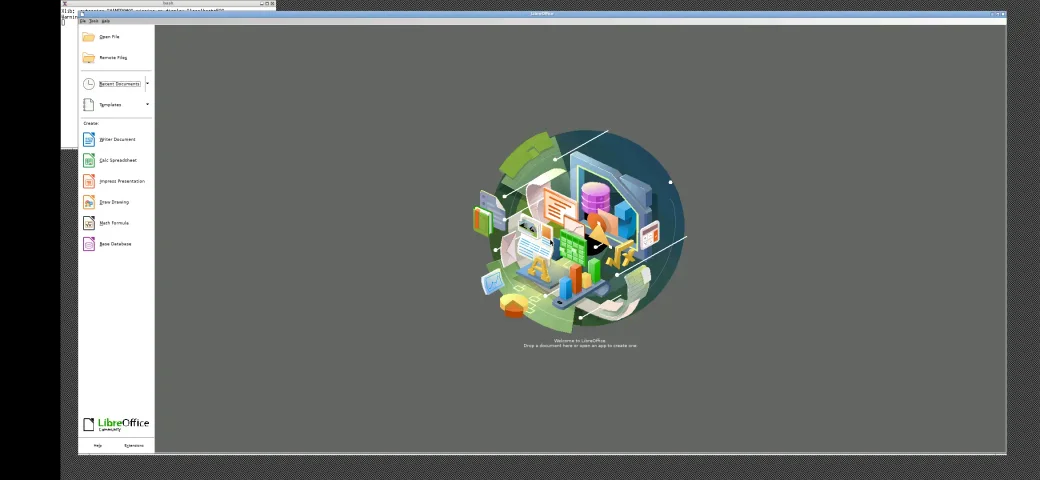
Dies ist tatsächlich LibreOffice, das auf Ihrem Gerät läuft. Es bietet vollen Funktionsumfang und professionellen Support. Es handelt sich um die Linux-Desktop-Edition von LibreOffice.
Über LibreOffice:
Open-Source-Produktivitätssoftware. Umfasst folgende Funktionen:
Writer:
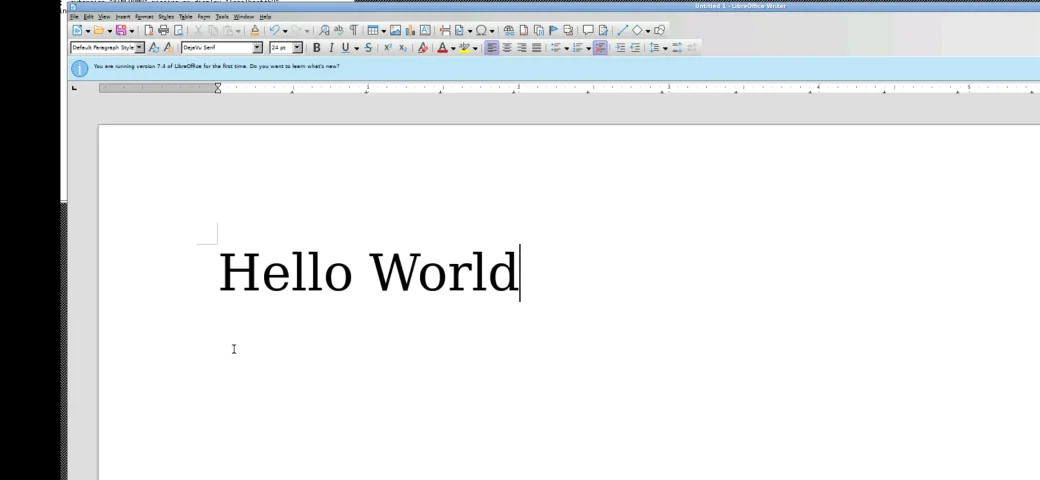
Ein Textverarbeitungsprogramm mit ähnlicher Funktionalität und Dateiformatunterstützung wie Microsoft Word oder WordPerfect. Es bietet umfangreiche WYSIWYG-Textverarbeitungsfunktionen, kann aber auch als einfacher Texteditor verwendet werden. Außerdem lassen sich ausfüllbare Formulare über PDF oder die Registerkarte „Formulare“ erstellen.
Calc:
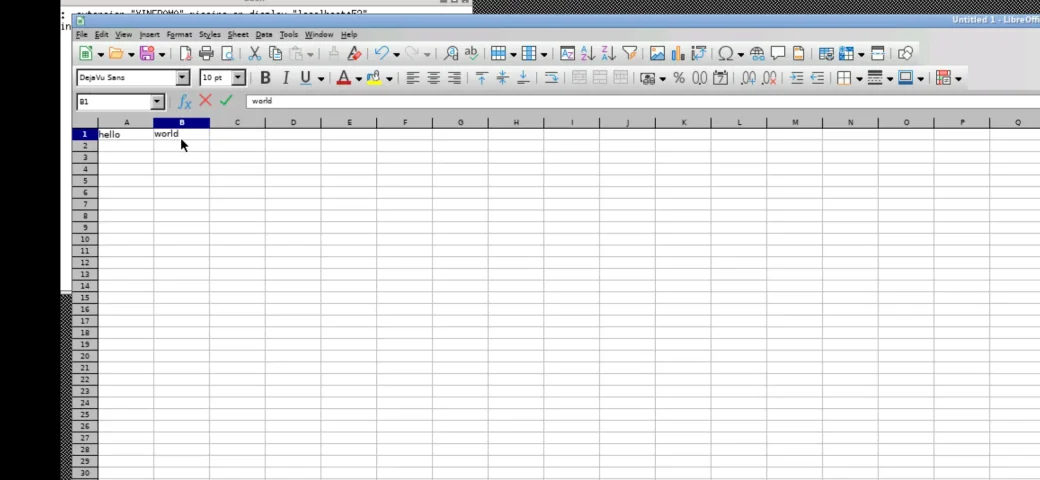
Ein Tabellenkalkulationsprogramm, ähnlich wie Microsoft Excel oder Lotus 1-2-3. Es verfügt über mehrere einzigartige Funktionen, darunter ein System, das automatisch Diagrammreihen basierend auf den verfügbaren Informationen definiert.
Impress:
Ein Präsentationsprogramm, das Microsoft PowerPoint ähnelt. Impress unterstützt verschiedene Dateiformate, darunter PPTX, ODP und SXI.
Draw:
Ein Vektorgrafikeditor, Rastergrafikeditor und Diagrammwerkzeug, ähnlich wie Microsoft Visio, CorelDRAW und Adobe Photoshop. Es bietet Verbindungszeichen zwischen Formen in verschiedenen Linienarten und erleichtert das Erstellen von Zeichnungen wie Flussdiagrammen. Es enthält außerdem Funktionen, die Desktop-Publishing-Software wie Scribus und Microsoft Publisher ähneln, jedoch nicht deren Funktionsumfang erreichen. Es kann auch als PDF-Editor verwendet werden.
Mathematik:
Eine Anwendung zum Erstellen und Bearbeiten mathematischer Formeln. Die Anwendung verwendet eine XML-Variante zur Formelerstellung gemäß der OpenDocument-Spezifikation. Diese Formeln können in andere Dokumente der LibreOffice-Suite, z. B. solche, die mit Writer oder Calc erstellt wurden, eingebettet werden.
Base:
Ein Datenbankverwaltungsprogramm, ähnlich Microsoft Access. Mit LibreOffice Base lassen sich Datenbanken erstellen und verwalten sowie Formulare und Berichte zu Datenbankinhalten generieren. Wie Access kann es zum Erstellen kleiner eingebetteter Datenbanken verwendet werden, die zusammen mit den Dokumentdateien gespeichert werden (mit der Java-basierten Datenbank HSQLDB und dem C++-basierten Firebird als Speichermodul). Für anspruchsvollere Aufgaben dient es außerdem als Frontend für verschiedene Datenbankmanagementsysteme, darunter die Access Database Engine (ACE/JET), ODBC/JDBC-Datenquellen sowie MySQL, MariaDB, PostgreSQL und Microsoft Access.
Weitere Informationen finden Sie hier: https://www.libreoffice.org/
So verwenden Sie die LibreDocs Android-App: Die grafische Oberfläche funktioniert wie gewohnt. Hier einige Besonderheiten der Android-Oberfläche:
* Tippen Sie mit einem Finger, um einen Linksklick auszuführen.
* Bewegen Sie den Mauszeiger durch Wischen mit einem Finger.
* Zoomen Sie mit zwei Fingern.
* Halten Sie einen Finger gedrückt und wischen Sie, um den Bildausschnitt zu verschieben (nützlich im Zoom-Modus).
* Wischen Sie mit zwei Fingern nach oben und unten, um zu scrollen.
* Um die Tastatur aufzurufen, tippen Sie auf den Bildschirm, um die Symbole anzuzeigen, und tippen Sie dann auf das Tastatursymbol.
* Um einen Rechtsklick auszuführen, tippen Sie mit zwei Fingern.
* Um die Desktop-Skalierung zu ändern, suchen Sie die Android-Benachrichtigung und tippen Sie auf die Einstellungen. Nach der Änderung müssen Sie die App beenden und neu starten, damit die Änderungen wirksam werden.
Dies ist auf einem Tablet und mit einem Stift einfacher, funktioniert aber auch auf einem Smartphone oder mit dem Finger.
Für den Zugriff auf Dateien im restlichen Android-System finden Sie in Ihrem Benutzerverzeichnis (/home/userland) viele nützliche Links zu Ordnern wie Dokumente, Bilder usw. Dateien müssen nicht importiert oder exportiert werden.
Wenn Sie die Kosten für diese App nicht tragen möchten oder können, können Sie LibreOffice über die UserLand-App nutzen.
Lizenz:
Das Symbol wird unter der Creative Commons Attribution-ShareAlike 3.0 Unported (CC-by-sa) Lizenz der Document Foundation bereitgestellt.
Diese App wurde nicht vom Hauptentwicklungsteam von LibreOffice erstellt. Es handelt sich vielmehr um eine Anpassung, die es ermöglicht, die Linux-Version unter Android auszuführen.
Originaltext anzeigen
This is really LibreOffice running on your device. It is full featured and professionally supported. This runs the Linux desktop edition of LibreOffice.
About LibreOffice:
Open source productivity software. Includes the following capabilities:
Writer:
A word processor with similar functionality and file support to Microsoft Word or WordPerfect. It has extensive WYSIWYG word processing capabilities, but can also be used as a basic text editor. It can also create fillable forms via PDF or the Forms tab.
Calc:
A spreadsheet program, similar to Microsoft Excel or Lotus 1-2-3. It has several unique features, including a system which automatically defines series of graphs, based on information available to the user.
Impress:
A presentation program resembling Microsoft PowerPoint. Impress has support for multiple file formats including PPTX, ODP, and SXI.
Draw:
A vector graphics editor, raster graphics editor, and diagramming tool similar to Microsoft Visio, CorelDRAW, and Adobe Photoshop. It provides connectors between shapes, which are available in a range of line styles and facilitate building drawings such as flowcharts. It also includes features similar to desktop publishing software such as Scribus and Microsoft Publisher, but the features are not on par with desktop publishing software. It can also act as a PDF file editor.
Math:
An application designed for creating and editing mathematical formulae. The application uses a variant of XML for creating formulas, as defined in the OpenDocument specification. These formulas can be incorporated into other documents in the LibreOffice suite, such as those created by Writer or Calc, by embedding the formulas into the document.
Base:
A database management program, similar to Microsoft Access. LibreOffice Base allows databases to be created and managed, and the generation of forms and reports of database content. Like Access, it can be used to create small embedded databases that are stored with the document files (using Java-based HSQLDB and C++ based Firebird as its storage engine), and for more demanding tasks it can also be used as a front-end for various database management systems, including Access Database Engine (ACE/JET), ODBC/JDBC data sources, and MySQL, MariaDB, PostgreSQL and Microsoft Access.
You can read more about it here: https://www.libreoffice.org/
How to use this LibreDocs Android app:
When using the graphical interface, use LibreOffice just like normal. But here are some specifics to the Android interface.
* Tap with one figure to left click.
* Move mouse by sliding around one finger.
* Pinch to zoom.
* Press and hold and then slide one finger to pan (useful when zoomed in).
* Slide two fingers up and down to scroll.
* If you want to bring up a keyboard, tap on the screen to get a set of icons to appear and then click the keyboard icon.
* If you want to do the equivalent to a right click, tap with two fingers.
* If you want to change the desktop scaling, find the service android notification and click the settings. You have to stop and restart the app after changing this settings for it to take effect.
This is all easier to do on a tablet and with a stylus, but it can be done on a phone or using your finger as well.
To access files from the rest of Android, there are many useful links in your home directory (/home/userland) to places like your Documents, Pictures, etc. No need to import or export files.
If you don't want to, or cannot pay the cost of this app, you can run LibreOffice via the UserLAnd app.
Licensing:
The icon is provided via the Creative Commons Attribution Share-Alike 3.0 Unported (CC-by-sa) from the Document Foundation.
This app is not created by the main LibreOffice development team. Instead it is an adaptation that allows the Linux version to run on Android.
Datensicherheit
Was UserLAnd Technologies bei Google Play zu den Daten angibt, die diese App erfasst und weitergibt.
- Keine Daten werden mit Drittunternehmen oder -organisationen geteiltWeitere Informationen dazu, wie Entwickler Angaben zur Weitergabe von Daten machen
- Keine Daten erhobenWeitere Informationen dazu, wie Entwickler Angaben zur Datenerhebung machen
Neue Funktionen
Version 26.11.17 · 17.11.2026
Your app's Linux system is now built fresh from our new image pipeline, with up-to-date packages and a faster, more reliable download. Opening files in your phone's shared storage no longer fails the first time, and more programs run correctly. Already installed? Your existing setup is kept; reinstall to get the new system.
Kontakt zum Entwickler
- Websiteuserland.tech
- E-Mailsupport@userland.tech
- Datenschutzerklärunguserland.tech
- Adresse10258 SW 67th Ave Portland, OR 97223 United States
Informationen
- Angeboten von
- UserLAnd Technologies
- Kategorie
- Effizienz
- Version
- 26.11.17
- Aktualisiert
- 17.11.2026
- Veröffentlicht
- 24.08.2023
- Erfordert
- Android 7.0 oder höher
- Altersfreigabe
- USK ab 0 Jahren
- Preis
- 2,19 €
- Paketname
- tech.ula.libredocs