LibreDocs
UserLAnd Technologies- Rating 3+Batasan usia
- ProduktivitasKategori
- 17/11/2026Diperbarui
- Rp 30.000Harga
Tertaut ke halaman resmi tech.ula.libredocs di Google Play. Terakhir diperiksa pada 19/11/2026.
Tangkapan layar
Tentang aplikasi ini
Terjemahan otomatis oleh Google. Bahasa asli: Inggris (Amerika Serikat).
LibreDocs - Jalankan LibreOffice di Android
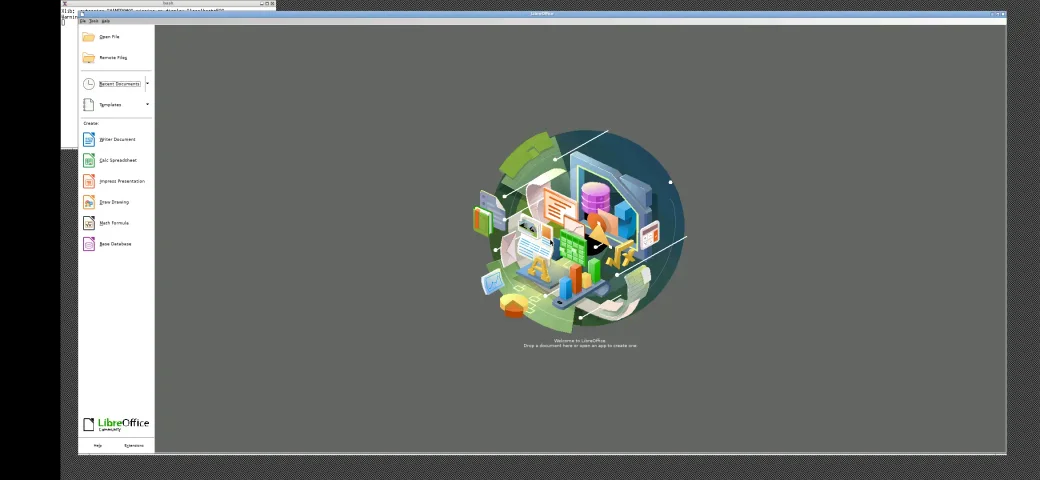
Ini benar-benar LibreOffice yang berjalan di perangkat Anda. Fiturnya lengkap dan didukung secara profesional. Ini menjalankan edisi desktop Linux dari LibreOffice.
Tentang LibreOffice:
Perangkat lunak produktivitas sumber terbuka. Termasuk kemampuan berikut:
Writer:
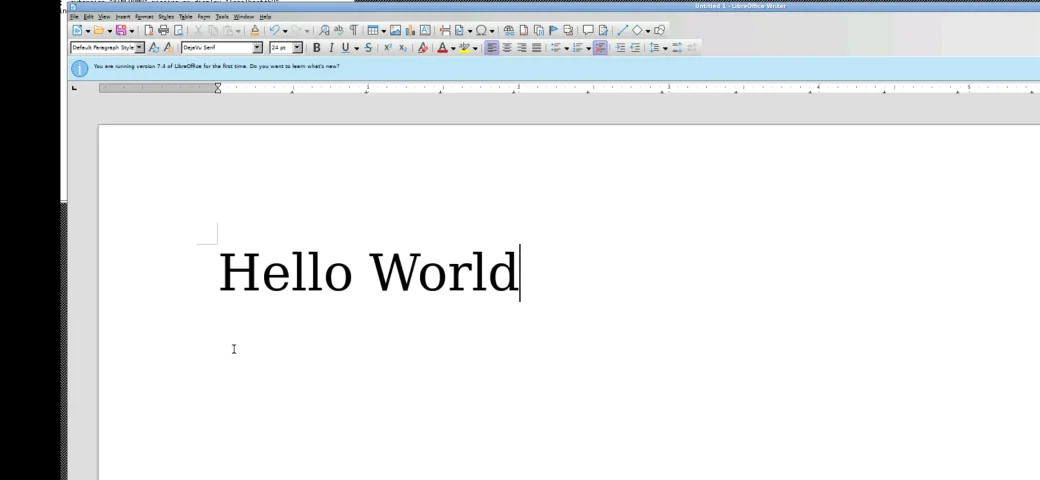
Pengolah kata dengan fungsi dan dukungan file yang mirip dengan Microsoft Word atau WordPerfect. Memiliki kemampuan pengolah kata WYSIWYG yang luas, tetapi juga dapat digunakan sebagai editor teks dasar. Dapat juga membuat formulir yang dapat diisi melalui PDF atau tab Formulir.
Calc:
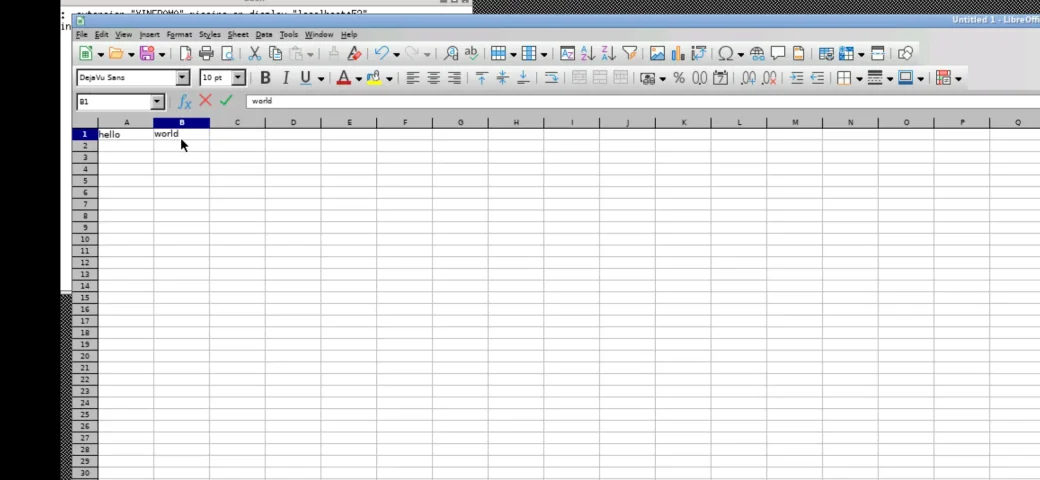
Program spreadsheet, mirip dengan Microsoft Excel atau Lotus 1-2-3. Memiliki beberapa fitur unik, termasuk sistem yang secara otomatis mendefinisikan serangkaian grafik, berdasarkan informasi yang tersedia bagi pengguna.
Impress:
Program presentasi yang menyerupai Microsoft PowerPoint. Impress mendukung berbagai format file termasuk PPTX, ODP, dan SXI.
Draw:
Editor grafis vektor, editor grafis raster, dan alat pembuatan diagram yang mirip dengan Microsoft Visio, CorelDRAW, dan Adobe Photoshop. Perangkat lunak ini menyediakan konektor antar bentuk, yang tersedia dalam berbagai gaya garis dan memfasilitasi pembuatan gambar seperti diagram alur. Perangkat lunak ini juga mencakup fitur yang mirip dengan perangkat lunak penerbitan desktop seperti Scribus dan Microsoft Publisher, tetapi fitur-fiturnya tidak setara dengan perangkat lunak penerbitan desktop. Perangkat lunak ini juga dapat berfungsi sebagai editor file PDF.
Matematika:
Aplikasi yang dirancang untuk membuat dan mengedit rumus matematika. Aplikasi ini menggunakan varian XML untuk membuat rumus, seperti yang didefinisikan dalam spesifikasi OpenDocument. Rumus-rumus ini dapat dimasukkan ke dalam dokumen lain dalam rangkaian LibreOffice, seperti yang dibuat oleh Writer atau Calc, dengan menyematkan rumus ke dalam dokumen.
Basis:
Program manajemen basis data, mirip dengan Microsoft Access. LibreOffice Base memungkinkan pembuatan dan pengelolaan basis data, serta pembuatan formulir dan laporan konten basis data. Seperti Access, LibreOffice dapat digunakan untuk membuat basis data kecil yang tertanam dan disimpan bersama file dokumen (menggunakan HSQLDB berbasis Java dan Firebird berbasis C++ sebagai mesin penyimpanannya), dan untuk tugas yang lebih kompleks, LibreOffice juga dapat digunakan sebagai antarmuka untuk berbagai sistem manajemen basis data, termasuk Access Database Engine (ACE/JET), sumber data ODBC/JDBC, dan MySQL, MariaDB, PostgreSQL, dan Microsoft Access.
Anda dapat membaca lebih lanjut tentangnya di sini: https://www.libreoffice.org/
Cara menggunakan aplikasi LibreDocs Android ini:
Saat menggunakan antarmuka grafis, gunakan LibreOffice seperti biasa. Namun, berikut beberapa hal khusus untuk antarmuka Android.
* Ketuk dengan satu jari untuk klik kiri.
* Gerakkan mouse dengan menggeser satu jari.
* Cubit untuk memperbesar.
* Tekan dan tahan lalu geser satu jari untuk menggeser (berguna saat diperbesar).
* Geser dua jari ke atas dan ke bawah untuk menggulir.
* Jika Anda ingin memunculkan papan ketik, ketuk layar untuk memunculkan serangkaian ikon, lalu klik ikon papan ketik.
* Jika Anda ingin melakukan hal yang setara dengan klik kanan, ketuk dengan dua jari.
* Jika Anda ingin mengubah skala desktop, temukan notifikasi layanan Android dan klik pengaturan. Anda harus menghentikan dan memulai ulang aplikasi setelah mengubah pengaturan ini agar perubahan berlaku.
Semua ini lebih mudah dilakukan di tablet dan dengan stylus, tetapi juga dapat dilakukan di ponsel atau menggunakan jari Anda.
Untuk mengakses file dari Android lainnya, terdapat banyak tautan bermanfaat di direktori beranda Anda (/home/userland) ke tempat-tempat seperti Dokumen, Gambar, dll. Tidak perlu mengimpor atau mengekspor file.
Jika Anda tidak ingin, atau tidak mampu membayar biaya aplikasi ini, Anda dapat menjalankan LibreOffice melalui aplikasi UserLAnd.
Lisensi:
Ikon ini disediakan melalui Creative Commons Attribution Share-Alike 3.0 Unported (CC-by-sa) dari Document Foundation.
Aplikasi ini tidak dibuat oleh tim pengembangan utama LibreOffice. Sebaliknya, ini adalah adaptasi yang memungkinkan versi Linux berjalan di Android.
Tampilkan teks asli
This is really LibreOffice running on your device. It is full featured and professionally supported. This runs the Linux desktop edition of LibreOffice.
About LibreOffice:
Open source productivity software. Includes the following capabilities:
Writer:
A word processor with similar functionality and file support to Microsoft Word or WordPerfect. It has extensive WYSIWYG word processing capabilities, but can also be used as a basic text editor. It can also create fillable forms via PDF or the Forms tab.
Calc:
A spreadsheet program, similar to Microsoft Excel or Lotus 1-2-3. It has several unique features, including a system which automatically defines series of graphs, based on information available to the user.
Impress:
A presentation program resembling Microsoft PowerPoint. Impress has support for multiple file formats including PPTX, ODP, and SXI.
Draw:
A vector graphics editor, raster graphics editor, and diagramming tool similar to Microsoft Visio, CorelDRAW, and Adobe Photoshop. It provides connectors between shapes, which are available in a range of line styles and facilitate building drawings such as flowcharts. It also includes features similar to desktop publishing software such as Scribus and Microsoft Publisher, but the features are not on par with desktop publishing software. It can also act as a PDF file editor.
Math:
An application designed for creating and editing mathematical formulae. The application uses a variant of XML for creating formulas, as defined in the OpenDocument specification. These formulas can be incorporated into other documents in the LibreOffice suite, such as those created by Writer or Calc, by embedding the formulas into the document.
Base:
A database management program, similar to Microsoft Access. LibreOffice Base allows databases to be created and managed, and the generation of forms and reports of database content. Like Access, it can be used to create small embedded databases that are stored with the document files (using Java-based HSQLDB and C++ based Firebird as its storage engine), and for more demanding tasks it can also be used as a front-end for various database management systems, including Access Database Engine (ACE/JET), ODBC/JDBC data sources, and MySQL, MariaDB, PostgreSQL and Microsoft Access.
You can read more about it here: https://www.libreoffice.org/
How to use this LibreDocs Android app:
When using the graphical interface, use LibreOffice just like normal. But here are some specifics to the Android interface.
* Tap with one figure to left click.
* Move mouse by sliding around one finger.
* Pinch to zoom.
* Press and hold and then slide one finger to pan (useful when zoomed in).
* Slide two fingers up and down to scroll.
* If you want to bring up a keyboard, tap on the screen to get a set of icons to appear and then click the keyboard icon.
* If you want to do the equivalent to a right click, tap with two fingers.
* If you want to change the desktop scaling, find the service android notification and click the settings. You have to stop and restart the app after changing this settings for it to take effect.
This is all easier to do on a tablet and with a stylus, but it can be done on a phone or using your finger as well.
To access files from the rest of Android, there are many useful links in your home directory (/home/userland) to places like your Documents, Pictures, etc. No need to import or export files.
If you don't want to, or cannot pay the cost of this app, you can run LibreOffice via the UserLAnd app.
Licensing:
The icon is provided via the Creative Commons Attribution Share-Alike 3.0 Unported (CC-by-sa) from the Document Foundation.
This app is not created by the main LibreOffice development team. Instead it is an adaptation that allows the Linux version to run on Android.
Keamanan data
Yang dinyatakan UserLAnd Technologies di Google Play tentang data yang dikumpulkan dan dibagikan aplikasi ini.
- Tidak ada data yang dibagikan kepada pihak ketigaPelajari lebih lanjut cara developer menyatakan pembagian data
- Tidak ada data yang dikumpulkanPelajari lebih lanjut cara developer menyatakan pengumpulan data
Yang baru
Versi 26.11.17 · 17/11/2026
Your app's Linux system is now built fresh from our new image pipeline, with up-to-date packages and a faster, more reliable download. Opening files in your phone's shared storage no longer fails the first time, and more programs run correctly. Already installed? Your existing setup is kept; reinstall to get the new system.
Kontak pengembang
- Situs webuserland.tech
- Emailsupport@userland.tech
- Kebijakan Privasiuserland.tech
- Alamat10258 SW 67th Ave Portland, OR 97223 United States
Informasi
- Ditawarkan oleh
- UserLAnd Technologies
- Kategori
- Produktivitas
- Versi
- 26.11.17
- Diperbarui
- 17/11/2026
- Dirilis
- 24/8/2023
- Memerlukan
- Android 7.0 atau yang lebih baru
- Batasan usia
- Rating 3+
- Harga
- Rp 30.000
- Nama paket
- tech.ula.libredocs