LibreDocs
UserLAnd Technologies- 3 tuổi trở lênĐộ tuổi
- Năng suấtDanh mục
- 17/11/2026Cập nhật
- 48.000 ₫Giá
Dẫn đến trang Google Play chính thức của tech.ula.libredocs. Kiểm tra lần cuối: 19/11/2026.
Ảnh chụp màn hình
Thông tin về ứng dụng này
Bản dịch tự động của Google. Ngôn ngữ gốc: Tiếng Anh (Hoa Kỳ).
LibreDocs - Chạy LibreOffice trên Android
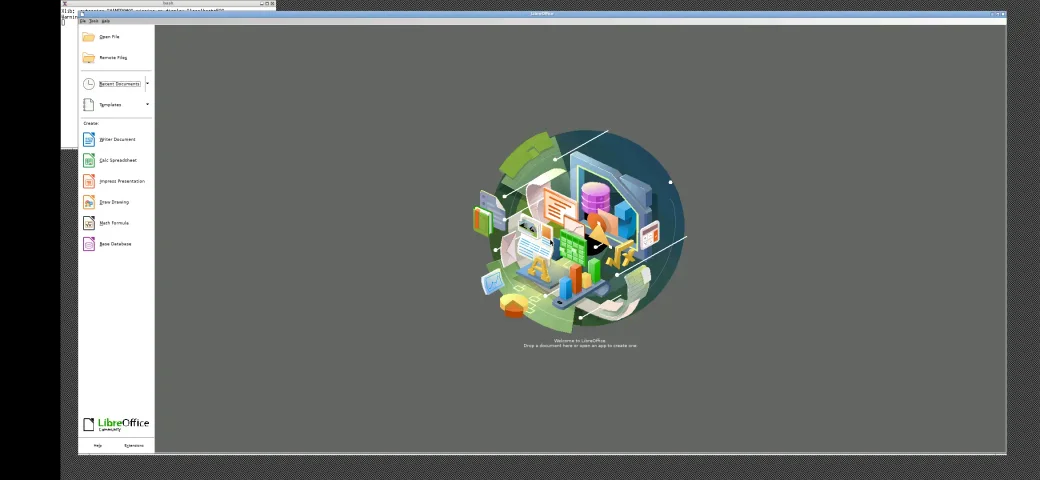
Đây thực sự là LibreOffice đang chạy trên thiết bị của bạn. Nó có đầy đủ tính năng và được hỗ trợ chuyên nghiệp. Đây là phiên bản LibreOffice dành cho máy tính để bàn chạy hệ điều hành Linux.
Giới thiệu về LibreOffice:
Phần mềm năng suất mã nguồn mở. Bao gồm các chức năng sau:
Writer:
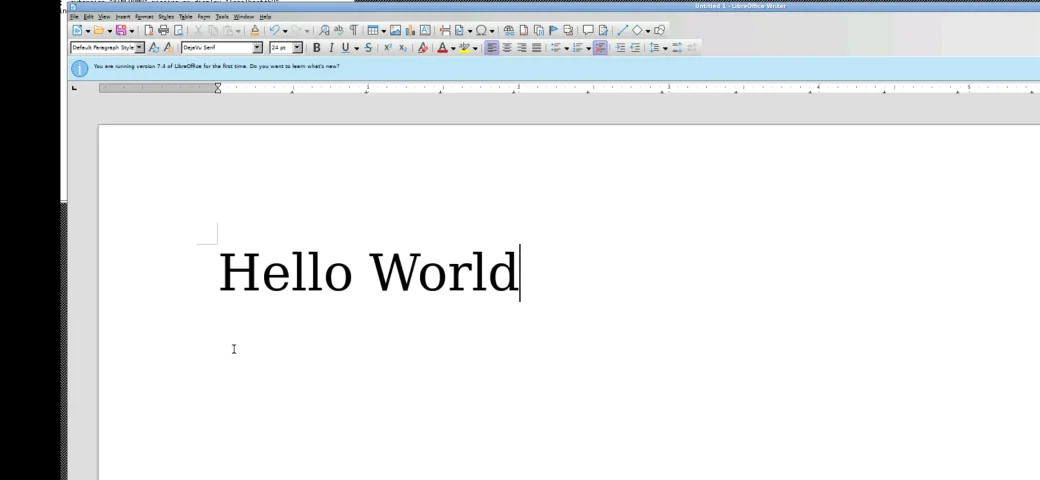
Một trình xử lý văn bản với chức năng và hỗ trợ định dạng tệp tương tự như Microsoft Word hoặc WordPerfect. Nó có khả năng xử lý văn bản WYSIWYG mở rộng, nhưng cũng có thể được sử dụng như một trình soạn thảo văn bản cơ bản. Nó cũng có thể tạo các biểu mẫu có thể điền thông qua PDF hoặc tab Biểu mẫu.
Calc:
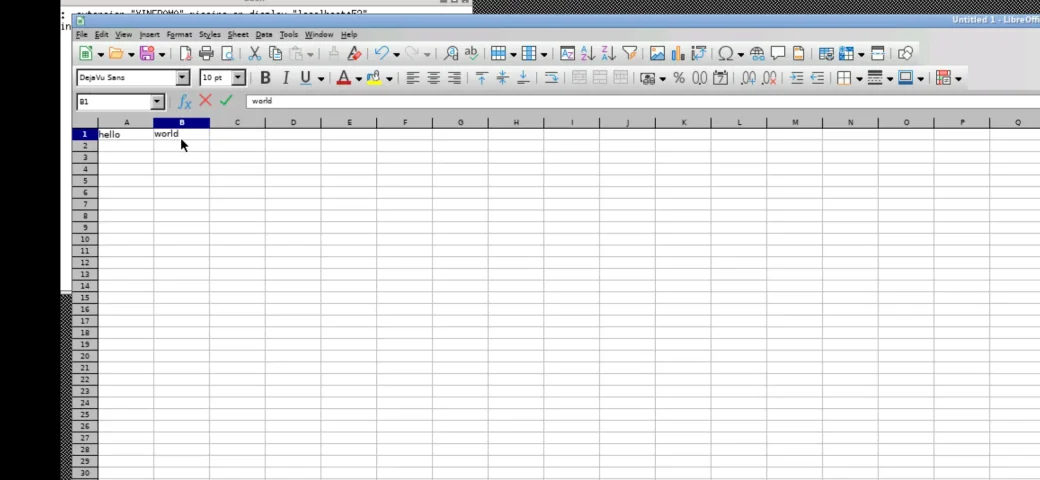
Một chương trình bảng tính, tương tự như Microsoft Excel hoặc Lotus 1-2-3. Nó có một số tính năng độc đáo, bao gồm một hệ thống tự động xác định chuỗi biểu đồ, dựa trên thông tin có sẵn cho người dùng.
Impress:
Một chương trình trình chiếu giống như Microsoft PowerPoint. Impress hỗ trợ nhiều định dạng tệp bao gồm PPTX, ODP và SXI.
Draw:
Một trình chỉnh sửa đồ họa vector, trình chỉnh sửa đồ họa raster và công cụ vẽ sơ đồ tương tự như Microsoft Visio, CorelDRAW và Adobe Photoshop. Nó cung cấp các đường nối giữa các hình dạng, có sẵn với nhiều kiểu đường kẻ khác nhau và hỗ trợ việc xây dựng các bản vẽ như sơ đồ lưu trình. Nó cũng bao gồm các tính năng tương tự như phần mềm xuất bản trên máy tính để bàn như Scribus và Microsoft Publisher, nhưng các tính năng này không sánh bằng phần mềm xuất bản trên máy tính để bàn. Nó cũng có thể hoạt động như một trình chỉnh sửa tệp PDF.
Toán học:
Một ứng dụng được thiết kế để tạo và chỉnh sửa các công thức toán học. Ứng dụng này sử dụng một biến thể của XML để tạo công thức, như được định nghĩa trong đặc tả OpenDocument. Các công thức này có thể được tích hợp vào các tài liệu khác trong bộ LibreOffice, chẳng hạn như các tài liệu được tạo bởi Writer hoặc Calc, bằng cách nhúng các công thức vào tài liệu.
Cơ sở dữ liệu:
Một chương trình quản lý cơ sở dữ liệu, tương tự như Microsoft Access. LibreOffice Base cho phép tạo và quản lý cơ sở dữ liệu, cũng như tạo các biểu mẫu và báo cáo về nội dung cơ sở dữ liệu. Giống như Access, nó có thể được sử dụng để tạo các cơ sở dữ liệu nhúng nhỏ được lưu trữ cùng với các tệp tài liệu (sử dụng HSQLDB dựa trên Java và Firebird dựa trên C++ làm công cụ lưu trữ), và đối với các tác vụ phức tạp hơn, nó cũng có thể được sử dụng như một giao diện người dùng cho nhiều hệ thống quản lý cơ sở dữ liệu khác nhau, bao gồm Access Database Engine (ACE/JET), nguồn dữ liệu ODBC/JDBC, và MySQL, MariaDB, PostgreSQL và Microsoft Access.
Bạn có thể đọc thêm về nó tại đây: https://www.libreoffice.org/
Cách sử dụng ứng dụng LibreDocs dành cho Android:
Khi sử dụng giao diện đồ họa, hãy sử dụng LibreOffice như bình thường. Nhưng đây là một số điểm đặc thù của giao diện Android.
* Chạm bằng một ngón tay để nhấp chuột trái.
* Di chuyển chuột bằng cách trượt một ngón tay.
* Chụm hai ngón tay để phóng to.
* Nhấn và giữ rồi trượt một ngón tay để di chuyển (hữu ích khi đã phóng to).
* Trượt hai ngón tay lên xuống để cuộn.
* * Nếu muốn hiển thị bàn phím, hãy chạm vào màn hình để hiển thị một loạt biểu tượng, sau đó nhấp vào biểu tượng bàn phím.
* Nếu muốn thực hiện thao tác tương đương với nhấp chuột phải, hãy chạm bằng hai ngón tay.
* Nếu muốn thay đổi tỷ lệ hiển thị trên màn hình, hãy tìm thông báo dịch vụ Android và nhấp vào cài đặt. Bạn cần dừng và khởi động lại ứng dụng sau khi thay đổi cài đặt này để thay đổi có hiệu lực.
Thao tác này dễ dàng hơn trên máy tính bảng và bằng bút cảm ứng, nhưng cũng có thể thực hiện trên điện thoại hoặc bằng ngón tay.
Để truy cập các tệp từ phần còn lại của Android, có nhiều liên kết hữu ích trong thư mục chính của bạn (/home/userland) đến các thư mục như Tài liệu, Hình ảnh, v.v. Không cần nhập hoặc xuất tệp.
Nếu bạn không muốn hoặc không thể trả phí cho ứng dụng này, bạn có thể chạy LibreOffice thông qua ứng dụng UserLAnd.
Giấy phép:
Biểu tượng được cung cấp theo giấy phép Creative Commons Attribution Share-Alike 3.0 Unported (CC-by-sa) từ Document Foundation.
Ứng dụng này không được tạo ra bởi nhóm phát triển chính của LibreOffice. Thay vào đó, nó là một phiên bản chuyển thể cho phép phiên bản Linux chạy trên Android.
Hiện văn bản gốc
This is really LibreOffice running on your device. It is full featured and professionally supported. This runs the Linux desktop edition of LibreOffice.
About LibreOffice:
Open source productivity software. Includes the following capabilities:
Writer:
A word processor with similar functionality and file support to Microsoft Word or WordPerfect. It has extensive WYSIWYG word processing capabilities, but can also be used as a basic text editor. It can also create fillable forms via PDF or the Forms tab.
Calc:
A spreadsheet program, similar to Microsoft Excel or Lotus 1-2-3. It has several unique features, including a system which automatically defines series of graphs, based on information available to the user.
Impress:
A presentation program resembling Microsoft PowerPoint. Impress has support for multiple file formats including PPTX, ODP, and SXI.
Draw:
A vector graphics editor, raster graphics editor, and diagramming tool similar to Microsoft Visio, CorelDRAW, and Adobe Photoshop. It provides connectors between shapes, which are available in a range of line styles and facilitate building drawings such as flowcharts. It also includes features similar to desktop publishing software such as Scribus and Microsoft Publisher, but the features are not on par with desktop publishing software. It can also act as a PDF file editor.
Math:
An application designed for creating and editing mathematical formulae. The application uses a variant of XML for creating formulas, as defined in the OpenDocument specification. These formulas can be incorporated into other documents in the LibreOffice suite, such as those created by Writer or Calc, by embedding the formulas into the document.
Base:
A database management program, similar to Microsoft Access. LibreOffice Base allows databases to be created and managed, and the generation of forms and reports of database content. Like Access, it can be used to create small embedded databases that are stored with the document files (using Java-based HSQLDB and C++ based Firebird as its storage engine), and for more demanding tasks it can also be used as a front-end for various database management systems, including Access Database Engine (ACE/JET), ODBC/JDBC data sources, and MySQL, MariaDB, PostgreSQL and Microsoft Access.
You can read more about it here: https://www.libreoffice.org/
How to use this LibreDocs Android app:
When using the graphical interface, use LibreOffice just like normal. But here are some specifics to the Android interface.
* Tap with one figure to left click.
* Move mouse by sliding around one finger.
* Pinch to zoom.
* Press and hold and then slide one finger to pan (useful when zoomed in).
* Slide two fingers up and down to scroll.
* If you want to bring up a keyboard, tap on the screen to get a set of icons to appear and then click the keyboard icon.
* If you want to do the equivalent to a right click, tap with two fingers.
* If you want to change the desktop scaling, find the service android notification and click the settings. You have to stop and restart the app after changing this settings for it to take effect.
This is all easier to do on a tablet and with a stylus, but it can be done on a phone or using your finger as well.
To access files from the rest of Android, there are many useful links in your home directory (/home/userland) to places like your Documents, Pictures, etc. No need to import or export files.
If you don't want to, or cannot pay the cost of this app, you can run LibreOffice via the UserLAnd app.
Licensing:
The icon is provided via the Creative Commons Attribution Share-Alike 3.0 Unported (CC-by-sa) from the Document Foundation.
This app is not created by the main LibreOffice development team. Instead it is an adaptation that allows the Linux version to run on Android.
An toàn dữ liệu
Những gì UserLAnd Technologies khai báo trên Google Play về dữ liệu mà ứng dụng này thu thập và chia sẻ.
- Không chia sẻ dữ liệu với bên thứ baTìm hiểu thêm về cách nhà phát triển khai báo thông tin về hoạt động chia sẻ dữ liệu
- Không thu thập dữ liệu nàoTìm hiểu thêm về cách nhà phát triển khai báo thông tin về hoạt động thu thập dữ liệu
Có gì mới
Phiên bản 26.11.17 · 17/11/2026
Your app's Linux system is now built fresh from our new image pipeline, with up-to-date packages and a faster, more reliable download. Opening files in your phone's shared storage no longer fails the first time, and more programs run correctly. Already installed? Your existing setup is kept; reinstall to get the new system.
Liên hệ nhà phát triển
- Trang webuserland.tech
- E-mailsupport@userland.tech
- Chính sách quyền riêng tưuserland.tech
- Địa chỉ10258 SW 67th Ave Portland, OR 97223 United States
Thông tin
- Cung cấp bởi
- UserLAnd Technologies
- Danh mục
- Năng suất
- Phiên bản
- 26.11.17
- Cập nhật
- 17/11/2026
- Phát hành
- 24/08/2023
- Yêu cầu
- Android 7.0 trở lên
- Độ tuổi
- 3 tuổi trở lên
- Giá
- 48.000 ₫
- Tên gói
- tech.ula.libredocs