- Altersfreigabe4+
- KategorieProduktivität
- EntwicklerMarco Luthi
- SprachenEnglisch
- Größe10,4 MB
Verlinkt auf die offizielle App Store-Seite
Download.org hostet keine Datei von 59 min. Die Schaltfläche öffnet die App-Seite bei App Store, wo Marco Luthi die App veröffentlicht. Eintrag zuletzt geprüft am 15.11.2026.
Screenshots

Info
Der Entwickler hat diesen Text nicht in Ihrer Sprache bereitgestellt.
Turn your phone. That’s the timer.
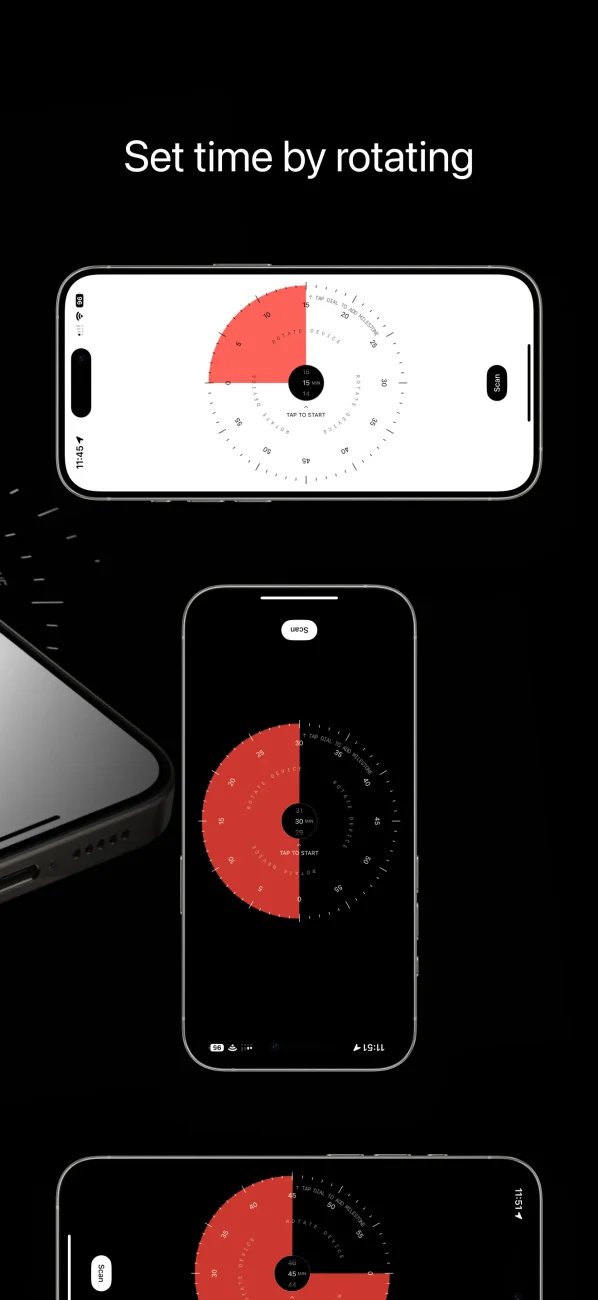
59 min is a visual timer you set the way you set a kitchen timer: by twisting it. Tap +, rotate your iPhone, and a red disk fills the dial. One full turn is one hour. Tap again and the disk starts to shrink, so you can see how much time is left from across the room.
TWIST TO SET
• Rotate your iPhone to dial in anything up to 60 minutes
• A big countdown above the dial shows the exact time, and gentle haptics tick off each minute
• The labels stay upright while you turn. No wheels to scroll, no numbers to type
SEE TIME DISAPPEAR
• A big red disk shows the time that’s left, like a classic classroom timer
• The countdown tells you when it ends, like “Ends at 10:45”
• The screen stays awake while the timer runs, and the dial rattles like an alarm clock when time’s up
MILESTONES: A HEADS‑UP BEFORE TIME’S UP
• Tap the dial while setting to add extra alerts, like “10 min left” or “5 min left”
• Tap a dot to remove it
• Great for talks, exams, meetings and workouts
REAL ALARMS THAT RING ON SILENT
• Built on Apple’s AlarmKit: your timer rings even in Silent Mode or a Focus
• A Live Activity on the Lock Screen and in the Dynamic Island shows the countdown
• Stop the alarm with one tap, without unlocking
ONE TIMER, EVERY PHONE. NO APP NEEDED
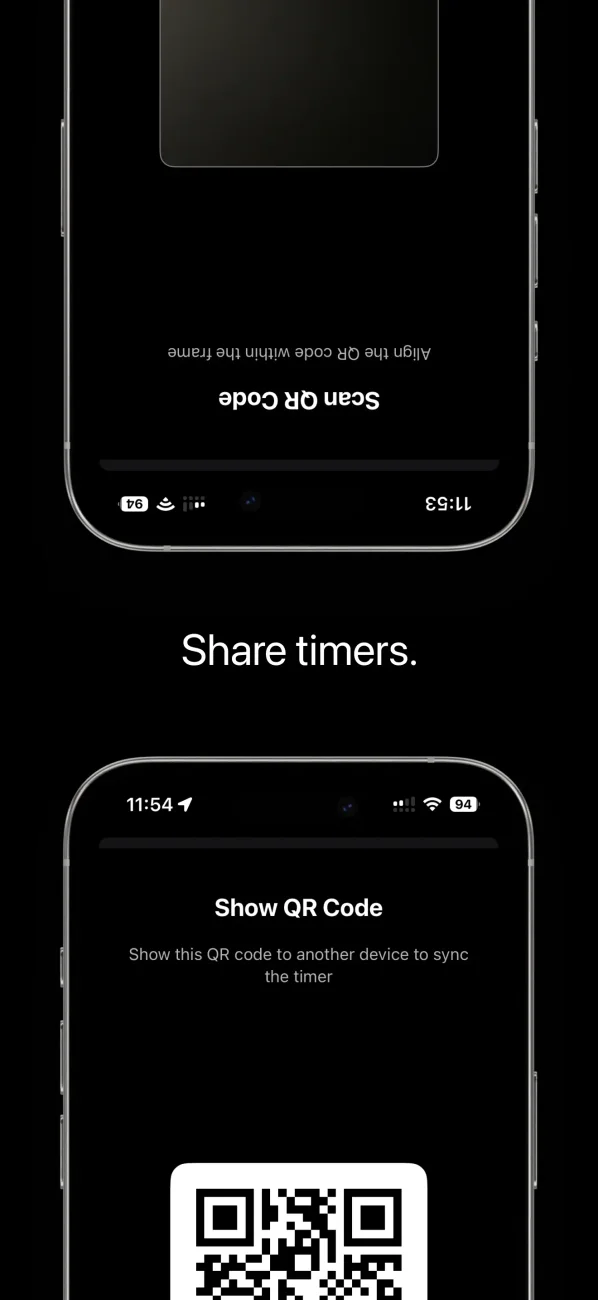
• Tap Share to show a QR code of your running timer
• Others scan it with the iPhone Camera and join instantly in an App Clip, no download needed
• Or tap Send Link to share it in Messages, Mail or anywhere else
• Everyone gets the same end time and milestones
• Perfect for classrooms, workshops, group workouts or a speaker and their timekeeper
• No account, no sign‑up, no server: the timer is in the code
ON YOUR HOME SCREEN
• A small or medium widget shows the red disk and the time left at a glance
CALM BY DESIGN
• Shake to cancel
• The screen fades to black when you’re not touching it; tap to wake it
• Light and Dark Mode
• No ads. No account. No tracking.
Made for anyone who works better when they can see time: people with ADHD, teachers and students, speakers, cooks, and anyone who just wants a timer without the clutter.
Neue Funktionen
Version 1.3 · 10.10.2026
Improved onboarding & tutorial
App-Datenschutz
Was Marco Luthi im App Store zum Umgang dieser App mit Daten angibt.
-
Keine Daten erfasst
Der Entwickler erfasst keine Daten von dieser App.
Die Datenschutzpraktiken können variieren, zum Beispiel je nach den von Ihnen verwendeten Funktionen oder Ihrem Alter.
Informationen
- Anbieter
- Marco Luthi
- Kategorie
- Produktivität
- Version
- 1.3
- Aktualisiert
- 10.10.2026
- Veröffentlicht
- 29.04.2025
- Größe
- 10,4 MB
- Erfordert
- iOS 26.0 oder neuer
- Altersfreigabe
- 4+
- Preis
- Kostenlos
- Sprachen
- Englisch
- Copyright
- © Marco Luthi
Das könnte Ihnen auch gefallen
-
 Bear Todo Box: AufgabenlistePlaner·Widget·Spracheingabe
-
 Bleep - Visual Ideas & NotesProduktivität
-
 Scrap PaperProduktivität
-
 Minimalist Launcher: LessPhoneProduktivität
-
 GewohnheitsplanerGewohnheitsplaner & Widgets
-
 Pomodoro Fokus Timer: KronoFokus- & Lern-Tracker
-
 Habit Tracker - Goals OnTrackProduktivität
-
 Pomodoro Timer deepfocusProduktivität
-
 Afternoon: GewohnheitstrackerAufgaben, Serien & Erfolge
-
 WakeMinder-Popup ErinnerungenAufgaben beim Aufwachen