- 対象年齢4+
- カテゴリ仕事効率化
- 開発元Marco Luthi
- 言語英語
- サイズ10.4 MB
App Storeの公式ページにリンクしています
Download.orgは59 minのファイルを一切ホストしていません。ボタンを押すと、Marco Luthiが公開しているApp Storeのアプリページが開きます。ページの最終確認:2026/11/15。
スクリーンショット

概要
開発元はこのテキストをお使いの言語で提供していません。
Turn your phone. That’s the timer.
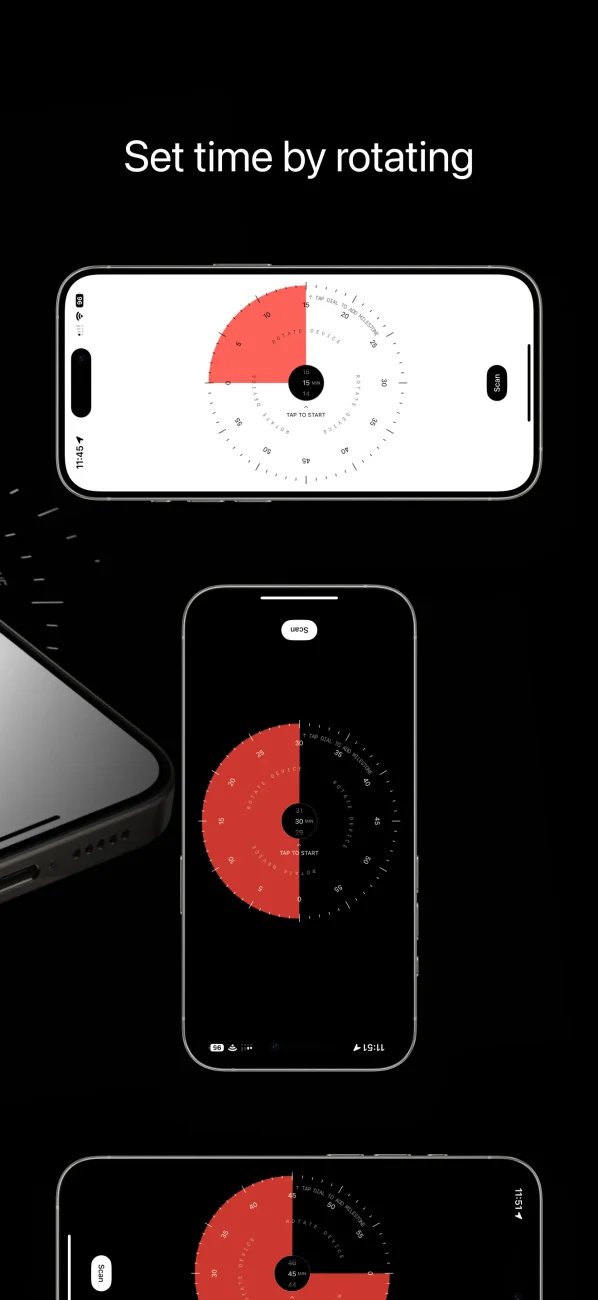
59 min is a visual timer you set the way you set a kitchen timer: by twisting it. Tap +, rotate your iPhone, and a red disk fills the dial. One full turn is one hour. Tap again and the disk starts to shrink, so you can see how much time is left from across the room.
TWIST TO SET
• Rotate your iPhone to dial in anything up to 60 minutes
• A big countdown above the dial shows the exact time, and gentle haptics tick off each minute
• The labels stay upright while you turn. No wheels to scroll, no numbers to type
SEE TIME DISAPPEAR
• A big red disk shows the time that’s left, like a classic classroom timer
• The countdown tells you when it ends, like “Ends at 10:45”
• The screen stays awake while the timer runs, and the dial rattles like an alarm clock when time’s up
MILESTONES: A HEADS‑UP BEFORE TIME’S UP
• Tap the dial while setting to add extra alerts, like “10 min left” or “5 min left”
• Tap a dot to remove it
• Great for talks, exams, meetings and workouts
REAL ALARMS THAT RING ON SILENT
• Built on Apple’s AlarmKit: your timer rings even in Silent Mode or a Focus
• A Live Activity on the Lock Screen and in the Dynamic Island shows the countdown
• Stop the alarm with one tap, without unlocking
ONE TIMER, EVERY PHONE. NO APP NEEDED
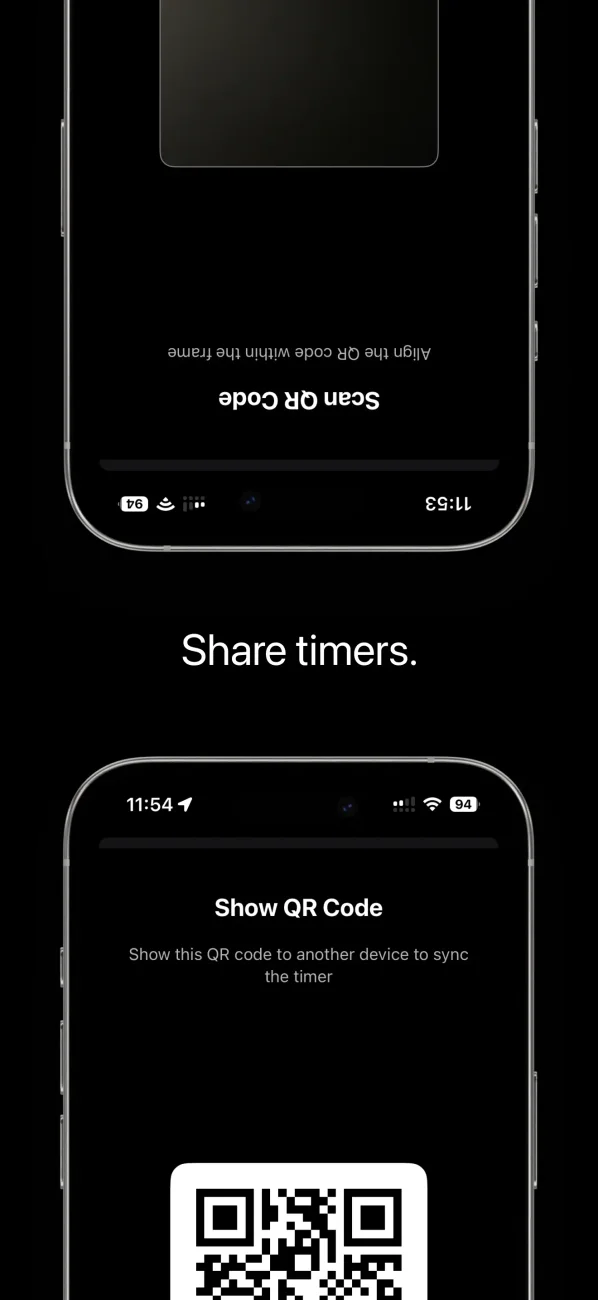
• Tap Share to show a QR code of your running timer
• Others scan it with the iPhone Camera and join instantly in an App Clip, no download needed
• Or tap Send Link to share it in Messages, Mail or anywhere else
• Everyone gets the same end time and milestones
• Perfect for classrooms, workshops, group workouts or a speaker and their timekeeper
• No account, no sign‑up, no server: the timer is in the code
ON YOUR HOME SCREEN
• A small or medium widget shows the red disk and the time left at a glance
CALM BY DESIGN
• Shake to cancel
• The screen fades to black when you’re not touching it; tap to wake it
• Light and Dark Mode
• No ads. No account. No tracking.
Made for anyone who works better when they can see time: people with ADHD, teachers and students, speakers, cooks, and anyone who just wants a timer without the clutter.
新機能
バージョン 1.3 · 2026/10/10
Improved onboarding & tutorial
アプリのプライバシー
このアプリのデータの取り扱いについて、Marco LuthiがApp Storeで申告している内容です。
-
データの収集なし
開発元はこのアプリからデータを収集しません。
プライバシーの取り扱いは、ご利用の機能やお客様の年齢などに応じて異なる場合があります。
情報
- 販売元
- Marco Luthi
- カテゴリ
- 仕事効率化
- バージョン
- 1.3
- 更新日
- 2026/10/10
- リリース
- 2025/4/29
- サイズ
- 10.4 MB
- 必要条件
- iOS 26.0以降
- 対象年齢
- 4+
- 価格
- 無料
- 言語
- 英語
- 著作権
- © Marco Luthi
こちらもおすすめ
-
 Bear Todo Box – タスク管理・ToDoやることリスト・音声入力・ウィジェット
-
 Bleep - Visual Ideas & Notes仕事効率化
-
 Scrap Paper仕事効率化
-
 Minimalist Launcher: LessPhone仕事効率化
-
 Habit Tracker - HabitBot仕事効率化
-
 ポモドーロ集中タイマー:Krono集中と学習トラッカー
-
 Habit Tracker - Goals OnTrack仕事効率化
-
 Pomodoro Timer deepfocus仕事効率化
-
 Afternoon: 習慣トラッカータスク、連続記録、実績
-
 WakeMinder - ポップアップリマインダー起動時にタスクを表示