- Độ tuổi4+
- Danh mụcHiệu Suất
- Nhà phát triểnMarco Luthi
- Ngôn ngữTiếng Anh
- Kích thước10,4 MB
Liên kết đến trang App Store chính thức
Download.org không lưu trữ tệp nào của 59 min. Nút này mở trang ứng dụng trên App Store, nơi Marco Luthi phát hành ứng dụng. Trang được kiểm tra lần cuối: 15/11/2026.
Ảnh chụp màn hình

Giới thiệu
Nhà phát triển chưa cung cấp nội dung này bằng ngôn ngữ của bạn.
Turn your phone. That’s the timer.
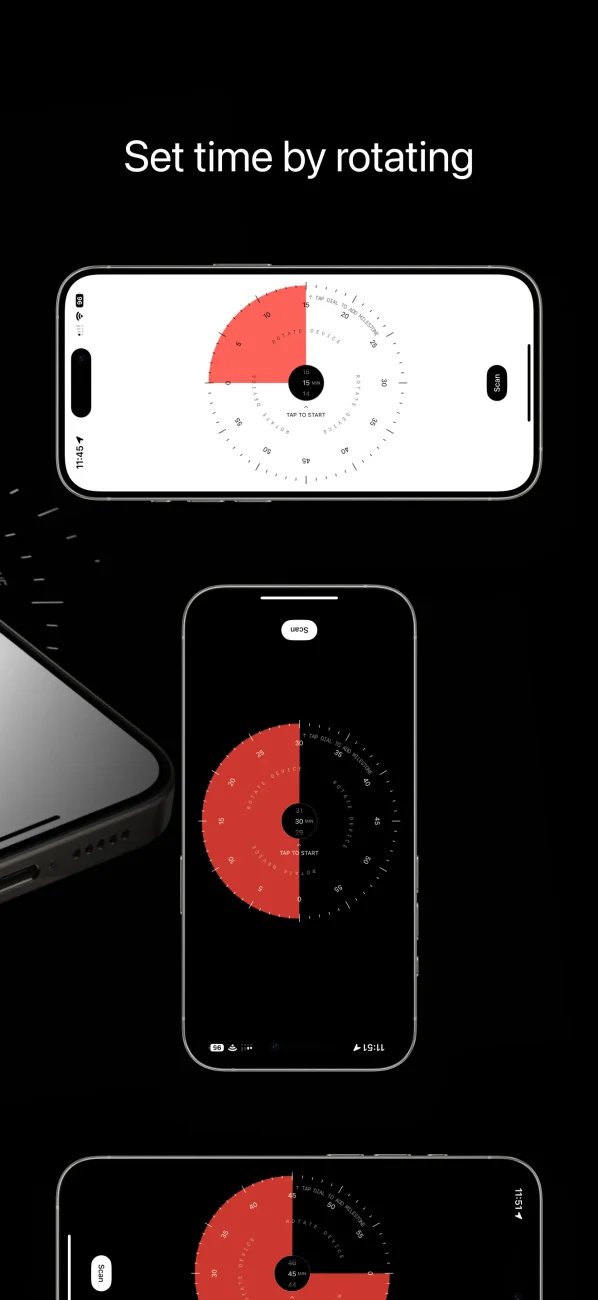
59 min is a visual timer you set the way you set a kitchen timer: by twisting it. Tap +, rotate your iPhone, and a red disk fills the dial. One full turn is one hour. Tap again and the disk starts to shrink, so you can see how much time is left from across the room.
TWIST TO SET
• Rotate your iPhone to dial in anything up to 60 minutes
• A big countdown above the dial shows the exact time, and gentle haptics tick off each minute
• The labels stay upright while you turn. No wheels to scroll, no numbers to type
SEE TIME DISAPPEAR
• A big red disk shows the time that’s left, like a classic classroom timer
• The countdown tells you when it ends, like “Ends at 10:45”
• The screen stays awake while the timer runs, and the dial rattles like an alarm clock when time’s up
MILESTONES: A HEADS‑UP BEFORE TIME’S UP
• Tap the dial while setting to add extra alerts, like “10 min left” or “5 min left”
• Tap a dot to remove it
• Great for talks, exams, meetings and workouts
REAL ALARMS THAT RING ON SILENT
• Built on Apple’s AlarmKit: your timer rings even in Silent Mode or a Focus
• A Live Activity on the Lock Screen and in the Dynamic Island shows the countdown
• Stop the alarm with one tap, without unlocking
ONE TIMER, EVERY PHONE. NO APP NEEDED
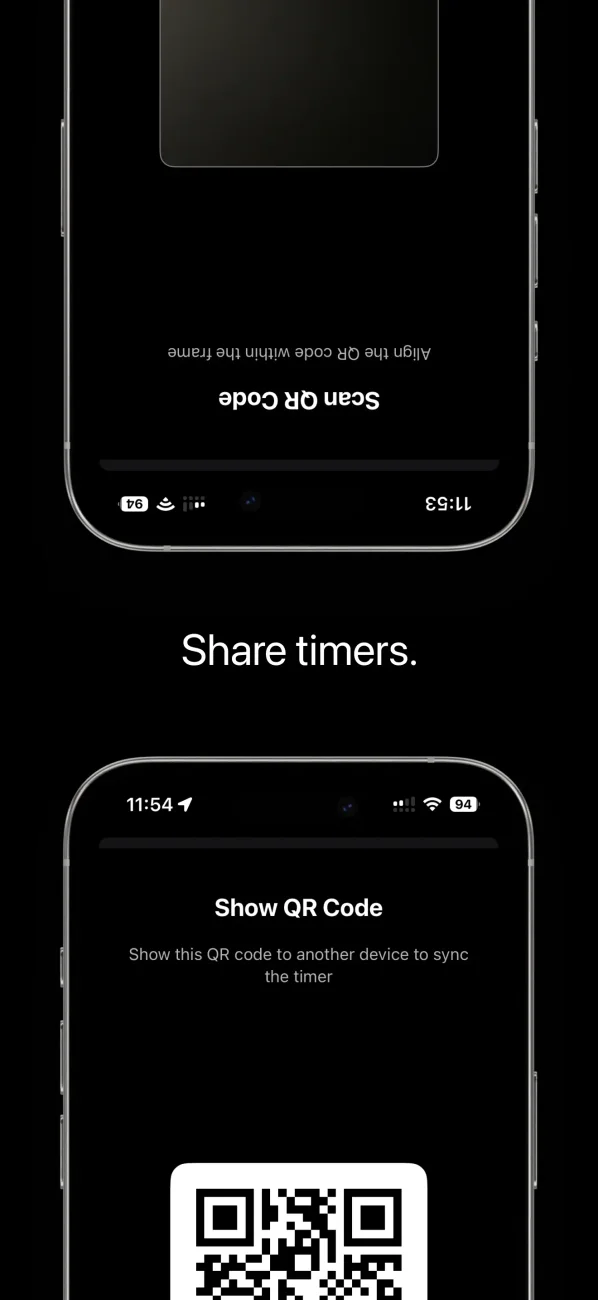
• Tap Share to show a QR code of your running timer
• Others scan it with the iPhone Camera and join instantly in an App Clip, no download needed
• Or tap Send Link to share it in Messages, Mail or anywhere else
• Everyone gets the same end time and milestones
• Perfect for classrooms, workshops, group workouts or a speaker and their timekeeper
• No account, no sign‑up, no server: the timer is in the code
ON YOUR HOME SCREEN
• A small or medium widget shows the red disk and the time left at a glance
CALM BY DESIGN
• Shake to cancel
• The screen fades to black when you’re not touching it; tap to wake it
• Light and Dark Mode
• No ads. No account. No tracking.
Made for anyone who works better when they can see time: people with ADHD, teachers and students, speakers, cooks, and anyone who just wants a timer without the clutter.
Có gì mới
Phiên bản 1.3 · 10/10/2026
Improved onboarding & tutorial
Quyền riêng tư của ứng dụng
Những gì Marco Luthi khai báo trên App Store về cách ứng dụng này xử lý dữ liệu.
-
Dữ liệu không được thu thập
Nhà phát triển không thu thập bất kỳ dữ liệu nào từ ứng dụng này.
Phương thức đảm bảo quyền riêng tư có thể khác nhau, chẳng hạn như tuỳ theo các tính năng bạn sử dụng hoặc độ tuổi của bạn.
Thông tin
- Người bán
- Marco Luthi
- Danh mục
- Hiệu Suất
- Phiên bản
- 1.3
- Cập nhật
- 10/10/2026
- Phát hành
- 29/04/2025
- Kích thước
- 10,4 MB
- Yêu cầu
- iOS 26.0 trở lên
- Độ tuổi
- 4+
- Giá
- Miễn phí
- Ngôn ngữ
- Tiếng Anh
- Bản quyền
- © Marco Luthi
Có thể bạn cũng thích
-
 Bear Todo Box: To-Do & PlannerHiệu Suất
-
 Bleep - Visual Ideas & NotesHiệu Suất
-
 Scrap PaperHiệu Suất
-
 Minimalist Launcher: LessPhoneHiệu Suất
-
 Habit Tracker - HabitBotHiệu Suất
-
 Bộ Hẹn Giờ Pomodoro: KronoTrình theo dõi học & tập trung
-
 Habit Tracker - Goals OnTrackHiệu Suất
-
 Pomodoro Timer deepfocusHiệu Suất
-
 Afternoon: Habit TrackerHiệu Suất
-
 WakeMinder - Popup RemindersHiệu Suất