
MicBridge
Speak, type on your computer
Entwickelt für iPhone
Kostenlos · In-App-Käufe
- Altersfreigabe4+
- KategorieProduktivität
- EntwicklerKa Ming Ho
- SprachenEnglisch+ 2 weitere
- Größe2,8 MB
Verlinkt auf die offizielle App Store-Seite
Download.org hostet keine Datei von MicBridge. Die Schaltfläche öffnet die App-Seite bei App Store, wo Ka Ming Ho die App veröffentlicht. Eintrag zuletzt geprüft am 12.11.2026.
Screenshots


Info
Der Entwickler hat diesen Text nicht in Ihrer Sprache bereitgestellt.
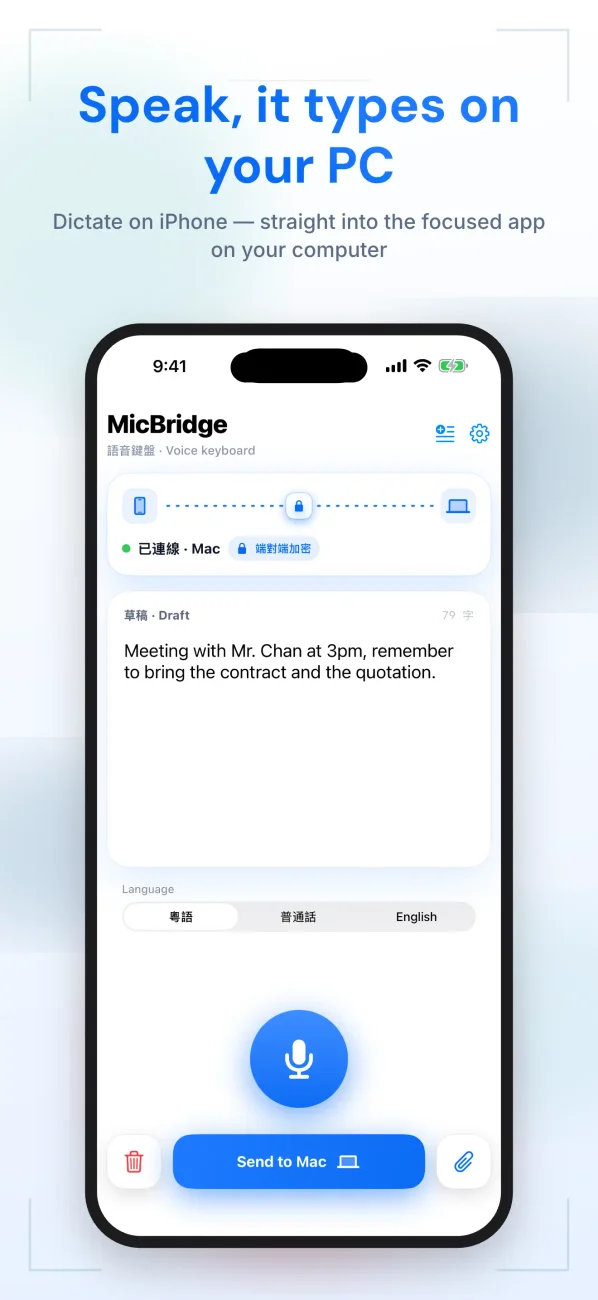
Dictate on your iPhone and the text is typed into whatever app is focused on your Mac or Windows PC — Word, a browser, a chat box, anything. Send images and files both ways too. It all runs on-device and over your own local network: no cloud, no account, no sign-up.
WHAT IT DOES
- Voice straight into the computer. Speech is recognised on your iPhone, shown as an editable draft, then typed as real keystrokes into the focused app the moment you tap Send.
- Two-way file & photo transfer. Phone to computer and back. Images land on the computer clipboard ready to paste; send a file to the phone and it opens a Save/Share sheet. Large files stream without eating memory.
- Cantonese, Mandarin and English dictation, switchable in one tap.
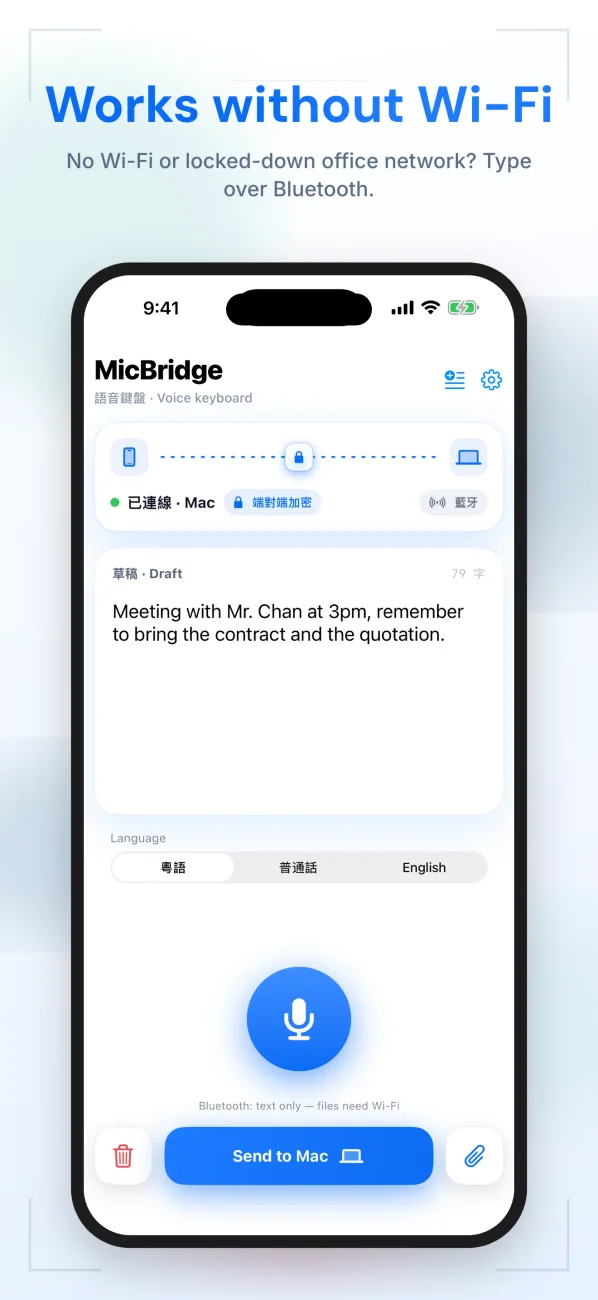
WORKS WITHOUT WI-FI
Corporate Wi-Fi that locks devices apart, a public hotspot with client isolation, or no network at all — turn on Bluetooth on both devices, scan the same QR, and you are connected. MicBridge types over Bluetooth when there is no usable Wi-Fi, so it keeps working in offices, hotels and on the road. (Bluetooth carries text; photos and files still need Wi-Fi.)
PRIVATE BY DESIGN
- Speech is processed entirely on-device and is never uploaded.
- Text, images and files travel only over your local network, end-to-end encrypted with AES-GCM, to the computer you paired with.
- No accounts, no cloud, no servers, no analytics.
- Pairing keys stay on the device — Keychain on iOS, DPAPI on Windows.
SET UP IN THREE STEPS
1. Open the free MicBridge companion on your Mac or Windows PC and choose Pair new device — a QR code appears.
2. On iPhone, tap Scan to pair and scan the QR.
3. Speak, review the draft, tap Send. The text types into your focused app. Tap the paperclip to send a photo or file.
The desktop companion for macOS and Windows is a free download from the MicBridge site.
MICBRIDGE PRO (OPTIONAL)
- Monthly subscription: auto-renewable, cancel anytime in Settings.
- Lifetime: one-time purchase, unlock forever.
Prices are shown on the in-app purchase page.
Terms of Use (EULA): https://micbridge.online/terms
Privacy Policy: https://micbridge.online/privacy
Neue Funktionen
Version 1.0.0 · 09.07.2026
First release of MicBridge.
App-Datenschutz
Was Ka Ming Ho im App Store zum Umgang dieser App mit Daten angibt.
-
Keine Daten erfasst
Der Entwickler erfasst keine Daten von dieser App.
Die Datenschutzpraktiken können variieren, zum Beispiel je nach den von Ihnen verwendeten Funktionen oder Ihrem Alter.
Informationen
- Anbieter
- Ka Ming Ho
- Kategorie
- Produktivität
- Version
- 1.0.0
- Aktualisiert
- 09.07.2026
- Veröffentlicht
- 09.07.2026
- Größe
- 2,8 MB
- Erfordert
- iOS 17.0 oder neuer
- Altersfreigabe
- 4+
- Preis
- Kostenlos
- In-App-Käufe
- Ja
- Sprachen
- Englisch, Vereinf. Chinesisch, Tradit. Chinesisch
- Copyright
- © 2026 Ka Ming Ho
Das könnte Ihnen auch gefallen
-
 SendCatProduktivität
-
 ReachbeamRemote-Desktop: RDP, VNC, SSH
-
 Twnkle: Reminders & AlarmsProduktivität
-
 長城地產Produktivität
-
 Hi XiaozhiProduktivität
-
 Urdu GesprächsübersetzerSprache, Kamera & offline
-
 Anpa: AI To-Do & CalendarProduktivität
-
 ScrollMint: Earn Screen TimeProduktivität
-
 BridgeAI - Keyboard TranslatorProduktivität
-
 Result: Your Personal AgentProduktivität