
MicBridge
Speak, type on your computer
Conçue pour iPhone
Gratuit · Achats intégrés
- Classification d’âge4+
- CatégorieProductivité
- DéveloppeurKa Ming Ho
- LanguesAnglais+ 2 de plus
- Taille2,8 Mo
Renvoie vers la page App Store officielle
Download.org n’héberge aucun fichier de MicBridge. Le bouton ouvre la page de l’application sur App Store, où Ka Ming Ho la publie. Fiche vérifiée pour la dernière fois le 12/11/2026.
Captures d’écran


À propos
Le développeur n’a pas fourni ce texte dans votre langue.
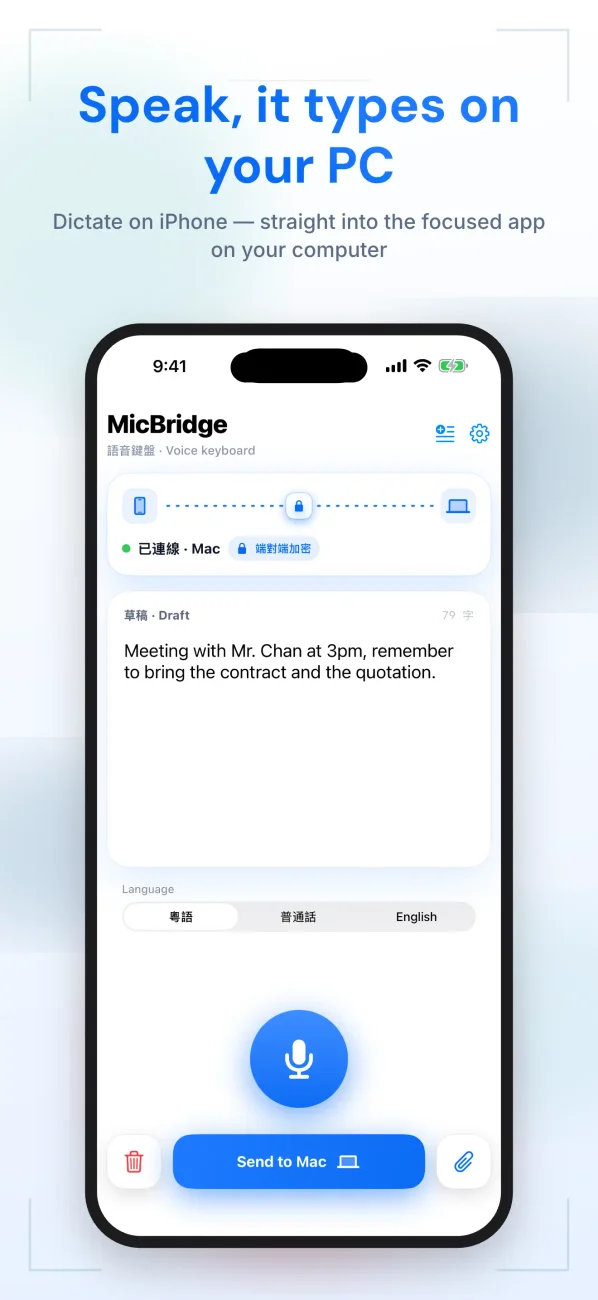
Dictate on your iPhone and the text is typed into whatever app is focused on your Mac or Windows PC — Word, a browser, a chat box, anything. Send images and files both ways too. It all runs on-device and over your own local network: no cloud, no account, no sign-up.
WHAT IT DOES
- Voice straight into the computer. Speech is recognised on your iPhone, shown as an editable draft, then typed as real keystrokes into the focused app the moment you tap Send.
- Two-way file & photo transfer. Phone to computer and back. Images land on the computer clipboard ready to paste; send a file to the phone and it opens a Save/Share sheet. Large files stream without eating memory.
- Cantonese, Mandarin and English dictation, switchable in one tap.
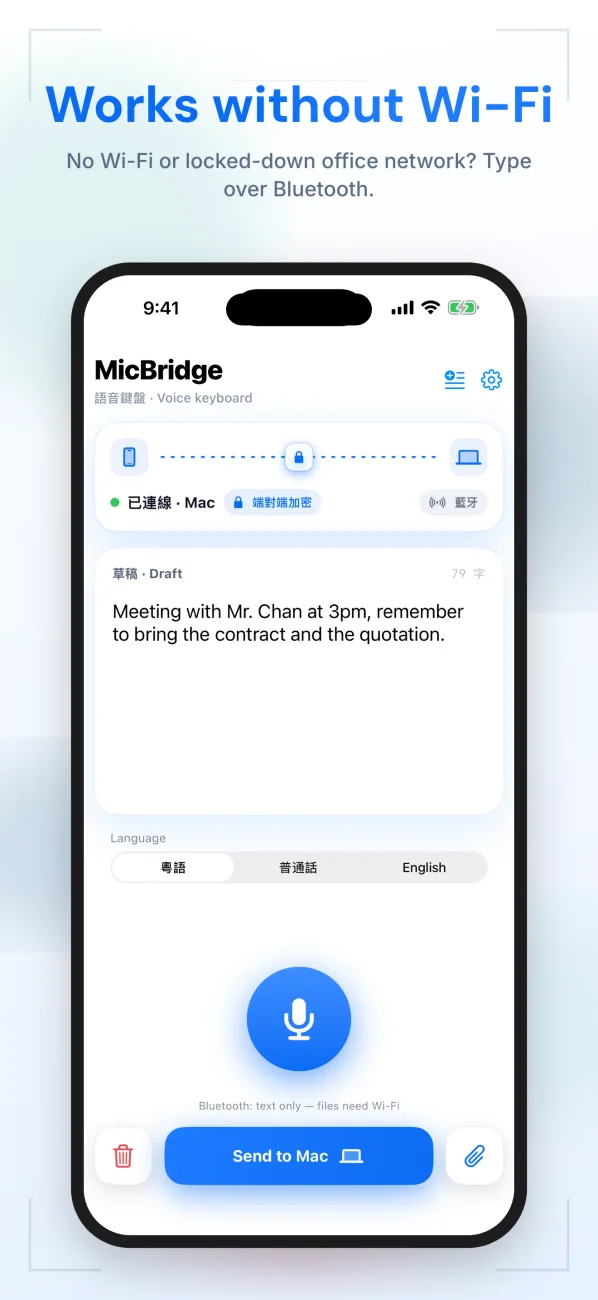
WORKS WITHOUT WI-FI
Corporate Wi-Fi that locks devices apart, a public hotspot with client isolation, or no network at all — turn on Bluetooth on both devices, scan the same QR, and you are connected. MicBridge types over Bluetooth when there is no usable Wi-Fi, so it keeps working in offices, hotels and on the road. (Bluetooth carries text; photos and files still need Wi-Fi.)
PRIVATE BY DESIGN
- Speech is processed entirely on-device and is never uploaded.
- Text, images and files travel only over your local network, end-to-end encrypted with AES-GCM, to the computer you paired with.
- No accounts, no cloud, no servers, no analytics.
- Pairing keys stay on the device — Keychain on iOS, DPAPI on Windows.
SET UP IN THREE STEPS
1. Open the free MicBridge companion on your Mac or Windows PC and choose Pair new device — a QR code appears.
2. On iPhone, tap Scan to pair and scan the QR.
3. Speak, review the draft, tap Send. The text types into your focused app. Tap the paperclip to send a photo or file.
The desktop companion for macOS and Windows is a free download from the MicBridge site.
MICBRIDGE PRO (OPTIONAL)
- Monthly subscription: auto-renewable, cancel anytime in Settings.
- Lifetime: one-time purchase, unlock forever.
Prices are shown on the in-app purchase page.
Terms of Use (EULA): https://micbridge.online/terms
Privacy Policy: https://micbridge.online/privacy
Nouveautés
Version 1.0.0 · 09/07/2026
First release of MicBridge.
Confidentialité de l’application
Ce que Ka Ming Ho déclare sur l’App Store au sujet du traitement des données par cette application.
-
Données non collectées
Le développeur ne collecte aucune donnée à partir de cette application.
Les pratiques en matière de confidentialité peuvent varier, notamment en fonction des fonctionnalités que vous utilisez ou de votre âge.
Informations
- Vendeur
- Ka Ming Ho
- Catégorie
- Productivité
- Version
- 1.0.0
- Mis à jour
- 09/07/2026
- Publié
- 09/07/2026
- Taille
- 2,8 Mo
- Nécessite
- iOS 17.0 ou version ultérieure
- Classification d’âge
- 4+
- Prix
- Gratuit
- Achats intégrés
- Oui
- Langues
- Anglais, Chinois simplifié, Chinois traditionnel
- Copyright
- © 2026 Ka Ming Ho
Vous aimerez peut-être aussi
-
 SendCatProductivité
-
 ReachbeamBureau distant : RDP, VNC, SSH
-
 Twnkle: Reminders & AlarmsProductivité
-
 長城地產Productivité
-
 Hi XiaozhiProductivité
-
 Traducteur ourdou vocalÉchanges à deux, en direct
-
 Anpa: AI To-Do & CalendarProductivité
-
 ScrollMint: Earn Screen TimeProductivité
-
 BridgeAI - Keyboard TranslatorProductivité
-
 Result: Your Personal AgentProductivité