
MicBridge
Speak, type on your computer
Dirancang untuk iPhone
Gratis · Pembelian dalam aplikasi
- Batasan usia4+
- KategoriProduktivitas
- PengembangKa Ming Ho
- BahasaInggris+ 2 lainnya
- Ukuran2,8 MB
Tertaut ke halaman resmi App Store
Download.org tidak menyimpan file MicBridge apa pun. Tombol ini membuka halaman aplikasi di App Store, tempat Ka Ming Ho menerbitkannya. Halaman terakhir diperiksa pada 12/11/2026.
Tangkapan layar


Tentang
Pengembang belum menyediakan teks ini dalam bahasa Anda.
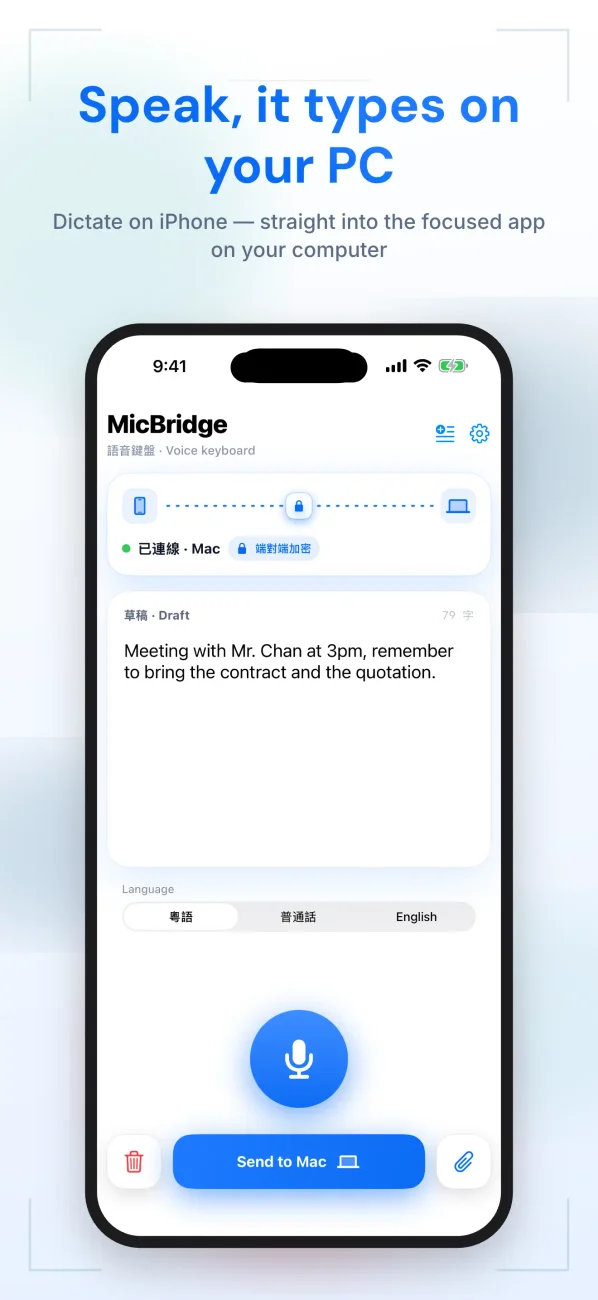
Dictate on your iPhone and the text is typed into whatever app is focused on your Mac or Windows PC — Word, a browser, a chat box, anything. Send images and files both ways too. It all runs on-device and over your own local network: no cloud, no account, no sign-up.
WHAT IT DOES
- Voice straight into the computer. Speech is recognised on your iPhone, shown as an editable draft, then typed as real keystrokes into the focused app the moment you tap Send.
- Two-way file & photo transfer. Phone to computer and back. Images land on the computer clipboard ready to paste; send a file to the phone and it opens a Save/Share sheet. Large files stream without eating memory.
- Cantonese, Mandarin and English dictation, switchable in one tap.
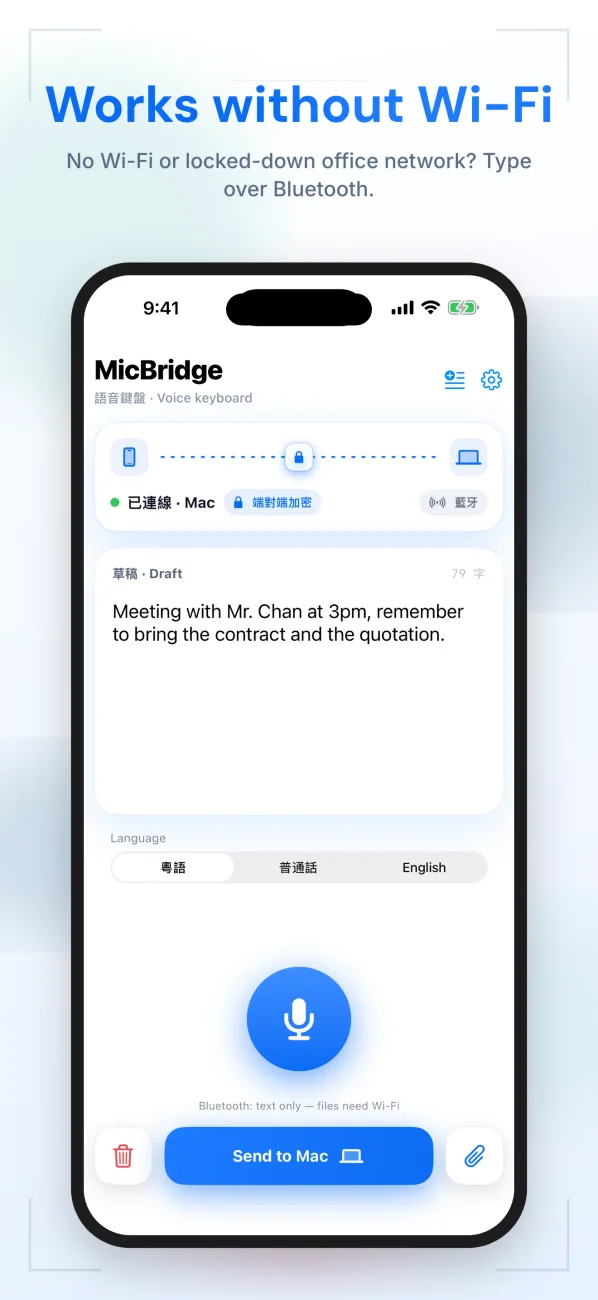
WORKS WITHOUT WI-FI
Corporate Wi-Fi that locks devices apart, a public hotspot with client isolation, or no network at all — turn on Bluetooth on both devices, scan the same QR, and you are connected. MicBridge types over Bluetooth when there is no usable Wi-Fi, so it keeps working in offices, hotels and on the road. (Bluetooth carries text; photos and files still need Wi-Fi.)
PRIVATE BY DESIGN
- Speech is processed entirely on-device and is never uploaded.
- Text, images and files travel only over your local network, end-to-end encrypted with AES-GCM, to the computer you paired with.
- No accounts, no cloud, no servers, no analytics.
- Pairing keys stay on the device — Keychain on iOS, DPAPI on Windows.
SET UP IN THREE STEPS
1. Open the free MicBridge companion on your Mac or Windows PC and choose Pair new device — a QR code appears.
2. On iPhone, tap Scan to pair and scan the QR.
3. Speak, review the draft, tap Send. The text types into your focused app. Tap the paperclip to send a photo or file.
The desktop companion for macOS and Windows is a free download from the MicBridge site.
MICBRIDGE PRO (OPTIONAL)
- Monthly subscription: auto-renewable, cancel anytime in Settings.
- Lifetime: one-time purchase, unlock forever.
Prices are shown on the in-app purchase page.
Terms of Use (EULA): https://micbridge.online/terms
Privacy Policy: https://micbridge.online/privacy
Yang baru
Versi 1.0.0 · 9/7/2026
First release of MicBridge.
Privasi aplikasi
Yang dinyatakan Ka Ming Ho di App Store tentang cara aplikasi ini menangani data.
-
Data tidak dikumpulkan
Pengembang tidak mengumpulkan data apa pun dari aplikasi ini.
Praktik privasi dapat bervariasi, misalnya berdasarkan fitur yang Anda gunakan atau usia Anda.
Informasi
- Penjual
- Ka Ming Ho
- Kategori
- Produktivitas
- Versi
- 1.0.0
- Diperbarui
- 9/7/2026
- Dirilis
- 9/7/2026
- Ukuran
- 2,8 MB
- Memerlukan
- iOS 17.0 atau yang lebih baru
- Batasan usia
- 4+
- Harga
- Gratis
- Pembelian dalam aplikasi
- Ya
- Bahasa
- Inggris, Tionghoa Sederhana, Tionghoa Tradisional
- Hak cipta
- © 2026 Ka Ming Ho
Mungkin Anda juga suka
-
 SendCatProduktivitas
-
 ReachbeamProduktivitas
-
 Twnkle: Reminders & AlarmsProduktivitas
-
 長城地產Produktivitas
-
 Hi XiaozhiProduktivitas
-
 Penerjemah Urdu: PercakapanSuara, Kamera, Teks Offline
-
 Anpa: AI To-Do & CalendarProduktivitas
-
 ScrollMint: Earn Screen TimeProduktivitas
-
 BridgeAI - Keyboard TranslatorProduktivitas
-
 Result: Your Personal AgentProduktivitas