
MicBridge
Speak, type on your computer
Projetado para iPhone
Grátis · Compras no app
- Classificação etária4+
- CategoriaProdutividade
- DesenvolvedorKa Ming Ho
- IdiomasInglêse mais 2
- Tamanho2,8 MB
Leva à página oficial na App Store
O Download.org não hospeda nenhum arquivo de MicBridge. O botão abre a página do app na App Store, onde Ka Ming Ho o publica. Página verificada pela última vez em 12/11/2026.
Capturas de tela

Sobre
O desenvolvedor não forneceu este texto no seu idioma.
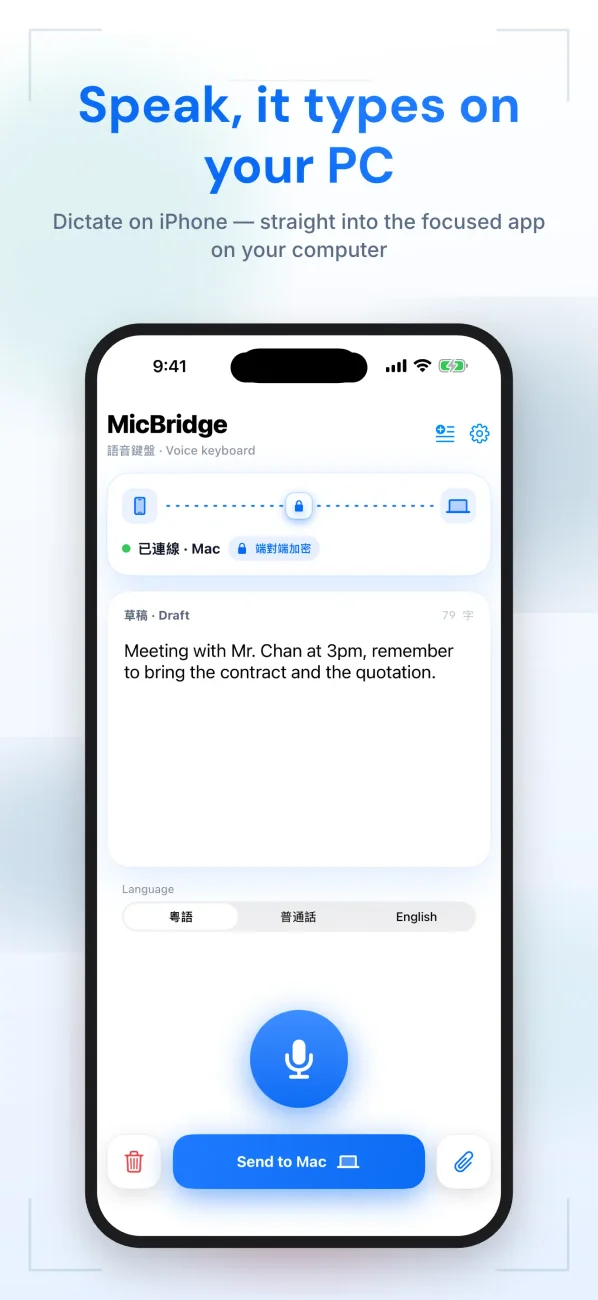
Dictate on your iPhone and the text is typed into whatever app is focused on your Mac or Windows PC — Word, a browser, a chat box, anything. Send images and files both ways too. It all runs on-device and over your own local network: no cloud, no account, no sign-up.
WHAT IT DOES
- Voice straight into the computer. Speech is recognised on your iPhone, shown as an editable draft, then typed as real keystrokes into the focused app the moment you tap Send.
- Two-way file & photo transfer. Phone to computer and back. Images land on the computer clipboard ready to paste; send a file to the phone and it opens a Save/Share sheet. Large files stream without eating memory.
- Cantonese, Mandarin and English dictation, switchable in one tap.
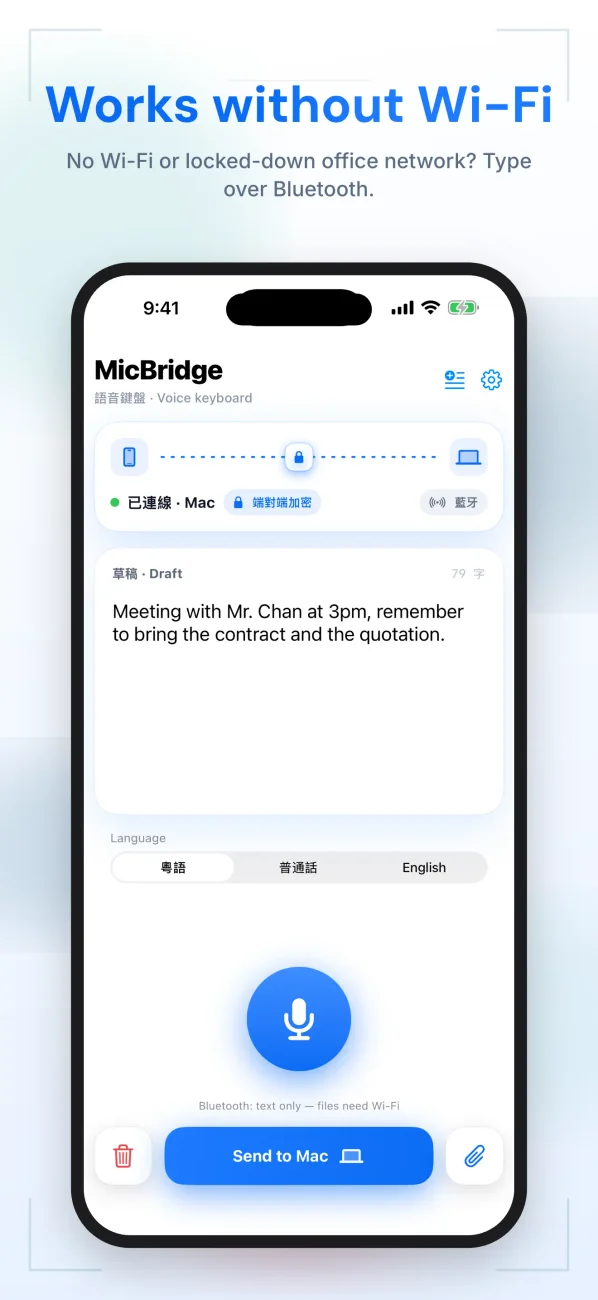
WORKS WITHOUT WI-FI
Corporate Wi-Fi that locks devices apart, a public hotspot with client isolation, or no network at all — turn on Bluetooth on both devices, scan the same QR, and you are connected. MicBridge types over Bluetooth when there is no usable Wi-Fi, so it keeps working in offices, hotels and on the road. (Bluetooth carries text; photos and files still need Wi-Fi.)
PRIVATE BY DESIGN
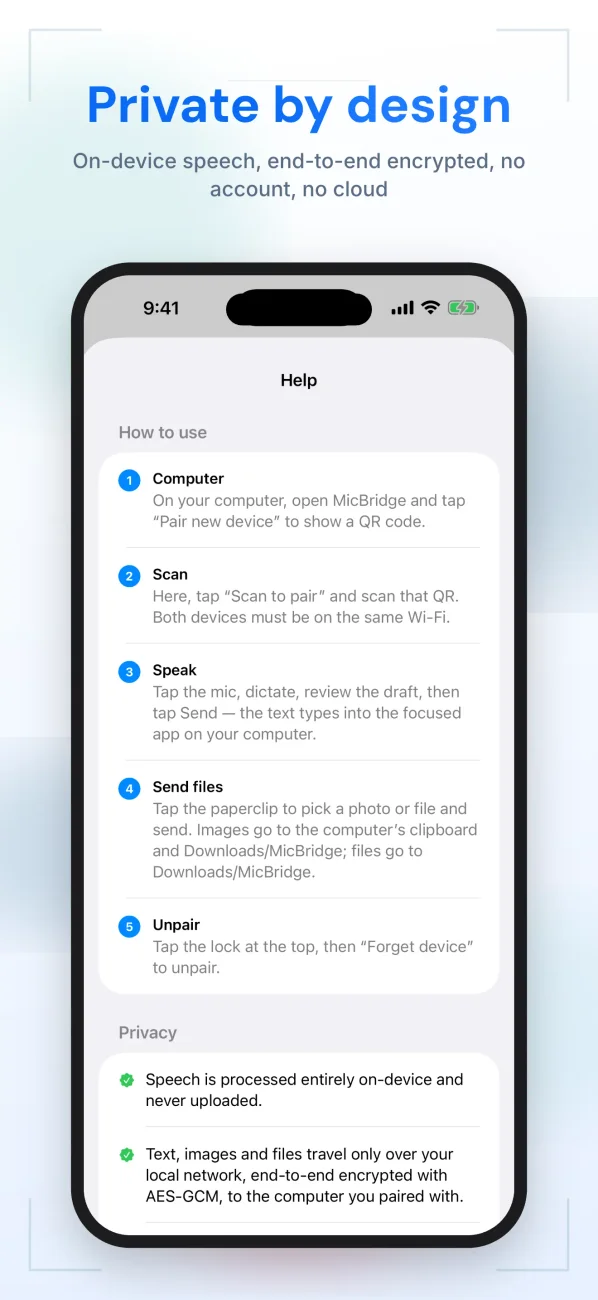
- Speech is processed entirely on-device and is never uploaded.
- Text, images and files travel only over your local network, end-to-end encrypted with AES-GCM, to the computer you paired with.
- No accounts, no cloud, no servers, no analytics.
- Pairing keys stay on the device — Keychain on iOS, DPAPI on Windows.
SET UP IN THREE STEPS
1. Open the free MicBridge companion on your Mac or Windows PC and choose Pair new device — a QR code appears.
2. On iPhone, tap Scan to pair and scan the QR.
3. Speak, review the draft, tap Send. The text types into your focused app. Tap the paperclip to send a photo or file.
The desktop companion for macOS and Windows is a free download from the MicBridge site.
MICBRIDGE PRO (OPTIONAL)
- Monthly subscription: auto-renewable, cancel anytime in Settings.
- Lifetime: one-time purchase, unlock forever.
Prices are shown on the in-app purchase page.
Terms of Use (EULA): https://micbridge.online/terms
Privacy Policy: https://micbridge.online/privacy
Novidades
Versão 1.0.0 · 09/07/2026
First release of MicBridge.
Privacidade do app
O que Ka Ming Ho declara na App Store sobre como este app lida com os dados.
-
Dados não coletados
O desenvolvedor não coleta nenhum dado deste app.
As práticas de privacidade podem variar, por exemplo, com base nos recursos que você usa ou na sua idade.
Informações
- Vendedor
- Ka Ming Ho
- Categoria
- Produtividade
- Versão
- 1.0.0
- Atualizado
- 09/07/2026
- Lançamento
- 09/07/2026
- Tamanho
- 2,8 MB
- Requer
- iOS 17.0 ou posterior
- Classificação etária
- 4+
- Preço
- Grátis
- Compras no app
- Sim
- Idiomas
- Inglês, Chinês simplificado, Chinês tradicional
- Copyright
- © 2026 Ka Ming Ho
Você também pode gostar
-
 SendCatProdutividade
-
 ReachbeamDesktop remoto: RDP, VNC, SSH
-
 Twnkle: Reminders & AlarmsProdutividade
-
 長城地產Produtividade
-
 Hi XiaozhiProdutividade
-
 Tradutor de Urdu: ConversasFale e entenda sem tocar
-
 Anpa: AI To-Do & CalendarProdutividade
-
 ScrollMint: Earn Screen TimeProdutividade
-
 BridgeAI - Keyboard TranslatorProdutividade
-
 Result: Your Personal AgentProdutividade