
MineTime – Parental control
Time limits for block games
Entwickelt für iPhone, iPad, iPod touch
Kostenlos
- Altersfreigabe4+
- KategorieDienstprogramme
- EntwicklerNatalia Shuvaeva
- SprachenEnglisch
- Größe25,5 MB
Verlinkt auf die offizielle App Store-Seite
Download.org hostet keine Datei von MineTime – Parental control. Die Schaltfläche öffnet die App-Seite bei App Store, wo Natalia Shuvaeva die App veröffentlicht. Eintrag zuletzt geprüft am 12.11.2026.
Screenshots
Info
Der Entwickler hat diesen Text nicht in Ihrer Sprache bereitgestellt.
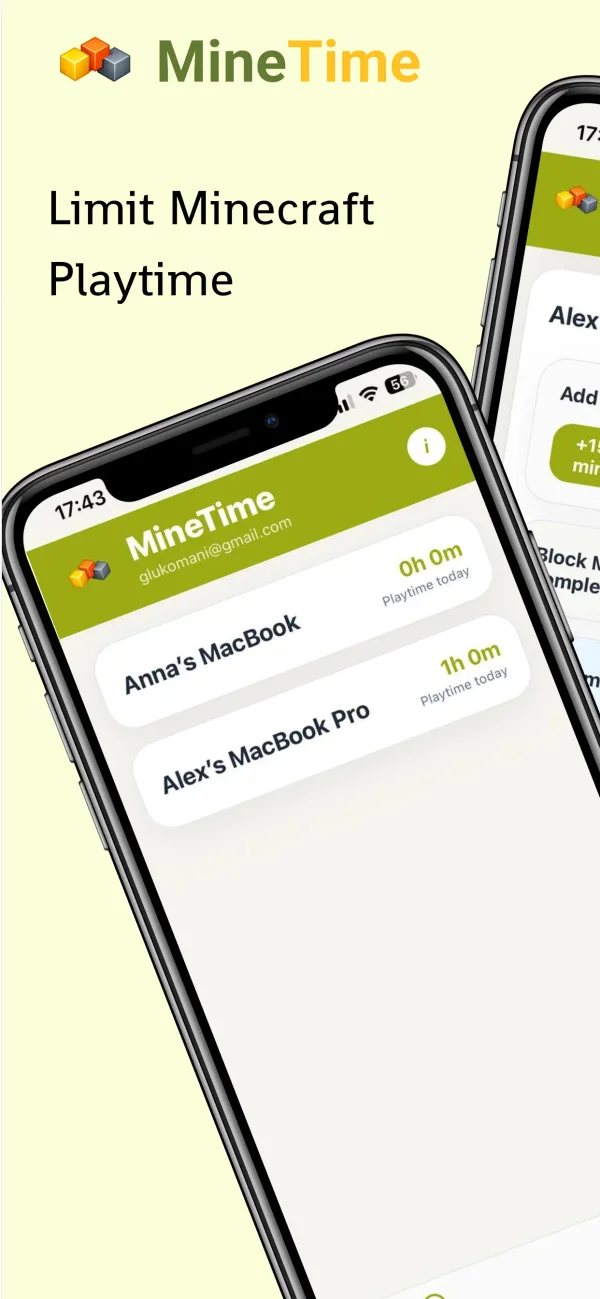
MineTime is a Minecraft parental control app for parents who want real Minecraft screen time controls on Mac. Use the iPhone or iPad app as your parent dashboard to manage your child’s Mac, set Minecraft time limits, schedule downtime, give bonus time, and block Minecraft on Mac when needed.
MineTime is built for Minecraft Java Edition on macOS. It helps families manage Minecraft playtime with simple parental controls designed specifically for parents who need a practical way to limit Minecraft on Mac.
With MineTime you can:
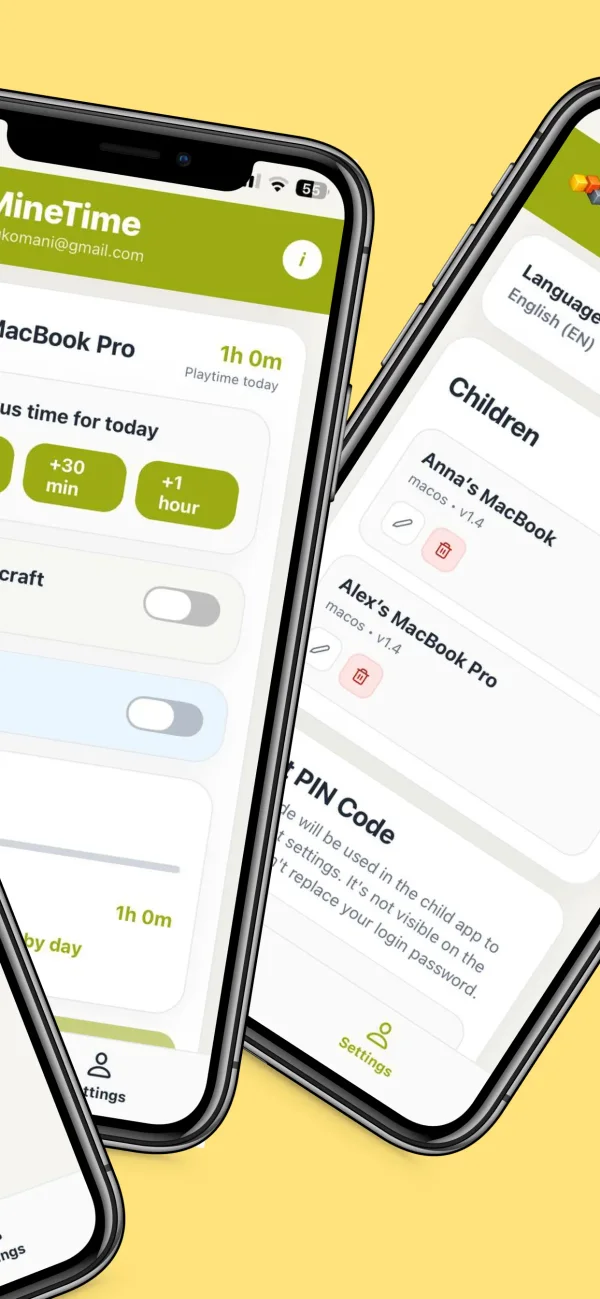
• Set daily Minecraft time limits
• Create different limits for each day of the week
• Block Minecraft completely on your child’s Mac
• Schedule downtime hours
• Add bonus time in one tap
• Check today’s playtime
• Manage multiple child devices
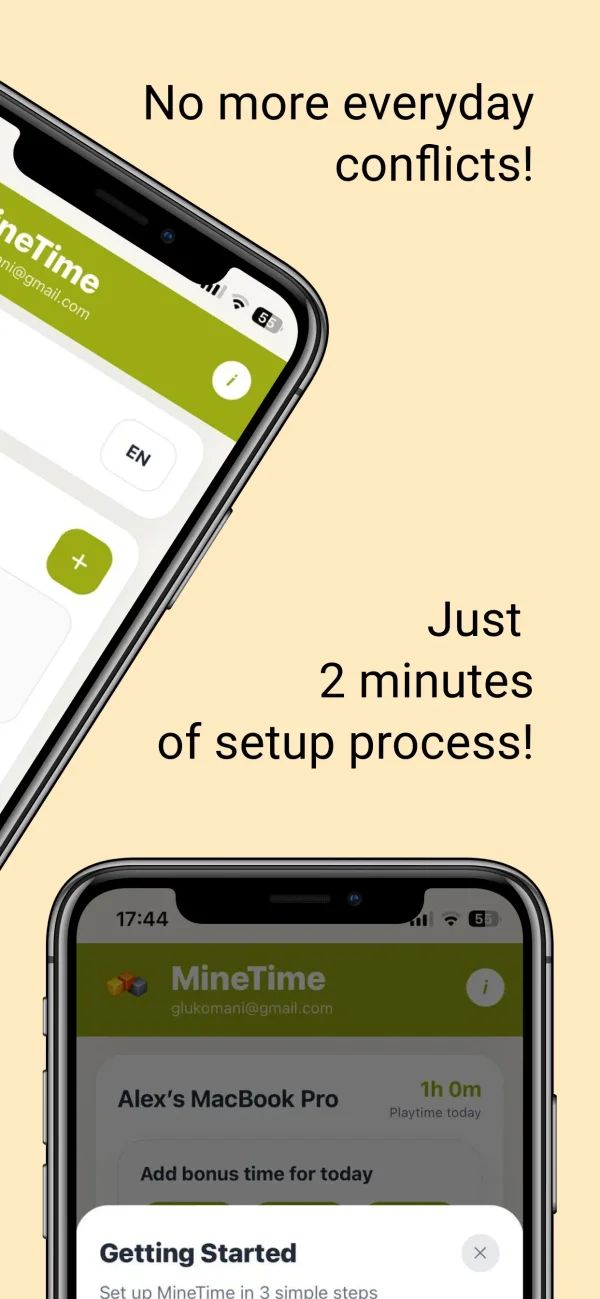
• Pair a child’s Mac with a simple code
• Protect parent settings with a PIN
How MineTime works:
1. Install MineTime on your child’s Mac (download it from our web-site https://minetime.app
2. Sign in to the mobile app with your parent account.
3. Pair the Mac using the code shown in MineTime.
4. Set Minecraft parental controls from your phone.
Once paired, MineTime lets you manage Minecraft screen time from anywhere. Update time limits, change downtime, add extra time for rewards or weekends, and manage each child separately from one parent account.
MineTime is especially useful for parents looking for:
• Minecraft parental control
• Minecraft screen time
• Minecraft time limits
• How to block Minecraft on Mac
• Minecraft Java Edition parental controls
• Mac parental controls for Minecraft
Important:
• MineTime is for Minecraft Java Edition on macOS.
• The mobile app is the parent console. Limit enforcement happens through the MineTime app installed on the child’s Mac.
• Requires MineTime on the child’s Mac running macOS 12 or later.
MineTime is an independent app and is not affiliated with Mojang or Microsoft.
Neue Funktionen
Version 1.1 · 15.06.2026
Sync bugs are fixed.
App-Datenschutz
Was Natalia Shuvaeva im App Store zum Umgang dieser App mit Daten angibt.
-
Mit Ihnen verknüpfte Daten
Können erfasst und mit Ihrer Identität verknüpft werden.
- Kontaktinformationen
- Kennungen
- Nutzungsdaten
Die Datenschutzpraktiken können variieren, zum Beispiel je nach den von Ihnen verwendeten Funktionen oder Ihrem Alter.
Informationen
- Anbieter
- Natalia Shuvaeva
- Kategorie
- Dienstprogramme
- Version
- 1.1
- Aktualisiert
- 15.06.2026
- Veröffentlicht
- 11.05.2026
- Größe
- 25,5 MB
- Erfordert
- iOS 15.1 oder neuer
- Altersfreigabe
- 4+
- Preis
- Kostenlos
- Sprachen
- Englisch
- Copyright
- © Natalia Shuvaeva
Das könnte Ihnen auch gefallen
-
 SafeScreen: Parental ControlDienstprogramme
-
 Kindermodus - App-SperreUltrasimple Kindersicherung
-
 ScreenHush- Focus & SleepDienstprogramme
-
 Safeinest ConnectKinder-App für Safeinest
-
 iLimits – Parental ControlsDienstprogramme
-
 Kidper: Fokus, dann PauseApps zuerst, Spiele später
-
 Quiet Time: App BlockerDienstprogramme
-
 Shabbat Alarm: Shabbos ClockDienstprogramme
-
 Havenly Parental ControlScreen Time & App Blocker
-
 SoloOps: Miner DashboardDienstprogramme