
MineTime – Parental control
Time limits for block games
Designed for iPhone, iPad, iPod touch
- Age rating4+
- CategoryUtilities
- DeveloperNatalia Shuvaeva
- LanguagesEnglish
- Size25.5 MB
Links to the official App Store page
Download.org hosts no file of MineTime – Parental control. The button opens its official App Store page, published by Natalia Shuvaeva. Listing last checked on Nov 12, 2026.
Screenshots
About
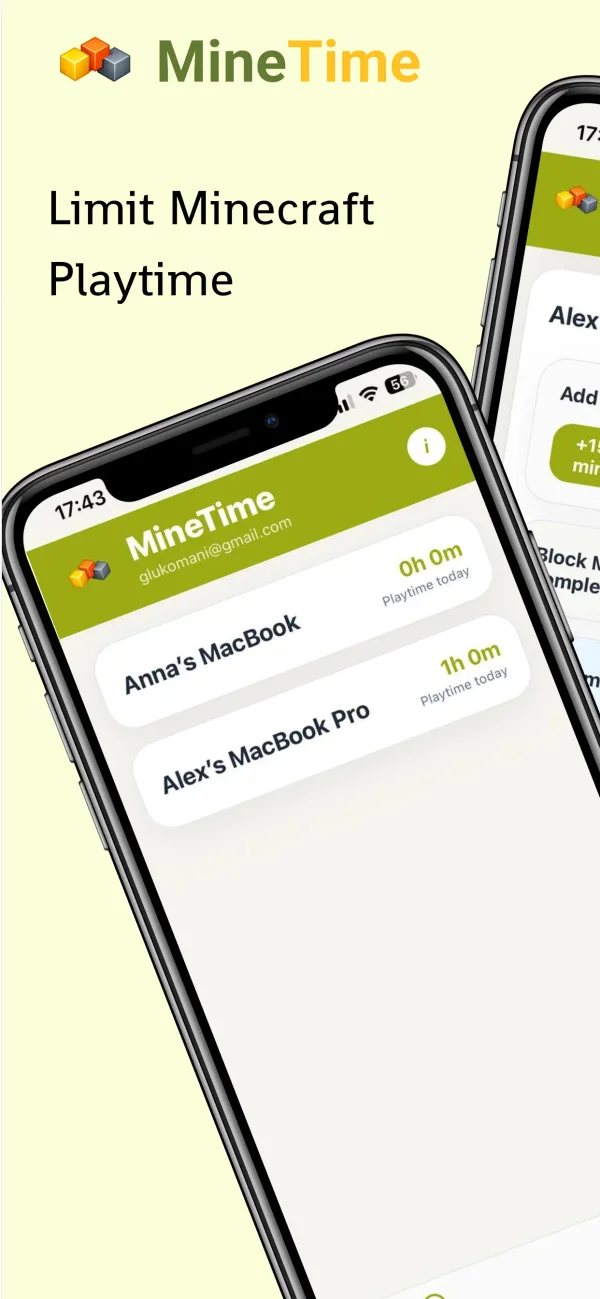
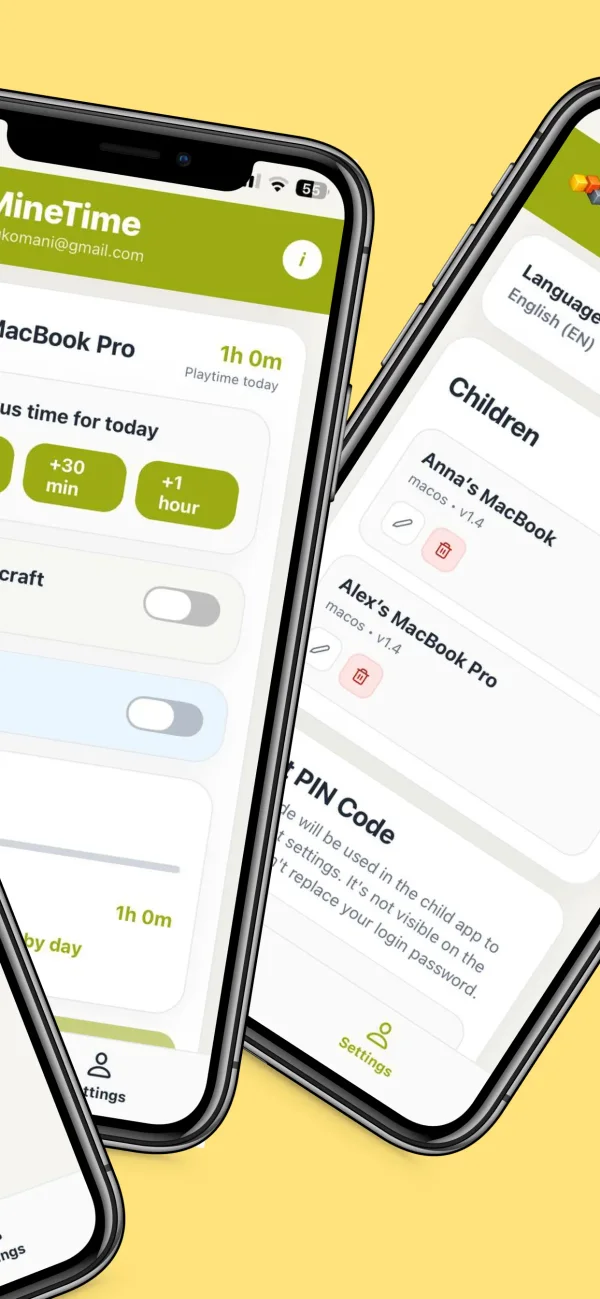
MineTime is a Minecraft parental control app for parents who want real Minecraft screen time controls on Mac. Use the iPhone or iPad app as your parent dashboard to manage your child’s Mac, set Minecraft time limits, schedule downtime, give bonus time, and block Minecraft on Mac when needed.
MineTime is built for Minecraft Java Edition on macOS. It helps families manage Minecraft playtime with simple parental controls designed specifically for parents who need a practical way to limit Minecraft on Mac.
With MineTime you can:
• Set daily Minecraft time limits
• Create different limits for each day of the week
• Block Minecraft completely on your child’s Mac
• Schedule downtime hours
• Add bonus time in one tap
• Check today’s playtime
• Manage multiple child devices
• Pair a child’s Mac with a simple code
• Protect parent settings with a PIN
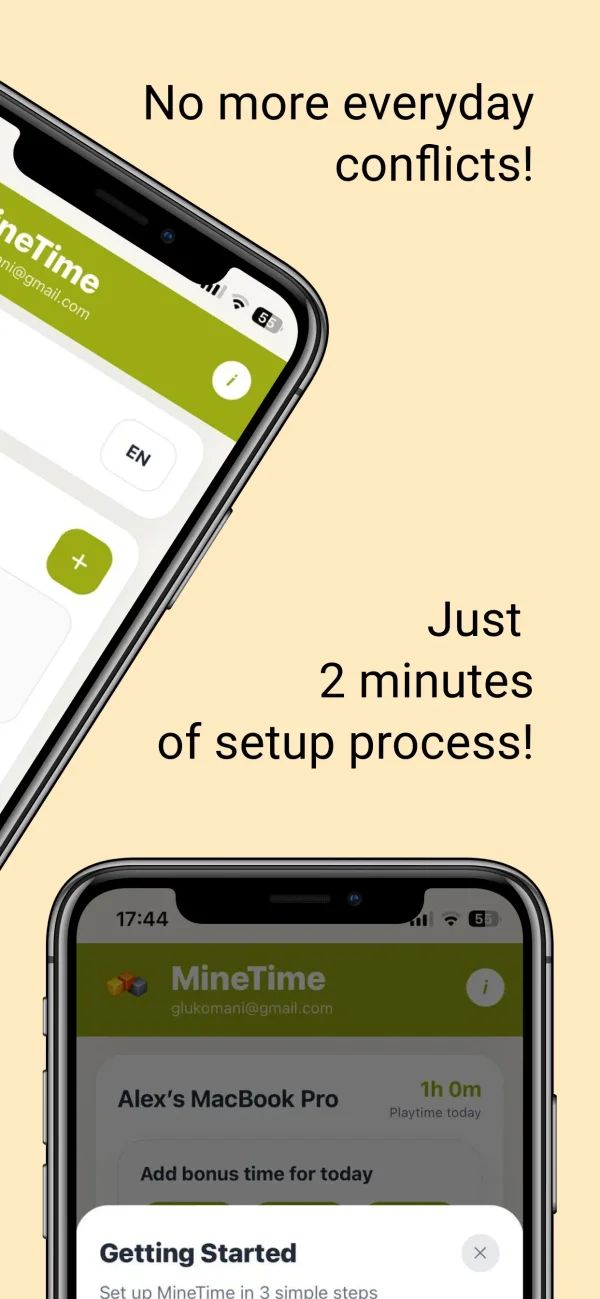
How MineTime works:
1. Install MineTime on your child’s Mac (download it from our web-site https://minetime.app
2. Sign in to the mobile app with your parent account.
3. Pair the Mac using the code shown in MineTime.
4. Set Minecraft parental controls from your phone.
Once paired, MineTime lets you manage Minecraft screen time from anywhere. Update time limits, change downtime, add extra time for rewards or weekends, and manage each child separately from one parent account.
MineTime is especially useful for parents looking for:
• Minecraft parental control
• Minecraft screen time
• Minecraft time limits
• How to block Minecraft on Mac
• Minecraft Java Edition parental controls
• Mac parental controls for Minecraft
Important:
• MineTime is for Minecraft Java Edition on macOS.
• The mobile app is the parent console. Limit enforcement happens through the MineTime app installed on the child’s Mac.
• Requires MineTime on the child’s Mac running macOS 12 or later.
MineTime is an independent app and is not affiliated with Mojang or Microsoft.
What’s new
Version 1.1 · Jun 15, 2026
Sync bugs are fixed.
App privacy
What Natalia Shuvaeva declares on the App Store about how this app handles data.
-
Data linked to you
May be collected and linked to your identity.
- Contact info
- Identifiers
- Usage data
Privacy practices may vary, for example with the features you use or your age.
Information
- Seller
- Natalia Shuvaeva
- Category
- Utilities
- Version
- 1.1
- Updated
- Jun 15, 2026
- Released
- May 11, 2026
- Size
- 25.5 MB
- Requires
- iOS 15.1 or later
- Age rating
- 4+
- Languages
- English
- Copyright
- © Natalia Shuvaeva
You might also like
-
 SafeScreen: Parental ControlLimit device time & block apps
-
 Kids Mode - App BlockerUltra-simple parental controls
-
 ScreenHush- Focus & SleepBedtime Screen Time Rules
-
 Safeinest ConnectFamily Chat, Calls & SOS
-
 iLimits – Parental ControlsScreen Time & App Block
-
 Kidper: Focus, Then BreakYour Apps First, Games Later
-
 Quiet Time: App BlockerScreen Timer for Parents
-
 Shabbat Alarm: Shabbos ClockAuto-Stop Alarm for Yom Tov
-
 Havenly Parental ControlScreen Time & App Blocker
-
 SoloOps: Miner DashboardLocal ASIC fleet monitor