
MyEngine
Engine Information Transfer
Entwickelt für iPhone, iPad, iPod touch
Kostenlos
- Altersfreigabe4+
- KategorieWirtschaft
- EntwicklerWilliams International
- SprachenEnglisch
- Größe39,2 MB
Verlinkt auf die offizielle App Store-Seite
Download.org hostet keine Datei von MyEngine. Die Schaltfläche öffnet die App-Seite bei App Store, wo Williams International die App veröffentlicht. Eintrag zuletzt geprüft am 12.11.2026.
Screenshots

Info
Der Entwickler hat diesen Text nicht in Ihrer Sprache bereitgestellt.
Overview
Williams International - MyEngine - Information File Transfer
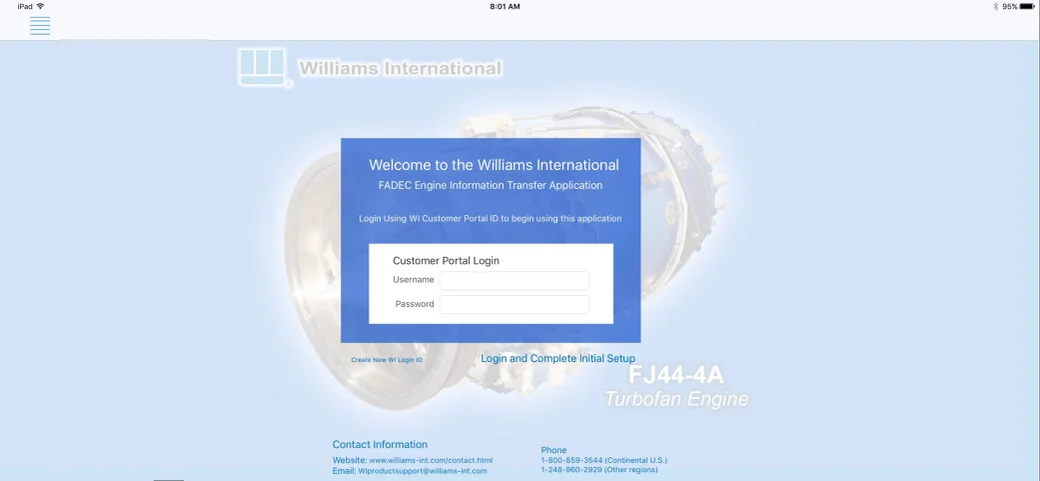
This application facilitates the transfer of Engine Information (e-info) files from an Aircraft to Williams International.
The MyEngine application has 2 Connection Modes, Aircraft and WI.
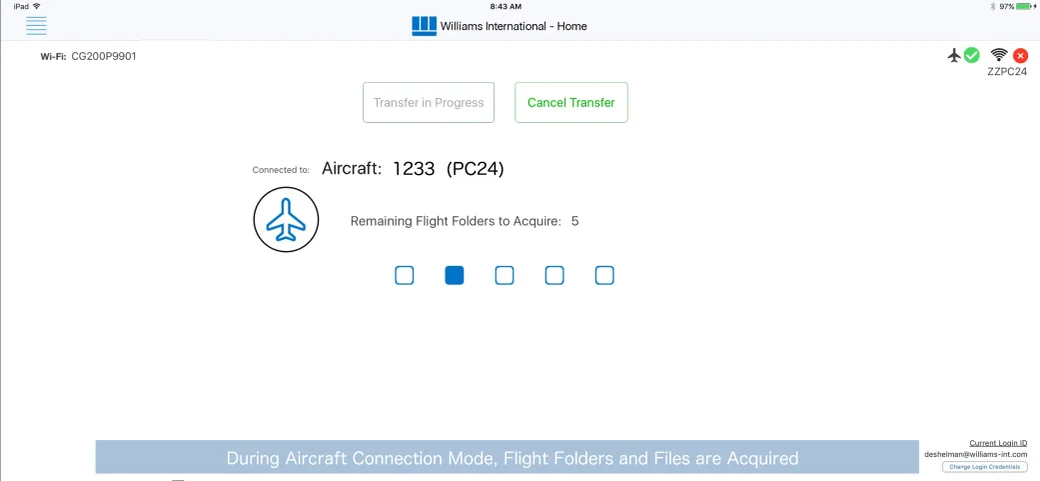
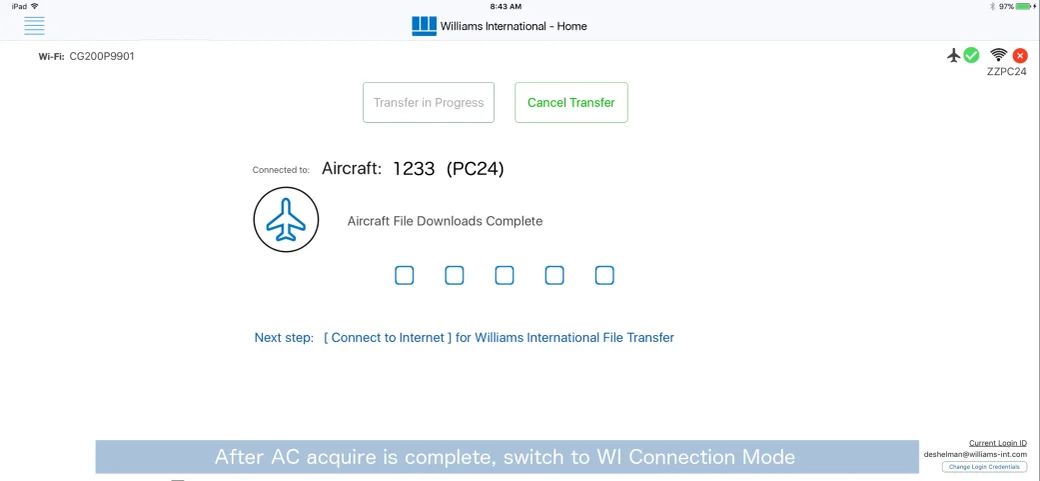
In Aircraft Connection Mode the flight files on the Aircraft are acquired by the iPad.
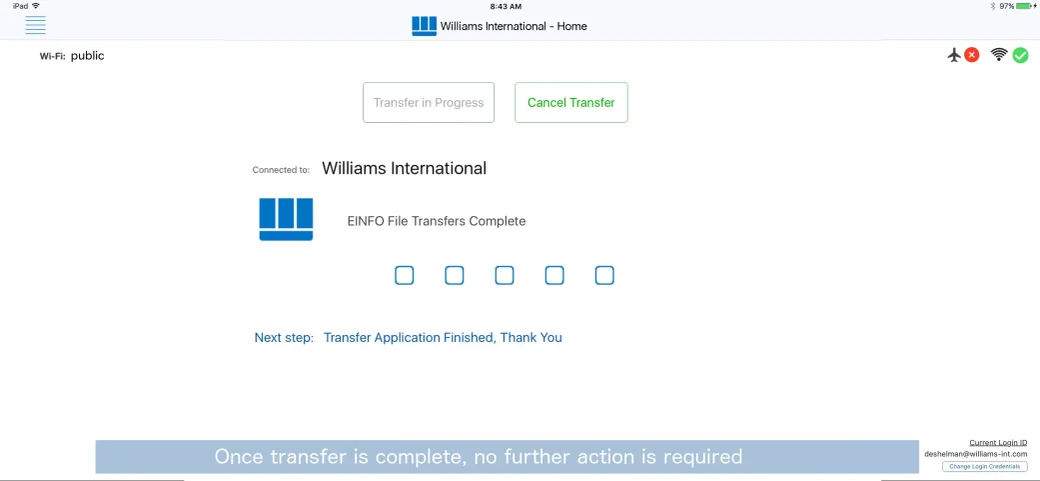
In WI Connection Mode, the e-info files are uploaded to Williams International.
Acquiring Aircraft Files
In order to acquire Aircraft flight files, change to Aircraft Connection Mode. Use the [ Make a Connection ], [ Connect to Aircraft ] or [ Connect to Internet ] button on the home page to access the iPad Settings (Wi-Fi) and select the appropriate Aircraft network.
Once the Aircraft Wi-Fi setting is selected, return to the MyEngine home page and verify Aircraft availability via the [ Wi-Fi ] display.
Aircraft file acquisition will begin automatically.
Aircraft files can be re-acquired, or a cancelled acquisition can be restarted, by using the [ Retry Transfer ] button.
Notifications will provide file acquisition progress or error messages.
Transferring Files to Williams International
After Aircraft flight files have been acquired, transfer to Williams International is available.
Change to WI Connection Mode (via Internet) by using the [ Connect to Internet ] or [ Make a Connection ] button on the home page to access the iPad Settings (Wi-Fi) and select the appropriate Internet network.
Once the Williams Connect (Internet) Wi-Fi setting is selected, return to the MyEngine home page and verify availability via the [ Wi-Fi ] display.
File transfer to Williams International will begin automatically.
Files can be re-sent, or a cancelled transfer can be restarted, by using the [ Retry Transfer ] button.
Notifications will provide file transfer progress or error messages.
Neue Funktionen
Version 1.11 · 01.07.2024
New release to speed up file transfers and remove interruptions to the file transfer process.
App-Datenschutz
Was Williams International im App Store zum Umgang dieser App mit Daten angibt.
-
Keine Daten erfasst
Der Entwickler erfasst keine Daten von dieser App.
Die Datenschutzpraktiken können variieren, zum Beispiel je nach den von Ihnen verwendeten Funktionen oder Ihrem Alter.
Informationen
- Anbieter
- Williams International Co., LLC
- Kategorie
- Wirtschaft
- Version
- 1.11
- Aktualisiert
- 01.07.2024
- Veröffentlicht
- 15.07.2017
- Größe
- 39,2 MB
- Erfordert
- iOS 11.0 oder neuer
- Altersfreigabe
- 4+
- Preis
- Kostenlos
- Sprachen
- Englisch
- Copyright
- © Copyright Williams International Co., LLC