
MyEngine
Engine Information Transfer
Conçue pour iPhone, iPad, iPod touch
Gratuit
- Classification d’âge4+
- CatégorieÉconomie et entreprise
- DéveloppeurWilliams International
- LanguesAnglais
- Taille39,2 Mo
Renvoie vers la page App Store officielle
Download.org n’héberge aucun fichier de MyEngine. Le bouton ouvre la page de l’application sur App Store, où Williams International la publie. Fiche vérifiée pour la dernière fois le 12/11/2026.
Captures d’écran

À propos
Le développeur n’a pas fourni ce texte dans votre langue.
Overview
Williams International - MyEngine - Information File Transfer
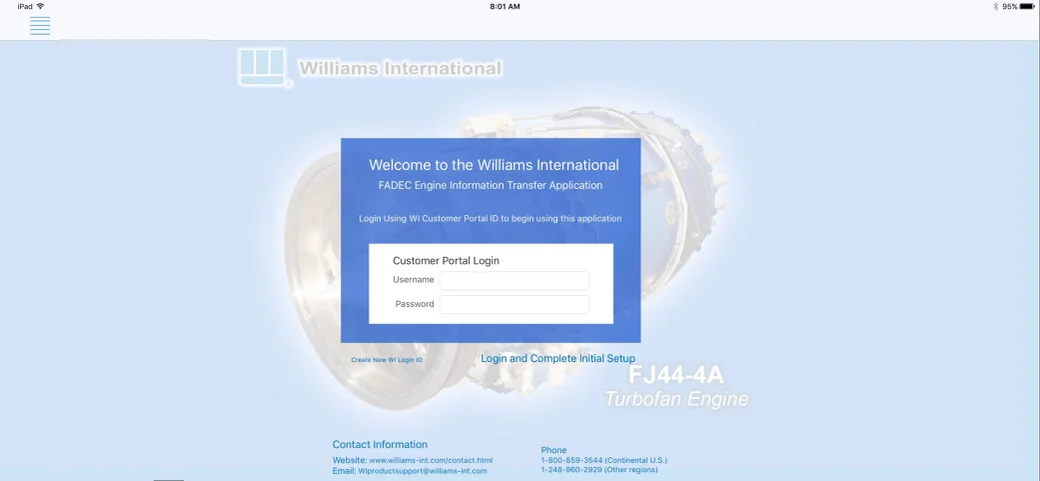
This application facilitates the transfer of Engine Information (e-info) files from an Aircraft to Williams International.
The MyEngine application has 2 Connection Modes, Aircraft and WI.
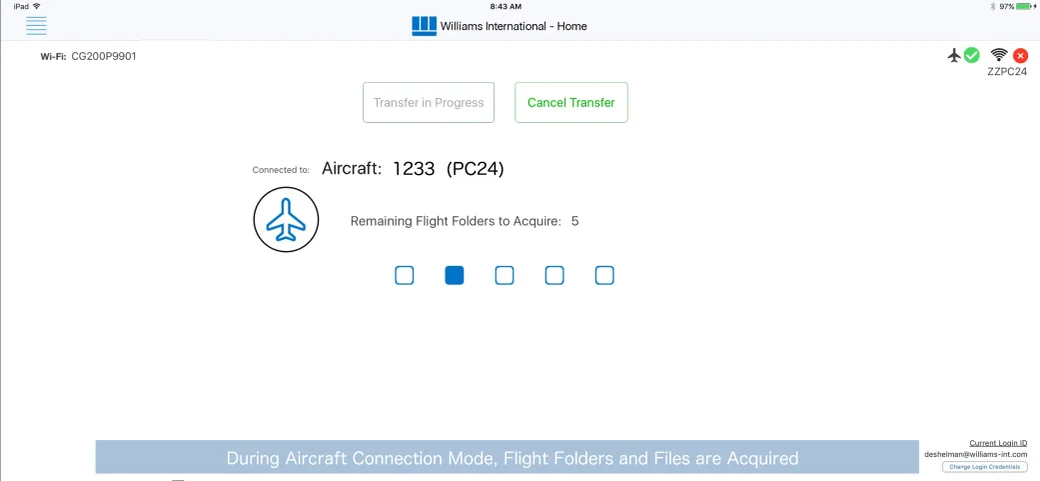
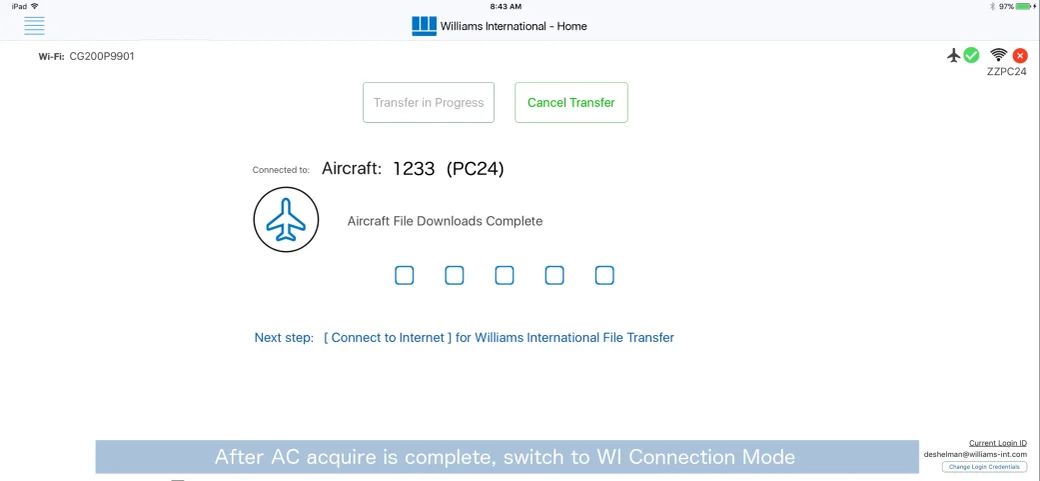
In Aircraft Connection Mode the flight files on the Aircraft are acquired by the iPad.
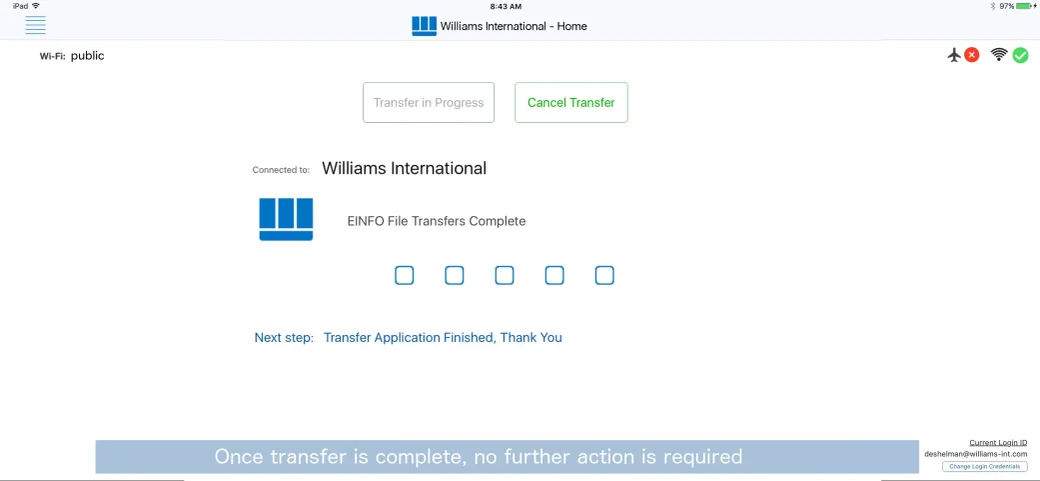
In WI Connection Mode, the e-info files are uploaded to Williams International.
Acquiring Aircraft Files
In order to acquire Aircraft flight files, change to Aircraft Connection Mode. Use the [ Make a Connection ], [ Connect to Aircraft ] or [ Connect to Internet ] button on the home page to access the iPad Settings (Wi-Fi) and select the appropriate Aircraft network.
Once the Aircraft Wi-Fi setting is selected, return to the MyEngine home page and verify Aircraft availability via the [ Wi-Fi ] display.
Aircraft file acquisition will begin automatically.
Aircraft files can be re-acquired, or a cancelled acquisition can be restarted, by using the [ Retry Transfer ] button.
Notifications will provide file acquisition progress or error messages.
Transferring Files to Williams International
After Aircraft flight files have been acquired, transfer to Williams International is available.
Change to WI Connection Mode (via Internet) by using the [ Connect to Internet ] or [ Make a Connection ] button on the home page to access the iPad Settings (Wi-Fi) and select the appropriate Internet network.
Once the Williams Connect (Internet) Wi-Fi setting is selected, return to the MyEngine home page and verify availability via the [ Wi-Fi ] display.
File transfer to Williams International will begin automatically.
Files can be re-sent, or a cancelled transfer can be restarted, by using the [ Retry Transfer ] button.
Notifications will provide file transfer progress or error messages.
Nouveautés
Version 1.11 · 01/07/2024
New release to speed up file transfers and remove interruptions to the file transfer process.
Confidentialité de l’application
Ce que Williams International déclare sur l’App Store au sujet du traitement des données par cette application.
-
Données non collectées
Le développeur ne collecte aucune donnée à partir de cette application.
Les pratiques en matière de confidentialité peuvent varier, notamment en fonction des fonctionnalités que vous utilisez ou de votre âge.
Informations
- Vendeur
- Williams International Co., LLC
- Catégorie
- Économie et entreprise
- Version
- 1.11
- Mis à jour
- 01/07/2024
- Publié
- 15/07/2017
- Taille
- 39,2 Mo
- Nécessite
- iOS 11.0 ou version ultérieure
- Classification d’âge
- 4+
- Prix
- Gratuit
- Langues
- Anglais
- Copyright
- © Copyright Williams International Co., LLC
Vous aimerez peut-être aussi
-
 Honeywell Forge MxAdvisorÉconomie et entreprise
-
 INDS Data Manager (IDM)Économie et entreprise
-
 Field - TouchProductivité
-
 CORRIDOR Go: WarehouseProductivité
-
 POPA ConventionÉconomie et entreprise
-
 Textron Aviation ServiceÉconomie et entreprise
-
 iCAMPÉconomie et entreprise
-
 Veryon PublicationsProductivité
-
 Baldwin Pilot AppÉconomie et entreprise
-
 Web Manuals ReaderÉconomie et entreprise