
MyEngine
Engine Information Transfer
Projetado para iPhone, iPad, iPod touch
Grátis
- Classificação etária4+
- CategoriaNegócios
- DesenvolvedorWilliams International
- IdiomasInglês
- Tamanho39,2 MB
Leva à página oficial na App Store
O Download.org não hospeda nenhum arquivo de MyEngine. O botão abre a página do app na App Store, onde Williams International o publica. Página verificada pela última vez em 12/11/2026.
Capturas de tela

Sobre
O desenvolvedor não forneceu este texto no seu idioma.
Overview
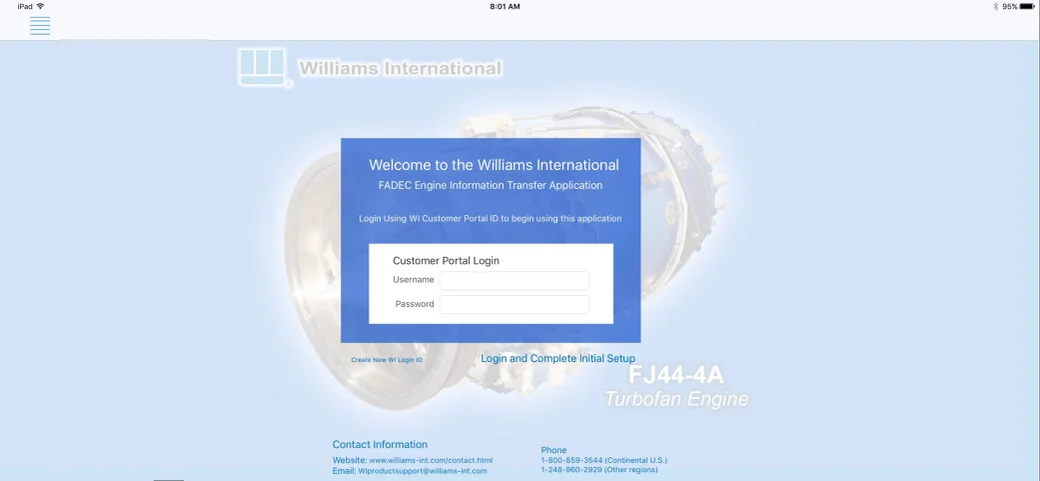
Williams International - MyEngine - Information File Transfer
This application facilitates the transfer of Engine Information (e-info) files from an Aircraft to Williams International.
The MyEngine application has 2 Connection Modes, Aircraft and WI.
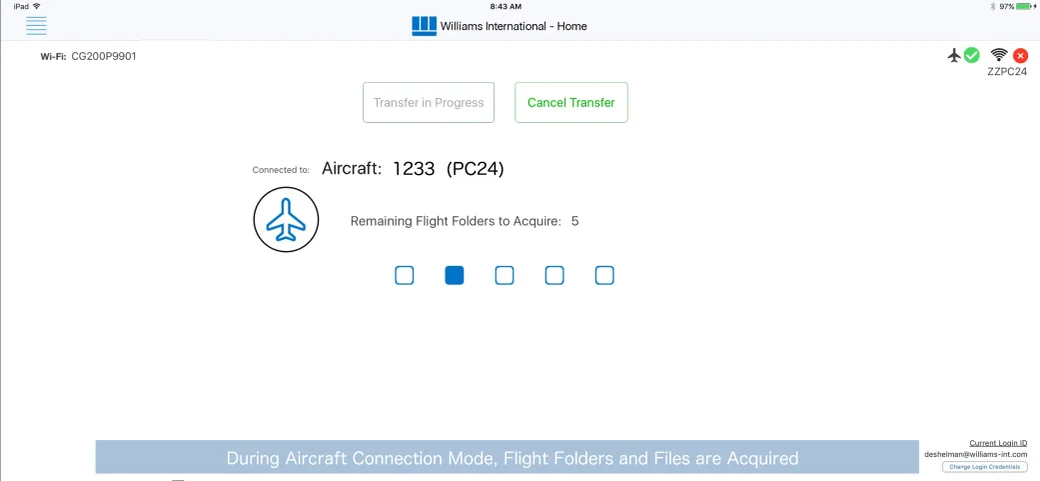
In Aircraft Connection Mode the flight files on the Aircraft are acquired by the iPad.
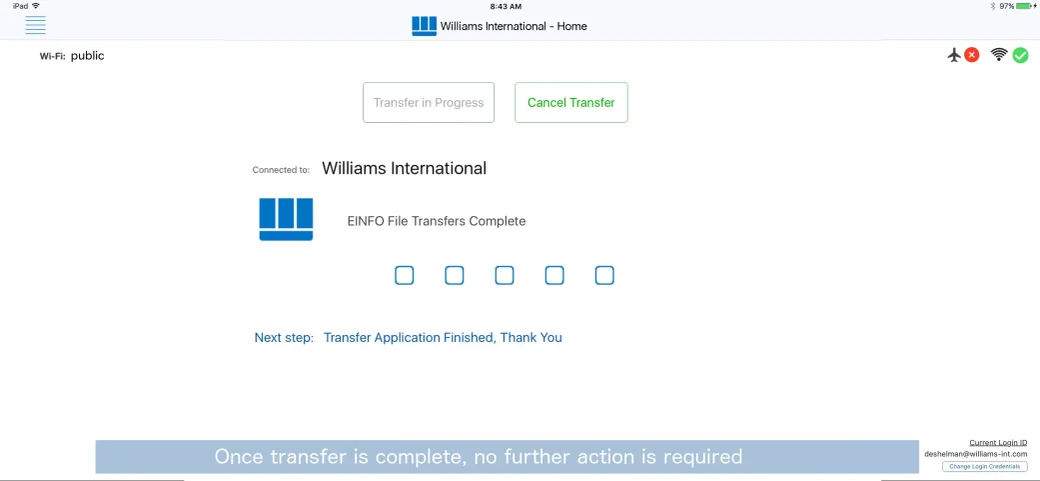
In WI Connection Mode, the e-info files are uploaded to Williams International.
Acquiring Aircraft Files
In order to acquire Aircraft flight files, change to Aircraft Connection Mode. Use the [ Make a Connection ], [ Connect to Aircraft ] or [ Connect to Internet ] button on the home page to access the iPad Settings (Wi-Fi) and select the appropriate Aircraft network.
Once the Aircraft Wi-Fi setting is selected, return to the MyEngine home page and verify Aircraft availability via the [ Wi-Fi ] display.
Aircraft file acquisition will begin automatically.
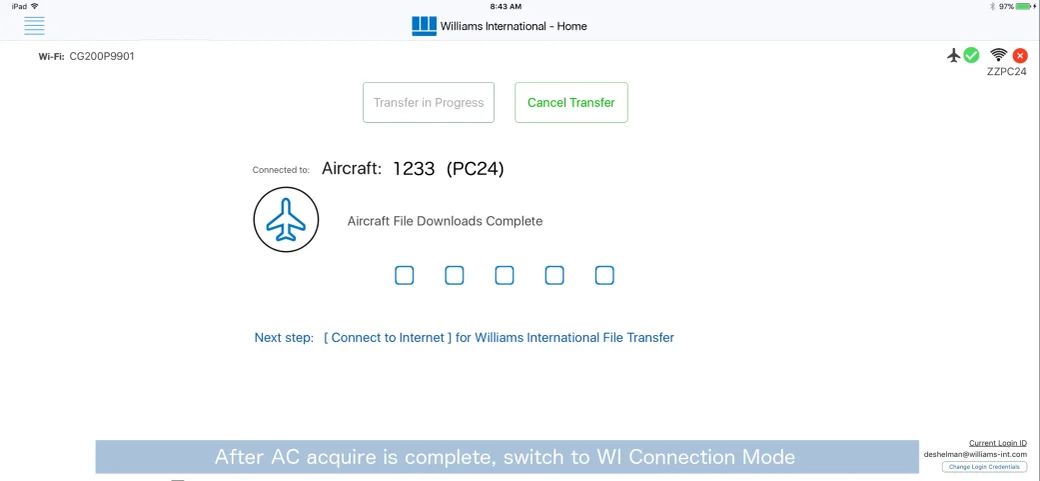
Aircraft files can be re-acquired, or a cancelled acquisition can be restarted, by using the [ Retry Transfer ] button.
Notifications will provide file acquisition progress or error messages.
Transferring Files to Williams International
After Aircraft flight files have been acquired, transfer to Williams International is available.
Change to WI Connection Mode (via Internet) by using the [ Connect to Internet ] or [ Make a Connection ] button on the home page to access the iPad Settings (Wi-Fi) and select the appropriate Internet network.
Once the Williams Connect (Internet) Wi-Fi setting is selected, return to the MyEngine home page and verify availability via the [ Wi-Fi ] display.
File transfer to Williams International will begin automatically.
Files can be re-sent, or a cancelled transfer can be restarted, by using the [ Retry Transfer ] button.
Notifications will provide file transfer progress or error messages.
Novidades
Versão 1.11 · 01/07/2024
New release to speed up file transfers and remove interruptions to the file transfer process.
Privacidade do app
O que Williams International declara na App Store sobre como este app lida com os dados.
-
Dados não coletados
O desenvolvedor não coleta nenhum dado deste app.
As práticas de privacidade podem variar, por exemplo, com base nos recursos que você usa ou na sua idade.
Informações
- Vendedor
- Williams International Co., LLC
- Categoria
- Negócios
- Versão
- 1.11
- Atualizado
- 01/07/2024
- Lançamento
- 15/07/2017
- Tamanho
- 39,2 MB
- Requer
- iOS 11.0 ou posterior
- Classificação etária
- 4+
- Preço
- Grátis
- Idiomas
- Inglês
- Copyright
- © Copyright Williams International Co., LLC