
MyEngine
Engine Information Transfer
iPhone, iPad, iPod touch için tasarlandı
Ücretsiz
- Yaş sınırı4+
- Kategoriİş
- GeliştiriciWilliams International
- Dillerİngilizce
- Boyut39,2 MB
Resmi App Store sayfasına bağlanır
Download.org, MyEngine için hiçbir dosya barındırmaz. Düğme, uygulamanın App Store üzerindeki sayfasını açar; uygulamayı orada Williams International yayınlar. Sayfanın son kontrolü: 12.11.2026.
Ekran görüntüleri

Hakkında
Geliştirici bu metni dilinizde sunmamış.
Overview
Williams International - MyEngine - Information File Transfer
This application facilitates the transfer of Engine Information (e-info) files from an Aircraft to Williams International.
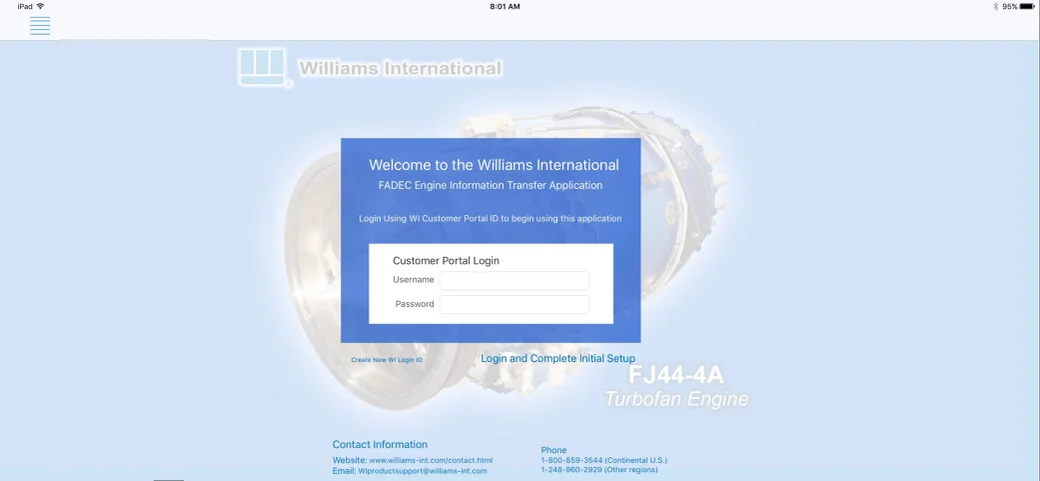
The MyEngine application has 2 Connection Modes, Aircraft and WI.
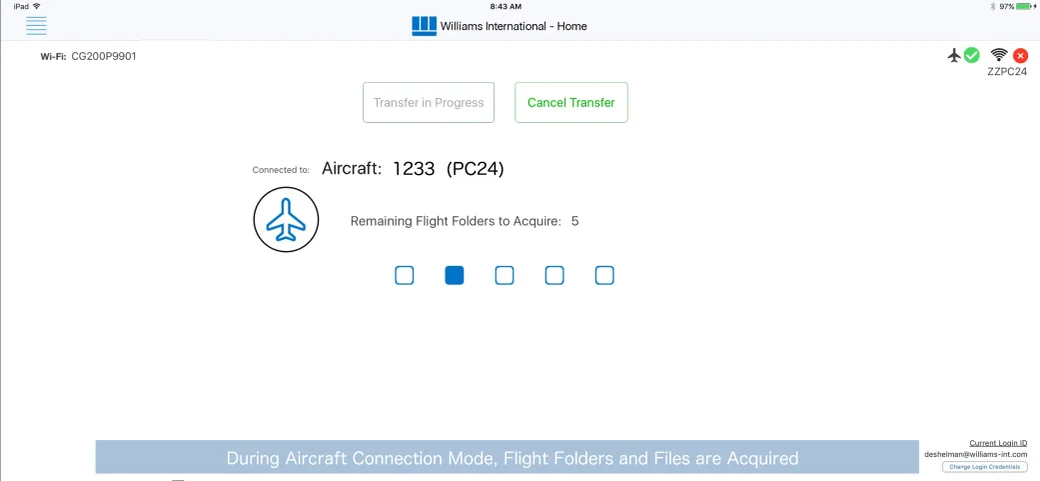
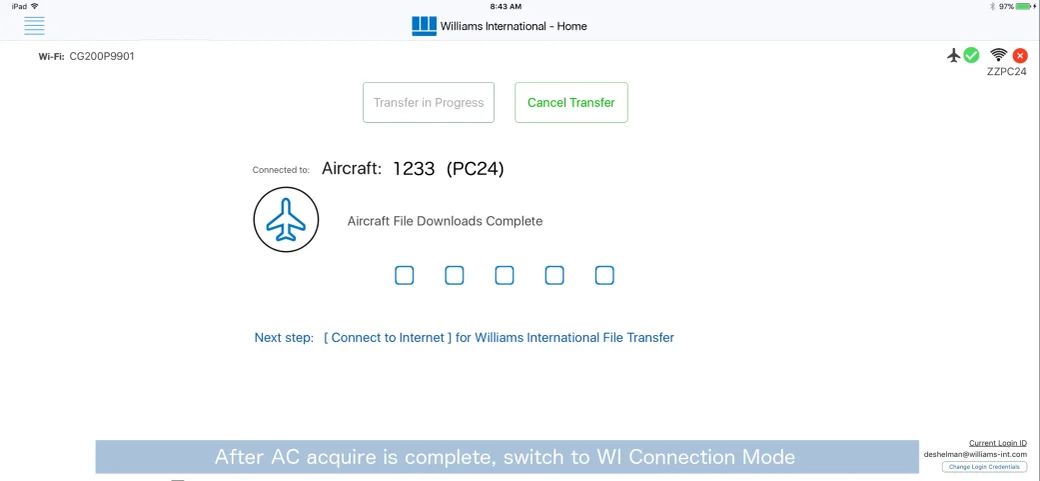
In Aircraft Connection Mode the flight files on the Aircraft are acquired by the iPad.
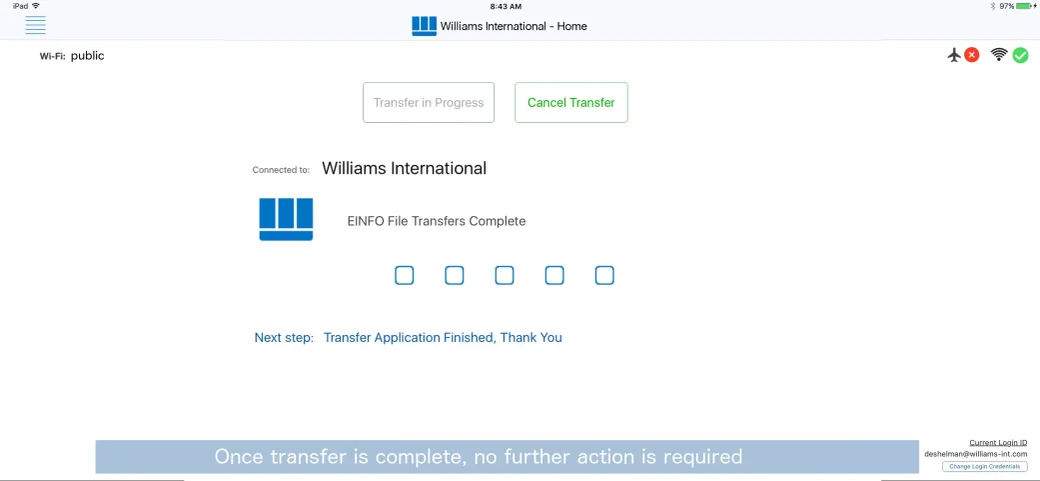
In WI Connection Mode, the e-info files are uploaded to Williams International.
Acquiring Aircraft Files
In order to acquire Aircraft flight files, change to Aircraft Connection Mode. Use the [ Make a Connection ], [ Connect to Aircraft ] or [ Connect to Internet ] button on the home page to access the iPad Settings (Wi-Fi) and select the appropriate Aircraft network.
Once the Aircraft Wi-Fi setting is selected, return to the MyEngine home page and verify Aircraft availability via the [ Wi-Fi ] display.
Aircraft file acquisition will begin automatically.
Aircraft files can be re-acquired, or a cancelled acquisition can be restarted, by using the [ Retry Transfer ] button.
Notifications will provide file acquisition progress or error messages.
Transferring Files to Williams International
After Aircraft flight files have been acquired, transfer to Williams International is available.
Change to WI Connection Mode (via Internet) by using the [ Connect to Internet ] or [ Make a Connection ] button on the home page to access the iPad Settings (Wi-Fi) and select the appropriate Internet network.
Once the Williams Connect (Internet) Wi-Fi setting is selected, return to the MyEngine home page and verify availability via the [ Wi-Fi ] display.
File transfer to Williams International will begin automatically.
Files can be re-sent, or a cancelled transfer can be restarted, by using the [ Retry Transfer ] button.
Notifications will provide file transfer progress or error messages.
Yenilikler
Sürüm 1.11 · 01.07.2024
New release to speed up file transfers and remove interruptions to the file transfer process.
Uygulama gizliliği
Bu uygulamanın verileri nasıl işlediği hakkında Williams International tarafından App Store üzerinde yapılan beyan.
-
Veri toplanmıyor
Geliştirici bu uygulamadan hiçbir veri toplamıyor.
Gizlilik uygulamaları, örneğin kullandığınız özelliklere veya yaşınıza göre değişiklik gösterebilir.
Bilgiler
- Satıcı
- Williams International Co., LLC
- Kategori
- İş
- Sürüm
- 1.11
- Güncellendi
- 01.07.2024
- Yayın tarihi
- 15.07.2017
- Boyut
- 39,2 MB
- Gereksinim
- iOS 11.0 veya sonrası
- Yaş sınırı
- 4+
- Fiyat
- Ücretsiz
- Diller
- İngilizce
- Telif hakkı
- © Copyright Williams International Co., LLC