
OpticalFlow
AI Frame Rate & Motion Blur
Entwickelt für iPhone, iPad, Mac
Kostenlos
- Altersfreigabe4+
- KategorieFoto und Video
- EntwicklerWEI JEN HUANG
- SprachenEnglisch
- Größe3,3 MB
Verlinkt auf die offizielle App Store-Seite
Download.org hostet keine Datei von OpticalFlow. Die Schaltfläche öffnet die App-Seite bei App Store, wo WEI JEN HUANG die App veröffentlicht. Eintrag zuletzt geprüft am 23.11.2026.
Screenshots

Info
Der Entwickler hat diesen Text nicht in Ihrer Sprache bereitgestellt.
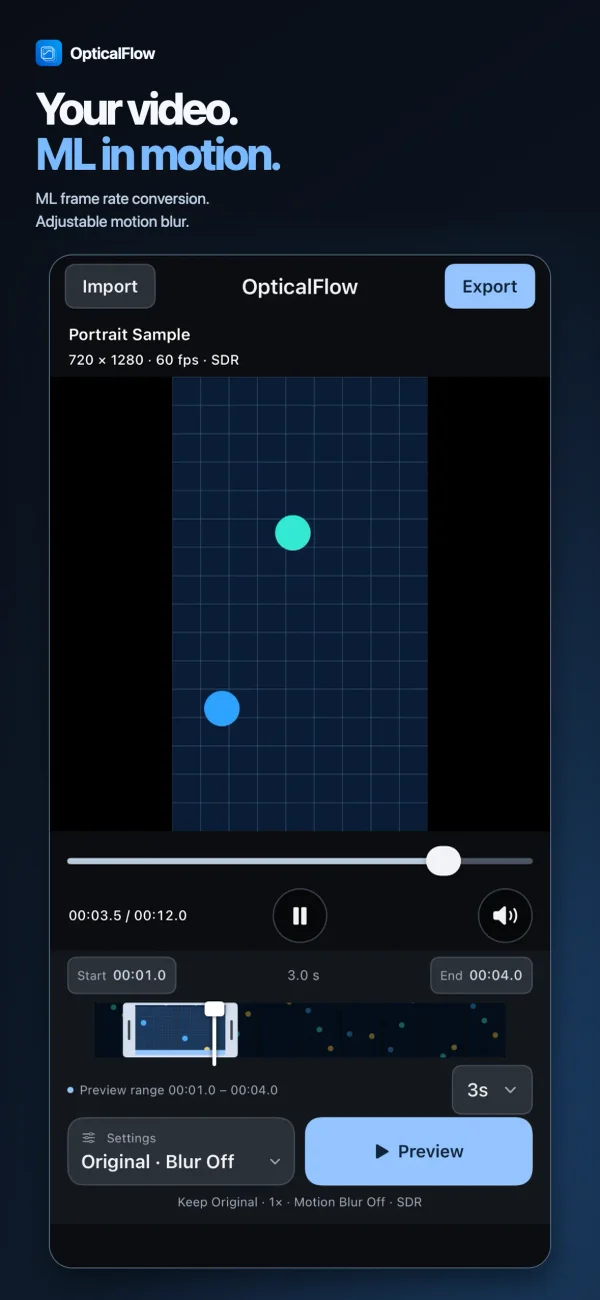
Make motion smoother, slow down a favorite moment, or trim a clip at its original quality. OpticalFlow gives you independent control over frame rate, playback speed, and motion blur. Preview your edit before you export. All video and audio processing happens on your device.
TRIM WITHOUT RE-ENCODING
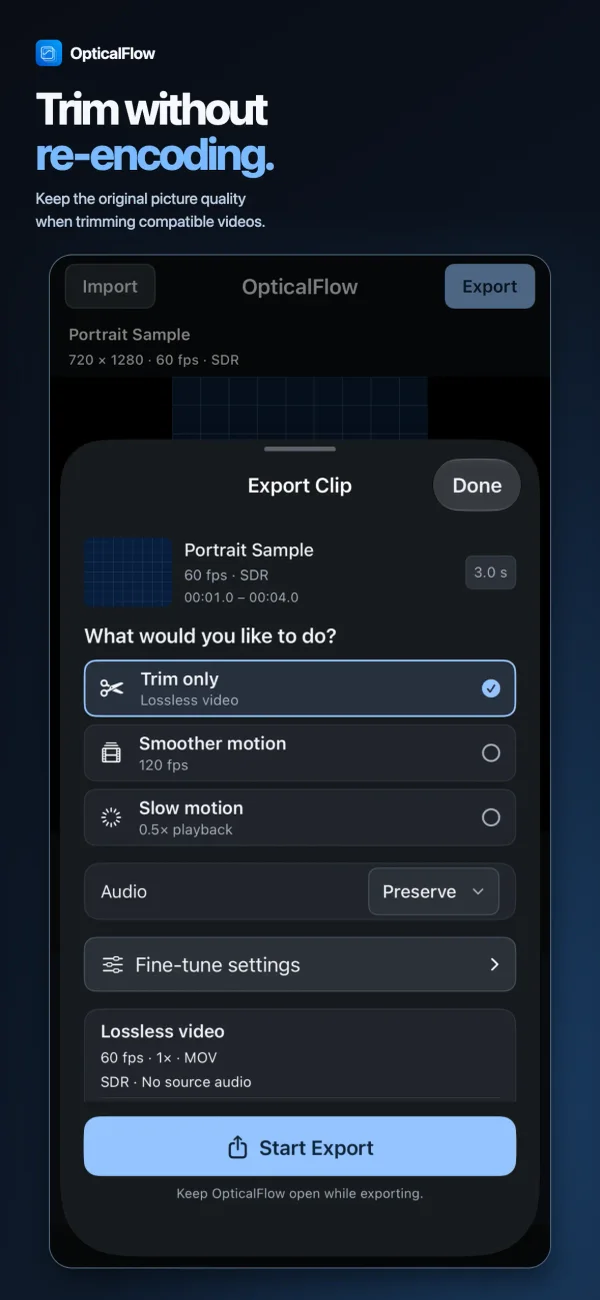
Choose Trim only and set the start and end of your clip. When the export summary shows “Lossless video,” OpticalFlow copies the original video frames and preserves the source’s Dolby Vision metadata. You can choose how to handle audio separately.
CONTROL MOTION AND SPEED
Raise the frame rate for smoother motion, lower it for a different look, or keep the source frame rate. Machine learning creates intermediate frames when needed. Adjust playback speed from 0.125× to 2× and dial in motion blur with a single strength control. Clips exported at a different playback speed are silent.
PREVIEW YOUR EDIT
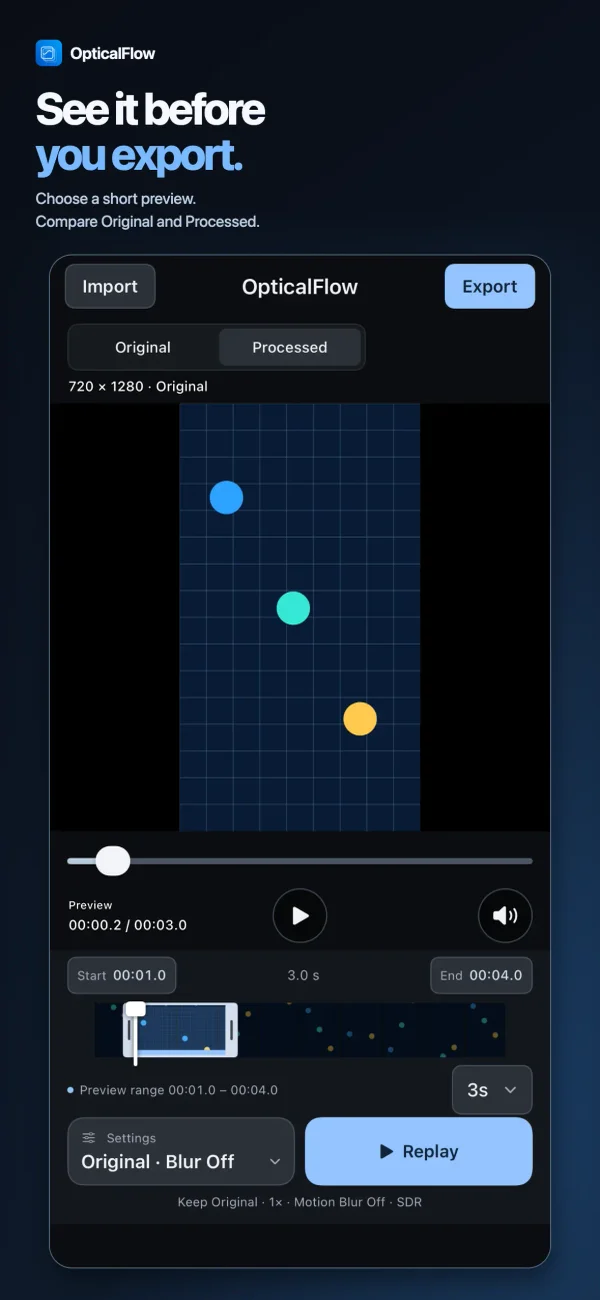
Preview 3, 5, or 10 seconds from your selected range. Switch between Original and Processed in the same player to see how a change in frame rate or blur looks before exporting the full clip.
KEEP THE AUDIO YOU RECORDED
At 1× speed, choose Preserve to keep multiple audio tracks, including alternate languages and commentary. Compatible iPhone Spatial Audio recordings retain both the spatial track and its stereo fallback. You can also convert compatible audio to AAC or export a silent clip.
EXPORT AND REVISIT YOUR CLIPS
Keep the original resolution or choose 4K, 1080p, or 720p. Export H.264 or HEVC to MOV or MP4, or use a supported ProRes profile in MOV. Open Saved Exports from the home screen or the Import menu to replay, share, or manage your clips.
Save to Photos, export to Files, or share your video from the app. Requires iOS or iPadOS 26 or later and compatible hardware. Keep OpticalFlow in the foreground during long exports. ML features and export options depend on your device and video format.
Neue Funktionen
Version 0.6.0 · 20.11.2026
• Trim compatible videos without re-encoding. Lossless trims keep the original picture quality and preserve Dolby Vision metadata from the source.
• Keep alternate languages, commentary tracks, and iPhone Spatial Audio when you export at 1× speed with audio set to Preserve.
• Choose Trim only, Smoother motion, or Slow motion in Settings and Export. Open Fine-tune settings when you want more control.
• Open Saved Exports from the Import menu to play or share a previous export, then return to your edit with your trim points intact.
App-Datenschutz
Was WEI JEN HUANG im App Store zum Umgang dieser App mit Daten angibt.
-
Keine Daten erfasst
Der Entwickler erfasst keine Daten von dieser App.
Die Datenschutzpraktiken können variieren, zum Beispiel je nach den von Ihnen verwendeten Funktionen oder Ihrem Alter.
Informationen
- Anbieter
- WEI JEN HUANG
- Kategorie
- Foto und Video
- Version
- 0.6.0
- Aktualisiert
- 20.11.2026
- Veröffentlicht
- 06.11.2026
- Größe
- 3,3 MB
- Erfordert
- iOS 26.0 oder neuer
- Altersfreigabe
- 4+
- Preis
- Kostenlos
- Sprachen
- Englisch
- Copyright
- © 2026 Lilo Huang
Das könnte Ihnen auch gefallen
-
 Image Compare+Vorher-Nachher-Fotovergleich
-
 FlowFrame: KI-VideoglättungFlüssige 60/120fps & Zeitlupe
-
 SlowCam - Create SloMo VideosFoto und Video
-
 ReMaster - Remaster your videoKI-Video-Upscaler auf 4K 60fps
-
 FrameFlo: Flüssige KI-VideosZeitlupe & Frame-Interpolation
-
 AI Video Smoother: 120FPSKI Zeitlupe & FPS Booster
-
 Video verbessern - EnhanceVid30>60fps, FHD>4K, Rauschfrei
-
 ShiftCam OneFoto und Video
-
 Lumen CameraPro Manual Cinematic Camera
-
 CinematicalFoto und Video