
- Classification d’âge4+
- CatégoriePhoto et vidéo
- DéveloppeurWEI JEN HUANG
- LanguesAnglais
- Taille3,3 Mo
Renvoie vers la page App Store officielle
Download.org n’héberge aucun fichier de OpticalFlow. Le bouton ouvre la page de l’application sur App Store, où WEI JEN HUANG la publie. Fiche vérifiée pour la dernière fois le 23/11/2026.
Captures d’écran

À propos
Le développeur n’a pas fourni ce texte dans votre langue.
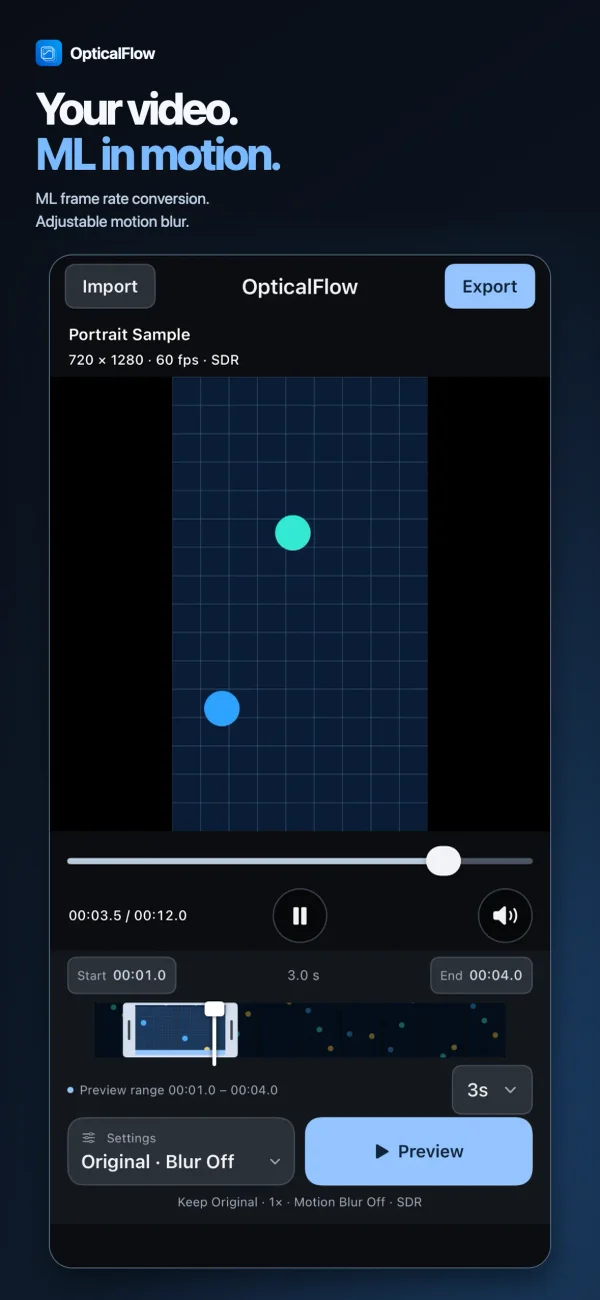
Make motion smoother, slow down a favorite moment, or trim a clip at its original quality. OpticalFlow gives you independent control over frame rate, playback speed, and motion blur. Preview your edit before you export. All video and audio processing happens on your device.
TRIM WITHOUT RE-ENCODING
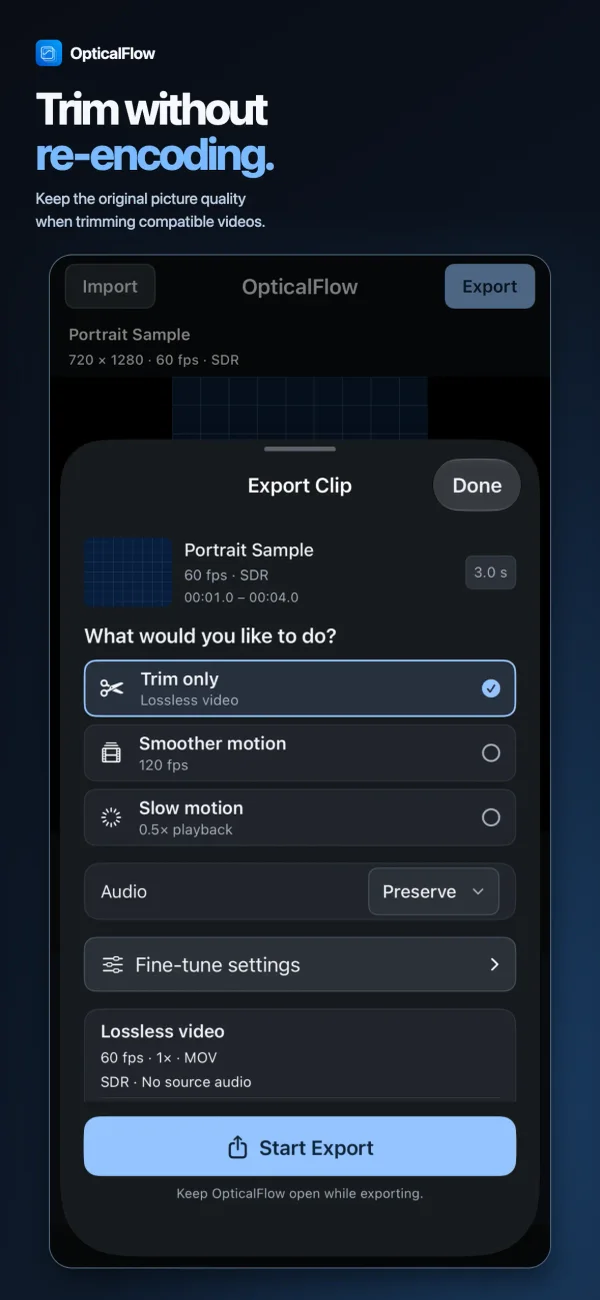
Choose Trim only and set the start and end of your clip. When the export summary shows “Lossless video,” OpticalFlow copies the original video frames and preserves the source’s Dolby Vision metadata. You can choose how to handle audio separately.
CONTROL MOTION AND SPEED
Raise the frame rate for smoother motion, lower it for a different look, or keep the source frame rate. Machine learning creates intermediate frames when needed. Adjust playback speed from 0.125× to 2× and dial in motion blur with a single strength control. Clips exported at a different playback speed are silent.
PREVIEW YOUR EDIT
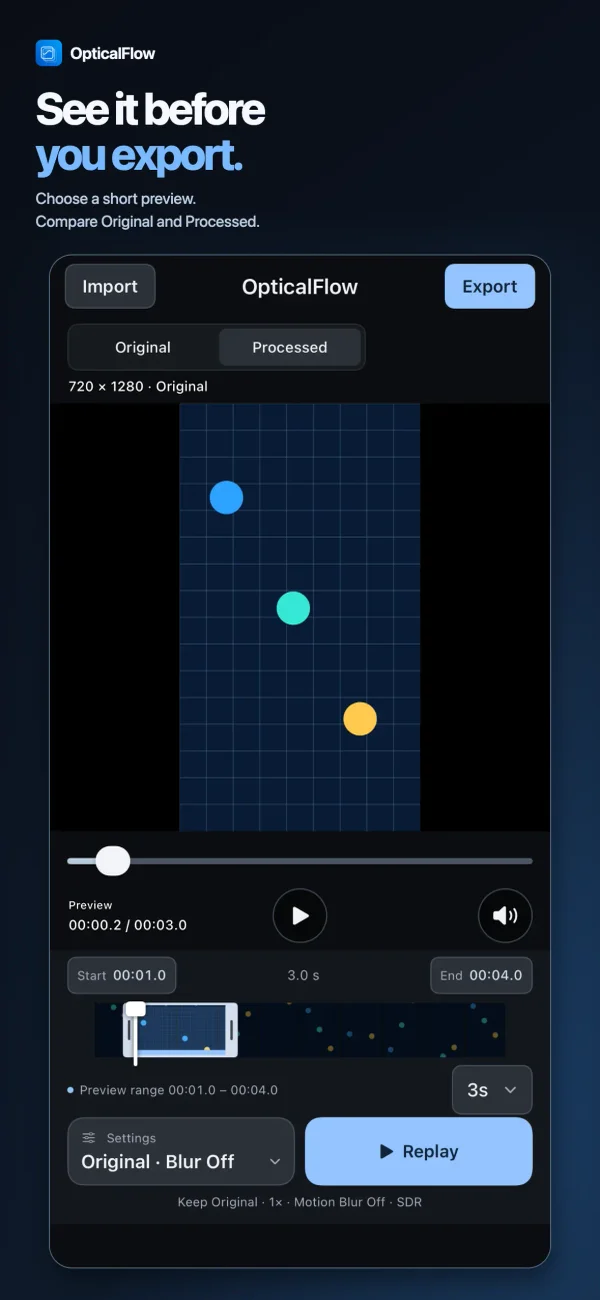
Preview 3, 5, or 10 seconds from your selected range. Switch between Original and Processed in the same player to see how a change in frame rate or blur looks before exporting the full clip.
KEEP THE AUDIO YOU RECORDED
At 1× speed, choose Preserve to keep multiple audio tracks, including alternate languages and commentary. Compatible iPhone Spatial Audio recordings retain both the spatial track and its stereo fallback. You can also convert compatible audio to AAC or export a silent clip.
EXPORT AND REVISIT YOUR CLIPS
Keep the original resolution or choose 4K, 1080p, or 720p. Export H.264 or HEVC to MOV or MP4, or use a supported ProRes profile in MOV. Open Saved Exports from the home screen or the Import menu to replay, share, or manage your clips.
Save to Photos, export to Files, or share your video from the app. Requires iOS or iPadOS 26 or later and compatible hardware. Keep OpticalFlow in the foreground during long exports. ML features and export options depend on your device and video format.
Nouveautés
Version 0.6.0 · 20/11/2026
• Trim compatible videos without re-encoding. Lossless trims keep the original picture quality and preserve Dolby Vision metadata from the source.
• Keep alternate languages, commentary tracks, and iPhone Spatial Audio when you export at 1× speed with audio set to Preserve.
• Choose Trim only, Smoother motion, or Slow motion in Settings and Export. Open Fine-tune settings when you want more control.
• Open Saved Exports from the Import menu to play or share a previous export, then return to your edit with your trim points intact.
Confidentialité de l’application
Ce que WEI JEN HUANG déclare sur l’App Store au sujet du traitement des données par cette application.
-
Données non collectées
Le développeur ne collecte aucune donnée à partir de cette application.
Les pratiques en matière de confidentialité peuvent varier, notamment en fonction des fonctionnalités que vous utilisez ou de votre âge.
Informations
- Vendeur
- WEI JEN HUANG
- Catégorie
- Photo et vidéo
- Version
- 0.6.0
- Mis à jour
- 20/11/2026
- Publié
- 06/11/2026
- Taille
- 3,3 Mo
- Nécessite
- iOS 26.0 ou version ultérieure
- Classification d’âge
- 4+
- Prix
- Gratuit
- Langues
- Anglais
- Copyright
- © 2026 Lilo Huang
Vous aimerez peut-être aussi
-
 Image Compare+Comparer photos avant/après
-
 FlowFrame : vidéo fluide IASaccadé ? 60/120fps et ralenti
-
 SlowCam - Create SloMo VideosPhoto et vidéo
-
 ReMaster - Remaster your videoVidéos IA en 4K et 60 fps
-
 FrameFlo: Vidéo IA FluideRalenti & Interpolation frames
-
 AI Video Smoother: 120FPSRalenti IA & Boost FPS
-
 Améliorer vidéo - EnhanceVid30>60fps, FHD>4K, Débruitage
-
 ShiftCam OnePhoto et vidéo
-
 Lumen CameraPro Manual Cinematic Camera
-
 CinematicalPhoto et vidéo