
OpticalFlow
AI Frame Rate & Motion Blur
Dirancang untuk iPhone, iPad, Mac
Gratis
- Batasan usia4+
- KategoriFoto & Video
- PengembangWEI JEN HUANG
- BahasaInggris
- Ukuran3,3 MB
Tertaut ke halaman resmi App Store
Download.org tidak menyimpan file OpticalFlow apa pun. Tombol ini membuka halaman aplikasi di App Store, tempat WEI JEN HUANG menerbitkannya. Halaman terakhir diperiksa pada 23/11/2026.
Tangkapan layar

Tentang
Pengembang belum menyediakan teks ini dalam bahasa Anda.
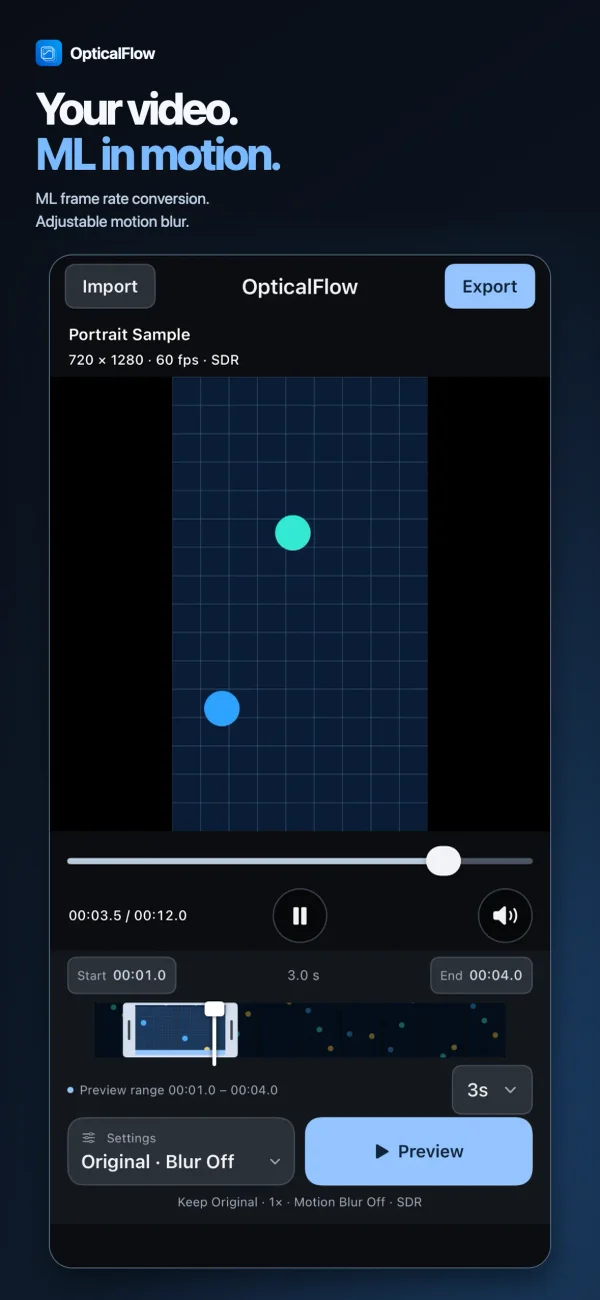
Make motion smoother, slow down a favorite moment, or trim a clip at its original quality. OpticalFlow gives you independent control over frame rate, playback speed, and motion blur. Preview your edit before you export. All video and audio processing happens on your device.
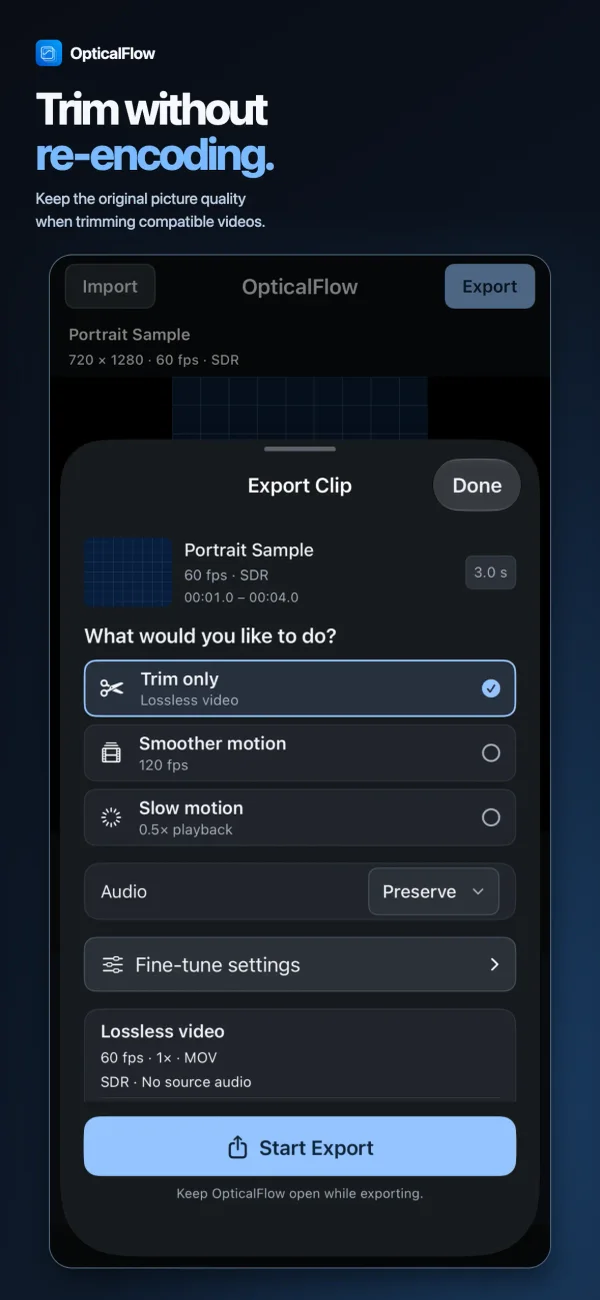
TRIM WITHOUT RE-ENCODING
Choose Trim only and set the start and end of your clip. When the export summary shows “Lossless video,” OpticalFlow copies the original video frames and preserves the source’s Dolby Vision metadata. You can choose how to handle audio separately.
CONTROL MOTION AND SPEED
Raise the frame rate for smoother motion, lower it for a different look, or keep the source frame rate. Machine learning creates intermediate frames when needed. Adjust playback speed from 0.125× to 2× and dial in motion blur with a single strength control. Clips exported at a different playback speed are silent.
PREVIEW YOUR EDIT
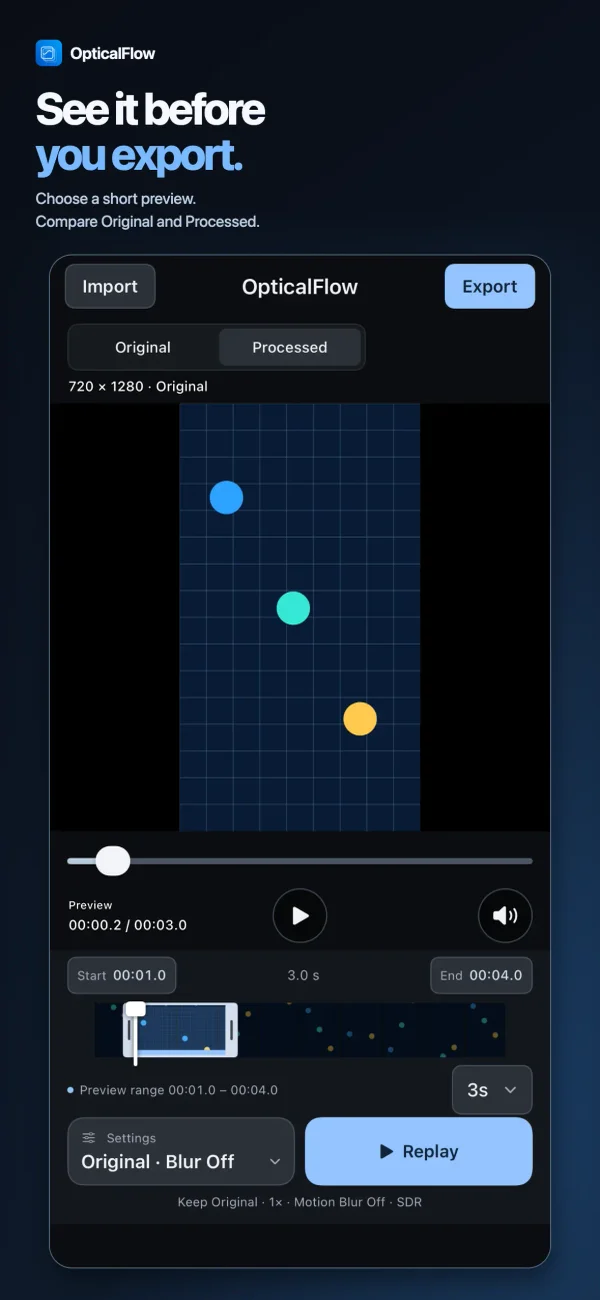
Preview 3, 5, or 10 seconds from your selected range. Switch between Original and Processed in the same player to see how a change in frame rate or blur looks before exporting the full clip.
KEEP THE AUDIO YOU RECORDED
At 1× speed, choose Preserve to keep multiple audio tracks, including alternate languages and commentary. Compatible iPhone Spatial Audio recordings retain both the spatial track and its stereo fallback. You can also convert compatible audio to AAC or export a silent clip.
EXPORT AND REVISIT YOUR CLIPS
Keep the original resolution or choose 4K, 1080p, or 720p. Export H.264 or HEVC to MOV or MP4, or use a supported ProRes profile in MOV. Open Saved Exports from the home screen or the Import menu to replay, share, or manage your clips.
Save to Photos, export to Files, or share your video from the app. Requires iOS or iPadOS 26 or later and compatible hardware. Keep OpticalFlow in the foreground during long exports. ML features and export options depend on your device and video format.
Yang baru
Versi 0.6.0 · 20/11/2026
• Trim compatible videos without re-encoding. Lossless trims keep the original picture quality and preserve Dolby Vision metadata from the source.
• Keep alternate languages, commentary tracks, and iPhone Spatial Audio when you export at 1× speed with audio set to Preserve.
• Choose Trim only, Smoother motion, or Slow motion in Settings and Export. Open Fine-tune settings when you want more control.
• Open Saved Exports from the Import menu to play or share a previous export, then return to your edit with your trim points intact.
Privasi aplikasi
Yang dinyatakan WEI JEN HUANG di App Store tentang cara aplikasi ini menangani data.
-
Data tidak dikumpulkan
Pengembang tidak mengumpulkan data apa pun dari aplikasi ini.
Praktik privasi dapat bervariasi, misalnya berdasarkan fitur yang Anda gunakan atau usia Anda.
Informasi
- Penjual
- WEI JEN HUANG
- Kategori
- Foto & Video
- Versi
- 0.6.0
- Diperbarui
- 20/11/2026
- Dirilis
- 6/11/2026
- Ukuran
- 3,3 MB
- Memerlukan
- iOS 26.0 atau yang lebih baru
- Batasan usia
- 4+
- Harga
- Gratis
- Bahasa
- Inggris
- Hak cipta
- © 2026 Lilo Huang
Mungkin Anda juga suka
-
 Image Compare+Foto & Video
-
 FlowFrame: Video Jadi Mulus60fps, 120fps & slow motion
-
 SlowCam - Create SloMo VideosFoto & Video
-
 ReMaster - Remaster your videoAI Perbesar Video ke 4K 60fps
-
 FrameFlo: AI Video SmootherFoto & Video
-
 AI Video Smoother: 120FPSSlow Motion AI & Tambah FPS
-
 Video Enhancer - EnhanceVidFoto & Video
-
 ShiftCam OneFoto & Video
-
 Lumen CameraPro Manual Cinematic Camera
-
 CinematicalFoto & Video