
- 対象年齢4+
- カテゴリ写真/ビデオ
- 開発元WEI JEN HUANG
- 言語英語
- サイズ3.3 MB
App Storeの公式ページにリンクしています
Download.orgはOpticalFlowのファイルを一切ホストしていません。ボタンを押すと、WEI JEN HUANGが公開しているApp Storeのアプリページが開きます。ページの最終確認:2026/11/23。
スクリーンショット

概要
開発元はこのテキストをお使いの言語で提供していません。
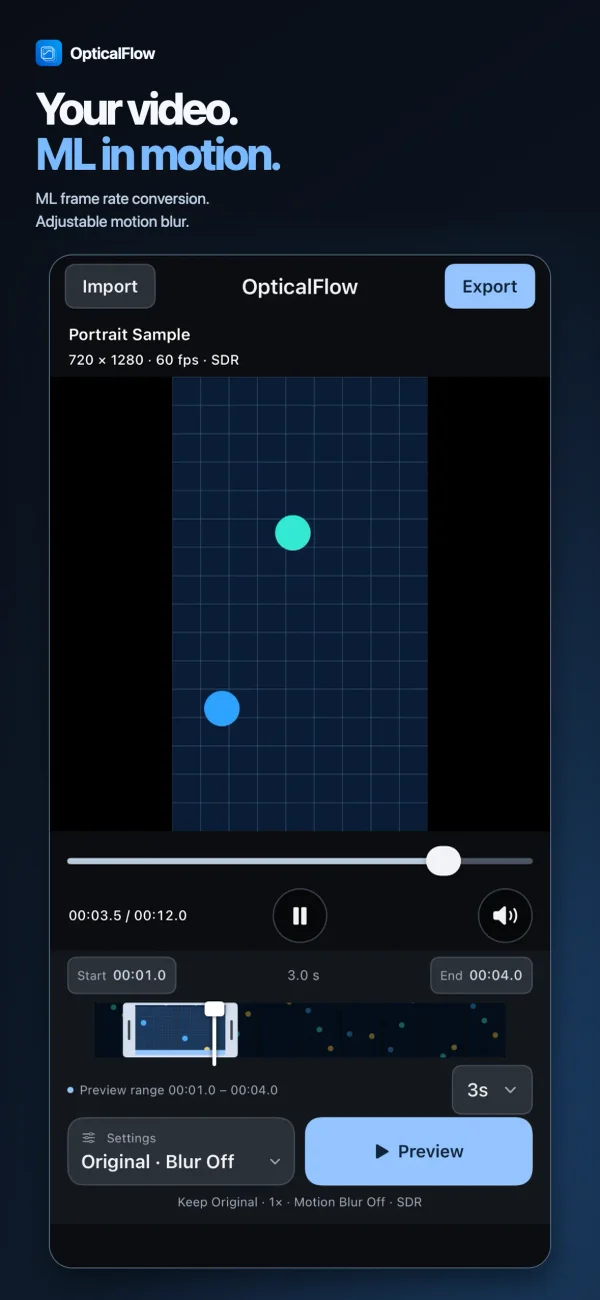
Make motion smoother, slow down a favorite moment, or trim a clip at its original quality. OpticalFlow gives you independent control over frame rate, playback speed, and motion blur. Preview your edit before you export. All video and audio processing happens on your device.
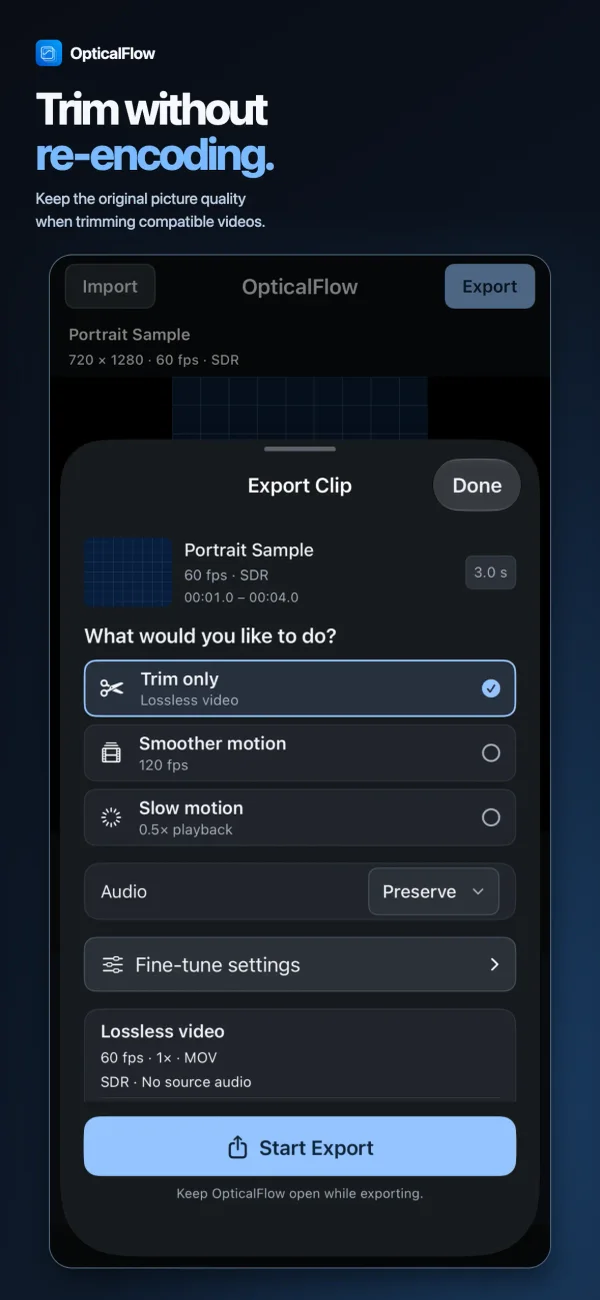
TRIM WITHOUT RE-ENCODING
Choose Trim only and set the start and end of your clip. When the export summary shows “Lossless video,” OpticalFlow copies the original video frames and preserves the source’s Dolby Vision metadata. You can choose how to handle audio separately.
CONTROL MOTION AND SPEED
Raise the frame rate for smoother motion, lower it for a different look, or keep the source frame rate. Machine learning creates intermediate frames when needed. Adjust playback speed from 0.125× to 2× and dial in motion blur with a single strength control. Clips exported at a different playback speed are silent.
PREVIEW YOUR EDIT
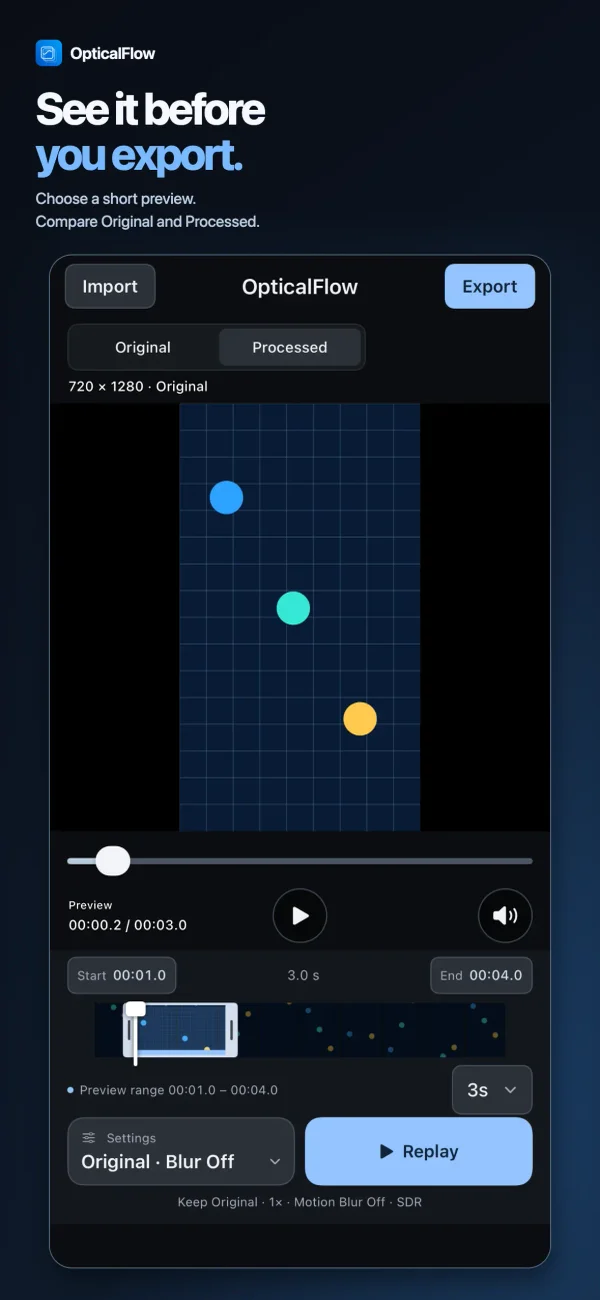
Preview 3, 5, or 10 seconds from your selected range. Switch between Original and Processed in the same player to see how a change in frame rate or blur looks before exporting the full clip.
KEEP THE AUDIO YOU RECORDED
At 1× speed, choose Preserve to keep multiple audio tracks, including alternate languages and commentary. Compatible iPhone Spatial Audio recordings retain both the spatial track and its stereo fallback. You can also convert compatible audio to AAC or export a silent clip.
EXPORT AND REVISIT YOUR CLIPS
Keep the original resolution or choose 4K, 1080p, or 720p. Export H.264 or HEVC to MOV or MP4, or use a supported ProRes profile in MOV. Open Saved Exports from the home screen or the Import menu to replay, share, or manage your clips.
Save to Photos, export to Files, or share your video from the app. Requires iOS or iPadOS 26 or later and compatible hardware. Keep OpticalFlow in the foreground during long exports. ML features and export options depend on your device and video format.
新機能
バージョン 0.6.0 · 2026/11/20
• Trim compatible videos without re-encoding. Lossless trims keep the original picture quality and preserve Dolby Vision metadata from the source.
• Keep alternate languages, commentary tracks, and iPhone Spatial Audio when you export at 1× speed with audio set to Preserve.
• Choose Trim only, Smoother motion, or Slow motion in Settings and Export. Open Fine-tune settings when you want more control.
• Open Saved Exports from the Import menu to play or share a previous export, then return to your edit with your trim points intact.
アプリのプライバシー
このアプリのデータの取り扱いについて、WEI JEN HUANGがApp Storeで申告している内容です。
-
データの収集なし
開発元はこのアプリからデータを収集しません。
プライバシーの取り扱いは、ご利用の機能やお客様の年齢などに応じて異なる場合があります。
情報
- 販売元
- WEI JEN HUANG
- カテゴリ
- 写真/ビデオ
- バージョン
- 0.6.0
- 更新日
- 2026/11/20
- リリース
- 2026/11/6
- サイズ
- 3.3 MB
- 必要条件
- iOS 26.0以降
- 対象年齢
- 4+
- 価格
- 無料
- 言語
- 英語
- 著作権
- © 2026 Lilo Huang
こちらもおすすめ
-
 Image Compare+写真・画像のビフォーアフター比較
-
 FlowFrame - ぬるぬる動画・フレーム補間カクカク動画を60fps・120fps・スローに
-
 SlowCam - Create SloMo Videos写真/ビデオ
-
 ReMaster - Remaster your videoAIで動画を4K 60fps高画質化
-
 なめらか動画くん: フレーム補間・手ブレ補正AI 60fps & スローモーション
-
 AI動画スムーザー:120FPSAIスローモーション・FPS向上
-
 動画高画質化 - EnhanceVid30>60fps、フルHD>4K、ノイズ除去
-
 ShiftCam One写真/ビデオ
-
 Lumen CameraPro Manual Cinematic Camera
-
 Cinematical映画の黒帯を簡単につけられるアプリ