
PreviewMD
Markdown editor & Quick Look
Entwickelt für iPhone, iPad, Mac
Kostenlos
- Altersfreigabe4+
- KategorieProduktivität
- EntwicklerMichal Fanta
- SprachenEnglisch+ 8 weitere
- Größe7,0 MB
Verlinkt auf die offizielle App Store-Seite
Download.org hostet keine Datei von PreviewMD. Die Schaltfläche öffnet die App-Seite bei App Store, wo Michal Fanta die App veröffentlicht. Eintrag zuletzt geprüft am 23.11.2026.
Screenshots



Info
Der Entwickler hat diesen Text nicht in Ihrer Sprache bereitgestellt.
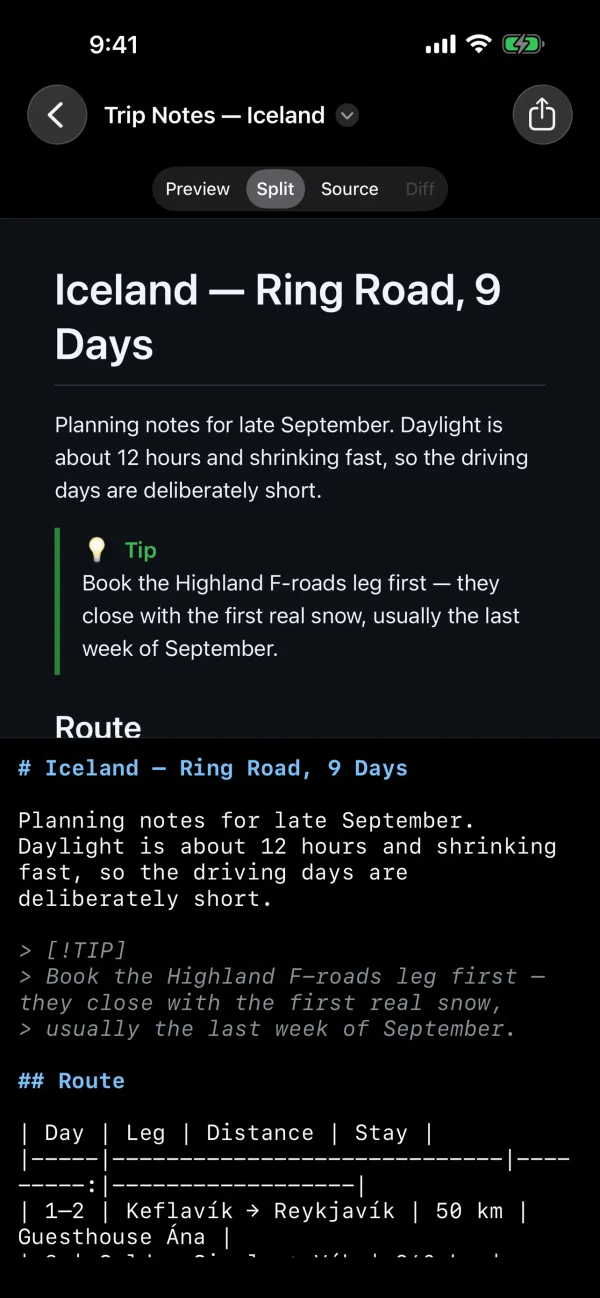
PreviewMD is a fast, native editor and viewer for Markdown on iPad and iPhone — the same rendering as the Mac app, free on both.
Open any .md file from Files or iCloud Drive, or start a new document right in the built-in browser.
FOUR WAYS TO WORK
• Preview — a clean reading view
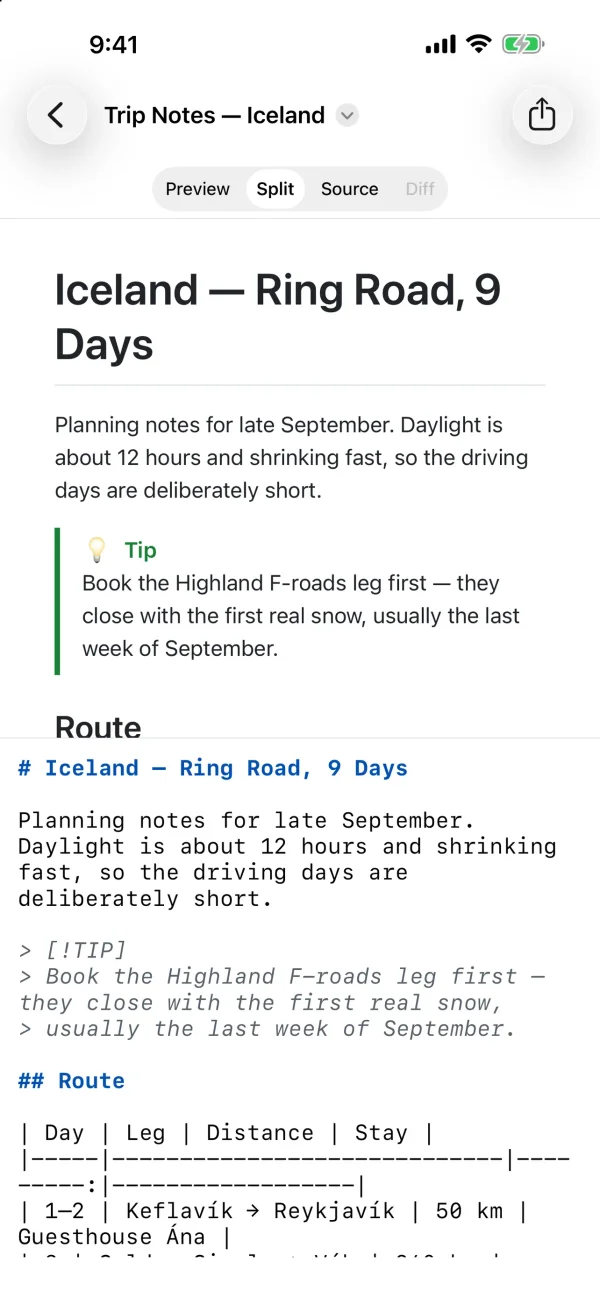
• Split — live preview beside the Markdown source, side by side on iPad and stacked on iPhone
• Source — the Markdown alone, full width
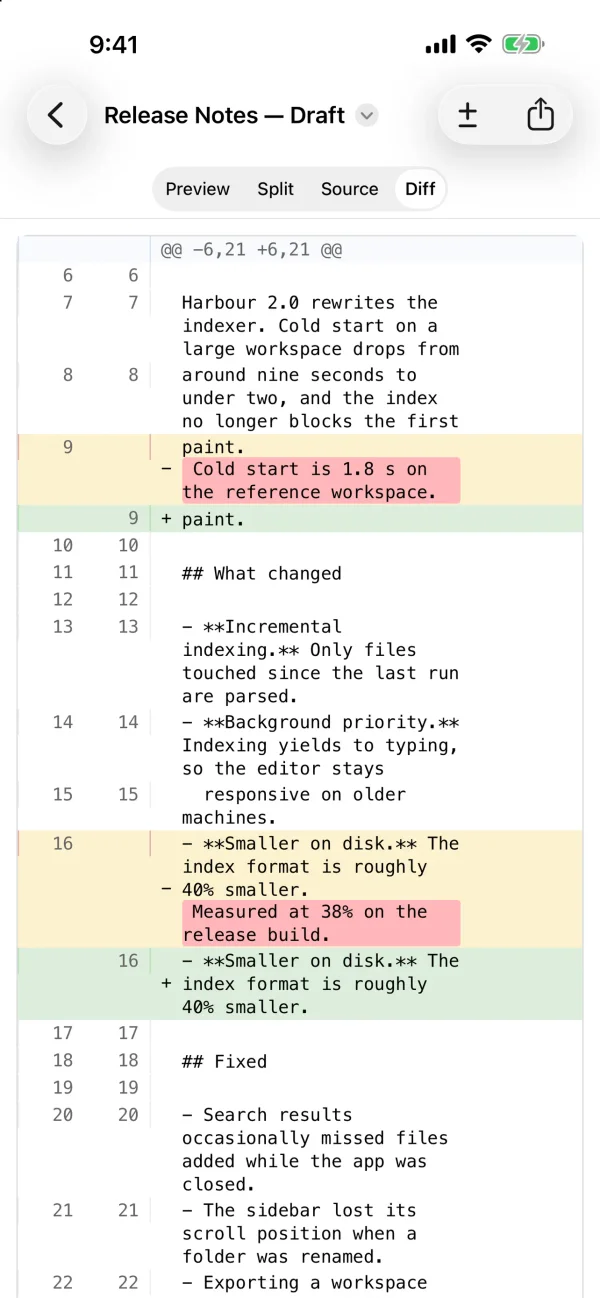
• Diff — see exactly what you've changed since you opened the file, word by word
BEAUTIFUL RENDERING
• GitHub-flavored Markdown: tables, task lists, footnotes and strikethrough
• Syntax highlighting for almost two hundred languages
• Math typesetting with KaTeX — $inline$ and $$display$$
• Diagrams with Mermaid — flowcharts, sequence, class, state, pie and gantt
• GitHub-style alert callouts (> [!NOTE], [!WARNING], …) and emoji
• Automatic light and dark mode
WRITING ON A TOUCHSCREEN
A formatting bar sits above the keyboard for bold, italic, inline code, headings, quotes, lists and links. With a hardware keyboard the same actions have shortcuts.
YOUR DOCUMENTS, YOUR IMAGES
Works with the Files app and iCloud Drive — documents open in place and save as you type, with no Save button to remember. Local images referenced by your document display right in the preview.
EXPORT, SHARE & PRINT
Export self-contained HTML or clean light-mode PDF straight to the share sheet, or print with proper pagination.
QUICK LOOK
Markdown files preview with PreviewMD's renderer in the Files app too.
ONE APP EVERYWHERE
Free on Mac as well — including Quick Look previews and thumbnails in Finder. Requires iOS/iPadOS 17 or later.
Neue Funktionen
Version 1.0.1 · 17.11.2026
Ready for iOS 27
• The formatting bar above the keyboard fits every iPhone again: heading, bullet list and quote now sit together under ¶.
• The page can be light or dark apart from the system, from the menu at the top right — a dark phone at night is still the wrong paper for a long document.
• Formatting and new list items no longer jump a long document to its end.
• Undo takes back one formatting mark at a time, not a document-sized step.
• The document's name no longer disappears from the bar when the system turns light while it is open.
• Formatting labels are translated into every language the app speaks.
• A new icon: the MD mark on blue.
• Send Feedback… in the menu.
App-Datenschutz
Was Michal Fanta im App Store zum Umgang dieser App mit Daten angibt.
-
Keine Daten erfasst
Der Entwickler erfasst keine Daten von dieser App.
Die Datenschutzpraktiken können variieren, zum Beispiel je nach den von Ihnen verwendeten Funktionen oder Ihrem Alter.
Informationen
- Anbieter
- Michal Fanta
- Kategorie
- Produktivität
- Version
- 1.0.1
- Aktualisiert
- 17.11.2026
- Veröffentlicht
- 09.09.2026
- Größe
- 7,0 MB
- Erfordert
- iOS 17.0 oder neuer
- Altersfreigabe
- 4+
- Preis
- Kostenlos
- Sprachen
- Englisch, Tschechisch, Französisch, Deutsch, Italienisch, Japanisch, Koreanisch, Vereinf. Chinesisch, Spanisch
- Copyright
- © Michal Fanta
Das könnte Ihnen auch gefallen
-
 Marko: Markdown-ViewerOffline lesen und vorlesen
-
 WeeGoals - Weekly GoalsProduktivität
-
 PutSpot: Objektfinder ZuhauseFotos, Sprachsuche, QR-Codes
-
 JottreMinimalistische Notizen
-
 NextNote: Notes & AI WritingProduktivität
-
 PDFOnePDFs ordnen, füllen, signieren
-
 Habit Tracker – BehaltenTagesablauf, Ziele, Streaks
-
 ETasks: Aufgabenliste & AlarmeAufgabenplaner & Erinnerungen
-
 SuperShot: Lange ScreenshotsZusammenfügen, verpixeln & OCR
-
 TooTask·Checklist&Task ManagerTask Manager & To Do List