
- Clasificación por edad4+
- CategoríaProductividad
- DesarrolladorMichal Fanta
- IdiomasInglés+ 8 más
- Tamaño7,0 MB
Enlaza a la página oficial de App Store
Download.org no aloja ningún archivo de PreviewMD. El botón abre la página de la aplicación en App Store, donde la publica Michal Fanta. Ficha comprobada por última vez el 23/11/2026.
Capturas de pantalla



Acerca de
El desarrollador no ha proporcionado este texto en tu idioma.
PreviewMD is a fast, native editor and viewer for Markdown on iPad and iPhone — the same rendering as the Mac app, free on both.
Open any .md file from Files or iCloud Drive, or start a new document right in the built-in browser.
FOUR WAYS TO WORK
• Preview — a clean reading view
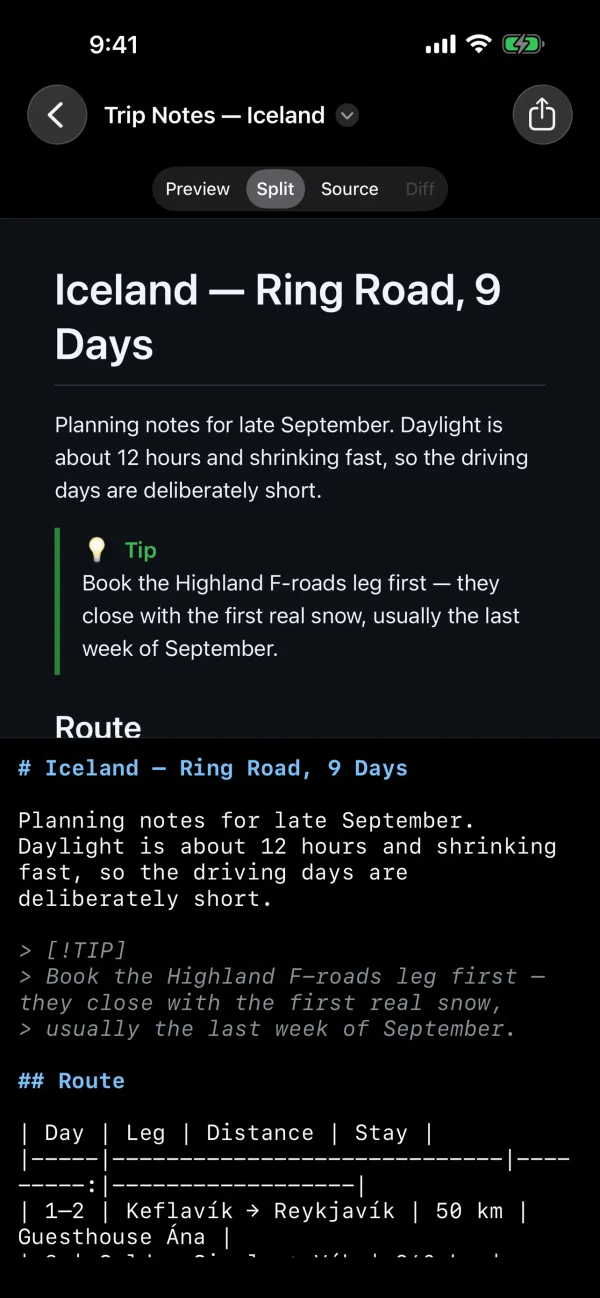
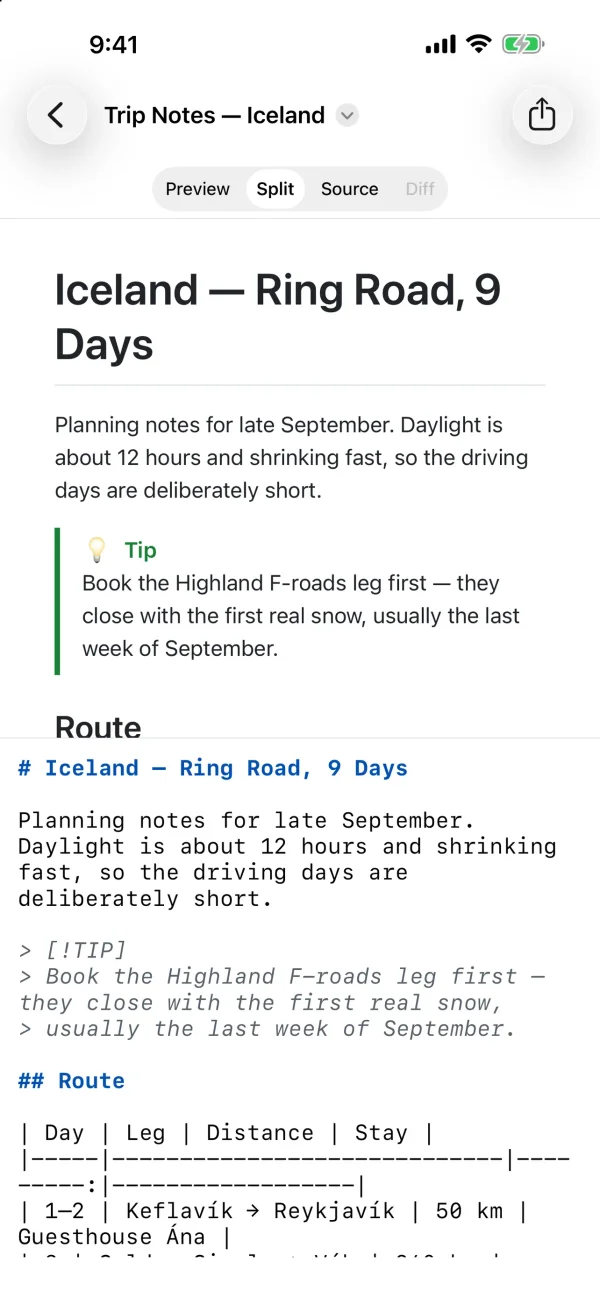
• Split — live preview beside the Markdown source, side by side on iPad and stacked on iPhone
• Source — the Markdown alone, full width
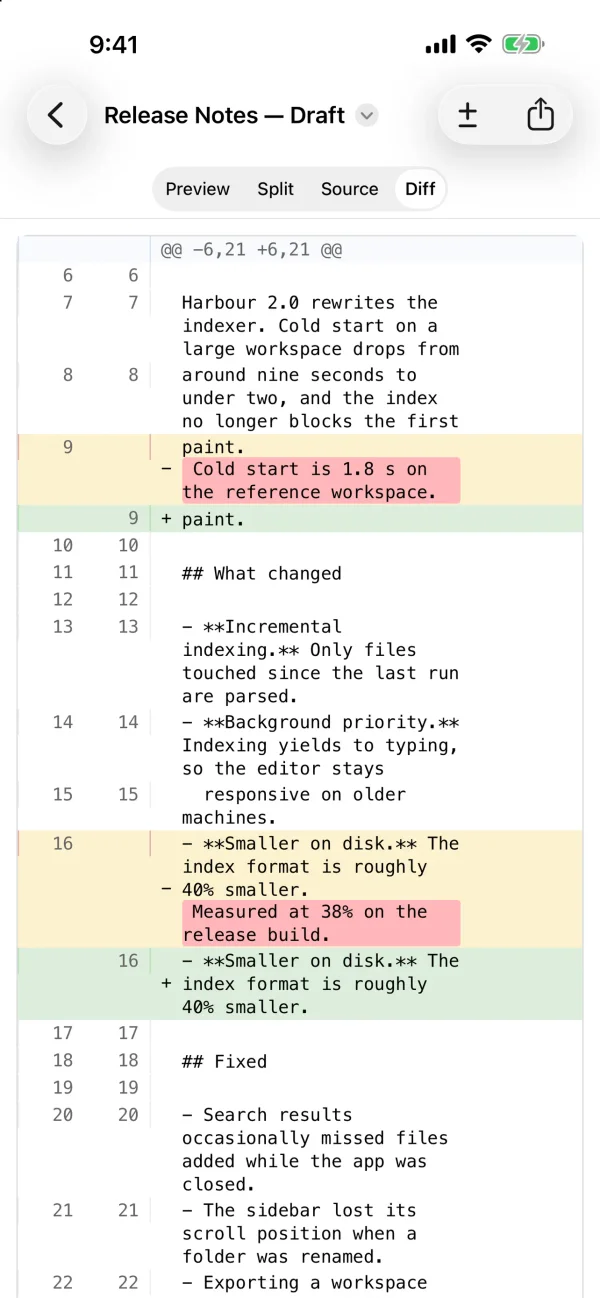
• Diff — see exactly what you've changed since you opened the file, word by word
BEAUTIFUL RENDERING
• GitHub-flavored Markdown: tables, task lists, footnotes and strikethrough
• Syntax highlighting for almost two hundred languages
• Math typesetting with KaTeX — $inline$ and $$display$$
• Diagrams with Mermaid — flowcharts, sequence, class, state, pie and gantt
• GitHub-style alert callouts (> [!NOTE], [!WARNING], …) and emoji
• Automatic light and dark mode
WRITING ON A TOUCHSCREEN
A formatting bar sits above the keyboard for bold, italic, inline code, headings, quotes, lists and links. With a hardware keyboard the same actions have shortcuts.
YOUR DOCUMENTS, YOUR IMAGES
Works with the Files app and iCloud Drive — documents open in place and save as you type, with no Save button to remember. Local images referenced by your document display right in the preview.
EXPORT, SHARE & PRINT
Export self-contained HTML or clean light-mode PDF straight to the share sheet, or print with proper pagination.
QUICK LOOK
Markdown files preview with PreviewMD's renderer in the Files app too.
ONE APP EVERYWHERE
Free on Mac as well — including Quick Look previews and thumbnails in Finder. Requires iOS/iPadOS 17 or later.
Novedades
Versión 1.0.1 · 17/11/2026
Ready for iOS 27
• The formatting bar above the keyboard fits every iPhone again: heading, bullet list and quote now sit together under ¶.
• The page can be light or dark apart from the system, from the menu at the top right — a dark phone at night is still the wrong paper for a long document.
• Formatting and new list items no longer jump a long document to its end.
• Undo takes back one formatting mark at a time, not a document-sized step.
• The document's name no longer disappears from the bar when the system turns light while it is open.
• Formatting labels are translated into every language the app speaks.
• A new icon: the MD mark on blue.
• Send Feedback… in the menu.
Privacidad de la aplicación
Lo que Michal Fanta declara en App Store sobre cómo esta aplicación gestiona los datos.
-
No se recopilan datos
El desarrollador no recopila ningún dato de esta aplicación.
Las prácticas de privacidad pueden variar, por ejemplo, según las funciones que uses o tu edad.
Información
- Vendedor
- Michal Fanta
- Categoría
- Productividad
- Versión
- 1.0.1
- Actualizado
- 17/11/2026
- Publicado
- 9/9/2026
- Tamaño
- 7,0 MB
- Requiere
- iOS 17.0 o posterior
- Clasificación por edad
- 4+
- Precio
- Gratis
- Idiomas
- Inglés, Checo, Francés, Alemán, Italiano, Japonés, Coreano, Chino simplificado, Español
- Copyright
- © Michal Fanta
Quizá también te guste
-
 Marko: lector de MarkdownLee sin conexión y en voz alta
-
 WeeGoals - Weekly GoalsProductividad
-
 PutSpot: Localiza ObjetosFotos, búsqueda por voz y QR
-
 JottreEscritura minimalista
-
 NextNote: Notes & AI WritingProductividad
-
 PDFOneOrganiza, rellena y firma PDF
-
 Rastreador de hábitos: diarioRutinas, goles y rachas
-
 ETasks: Tareas y alarmasPlan de tareas y recordatorios
-
 SuperShot: Captura de pantallaLarga con scroll, anotar y OCR
-
 TooTask·Checklist&Task ManagerProductividad