
PreviewMD
Markdown editor & Quick Look
Được thiết kế cho iPhone, iPad, Mac
Miễn phí
- Độ tuổi4+
- Danh mụcHiệu Suất
- Nhà phát triểnMichal Fanta
- Ngôn ngữTiếng Anh+ 8 ngôn ngữ khác
- Kích thước7,0 MB
Liên kết đến trang App Store chính thức
Download.org không lưu trữ tệp nào của PreviewMD. Nút này mở trang ứng dụng trên App Store, nơi Michal Fanta phát hành ứng dụng. Trang được kiểm tra lần cuối: 23/11/2026.
Ảnh chụp màn hình



Giới thiệu
Nhà phát triển chưa cung cấp nội dung này bằng ngôn ngữ của bạn.
PreviewMD is a fast, native editor and viewer for Markdown on iPad and iPhone — the same rendering as the Mac app, free on both.
Open any .md file from Files or iCloud Drive, or start a new document right in the built-in browser.
FOUR WAYS TO WORK
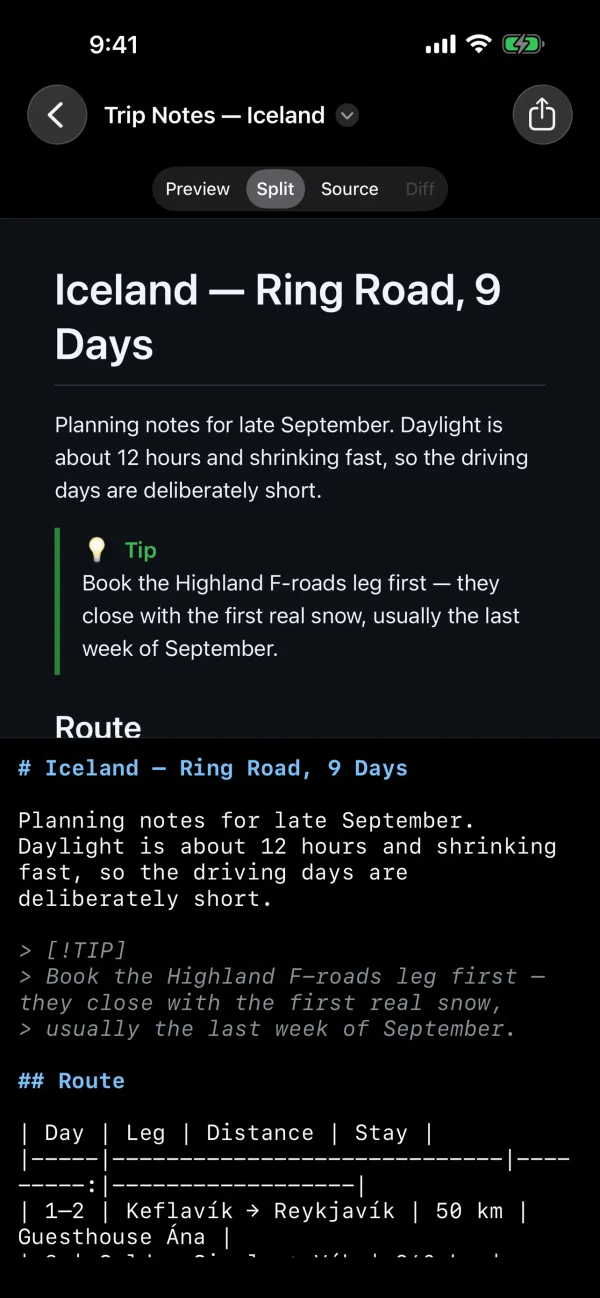
• Preview — a clean reading view
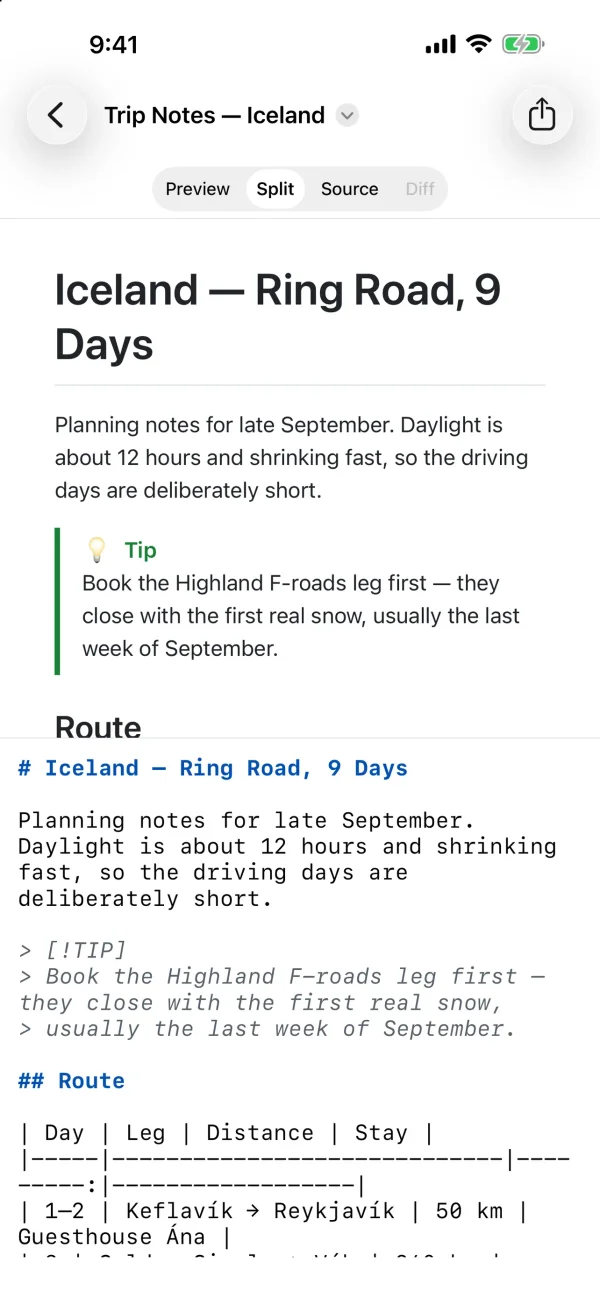
• Split — live preview beside the Markdown source, side by side on iPad and stacked on iPhone
• Source — the Markdown alone, full width
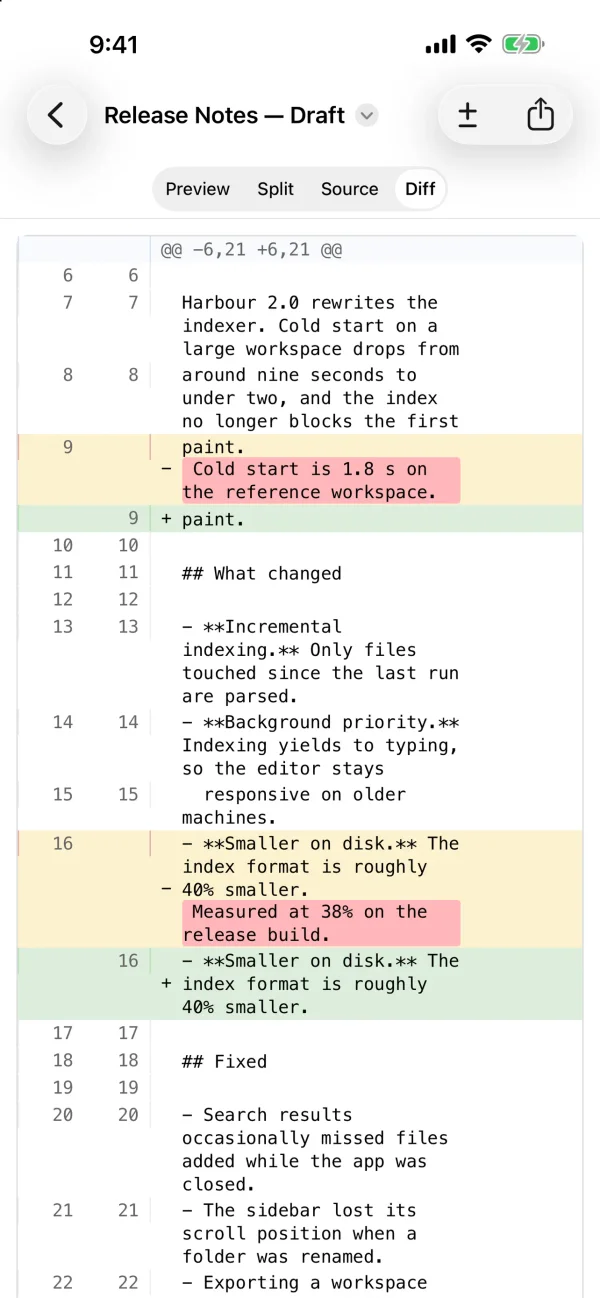
• Diff — see exactly what you've changed since you opened the file, word by word
BEAUTIFUL RENDERING
• GitHub-flavored Markdown: tables, task lists, footnotes and strikethrough
• Syntax highlighting for almost two hundred languages
• Math typesetting with KaTeX — $inline$ and $$display$$
• Diagrams with Mermaid — flowcharts, sequence, class, state, pie and gantt
• GitHub-style alert callouts (> [!NOTE], [!WARNING], …) and emoji
• Automatic light and dark mode
WRITING ON A TOUCHSCREEN
A formatting bar sits above the keyboard for bold, italic, inline code, headings, quotes, lists and links. With a hardware keyboard the same actions have shortcuts.
YOUR DOCUMENTS, YOUR IMAGES
Works with the Files app and iCloud Drive — documents open in place and save as you type, with no Save button to remember. Local images referenced by your document display right in the preview.
EXPORT, SHARE & PRINT
Export self-contained HTML or clean light-mode PDF straight to the share sheet, or print with proper pagination.
QUICK LOOK
Markdown files preview with PreviewMD's renderer in the Files app too.
ONE APP EVERYWHERE
Free on Mac as well — including Quick Look previews and thumbnails in Finder. Requires iOS/iPadOS 17 or later.
Có gì mới
Phiên bản 1.0.1 · 17/11/2026
Ready for iOS 27
• The formatting bar above the keyboard fits every iPhone again: heading, bullet list and quote now sit together under ¶.
• The page can be light or dark apart from the system, from the menu at the top right — a dark phone at night is still the wrong paper for a long document.
• Formatting and new list items no longer jump a long document to its end.
• Undo takes back one formatting mark at a time, not a document-sized step.
• The document's name no longer disappears from the bar when the system turns light while it is open.
• Formatting labels are translated into every language the app speaks.
• A new icon: the MD mark on blue.
• Send Feedback… in the menu.
Quyền riêng tư của ứng dụng
Những gì Michal Fanta khai báo trên App Store về cách ứng dụng này xử lý dữ liệu.
-
Dữ liệu không được thu thập
Nhà phát triển không thu thập bất kỳ dữ liệu nào từ ứng dụng này.
Phương thức đảm bảo quyền riêng tư có thể khác nhau, chẳng hạn như tuỳ theo các tính năng bạn sử dụng hoặc độ tuổi của bạn.
Thông tin
- Người bán
- Michal Fanta
- Danh mục
- Hiệu Suất
- Phiên bản
- 1.0.1
- Cập nhật
- 17/11/2026
- Phát hành
- 09/09/2026
- Kích thước
- 7,0 MB
- Yêu cầu
- iOS 17.0 trở lên
- Độ tuổi
- 4+
- Giá
- Miễn phí
- Ngôn ngữ
- Tiếng Anh, Tiếng Séc, Tiếng Pháp, Tiếng Đức, Tiếng Ý, Tiếng Nhật, Tiếng Hàn, Tiếng Trung Giản thể, Tiếng Tây Ban Nha
- Bản quyền
- © Michal Fanta
Có thể bạn cũng thích
-
 Marko: Markdown ViewerHiệu Suất
-
 WeeGoals - Weekly GoalsHiệu Suất
-
 PutSpot: Home Item FinderHiệu Suất
-
 JottreHiệu Suất
-
 NextNote: Notes & AI WritingHiệu Suất
-
 PDFOneHiệu Suất
-
 Theo dõi thói quen - GiữBàn thắng & Chuỗi trận
-
 ETasks: Việc cần làm, Báo thứcNhiệm vụ, lời nhắc & đồng bộ
-
 SuperShot: Chụp màn hình dàiChụp cuộn, ghép ảnh, làm mờ
-
 TooTask·Checklist&Task ManagerHiệu Suất