
PreviewMD
Markdown editor & Quick Look
Dirancang untuk iPhone, iPad, Mac
Gratis
- Batasan usia4+
- KategoriProduktivitas
- PengembangMichal Fanta
- BahasaInggris+ 8 lainnya
- Ukuran7,0 MB
Tertaut ke halaman resmi App Store
Download.org tidak menyimpan file PreviewMD apa pun. Tombol ini membuka halaman aplikasi di App Store, tempat Michal Fanta menerbitkannya. Halaman terakhir diperiksa pada 23/11/2026.
Tangkapan layar



Tentang
Pengembang belum menyediakan teks ini dalam bahasa Anda.
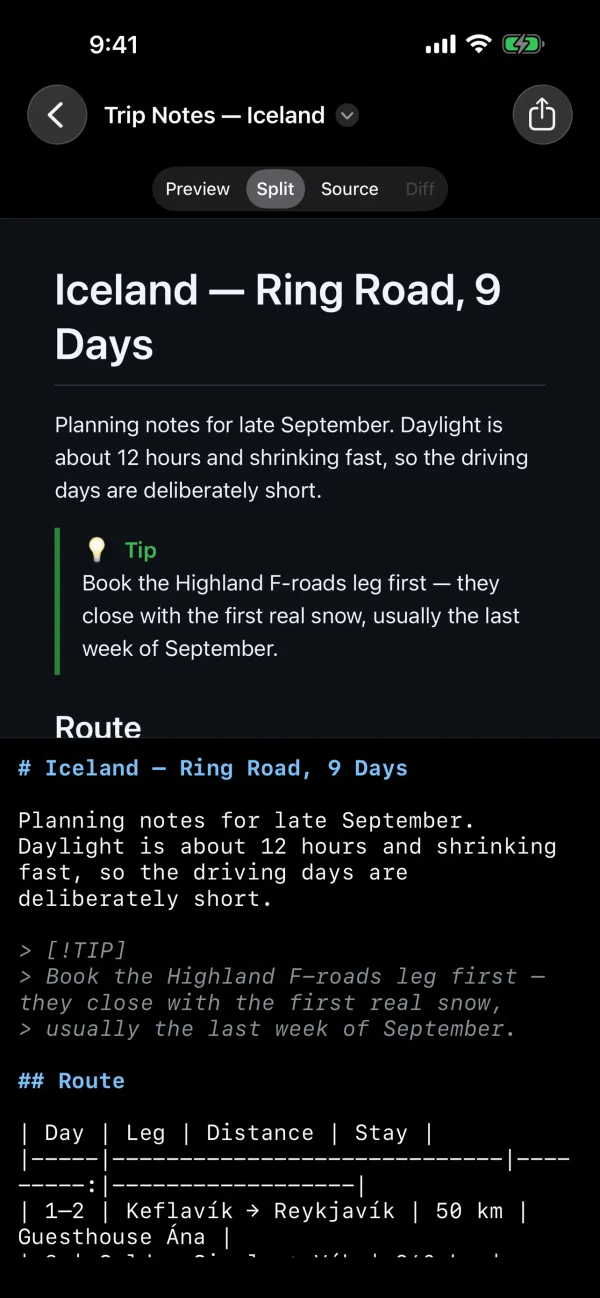
PreviewMD is a fast, native editor and viewer for Markdown on iPad and iPhone — the same rendering as the Mac app, free on both.
Open any .md file from Files or iCloud Drive, or start a new document right in the built-in browser.
FOUR WAYS TO WORK
• Preview — a clean reading view
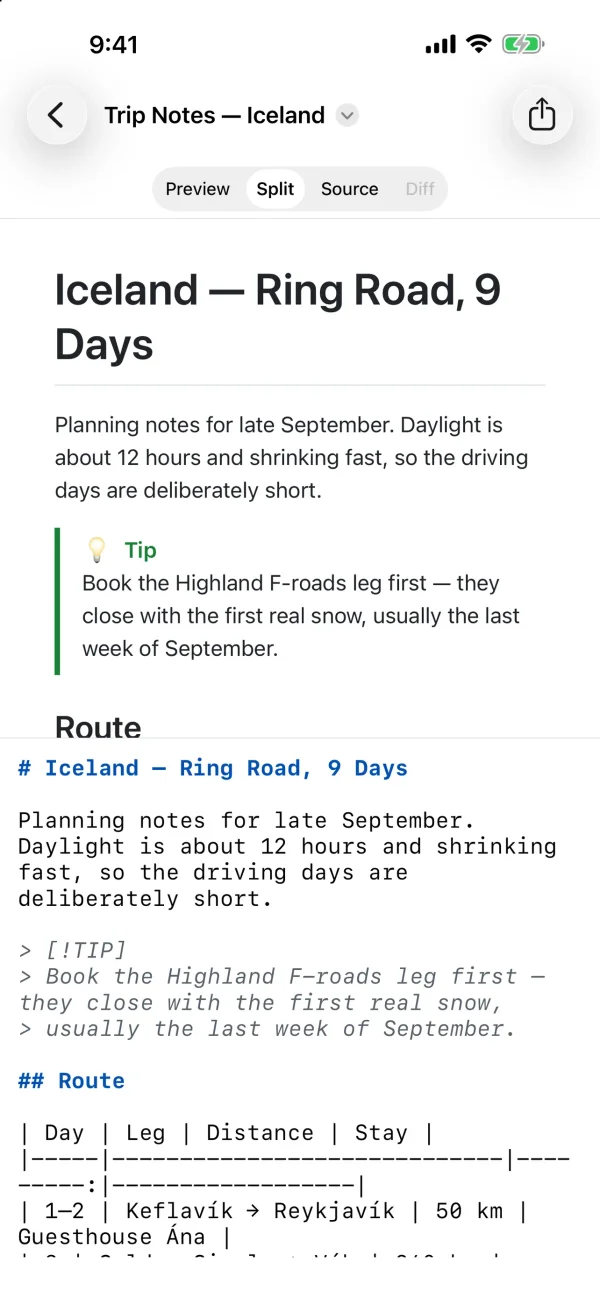
• Split — live preview beside the Markdown source, side by side on iPad and stacked on iPhone
• Source — the Markdown alone, full width
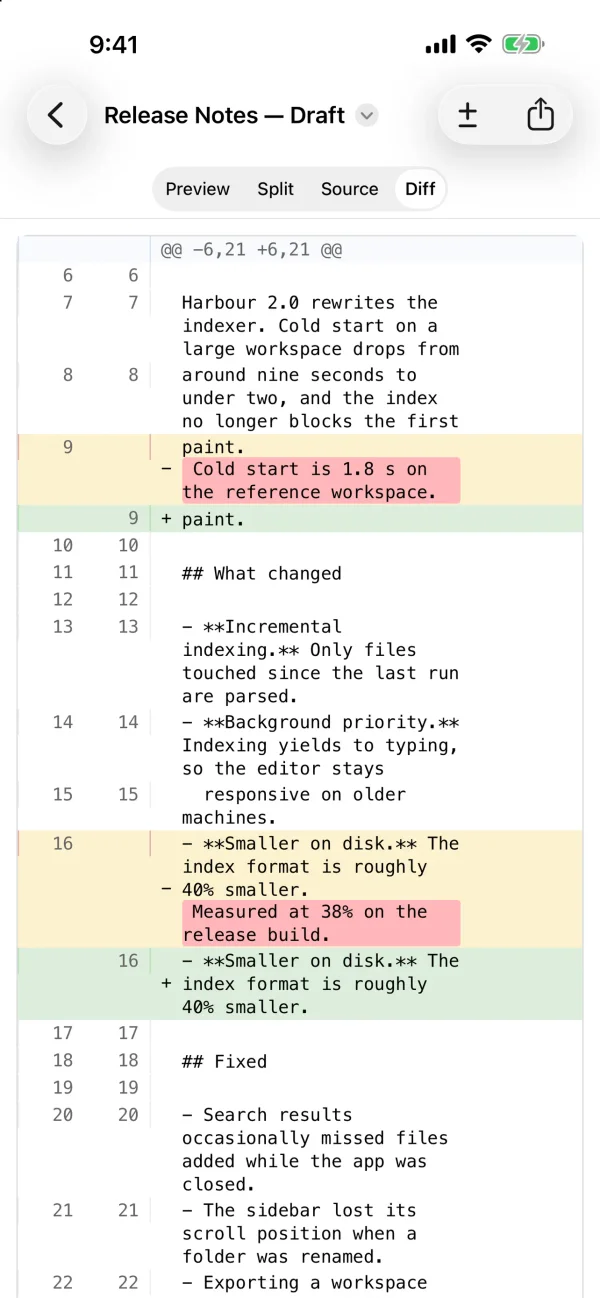
• Diff — see exactly what you've changed since you opened the file, word by word
BEAUTIFUL RENDERING
• GitHub-flavored Markdown: tables, task lists, footnotes and strikethrough
• Syntax highlighting for almost two hundred languages
• Math typesetting with KaTeX — $inline$ and $$display$$
• Diagrams with Mermaid — flowcharts, sequence, class, state, pie and gantt
• GitHub-style alert callouts (> [!NOTE], [!WARNING], …) and emoji
• Automatic light and dark mode
WRITING ON A TOUCHSCREEN
A formatting bar sits above the keyboard for bold, italic, inline code, headings, quotes, lists and links. With a hardware keyboard the same actions have shortcuts.
YOUR DOCUMENTS, YOUR IMAGES
Works with the Files app and iCloud Drive — documents open in place and save as you type, with no Save button to remember. Local images referenced by your document display right in the preview.
EXPORT, SHARE & PRINT
Export self-contained HTML or clean light-mode PDF straight to the share sheet, or print with proper pagination.
QUICK LOOK
Markdown files preview with PreviewMD's renderer in the Files app too.
ONE APP EVERYWHERE
Free on Mac as well — including Quick Look previews and thumbnails in Finder. Requires iOS/iPadOS 17 or later.
Yang baru
Versi 1.0.1 · 17/11/2026
Ready for iOS 27
• The formatting bar above the keyboard fits every iPhone again: heading, bullet list and quote now sit together under ¶.
• The page can be light or dark apart from the system, from the menu at the top right — a dark phone at night is still the wrong paper for a long document.
• Formatting and new list items no longer jump a long document to its end.
• Undo takes back one formatting mark at a time, not a document-sized step.
• The document's name no longer disappears from the bar when the system turns light while it is open.
• Formatting labels are translated into every language the app speaks.
• A new icon: the MD mark on blue.
• Send Feedback… in the menu.
Privasi aplikasi
Yang dinyatakan Michal Fanta di App Store tentang cara aplikasi ini menangani data.
-
Data tidak dikumpulkan
Pengembang tidak mengumpulkan data apa pun dari aplikasi ini.
Praktik privasi dapat bervariasi, misalnya berdasarkan fitur yang Anda gunakan atau usia Anda.
Informasi
- Penjual
- Michal Fanta
- Kategori
- Produktivitas
- Versi
- 1.0.1
- Diperbarui
- 17/11/2026
- Dirilis
- 9/9/2026
- Ukuran
- 7,0 MB
- Memerlukan
- iOS 17.0 atau yang lebih baru
- Batasan usia
- 4+
- Harga
- Gratis
- Bahasa
- Inggris, Cheska (Republik Cheska), Prancis, Jerman, Italia, Jepang, Korea, Tionghoa Sederhana, Spanyol
- Hak cipta
- © Michal Fanta
Mungkin Anda juga suka
-
 Marko: Markdown ViewerProduktivitas
-
 WeeGoals - Weekly GoalsProduktivitas
-
 PutSpot: Pencari BarangFoto, Pencarian Suara & QR
-
 JottreProduktivitas
-
 NextNote: Catatan & AI MenulisCatat ide. Tulis bersama AI.
-
 PDFOneProduktivitas
-
 Pelacak Kebiasaan - HabitKeepRutinitas harian, gol, rekor
-
 ETasks: Daftar Tugas & AlarmPerencana Tugas & Pengingat
-
 SuperShot: Screenshot PanjangGabung gambar, anotasi, blur
-
 TooTask·Checklist&Task ManagerProduktivitas