
- 対象年齢4+
- カテゴリ仕事効率化
- 開発元Michal Fanta
- 言語英語ほか8言語
- サイズ7.0 MB
App Storeの公式ページにリンクしています
Download.orgはPreviewMDのファイルを一切ホストしていません。ボタンを押すと、Michal Fantaが公開しているApp Storeのアプリページが開きます。ページの最終確認:2026/11/23。
スクリーンショット


概要
開発元はこのテキストをお使いの言語で提供していません。
PreviewMD is a fast, native editor and viewer for Markdown on iPad and iPhone — the same rendering as the Mac app, free on both.
Open any .md file from Files or iCloud Drive, or start a new document right in the built-in browser.
FOUR WAYS TO WORK
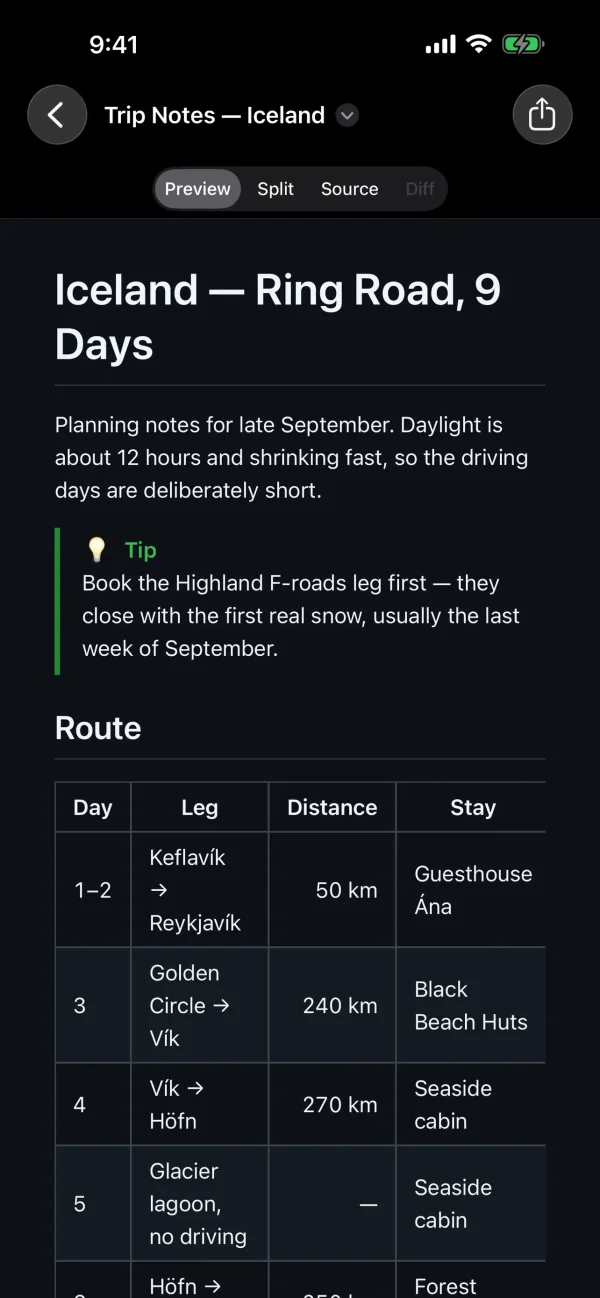
• Preview — a clean reading view
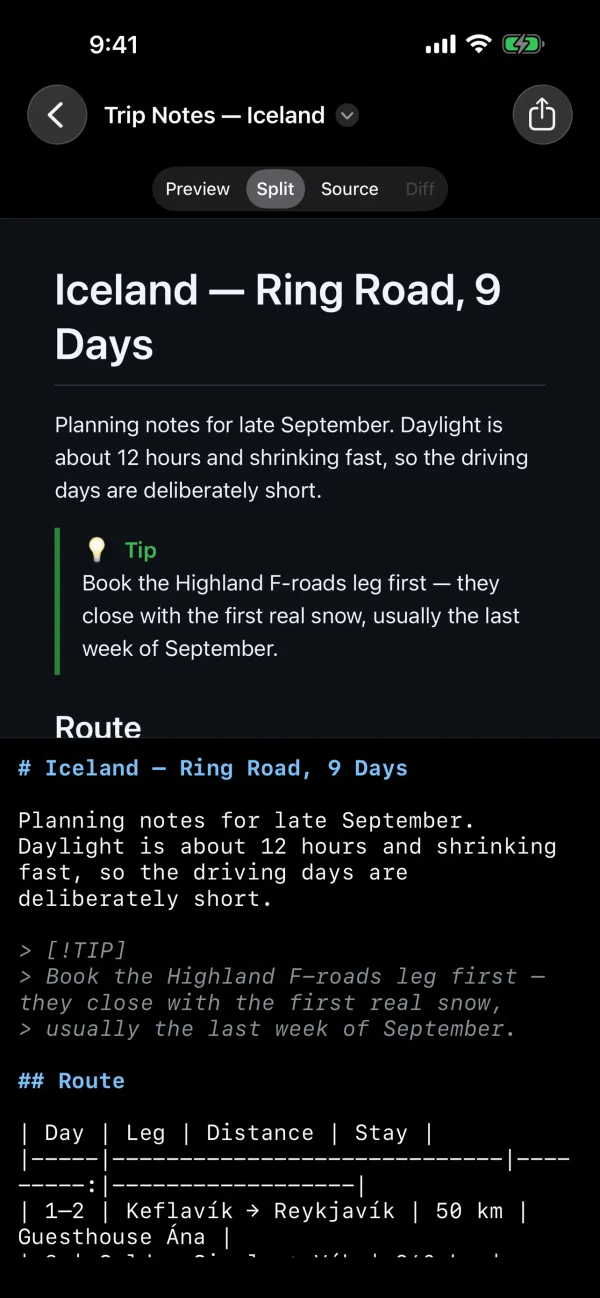
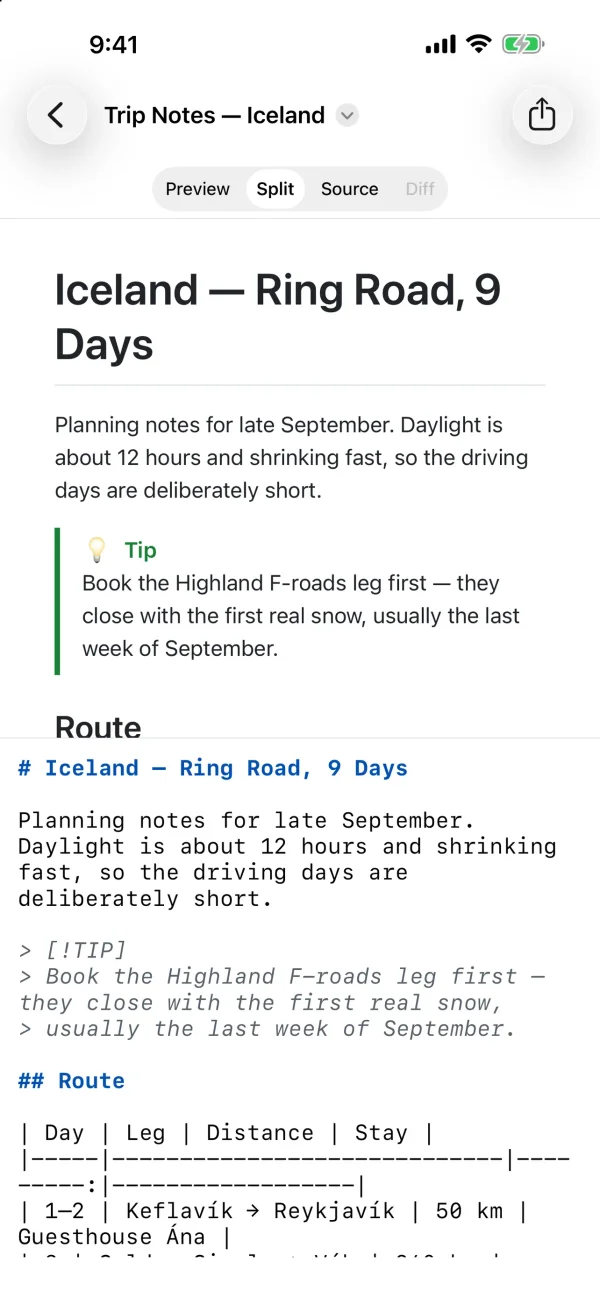
• Split — live preview beside the Markdown source, side by side on iPad and stacked on iPhone
• Source — the Markdown alone, full width
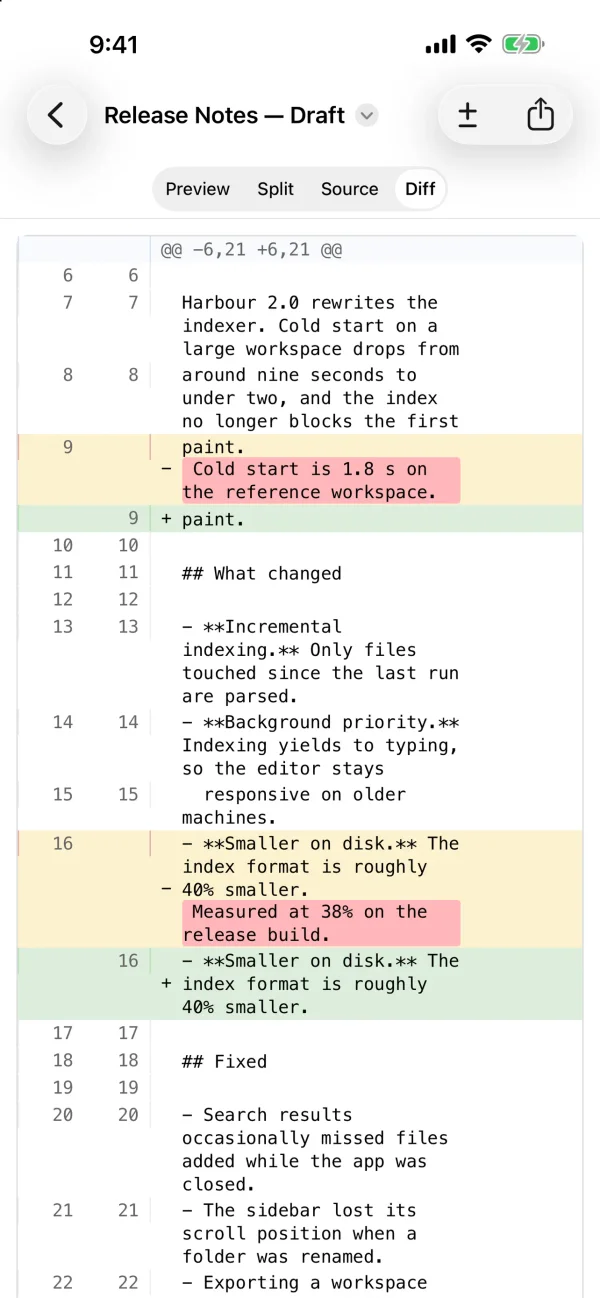
• Diff — see exactly what you've changed since you opened the file, word by word
BEAUTIFUL RENDERING
• GitHub-flavored Markdown: tables, task lists, footnotes and strikethrough
• Syntax highlighting for almost two hundred languages
• Math typesetting with KaTeX — $inline$ and $$display$$
• Diagrams with Mermaid — flowcharts, sequence, class, state, pie and gantt
• GitHub-style alert callouts (> [!NOTE], [!WARNING], …) and emoji
• Automatic light and dark mode
WRITING ON A TOUCHSCREEN
A formatting bar sits above the keyboard for bold, italic, inline code, headings, quotes, lists and links. With a hardware keyboard the same actions have shortcuts.
YOUR DOCUMENTS, YOUR IMAGES
Works with the Files app and iCloud Drive — documents open in place and save as you type, with no Save button to remember. Local images referenced by your document display right in the preview.
EXPORT, SHARE & PRINT
Export self-contained HTML or clean light-mode PDF straight to the share sheet, or print with proper pagination.
QUICK LOOK
Markdown files preview with PreviewMD's renderer in the Files app too.
ONE APP EVERYWHERE
Free on Mac as well — including Quick Look previews and thumbnails in Finder. Requires iOS/iPadOS 17 or later.
新機能
バージョン 1.0.1 · 2026/11/17
Ready for iOS 27
• The formatting bar above the keyboard fits every iPhone again: heading, bullet list and quote now sit together under ¶.
• The page can be light or dark apart from the system, from the menu at the top right — a dark phone at night is still the wrong paper for a long document.
• Formatting and new list items no longer jump a long document to its end.
• Undo takes back one formatting mark at a time, not a document-sized step.
• The document's name no longer disappears from the bar when the system turns light while it is open.
• Formatting labels are translated into every language the app speaks.
• A new icon: the MD mark on blue.
• Send Feedback… in the menu.
アプリのプライバシー
このアプリのデータの取り扱いについて、Michal FantaがApp Storeで申告している内容です。
-
データの収集なし
開発元はこのアプリからデータを収集しません。
プライバシーの取り扱いは、ご利用の機能やお客様の年齢などに応じて異なる場合があります。
情報
- 販売元
- Michal Fanta
- カテゴリ
- 仕事効率化
- バージョン
- 1.0.1
- 更新日
- 2026/11/17
- リリース
- 2026/9/9
- サイズ
- 7.0 MB
- 必要条件
- iOS 17.0以降
- 対象年齢
- 4+
- 価格
- 無料
- 言語
- 英語, チェコ語, フランス語, ドイツ語, イタリア語, 日本語, 韓国語, 簡体字中国語, スペイン語
- 著作権
- © Michal Fanta
こちらもおすすめ
-
 Marko: Markdownビューア読み上げ対応のオフラインリーダー
-
 WeeGoals - Weekly Goals仕事効率化
-
 PutSpot: 持ち物探し写真・音声検索・QRで保管場所を記録
-
 Jottre仕事効率化
-
 NextNote:AIメモと文章作成ひらめきを記録、AIと書き育てる
-
 PDFOne仕事効率化
-
 習慣トラッカー - 習慣を維持するADHD のルーチン、目標、連続記録
-
 ETasks:ToDoリストとアラームタスク管理・リマインダー・同期
-
 SuperShot:ロングスクショ・画像結合スクロールキャプチャ・モザイク・文字認識
-
 TooTask·Checklist&Task ManagerTask Manager & To Do List