- Altersfreigabe4+
- KategorieDienstprogramme
- EntwicklerMIFUMI YOSHIDA
- SprachenEnglisch+ 1 weitere
- Größe5,6 MB
Verlinkt auf die offizielle App Store-Seite
Download.org hostet keine Datei von Quick Password Safe. Die Schaltfläche öffnet die App-Seite bei App Store, wo MIFUMI YOSHIDA die App veröffentlicht. Eintrag zuletzt geprüft am 14.11.2026.
Screenshots
Info
Der Entwickler hat diesen Text nicht in Ihrer Sprache bereitgestellt.
Manage Your Password More Easily And More Securely.
This app safely keeps the password as a safe(cashbox). Recently, many accidents that are unauthorized access to accounts by the recycling of password have occurred.
With the increase in IT service, in order not to disturb the daily life, we want to avoid that the account is stolen.
However, to perform it, it becomes necessary to set a different password in each.
That means, it is impossible to remember passwords with one's head.
If you use this application, the app will remember your passwords, instead of you.
FEATURES
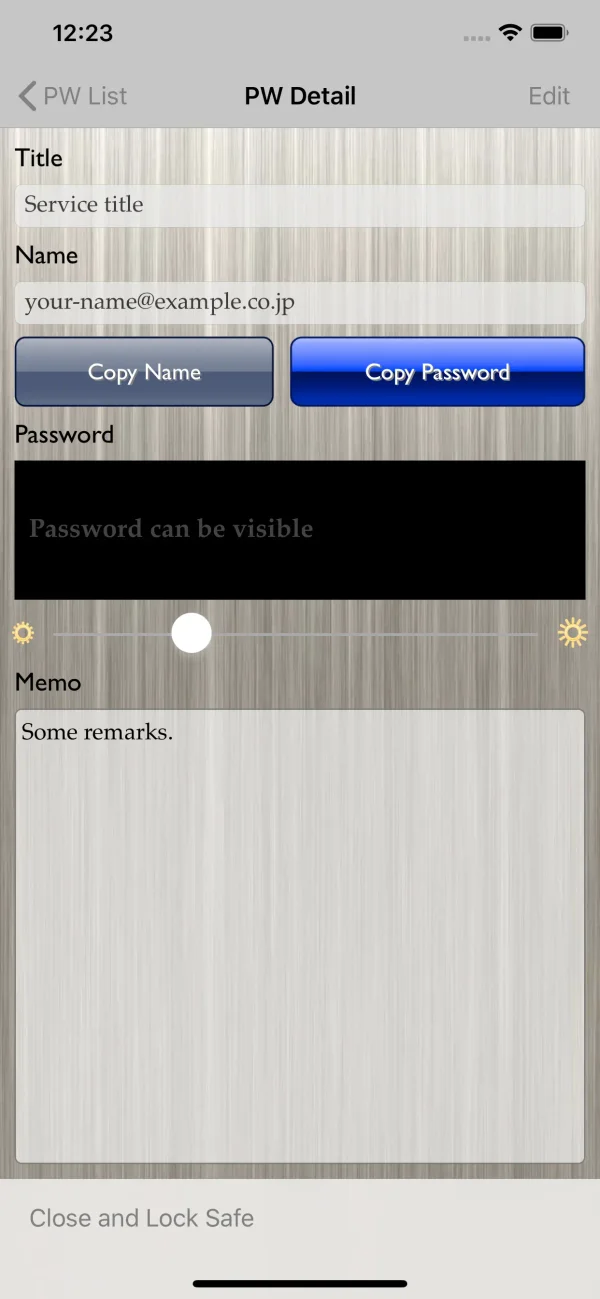
- It does not clearly display suddenly when viewing the password.
(You can fine-tune the brightness of the character using the slider.)
- It will return to its original position when you release your finger from the slider, it is suitable to browse secretly.
- ID and password can also be used to copy. (Not recommended)
- You can protect the app itself with a passcode.
USAGE
A. SETTING THE PROTECTION PASSCODE
(1)If this is the first time, set the (any 4-digit) passcode to protect the app.
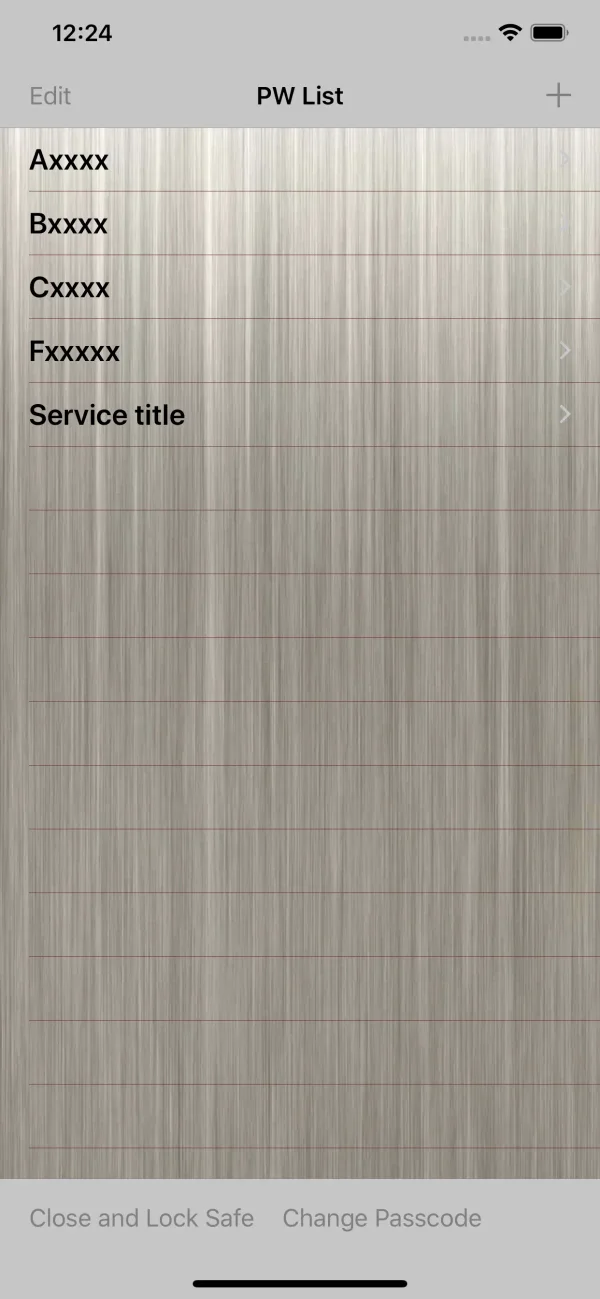
(2)If you press [Change Passcode] button at the bottom of the [PW List] screen, the screen to change the passcode you set opens.
(3)Set the passcode in the same way as the first.
(4)When you stop using it, press the [Close And Lock] button to protect the app.
(5)Enter the passcode in the startup screen when you use again.
B. PASSWORD REGISTRATION
(1)Press the [+] button in the [PW List] screen To open the create screen.
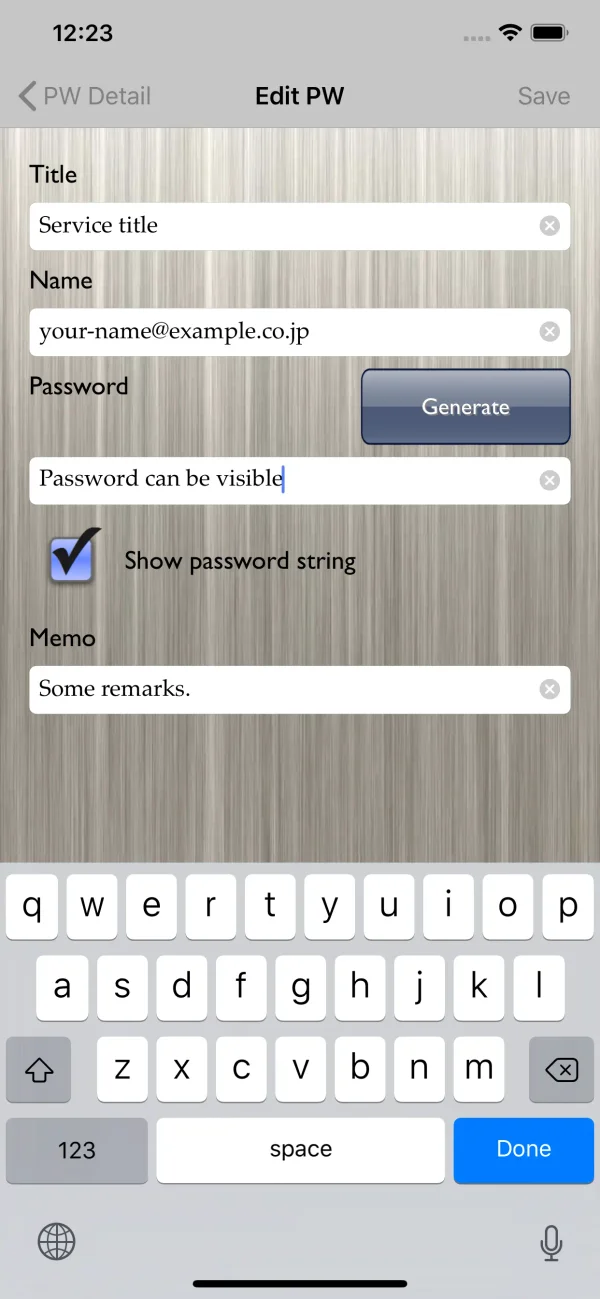
(2)Fill PW information(such as a password, user ID), and press the [Save] button.
(3)If you want to change the PW information, open the [Edit PW] screen by pressing the [Edit] button at the [PW Detail] screen.
C. SEE PASSWORD
(1)Tap the title of information you want to see in the [PW List] screen.
(2)[PW Detail] screen is displayed, but the password is hidden.
(3)Make sure the safety of your surroundings, and slide the slider to the right. Then password will gradually appear.
D. PASSWORD DELETION
(1)Press the [Edit] button on the [PW List] screen.
(2)Tap the [-]icon of the PW that you want to delete, and then press the [Delete] button.
(3)Press the [Done] button at the end.
Neue Funktionen
Version 1.9 · 29.12.2024
- Adapted to iOS 18.
App-Datenschutz
Was MIFUMI YOSHIDA im App Store zum Umgang dieser App mit Daten angibt.
-
Daten, die zum Tracking Ihrer Person verwendet werden
Können verwendet werden, um Sie über Apps und Websites anderer Unternehmen hinweg zu verfolgen.
- Kennungen
-
Nicht mit Ihnen verknüpfte Daten
Können erfasst werden, sind aber nicht mit Ihrer Identität verknüpft.
- Kennungen
Die Datenschutzpraktiken können variieren, zum Beispiel je nach den von Ihnen verwendeten Funktionen oder Ihrem Alter.
Informationen
- Anbieter
- MIFUMI YOSHIDA
- Kategorie
- Dienstprogramme
- Version
- 1.9
- Aktualisiert
- 29.12.2024
- Veröffentlicht
- 02.07.2013
- Größe
- 5,6 MB
- Erfordert
- iOS 15.6 oder neuer
- Altersfreigabe
- 4+
- Preis
- Kostenlos
- Sprachen
- Englisch, Japanisch
- Copyright
- © Cross Laboratory
Das könnte Ihnen auch gefallen
-
 Offline Password SafeDienstprogramme
-
 PassVault: PassworttresorOffline verschlüsselter Tresor
-
 PwNote – Offline TresorPrivater Passwort Manager
-
 wakesys safety appSession-Alarme fürs Park-Team
-
 MyFone.appDienstprogramme
-
 Receipt Scanner & TrackerDienstprogramme
-
 Manly Knits Counter ⅢDienstprogramme
-
 VerifieroDienstprogramme
-
 VaultyDienstprogramme
-
 UserPassDienstprogramme