- Classification d’âge4+
- CatégorieUtilitaires
- DéveloppeurMIFUMI YOSHIDA
- LanguesAnglais+ 1 de plus
- Taille5,6 Mo
Renvoie vers la page App Store officielle
Download.org n’héberge aucun fichier de Quick Password Safe. Le bouton ouvre la page de l’application sur App Store, où MIFUMI YOSHIDA la publie. Fiche vérifiée pour la dernière fois le 14/11/2026.
Captures d’écran
À propos
Le développeur n’a pas fourni ce texte dans votre langue.
Manage Your Password More Easily And More Securely.
This app safely keeps the password as a safe(cashbox). Recently, many accidents that are unauthorized access to accounts by the recycling of password have occurred.
With the increase in IT service, in order not to disturb the daily life, we want to avoid that the account is stolen.
However, to perform it, it becomes necessary to set a different password in each.
That means, it is impossible to remember passwords with one's head.
If you use this application, the app will remember your passwords, instead of you.
FEATURES
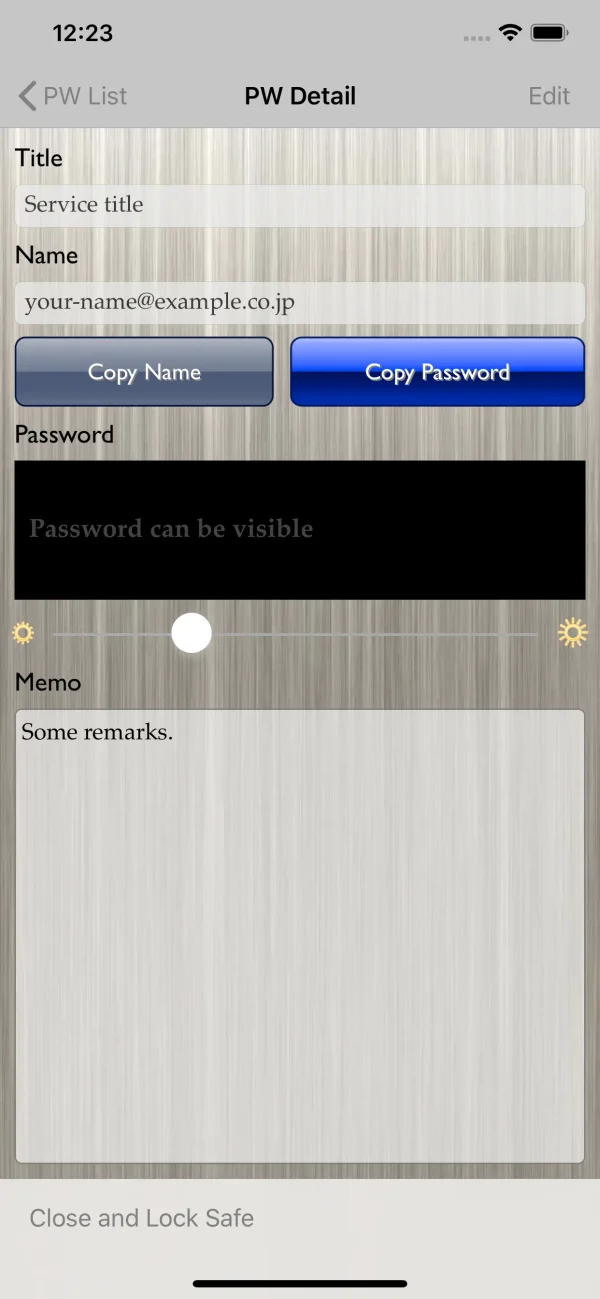
- It does not clearly display suddenly when viewing the password.
(You can fine-tune the brightness of the character using the slider.)
- It will return to its original position when you release your finger from the slider, it is suitable to browse secretly.
- ID and password can also be used to copy. (Not recommended)
- You can protect the app itself with a passcode.
USAGE
A. SETTING THE PROTECTION PASSCODE
(1)If this is the first time, set the (any 4-digit) passcode to protect the app.
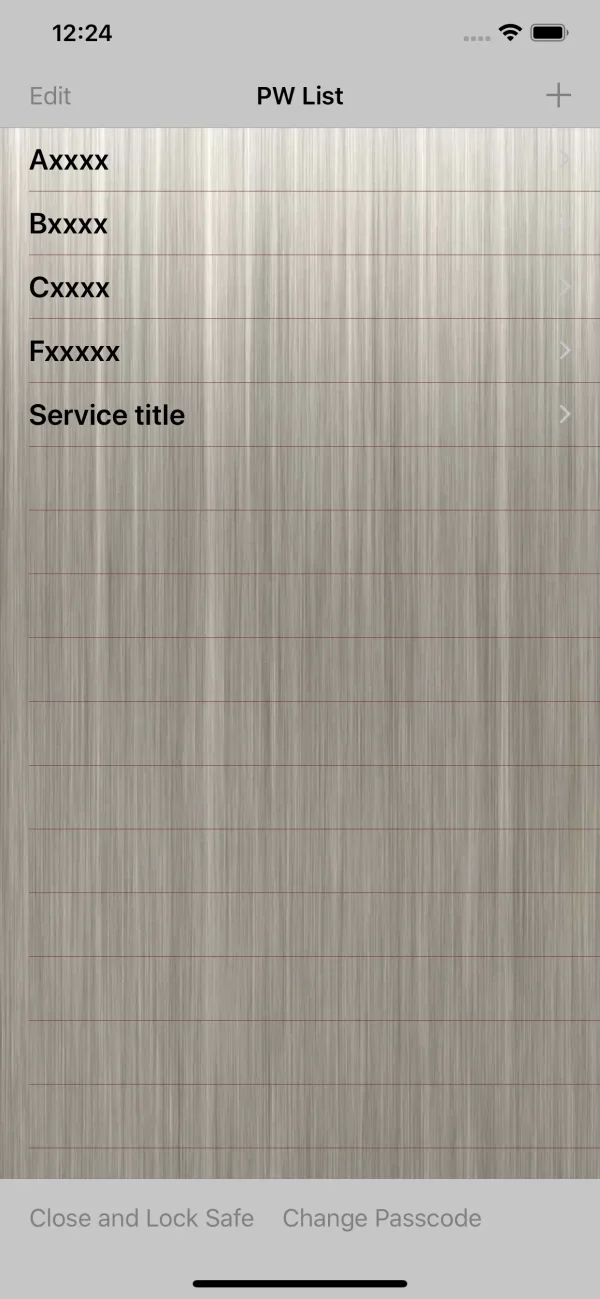
(2)If you press [Change Passcode] button at the bottom of the [PW List] screen, the screen to change the passcode you set opens.
(3)Set the passcode in the same way as the first.
(4)When you stop using it, press the [Close And Lock] button to protect the app.
(5)Enter the passcode in the startup screen when you use again.
B. PASSWORD REGISTRATION
(1)Press the [+] button in the [PW List] screen To open the create screen.
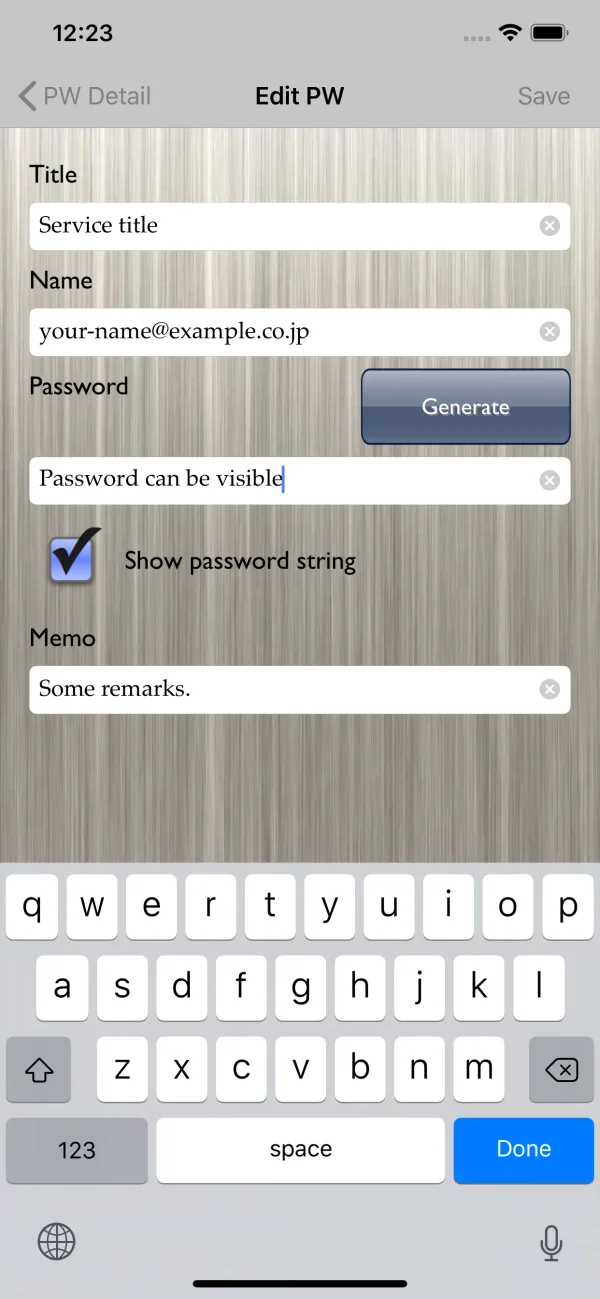
(2)Fill PW information(such as a password, user ID), and press the [Save] button.
(3)If you want to change the PW information, open the [Edit PW] screen by pressing the [Edit] button at the [PW Detail] screen.
C. SEE PASSWORD
(1)Tap the title of information you want to see in the [PW List] screen.
(2)[PW Detail] screen is displayed, but the password is hidden.
(3)Make sure the safety of your surroundings, and slide the slider to the right. Then password will gradually appear.
D. PASSWORD DELETION
(1)Press the [Edit] button on the [PW List] screen.
(2)Tap the [-]icon of the PW that you want to delete, and then press the [Delete] button.
(3)Press the [Done] button at the end.
Nouveautés
Version 1.9 · 29/12/2024
- Adapted to iOS 18.
Confidentialité de l’application
Ce que MIFUMI YOSHIDA déclare sur l’App Store au sujet du traitement des données par cette application.
-
Données utilisées pour vous suivre
Peuvent être utilisées pour vous suivre sur des applications et des sites web appartenant à d’autres sociétés.
- Identifiants
-
Données n’établissant aucun lien avec vous
Peuvent être collectées, mais ne sont pas liées à votre identité.
- Identifiants
Les pratiques en matière de confidentialité peuvent varier, notamment en fonction des fonctionnalités que vous utilisez ou de votre âge.
Informations
- Vendeur
- MIFUMI YOSHIDA
- Catégorie
- Utilitaires
- Version
- 1.9
- Mis à jour
- 29/12/2024
- Publié
- 02/07/2013
- Taille
- 5,6 Mo
- Nécessite
- iOS 15.6 ou version ultérieure
- Classification d’âge
- 4+
- Prix
- Gratuit
- Langues
- Anglais, Japonais
- Copyright
- © Cross Laboratory
Vous aimerez peut-être aussi
-
 Offline Password SafeUtilitaires
-
 PassVault: Coffre SécuriséCoffre chiffré hors ligne
-
 PwNote – Coffre hors ligneGestionnaire privé, sans cloud
-
 wakesys safety appAlertes de séance pour équipes
-
 MyFone.appUtilitaires
-
 Receipt Scanner & TrackerUtilitaires
-
 Manly Knits Counter ⅢUtilitaires
-
 VerifieroUtilitaires
-
 VaultyUtilitaires
-
 UserPassUtilitaires