- Batasan usia4+
- KategoriKegunaan
- PengembangMIFUMI YOSHIDA
- BahasaInggris+ 1 lainnya
- Ukuran5,6 MB
Tertaut ke halaman resmi App Store
Download.org tidak menyimpan file Quick Password Safe apa pun. Tombol ini membuka halaman aplikasi di App Store, tempat MIFUMI YOSHIDA menerbitkannya. Halaman terakhir diperiksa pada 14/11/2026.
Tangkapan layar
Tentang
Pengembang belum menyediakan teks ini dalam bahasa Anda.
Manage Your Password More Easily And More Securely.
This app safely keeps the password as a safe(cashbox). Recently, many accidents that are unauthorized access to accounts by the recycling of password have occurred.
With the increase in IT service, in order not to disturb the daily life, we want to avoid that the account is stolen.
However, to perform it, it becomes necessary to set a different password in each.
That means, it is impossible to remember passwords with one's head.
If you use this application, the app will remember your passwords, instead of you.
FEATURES
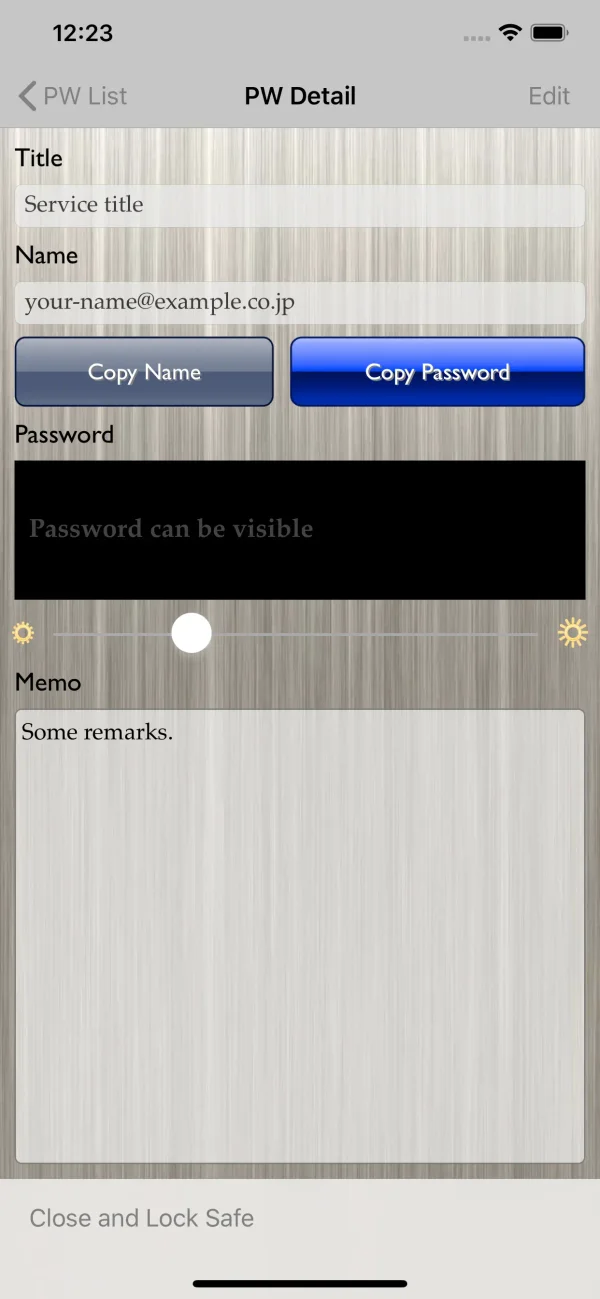
- It does not clearly display suddenly when viewing the password.
(You can fine-tune the brightness of the character using the slider.)
- It will return to its original position when you release your finger from the slider, it is suitable to browse secretly.
- ID and password can also be used to copy. (Not recommended)
- You can protect the app itself with a passcode.
USAGE
A. SETTING THE PROTECTION PASSCODE
(1)If this is the first time, set the (any 4-digit) passcode to protect the app.
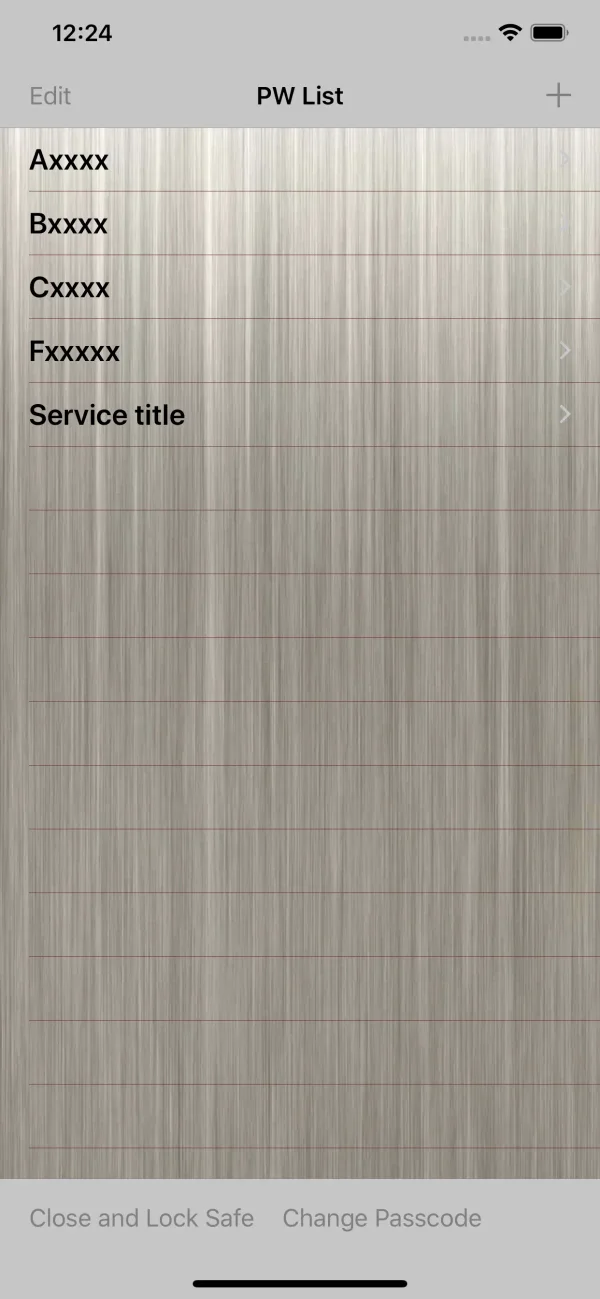
(2)If you press [Change Passcode] button at the bottom of the [PW List] screen, the screen to change the passcode you set opens.
(3)Set the passcode in the same way as the first.
(4)When you stop using it, press the [Close And Lock] button to protect the app.
(5)Enter the passcode in the startup screen when you use again.
B. PASSWORD REGISTRATION
(1)Press the [+] button in the [PW List] screen To open the create screen.
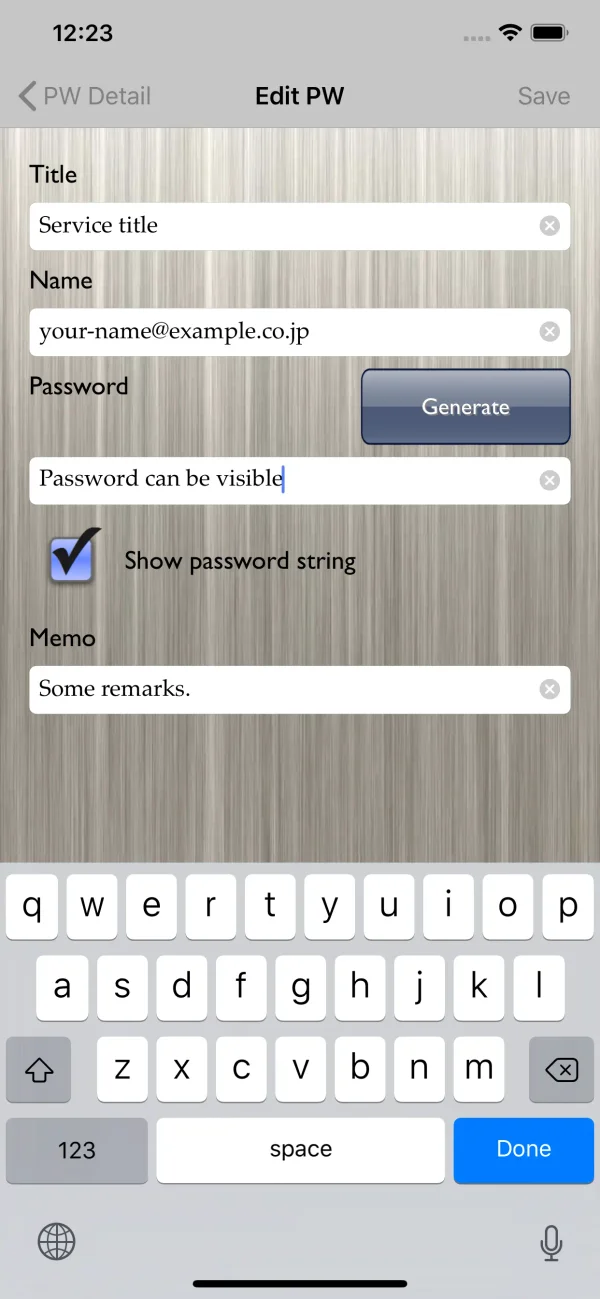
(2)Fill PW information(such as a password, user ID), and press the [Save] button.
(3)If you want to change the PW information, open the [Edit PW] screen by pressing the [Edit] button at the [PW Detail] screen.
C. SEE PASSWORD
(1)Tap the title of information you want to see in the [PW List] screen.
(2)[PW Detail] screen is displayed, but the password is hidden.
(3)Make sure the safety of your surroundings, and slide the slider to the right. Then password will gradually appear.
D. PASSWORD DELETION
(1)Press the [Edit] button on the [PW List] screen.
(2)Tap the [-]icon of the PW that you want to delete, and then press the [Delete] button.
(3)Press the [Done] button at the end.
Yang baru
Versi 1.9 · 29/12/2024
- Adapted to iOS 18.
Privasi aplikasi
Yang dinyatakan MIFUMI YOSHIDA di App Store tentang cara aplikasi ini menangani data.
-
Data yang digunakan untuk melacak Anda
Dapat digunakan untuk melacak Anda di aplikasi dan situs web milik perusahaan lain.
- Pengenal
-
Data yang tidak ditautkan dengan Anda
Dapat dikumpulkan, tetapi tidak ditautkan dengan identitas Anda.
- Pengenal
Praktik privasi dapat bervariasi, misalnya berdasarkan fitur yang Anda gunakan atau usia Anda.
Informasi
- Penjual
- MIFUMI YOSHIDA
- Kategori
- Kegunaan
- Versi
- 1.9
- Diperbarui
- 29/12/2024
- Dirilis
- 2/7/2013
- Ukuran
- 5,6 MB
- Memerlukan
- iOS 15.6 atau yang lebih baru
- Batasan usia
- 4+
- Harga
- Gratis
- Bahasa
- Inggris, Jepang
- Hak cipta
- © Cross Laboratory