- Độ tuổi4+
- Danh mụcTiện Ích
- Nhà phát triểnMIFUMI YOSHIDA
- Ngôn ngữTiếng Anh+ 1 ngôn ngữ khác
- Kích thước5,6 MB
Liên kết đến trang App Store chính thức
Download.org không lưu trữ tệp nào của Quick Password Safe. Nút này mở trang ứng dụng trên App Store, nơi MIFUMI YOSHIDA phát hành ứng dụng. Trang được kiểm tra lần cuối: 14/11/2026.
Ảnh chụp màn hình
Giới thiệu
Nhà phát triển chưa cung cấp nội dung này bằng ngôn ngữ của bạn.
Manage Your Password More Easily And More Securely.
This app safely keeps the password as a safe(cashbox). Recently, many accidents that are unauthorized access to accounts by the recycling of password have occurred.
With the increase in IT service, in order not to disturb the daily life, we want to avoid that the account is stolen.
However, to perform it, it becomes necessary to set a different password in each.
That means, it is impossible to remember passwords with one's head.
If you use this application, the app will remember your passwords, instead of you.
FEATURES
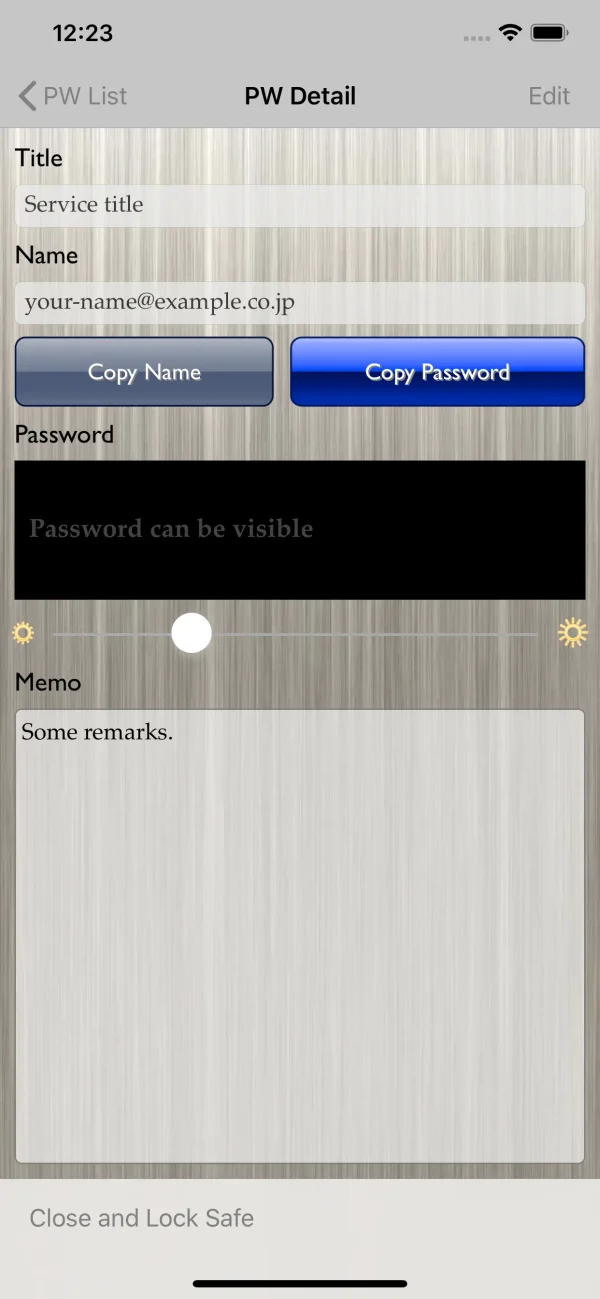
- It does not clearly display suddenly when viewing the password.
(You can fine-tune the brightness of the character using the slider.)
- It will return to its original position when you release your finger from the slider, it is suitable to browse secretly.
- ID and password can also be used to copy. (Not recommended)
- You can protect the app itself with a passcode.
USAGE
A. SETTING THE PROTECTION PASSCODE
(1)If this is the first time, set the (any 4-digit) passcode to protect the app.
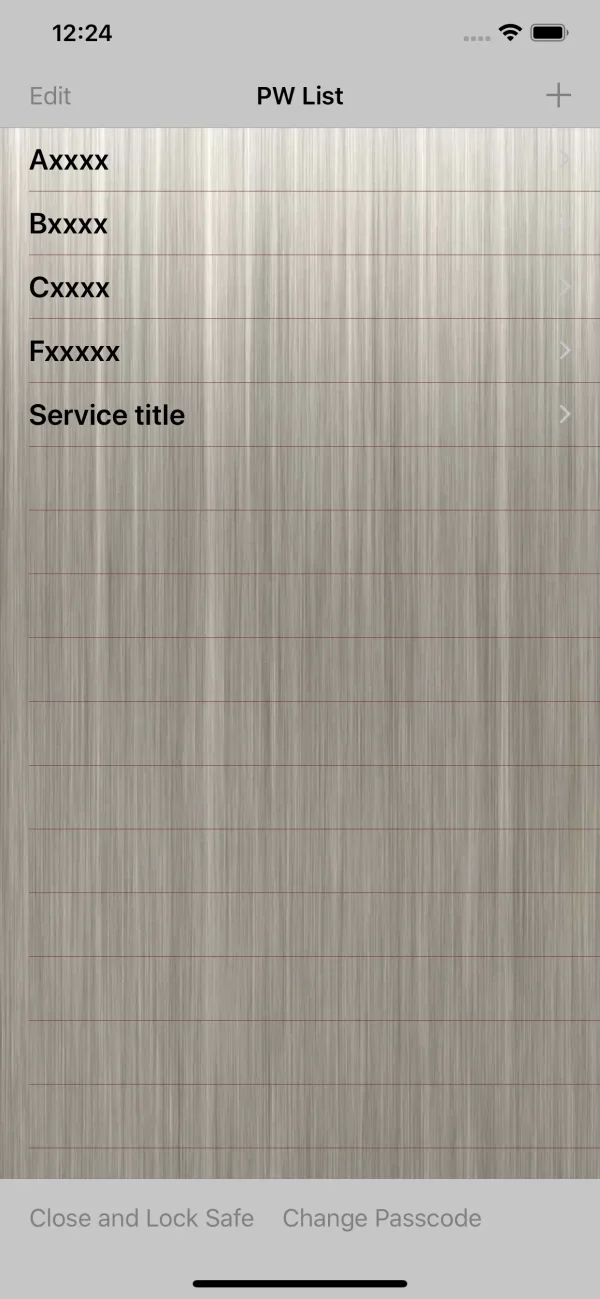
(2)If you press [Change Passcode] button at the bottom of the [PW List] screen, the screen to change the passcode you set opens.
(3)Set the passcode in the same way as the first.
(4)When you stop using it, press the [Close And Lock] button to protect the app.
(5)Enter the passcode in the startup screen when you use again.
B. PASSWORD REGISTRATION
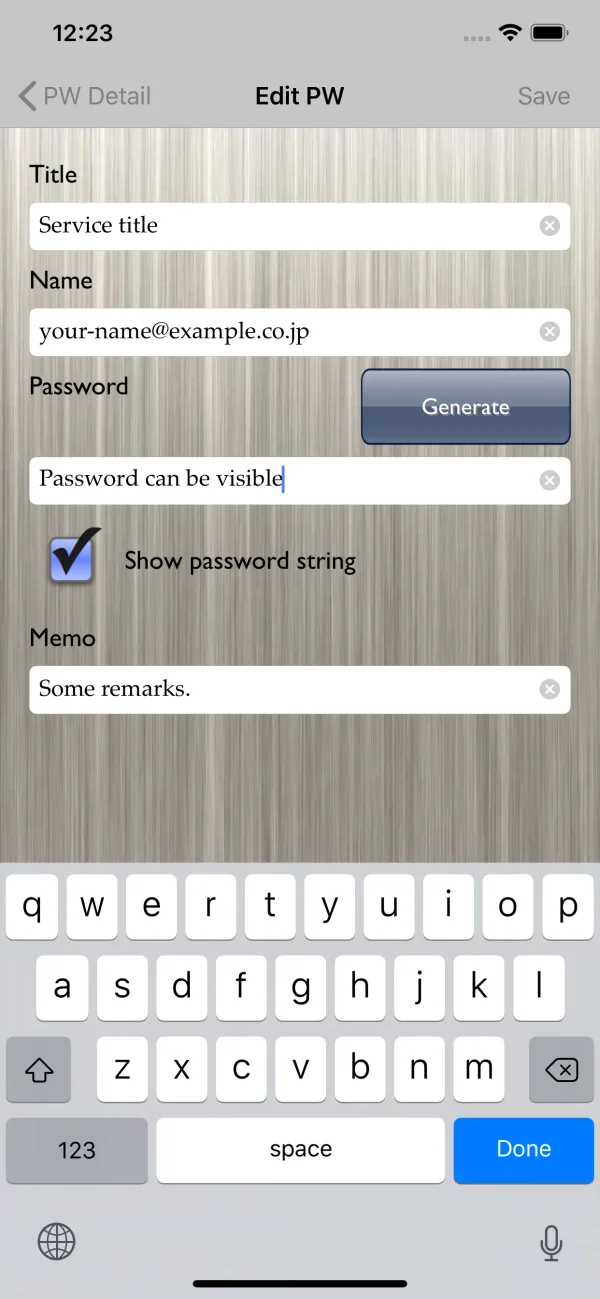
(1)Press the [+] button in the [PW List] screen To open the create screen.
(2)Fill PW information(such as a password, user ID), and press the [Save] button.
(3)If you want to change the PW information, open the [Edit PW] screen by pressing the [Edit] button at the [PW Detail] screen.
C. SEE PASSWORD
(1)Tap the title of information you want to see in the [PW List] screen.
(2)[PW Detail] screen is displayed, but the password is hidden.
(3)Make sure the safety of your surroundings, and slide the slider to the right. Then password will gradually appear.
D. PASSWORD DELETION
(1)Press the [Edit] button on the [PW List] screen.
(2)Tap the [-]icon of the PW that you want to delete, and then press the [Delete] button.
(3)Press the [Done] button at the end.
Có gì mới
Phiên bản 1.9 · 29/12/2024
- Adapted to iOS 18.
Quyền riêng tư của ứng dụng
Những gì MIFUMI YOSHIDA khai báo trên App Store về cách ứng dụng này xử lý dữ liệu.
-
Dữ liệu được sử dụng để theo dõi bạn
Có thể được sử dụng để theo dõi bạn trên các ứng dụng và trang web do công ty khác sở hữu.
- Mã định danh
-
Dữ liệu không liên kết với bạn
Có thể được thu thập nhưng không liên kết với danh tính của bạn.
- Mã định danh
Phương thức đảm bảo quyền riêng tư có thể khác nhau, chẳng hạn như tuỳ theo các tính năng bạn sử dụng hoặc độ tuổi của bạn.
Thông tin
- Người bán
- MIFUMI YOSHIDA
- Danh mục
- Tiện Ích
- Phiên bản
- 1.9
- Cập nhật
- 29/12/2024
- Phát hành
- 02/07/2013
- Kích thước
- 5,6 MB
- Yêu cầu
- iOS 15.6 trở lên
- Độ tuổi
- 4+
- Giá
- Miễn phí
- Ngôn ngữ
- Tiếng Anh, Tiếng Nhật
- Bản quyền
- © Cross Laboratory