Scribble Calendar & Planner
Handwritten Planner & Journal
Entwickelt für iPhone, iPad
Kostenlos · In-App-Käufe
- Altersfreigabe12+
- KategorieProduktivität
- EntwicklerGabor Auth
- SprachenEnglisch+ 6 weitere
- Größe53,8 MB
Verlinkt auf die offizielle App Store-Seite
Download.org hostet keine Datei von Scribble Calendar & Planner. Die Schaltfläche öffnet die App-Seite bei App Store, wo Gabor Auth die App veröffentlicht. Eintrag zuletzt geprüft am 23.11.2026.
Screenshots
Info
Der Entwickler hat diesen Text nicht in Ihrer Sprache bereitgestellt.
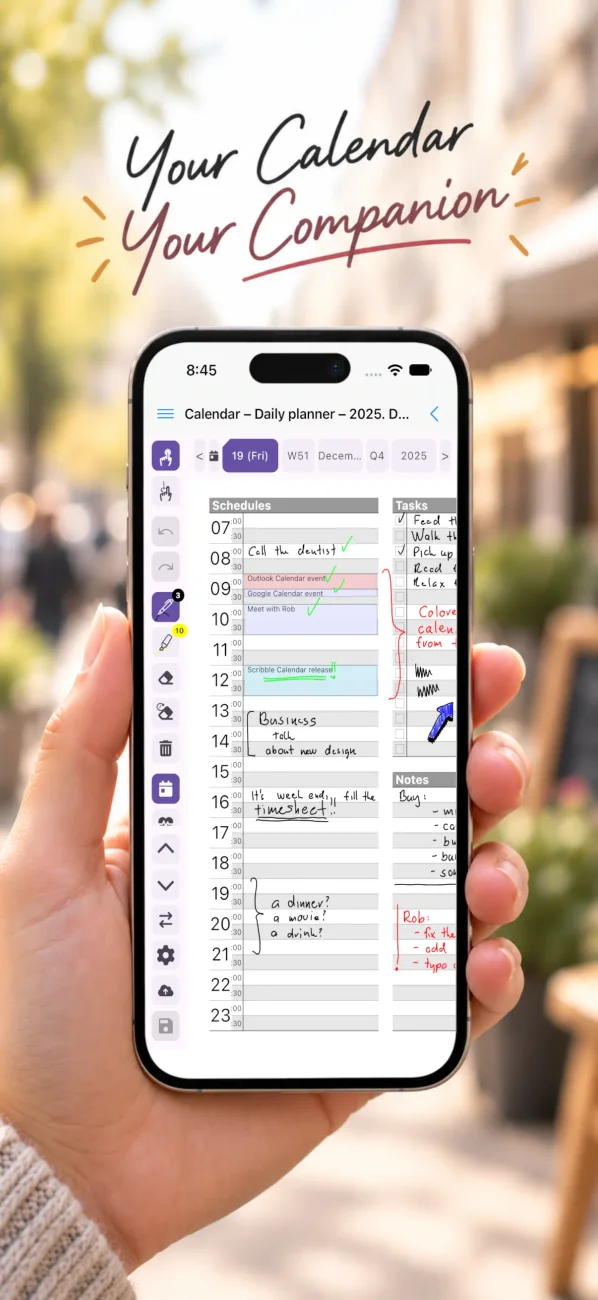
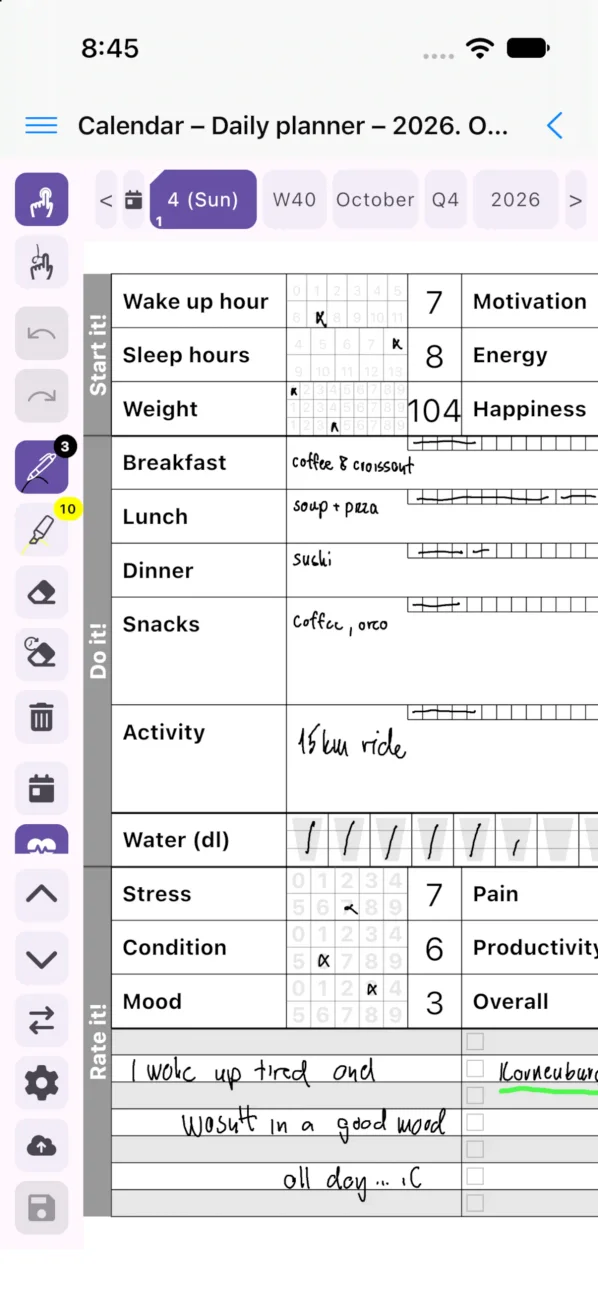
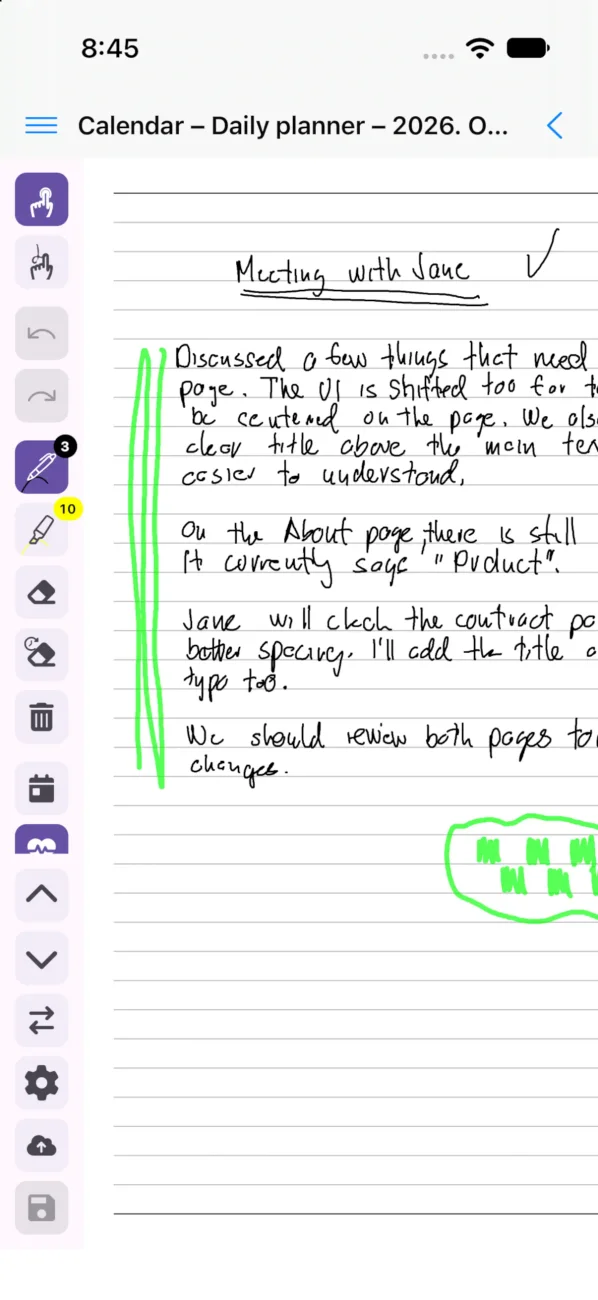
Scribble Calendar & Planner feels like a canvas for your life - a place where you don't just schedule dates, but draw your days and design your future. Write, sketch, annotate and plan with Apple Pencil or any compatible stylus. Turn scattered thoughts into something you can see, shape and make your own.
PLAN. FOCUS. REFLECT.
Plan your days with clarity. Focus your time on what matters. Reflect on your habits, health and how your days really feel. In a world where calendars are often rigid and impersonal, Scribble Calendar offers softness, freedom and a bit of soul... a quiet invitation to plan with intention, reflect with clarity and live with purpose.
EVERYTHING YOU NEED TO ORGANIZE YOUR LIFE
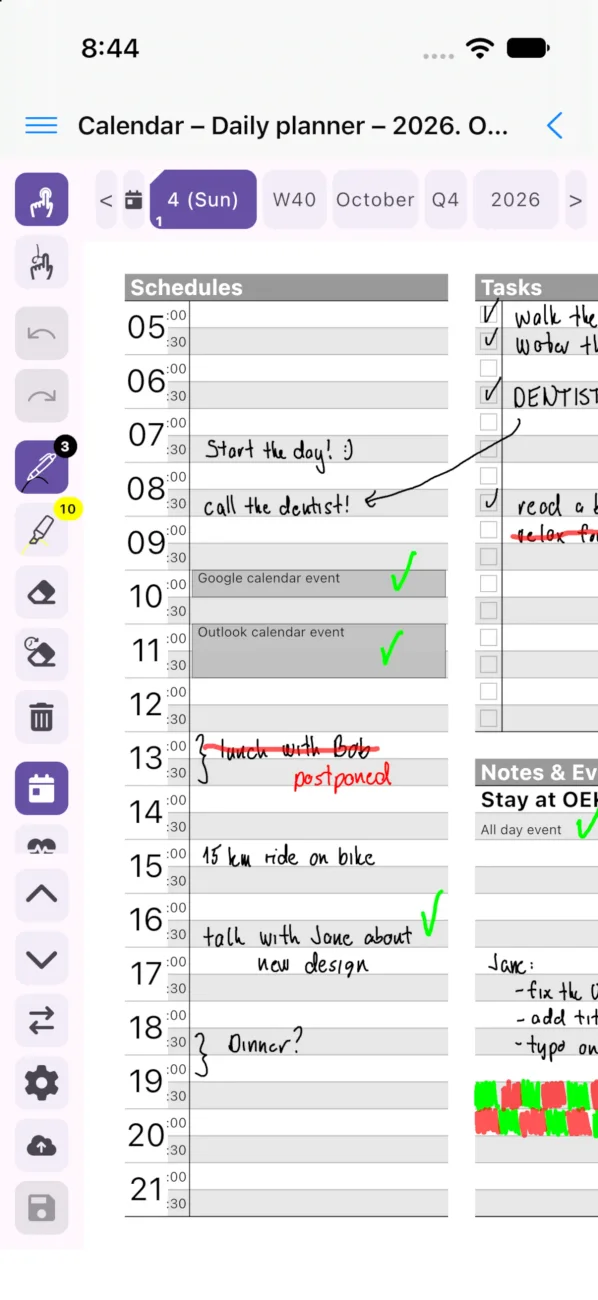
• Versatile Views - Switch between Yearly, Quarterly, Monthly, Weekly and Daily planning pages.
• Infinity Notes - Endless space for sketches, mind maps, brain dumps and whatever is on your mind.
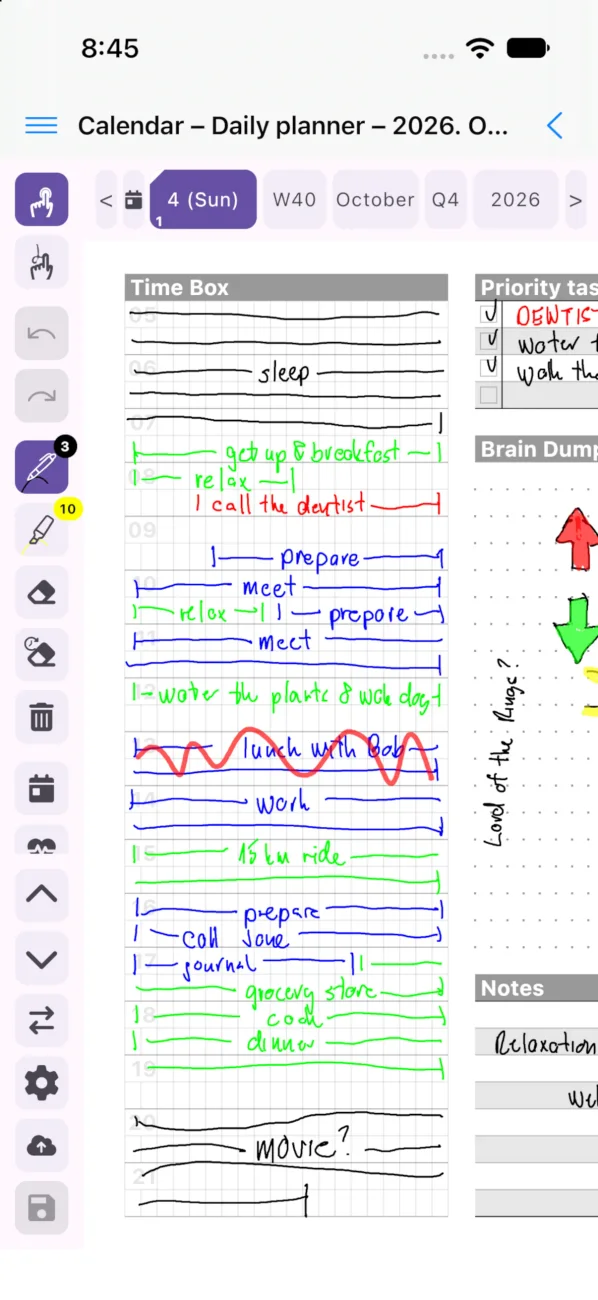
• Time-Boxed Daily Planner - Give your day a shape, see where your time goes, and stay focused without the stress.
• Mood & Health Tracker - Keep track of your mood, sleep, water and food in your own handwriting.
• Habit Tracking - Build awareness around the habits and routines that shape your days.
• Calendar Integration - Your device's calendars appear alongside your handwritten plans.
MADE FOR WRITING
• Full-Screen Mode - Hide the toolbars and give the page the whole screen.
• Swipe to Turn Pages - Move through your planner as naturally as a paper one.
• Your Colors - Themes and dark mode, so your planner looks the way you like it.
PRIVACY-FIRST BY DESIGN
Your life, your timeline, your design. No sign-up is required, and your pages are never uploaded to a cloud service of ours. Keep them on your device, or sync them between your devices through your own iCloud Drive. When you sync, our sync server only keeps track of which device changed which page, so two devices never overwrite each other - the pages themselves stay in your own storage. Your planner stays yours.
FREE TO WRITE, OPTIONAL TO UPGRADE
Write, draw and plan on the yearly, quarterly, monthly, weekly and daily pages for free, and your planner stays on your device. Premium, a one-time purchase, lets you create and edit calendar events in the app and unlocks the Green and Blush color themes. The sync subscription uploads your pages to your own cloud storage and keeps them in step across your devices: Simple two-way sync, or Smart sync, which also merges a page changed on two devices. You can move between the two levels as your needs change. Downloading pages from your cloud storage is free.
A DIFFERENT KIND OF DIGITAL PLANNER
Whether you use it as a productivity tool, a digital bullet journal, a handwritten calendar or a life organizer, Scribble Calendar helps you get thoughts out of your head, focus on what matters today, and design where you want to go next.
Your life is your canvas.
Optimized for iPad, iPad Pro and Apple Pencil.
Terms of Use: https://scribblecalendar.com/tos
Privacy Policy: https://scribblecalendar.com/privacy
Neue Funktionen
Version 1.12.0 · 22.11.2026
New in 1.12.0
• Full-screen mode: hide the toolbars and give the page the whole screen.
• Swipe on the page to turn pages.
• Each toolbar button explains what it does the first time you use it.
• Choose the line, grid and dot spacing of each note page.
• All-day and out-of-hours events now open from the Day page's notes list.
• A new Settings screen: color themes (Purple and Monochrome, plus Green and Blush with Premium)
• Dark mode.
• A brighter look, made for iPad screens.
• Safer sync with two devices: our sync server keeps track of which device changed which page, while your pages stay in your own cloud storage. The sync screen shows the server's state, and you can turn the server off to sync through your cloud storage alone.
• The new-version notice now shows on iPad too.
Fixes:
• The new-version notice opens the App Store page and names Scribble Calendar, in your language.
• A new device joining iCloud Drive sync no longer starts a data set of its own before iCloud has listed its files.
App-Datenschutz
Was Gabor Auth im App Store zum Umgang dieser App mit Daten angibt.
-
Mit Ihnen verknüpfte Daten
Können erfasst und mit Ihrer Identität verknüpft werden.
- Benutzerinhalte
- Kennungen
-
Nicht mit Ihnen verknüpfte Daten
Können erfasst werden, sind aber nicht mit Ihrer Identität verknüpft.
- Käufe
- Standort
- Kennungen
- Nutzungsdaten
- Diagnose
Die Datenschutzpraktiken können variieren, zum Beispiel je nach den von Ihnen verwendeten Funktionen oder Ihrem Alter.
Informationen
- Anbieter
- Gabor Auth
- Kategorie
- Produktivität
- Version
- 1.12.0
- Aktualisiert
- 22.11.2026
- Veröffentlicht
- 15.10.2026
- Größe
- 53,8 MB
- Erfordert
- iOS 17.0 oder neuer
- Altersfreigabe
- 12+
- Preis
- Kostenlos
- In-App-Käufe
- Ja
- Sprachen
- Englisch, Tschechisch, Niederländisch, Französisch, Deutsch, Polnisch, Spanisch
- Copyright
- © 2026 Gábor Auth
Das könnte Ihnen auch gefallen
-
 InkThink - Handwritten PlannerProduktivität
-
 Flüssiger Handschrift PlanerKalender Notizen Tagebuch Memo
-
 iPlan Today - Pencil PlannerProduktivität
-
 Titanova: Ziele & GewohnheitenAufgaben, Planer & Fokus-Timer
-
 Pencil Planner: PencilTimeProduktivität
-
 Kalender fuer iPad PencilCalZeichne Termine mit Apple Penc
-
 Monatsplaner - Month+Monatskalender & To-do Liste
-
 Ultimate Planner AppProduktivität
-
 Daily Planner DiaryProduktivität
-
 Digital Planner for iPad Day+Produktivität