Scribble Calendar & Planner
Handwritten Planner & Journal
Diseñada para iPhone, iPad
Gratis · Compras en la aplicación
- Clasificación por edad12+
- CategoríaProductividad
- DesarrolladorGabor Auth
- IdiomasInglés+ 6 más
- Tamaño53,8 MB
Enlaza a la página oficial de App Store
Download.org no aloja ningún archivo de Scribble Calendar & Planner. El botón abre la página de la aplicación en App Store, donde la publica Gabor Auth. Ficha comprobada por última vez el 23/11/2026.
Capturas de pantalla
Acerca de
El desarrollador no ha proporcionado este texto en tu idioma.
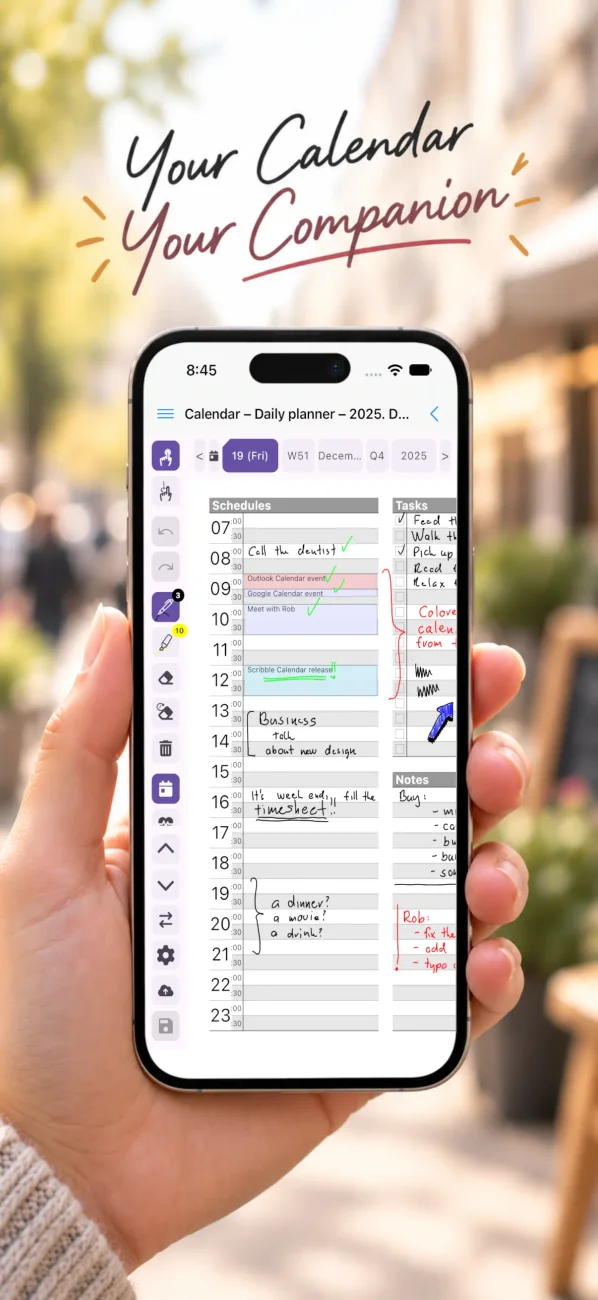
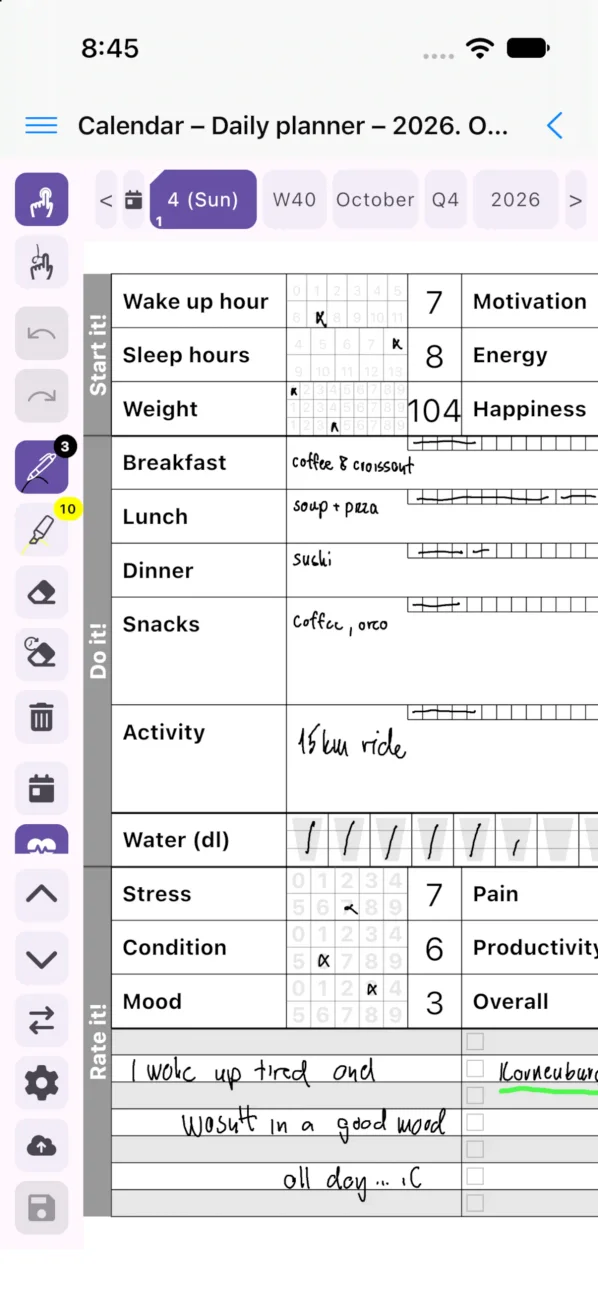
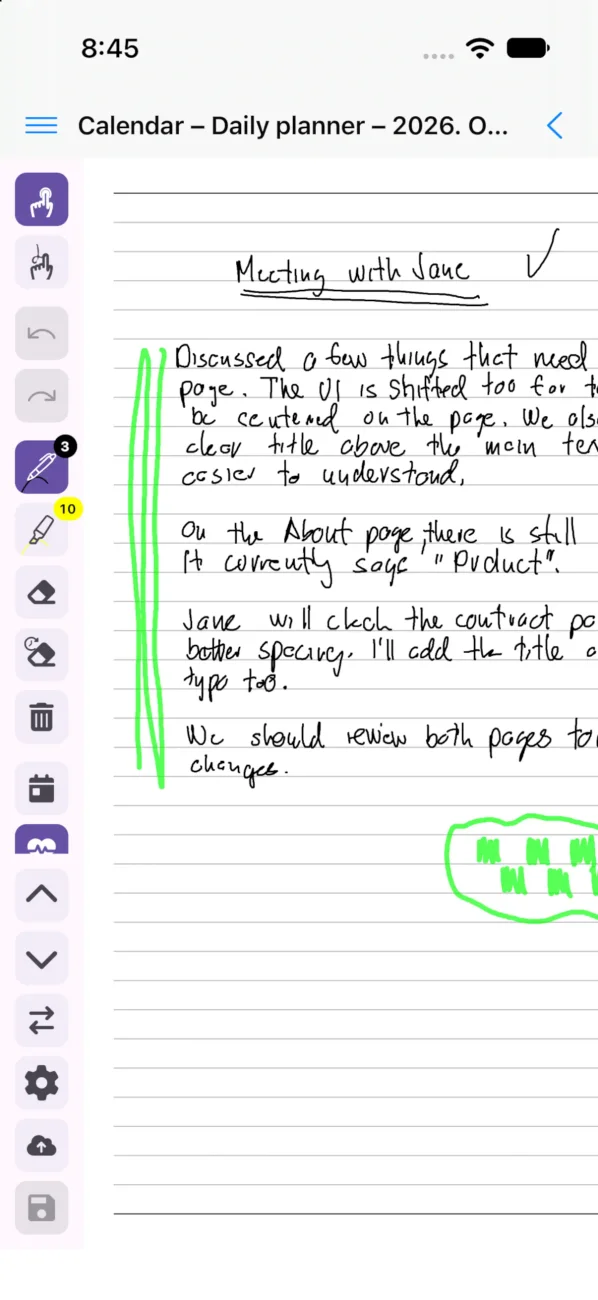
Scribble Calendar & Planner feels like a canvas for your life - a place where you don't just schedule dates, but draw your days and design your future. Write, sketch, annotate and plan with Apple Pencil or any compatible stylus. Turn scattered thoughts into something you can see, shape and make your own.
PLAN. FOCUS. REFLECT.
Plan your days with clarity. Focus your time on what matters. Reflect on your habits, health and how your days really feel. In a world where calendars are often rigid and impersonal, Scribble Calendar offers softness, freedom and a bit of soul... a quiet invitation to plan with intention, reflect with clarity and live with purpose.
EVERYTHING YOU NEED TO ORGANIZE YOUR LIFE
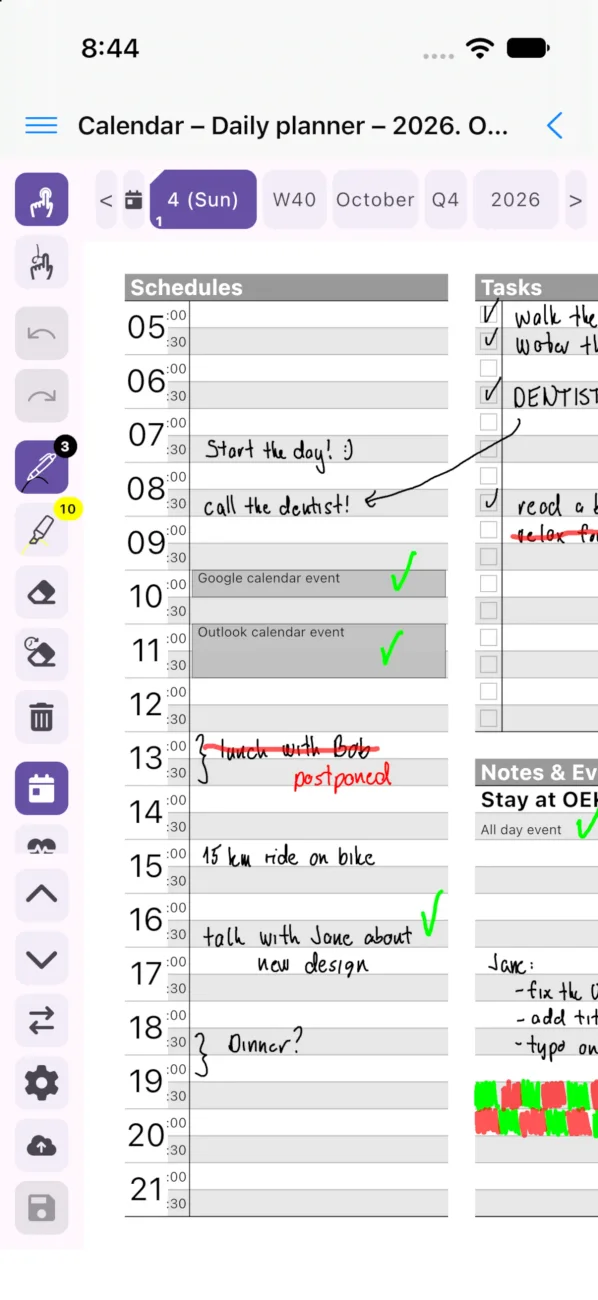
• Versatile Views - Switch between Yearly, Quarterly, Monthly, Weekly and Daily planning pages.
• Infinity Notes - Endless space for sketches, mind maps, brain dumps and whatever is on your mind.
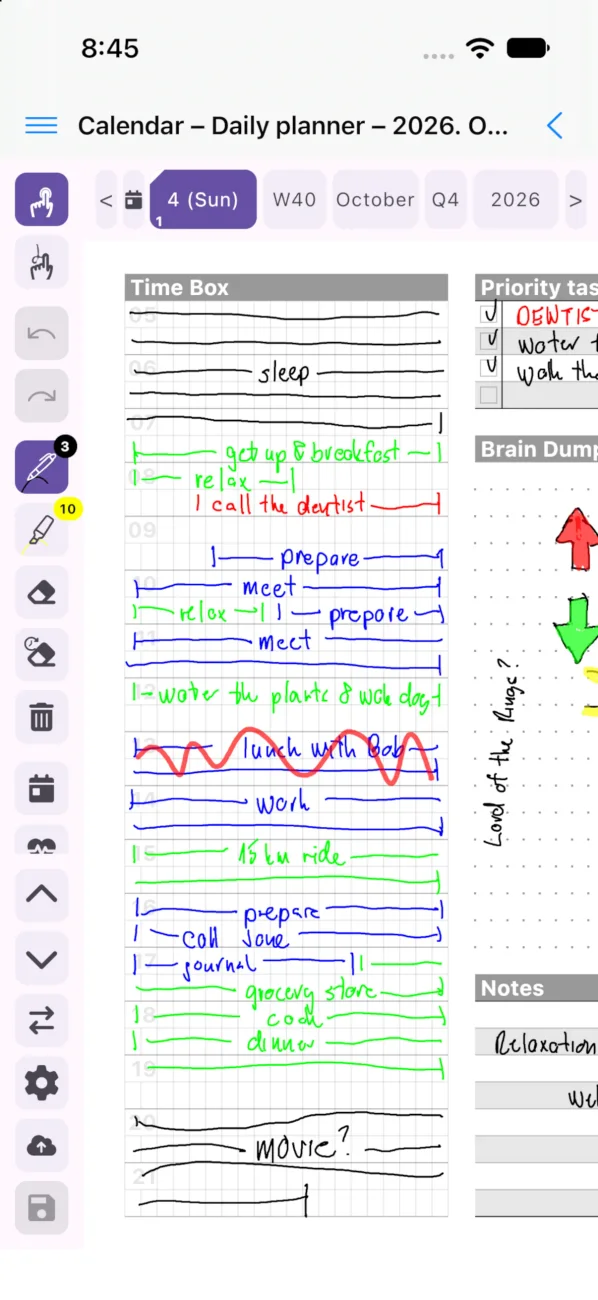
• Time-Boxed Daily Planner - Give your day a shape, see where your time goes, and stay focused without the stress.
• Mood & Health Tracker - Keep track of your mood, sleep, water and food in your own handwriting.
• Habit Tracking - Build awareness around the habits and routines that shape your days.
• Calendar Integration - Your device's calendars appear alongside your handwritten plans.
MADE FOR WRITING
• Full-Screen Mode - Hide the toolbars and give the page the whole screen.
• Swipe to Turn Pages - Move through your planner as naturally as a paper one.
• Your Colors - Themes and dark mode, so your planner looks the way you like it.
PRIVACY-FIRST BY DESIGN
Your life, your timeline, your design. No sign-up is required, and your pages are never uploaded to a cloud service of ours. Keep them on your device, or sync them between your devices through your own iCloud Drive. When you sync, our sync server only keeps track of which device changed which page, so two devices never overwrite each other - the pages themselves stay in your own storage. Your planner stays yours.
FREE TO WRITE, OPTIONAL TO UPGRADE
Write, draw and plan on the yearly, quarterly, monthly, weekly and daily pages for free, and your planner stays on your device. Premium, a one-time purchase, lets you create and edit calendar events in the app and unlocks the Green and Blush color themes. The sync subscription uploads your pages to your own cloud storage and keeps them in step across your devices: Simple two-way sync, or Smart sync, which also merges a page changed on two devices. You can move between the two levels as your needs change. Downloading pages from your cloud storage is free.
A DIFFERENT KIND OF DIGITAL PLANNER
Whether you use it as a productivity tool, a digital bullet journal, a handwritten calendar or a life organizer, Scribble Calendar helps you get thoughts out of your head, focus on what matters today, and design where you want to go next.
Your life is your canvas.
Optimized for iPad, iPad Pro and Apple Pencil.
Terms of Use: https://scribblecalendar.com/tos
Privacy Policy: https://scribblecalendar.com/privacy
Novedades
Versión 1.12.0 · 22/11/2026
New in 1.12.0
• Full-screen mode: hide the toolbars and give the page the whole screen.
• Swipe on the page to turn pages.
• Each toolbar button explains what it does the first time you use it.
• Choose the line, grid and dot spacing of each note page.
• All-day and out-of-hours events now open from the Day page's notes list.
• A new Settings screen: color themes (Purple and Monochrome, plus Green and Blush with Premium)
• Dark mode.
• A brighter look, made for iPad screens.
• Safer sync with two devices: our sync server keeps track of which device changed which page, while your pages stay in your own cloud storage. The sync screen shows the server's state, and you can turn the server off to sync through your cloud storage alone.
• The new-version notice now shows on iPad too.
Fixes:
• The new-version notice opens the App Store page and names Scribble Calendar, in your language.
• A new device joining iCloud Drive sync no longer starts a data set of its own before iCloud has listed its files.
Privacidad de la aplicación
Lo que Gabor Auth declara en App Store sobre cómo esta aplicación gestiona los datos.
-
Datos vinculados a ti
Pueden recopilarse y vincularse a tu identidad.
- Contenido del usuario
- Identificadores
-
Datos no vinculados a ti
Pueden recopilarse, pero no se vinculan a tu identidad.
- Compras
- Ubicación
- Identificadores
- Datos de uso
- Diagnóstico
Las prácticas de privacidad pueden variar, por ejemplo, según las funciones que uses o tu edad.
Información
- Vendedor
- Gabor Auth
- Categoría
- Productividad
- Versión
- 1.12.0
- Actualizado
- 22/11/2026
- Publicado
- 15/10/2026
- Tamaño
- 53,8 MB
- Requiere
- iOS 17.0 o posterior
- Clasificación por edad
- 12+
- Precio
- Gratis
- Compras en la aplicación
- Sí
- Idiomas
- Inglés, Checo, Neerlandés, Francés, Alemán, Polaco, Español
- Copyright
- © 2026 Gábor Auth
Quizá también te guste
-
 InkThink - Handwritten PlannerProductividad
-
 Handwriting Journal PlannerProductividad
-
 iPlan Today - Pencil PlannerProductividad
-
 Titanova: Objetivos y hábitosLista de tareas y temporizador
-
 Pencil Planner: PencilTimeProductividad
-
 Calendario para iPad PencilCalDibuja eventos con Apple Penci
-
 Agenda Mensual - Month+Planificador y calendario
-
 Ultimate Planner AppProductividad
-
 Daily Planner DiaryProductividad
-
 Digital Planner for iPad Day+Productividad