Scribble Calendar & Planner
Handwritten Planner & Journal
iPhone, iPad向けに設計
無料 · アプリ内課金
- 対象年齢12+
- カテゴリ仕事効率化
- 開発元Gabor Auth
- 言語英語ほか6言語
- サイズ53.8 MB
App Storeの公式ページにリンクしています
Download.orgはScribble Calendar & Plannerのファイルを一切ホストしていません。ボタンを押すと、Gabor Authが公開しているApp Storeのアプリページが開きます。ページの最終確認:2026/11/23。
スクリーンショット
概要
開発元はこのテキストをお使いの言語で提供していません。
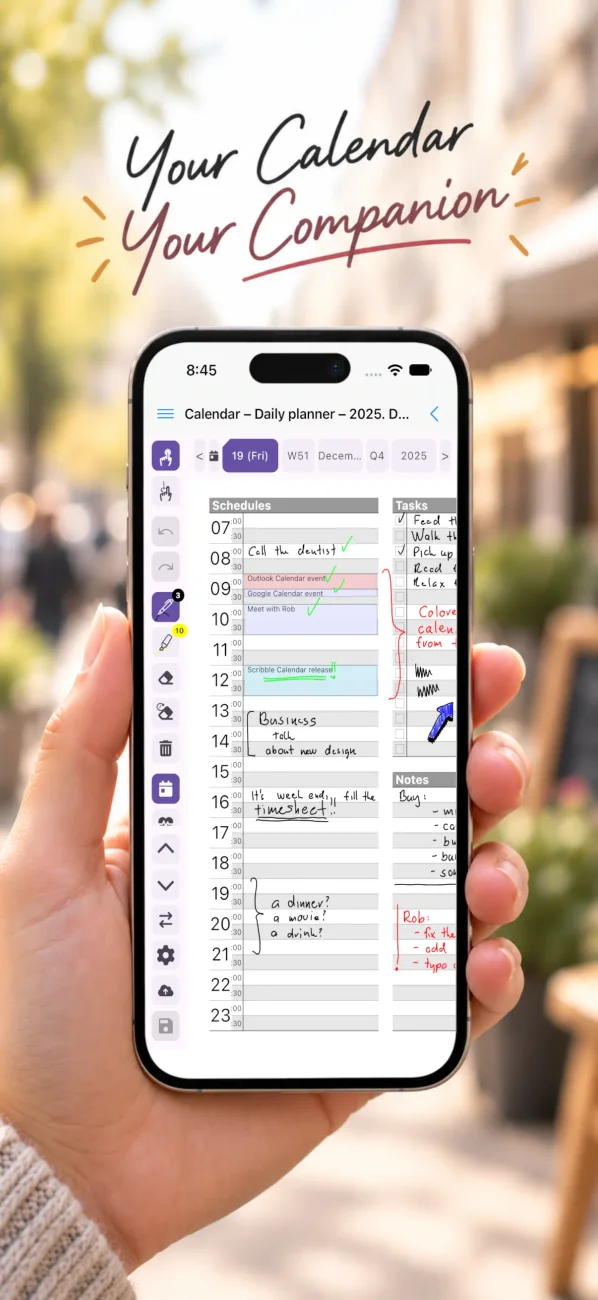
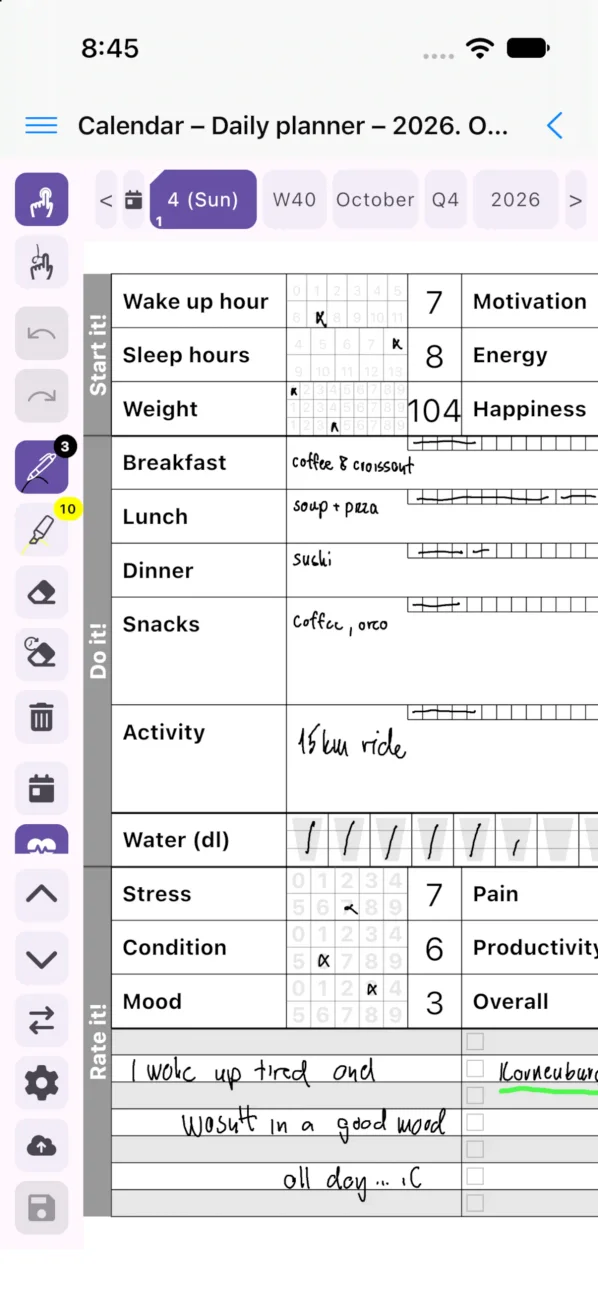
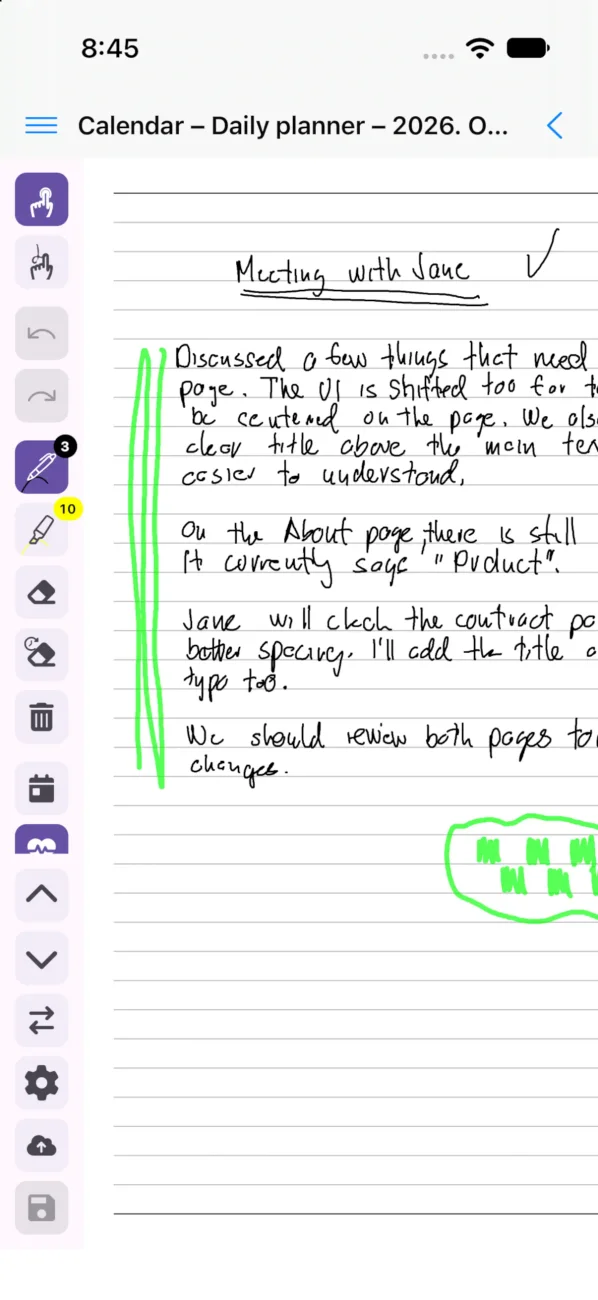
Scribble Calendar & Planner feels like a canvas for your life - a place where you don't just schedule dates, but draw your days and design your future. Write, sketch, annotate and plan with Apple Pencil or any compatible stylus. Turn scattered thoughts into something you can see, shape and make your own.
PLAN. FOCUS. REFLECT.
Plan your days with clarity. Focus your time on what matters. Reflect on your habits, health and how your days really feel. In a world where calendars are often rigid and impersonal, Scribble Calendar offers softness, freedom and a bit of soul... a quiet invitation to plan with intention, reflect with clarity and live with purpose.
EVERYTHING YOU NEED TO ORGANIZE YOUR LIFE
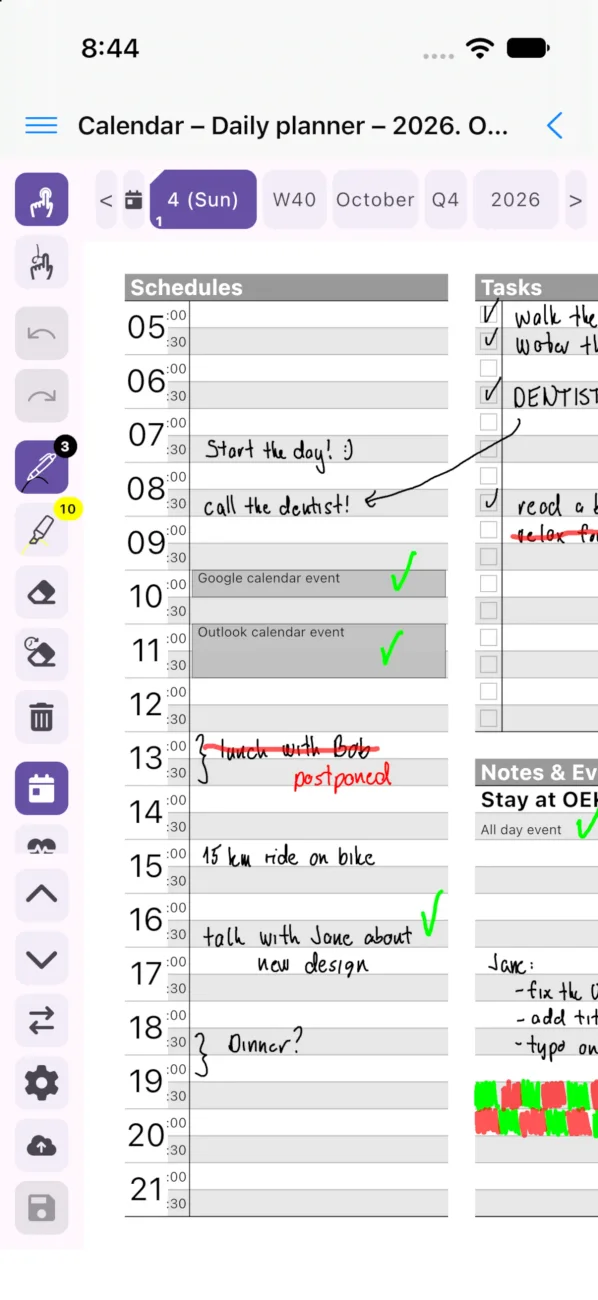
• Versatile Views - Switch between Yearly, Quarterly, Monthly, Weekly and Daily planning pages.
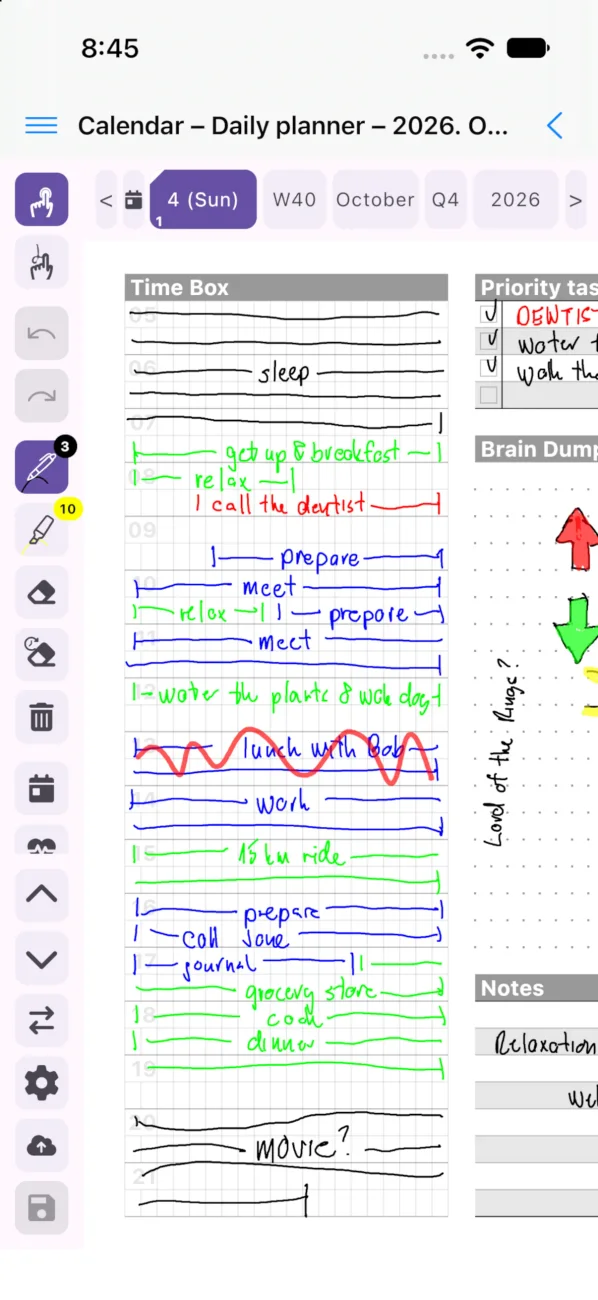
• Infinity Notes - Endless space for sketches, mind maps, brain dumps and whatever is on your mind.
• Time-Boxed Daily Planner - Give your day a shape, see where your time goes, and stay focused without the stress.
• Mood & Health Tracker - Keep track of your mood, sleep, water and food in your own handwriting.
• Habit Tracking - Build awareness around the habits and routines that shape your days.
• Calendar Integration - Your device's calendars appear alongside your handwritten plans.
MADE FOR WRITING
• Full-Screen Mode - Hide the toolbars and give the page the whole screen.
• Swipe to Turn Pages - Move through your planner as naturally as a paper one.
• Your Colors - Themes and dark mode, so your planner looks the way you like it.
PRIVACY-FIRST BY DESIGN
Your life, your timeline, your design. No sign-up is required, and your pages are never uploaded to a cloud service of ours. Keep them on your device, or sync them between your devices through your own iCloud Drive. When you sync, our sync server only keeps track of which device changed which page, so two devices never overwrite each other - the pages themselves stay in your own storage. Your planner stays yours.
FREE TO WRITE, OPTIONAL TO UPGRADE
Write, draw and plan on the yearly, quarterly, monthly, weekly and daily pages for free, and your planner stays on your device. Premium, a one-time purchase, lets you create and edit calendar events in the app and unlocks the Green and Blush color themes. The sync subscription uploads your pages to your own cloud storage and keeps them in step across your devices: Simple two-way sync, or Smart sync, which also merges a page changed on two devices. You can move between the two levels as your needs change. Downloading pages from your cloud storage is free.
A DIFFERENT KIND OF DIGITAL PLANNER
Whether you use it as a productivity tool, a digital bullet journal, a handwritten calendar or a life organizer, Scribble Calendar helps you get thoughts out of your head, focus on what matters today, and design where you want to go next.
Your life is your canvas.
Optimized for iPad, iPad Pro and Apple Pencil.
Terms of Use: https://scribblecalendar.com/tos
Privacy Policy: https://scribblecalendar.com/privacy
新機能
バージョン 1.12.0 · 2026/11/22
New in 1.12.0
• Full-screen mode: hide the toolbars and give the page the whole screen.
• Swipe on the page to turn pages.
• Each toolbar button explains what it does the first time you use it.
• Choose the line, grid and dot spacing of each note page.
• All-day and out-of-hours events now open from the Day page's notes list.
• A new Settings screen: color themes (Purple and Monochrome, plus Green and Blush with Premium)
• Dark mode.
• A brighter look, made for iPad screens.
• Safer sync with two devices: our sync server keeps track of which device changed which page, while your pages stay in your own cloud storage. The sync screen shows the server's state, and you can turn the server off to sync through your cloud storage alone.
• The new-version notice now shows on iPad too.
Fixes:
• The new-version notice opens the App Store page and names Scribble Calendar, in your language.
• A new device joining iCloud Drive sync no longer starts a data set of its own before iCloud has listed its files.
アプリのプライバシー
このアプリのデータの取り扱いについて、Gabor AuthがApp Storeで申告している内容です。
-
ユーザーに関連付けられたデータ
収集され、ユーザーの識別情報に関連付けられる場合があります。
- ユーザーコンテンツ
- ID
-
ユーザーに関連付けられないデータ
収集される場合がありますが、ユーザーの識別情報には関連付けられません。
- 購入
- 位置情報
- ID
- 使用状況データ
- 診断
プライバシーの取り扱いは、ご利用の機能やお客様の年齢などに応じて異なる場合があります。
情報
- 販売元
- Gabor Auth
- カテゴリ
- 仕事効率化
- バージョン
- 1.12.0
- 更新日
- 2026/11/22
- リリース
- 2026/10/15
- サイズ
- 53.8 MB
- 必要条件
- iOS 17.0以降
- 対象年齢
- 12+
- 価格
- 無料
- アプリ内課金
- あり
- 言語
- 英語, チェコ語, オランダ語, フランス語, ドイツ語, ポーランド語, スペイン語
- 著作権
- © 2026 Gábor Auth
こちらもおすすめ
-
 InkThink - Handwritten Planner仕事効率化
-
 MUJI-IRO 手書きデジタル手帳・手描きカレンダークラウド対応ののカレンダー&ノート手帳、ジャーナル
-
 iPlan Today - Pencil Planner仕事効率化
-
 Titanova: 目標達成と習慣化の手帳タスク管理・ToDoリスト・集中タイマー
-
 Pencil Planner: PencilTime仕事効率化
-
 Pencil Calendar - PencilCal仕事効率化
-
 月間スケジュール・カレンダー - Month+予定表・ToDo・手帳アプリ
-
 Ultimate Planner App仕事効率化
-
 Daily Planner Diary仕事効率化
-
 iPad デジタル手帳1000種類のテンプレートでiPadを理想の手帳に