Scribble Calendar & Planner
Handwritten Planner & Journal
Conçue pour iPhone, iPad
Gratuit · Achats intégrés
- Classification d’âge12+
- CatégorieProductivité
- DéveloppeurGabor Auth
- LanguesAnglais+ 6 de plus
- Taille54,1 Mo
Renvoie vers la page App Store officielle
Download.org n’héberge aucun fichier de Scribble Calendar & Planner. Le bouton ouvre la page de l’application sur App Store, où Gabor Auth la publie. Fiche vérifiée pour la dernière fois le 29/11/2026.
Captures d’écran
À propos
Le développeur n’a pas fourni ce texte dans votre langue.
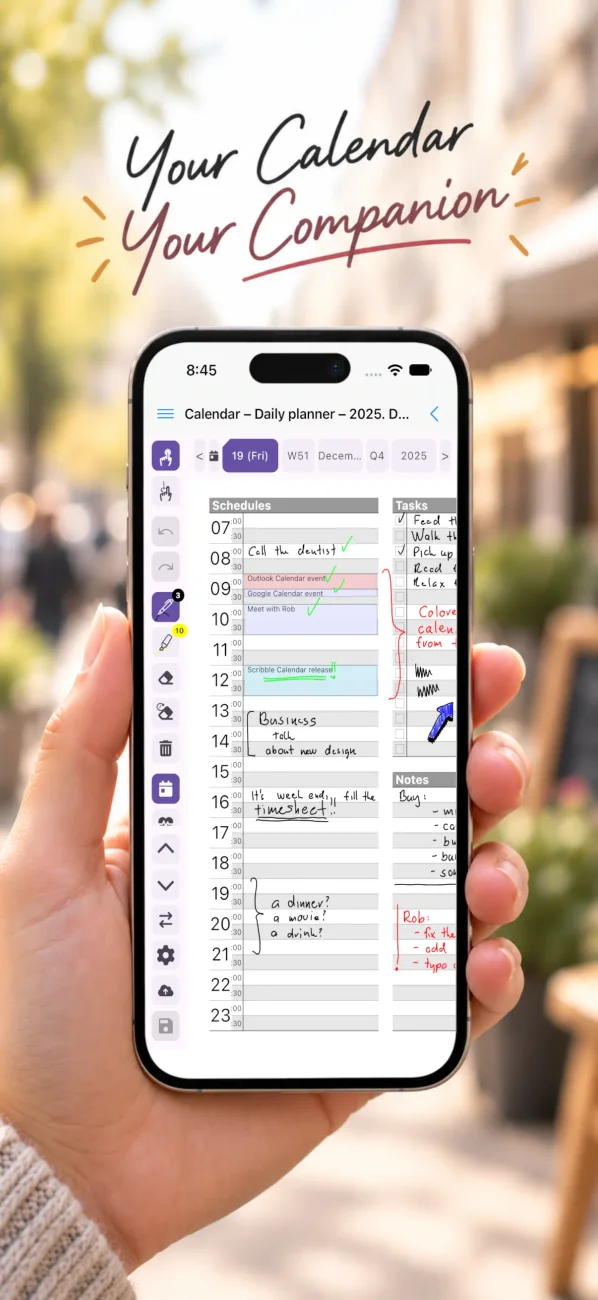
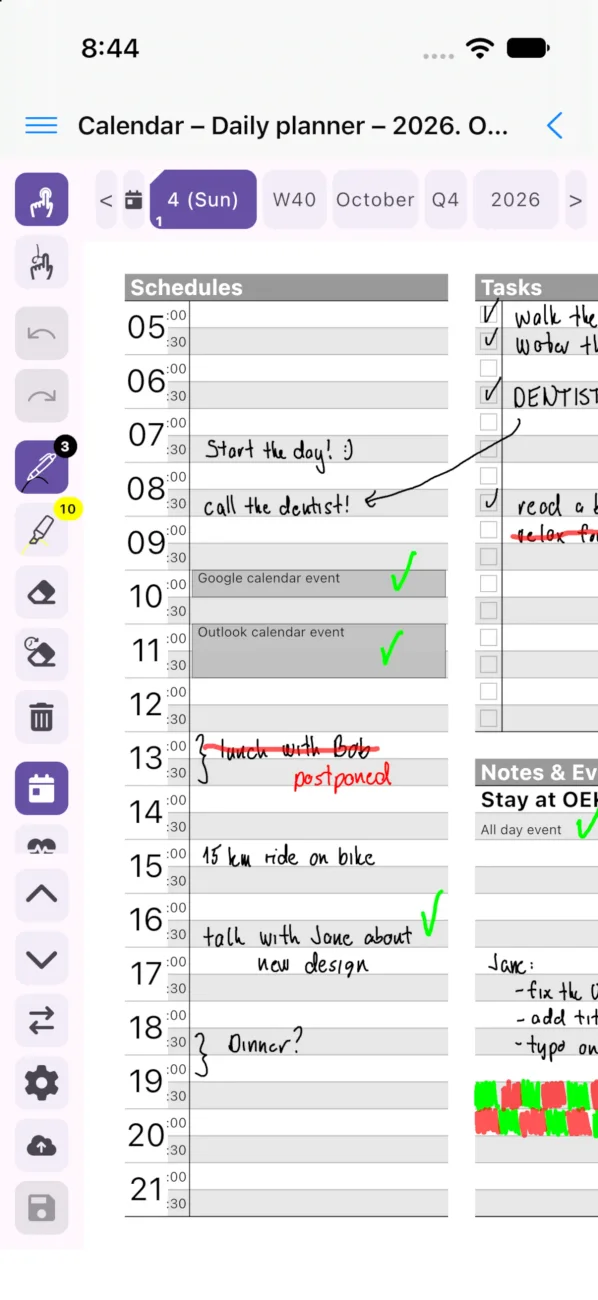
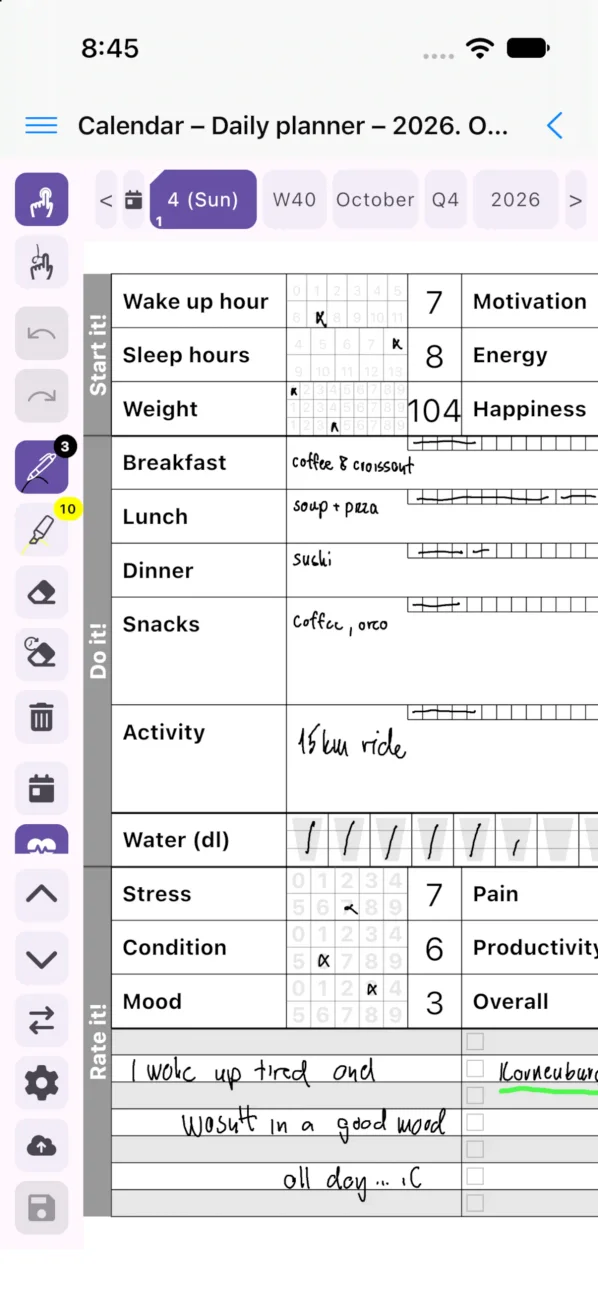
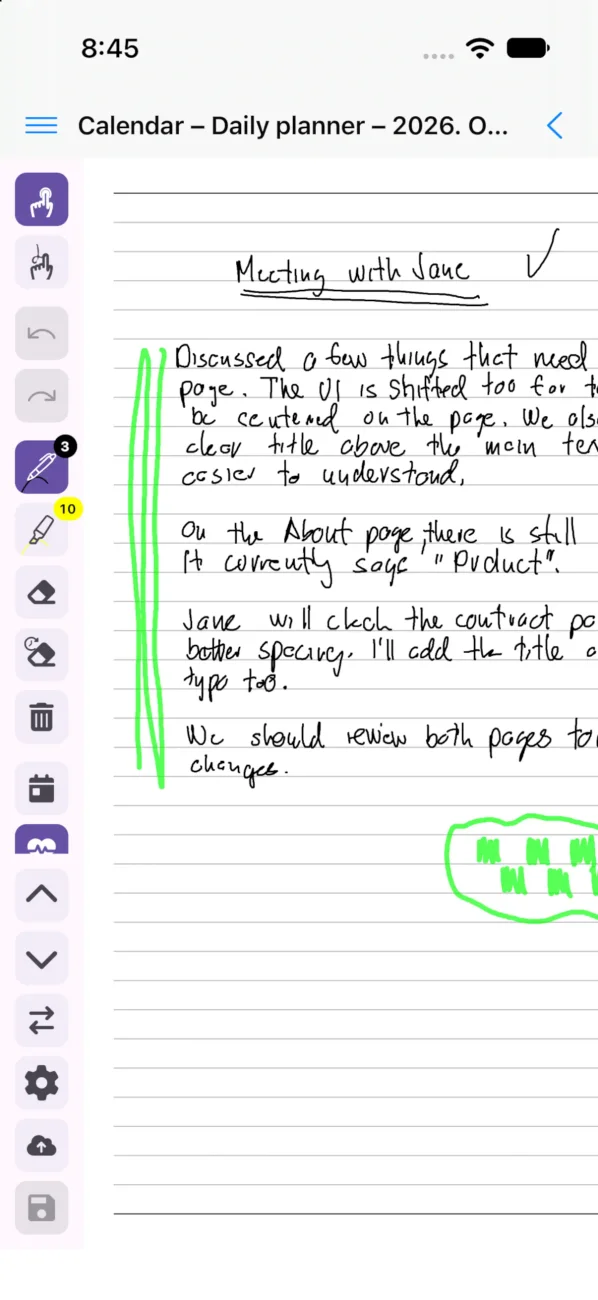
Scribble Calendar & Planner feels like a canvas for your life - a place where you don't just schedule dates, but draw your days and design your future. Write, sketch, annotate and plan with Apple Pencil or any compatible stylus. Turn scattered thoughts into something you can see, shape and make your own.
PLAN. FOCUS. REFLECT.
Plan your days with clarity. Focus your time on what matters. Reflect on your habits, health and how your days really feel. In a world where calendars are often rigid and impersonal, Scribble Calendar offers softness, freedom and a bit of soul... a quiet invitation to plan with intention, reflect with clarity and live with purpose.
EVERYTHING YOU NEED TO ORGANIZE YOUR LIFE
• Versatile Views - Switch between Yearly, Quarterly, Monthly, Weekly and Daily planning pages.
• Infinity Notes - Endless space for sketches, mind maps, brain dumps and whatever is on your mind.
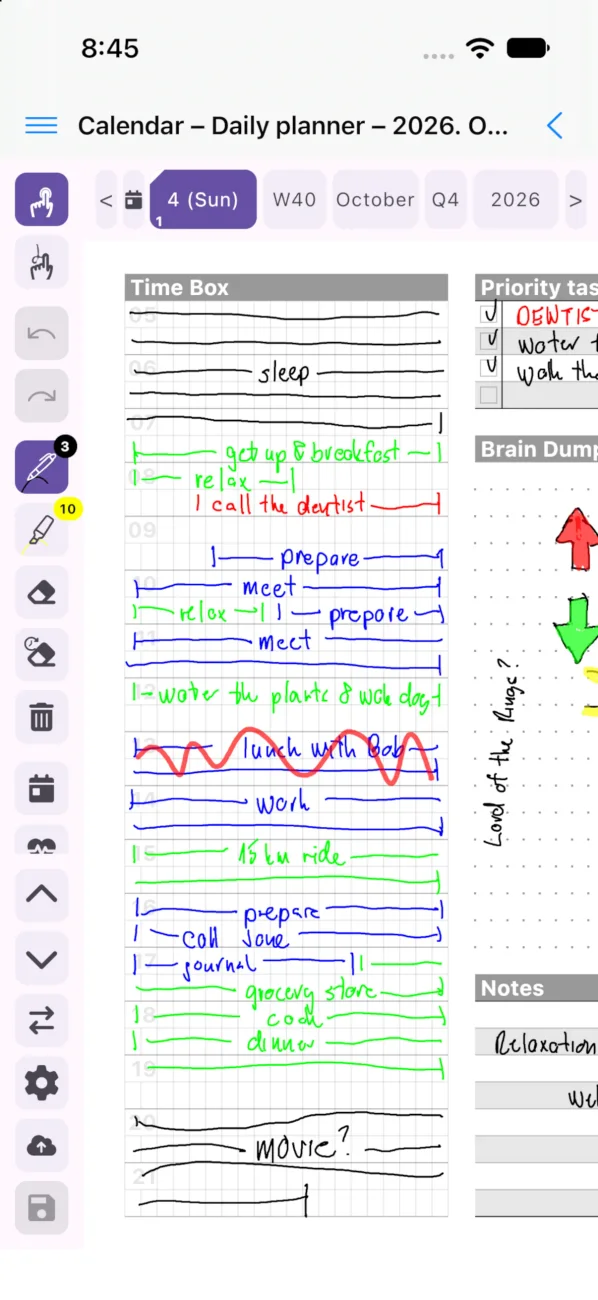
• Time-Boxed Daily Planner - Give your day a shape, see where your time goes, and stay focused without the stress.
• Mood & Health Tracker - Keep track of your mood, sleep, water and food in your own handwriting.
• Habit Tracking - Build awareness around the habits and routines that shape your days.
• Calendar Integration - Your device's calendars appear alongside your handwritten plans.
MADE FOR WRITING
• Full-Screen Mode - Hide the toolbars and give the page the whole screen.
• Swipe to Turn Pages - Move through your planner as naturally as a paper one.
• Your Colors - Themes and dark mode, so your planner looks the way you like it.
PRIVACY-FIRST BY DESIGN
Your life, your timeline, your design. No sign-up is required, and your pages are never uploaded to a cloud service of ours. Keep them on your device, or sync them between your devices through your own iCloud Drive. When you sync, our sync server only keeps track of which device changed which page, so two devices never overwrite each other - the pages themselves stay in your own storage. Your planner stays yours.
FREE TO WRITE, OPTIONAL TO UPGRADE
Write, draw and plan on the yearly, quarterly, monthly, weekly and daily pages for free, and your planner stays on your device. Premium, a one-time purchase, lets you create and edit calendar events in the app and unlocks the Green and Blush color themes. The sync subscription uploads your pages to your own cloud storage and keeps them in step across your devices: Simple two-way sync, or Smart sync, which also merges a page changed on two devices. You can move between the two levels as your needs change. Downloading pages from your cloud storage is free.
A DIFFERENT KIND OF DIGITAL PLANNER
Whether you use it as a productivity tool, a digital bullet journal, a handwritten calendar or a life organizer, Scribble Calendar helps you get thoughts out of your head, focus on what matters today, and design where you want to go next.
Your life is your canvas.
Optimized for iPad, iPad Pro and Apple Pencil.
Terms of Use: https://scribblecalendar.com/tos
Privacy Policy: https://scribblecalendar.com/privacy
Nouveautés
Version 1.12.1 · 28/11/2026
New in 1.12.1
• The premium Green and Blush themes are now clearly visible on the pages, with a stronger paper tint and colored lines.
Fixes:
• The first swipe after a pen stroke now turns the page.
• On a Mac, the mouse can now be switched from drawing to scrolling and tapping.
• A page the sync downloads while it is open is no longer written over by your next stroke.
• A page that cannot be transferred no longer holds back the pages behind it in the background sync.
• Events on a Day page synced from another device now open.
• The Day page no longer crashes on open in rare cases.
• Requests to our sync server no longer time out now and then without reaching it.
• An unsent erased stroke in the Team Drawer is now removed.
Confidentialité de l’application
Ce que Gabor Auth déclare sur l’App Store au sujet du traitement des données par cette application.
-
Données établissant un lien avec vous
Peuvent être collectées et liées à votre identité.
- Contenu utilisateur
- Identifiants
-
Données n’établissant aucun lien avec vous
Peuvent être collectées, mais ne sont pas liées à votre identité.
- Achats
- Emplacement
- Identifiants
- Données d’utilisation
- Diagnostic
Les pratiques en matière de confidentialité peuvent varier, notamment en fonction des fonctionnalités que vous utilisez ou de votre âge.
Informations
- Vendeur
- Gabor Auth
- Catégorie
- Productivité
- Version
- 1.12.1
- Mis à jour
- 28/11/2026
- Publié
- 15/10/2026
- Taille
- 54,1 Mo
- Nécessite
- iOS 17.0 ou version ultérieure
- Classification d’âge
- 12+
- Prix
- Gratuit
- Achats intégrés
- Oui
- Langues
- Anglais, Tchèque, Néerlandais, Français, Allemand, Polonais, Espagnol
- Copyright
- © 2026 Gábor Auth
Vous aimerez peut-être aussi
-
 InkThink - Handwritten PlannerProductivité
-
 Handwriting Journal PlannerProductivité
-
 iPlan Today - Pencil PlannerProductivité
-
 Titanova : Objectifs de vieSuivi d’habitudes et de tâches
-
 Pencil Planner: PencilTimeProductivité
-
 Calendrier pour iPad PencilCalDessinez avec l'Apple Pencil
-
 Planning Mensuel - Month+Agenda, calendrier et tâches
-
 Ultimate Planner AppProductivité
-
 Daily Planner DiaryProductivité
-
 Digital Planner for iPad Day+Productivité