Smart PDF Document Scanner
PDF Scanner App
Entwickelt für iPhone, iPad
Kostenlos
- Altersfreigabe4+
- KategorieWirtschaft
- EntwicklerQrayon, LLC
- SprachenEnglisch
- Größe11,2 MB
Verlinkt auf die offizielle App Store-Seite
Download.org hostet keine Datei von Smart PDF Document Scanner. Die Schaltfläche öffnet die App-Seite bei App Store, wo Qrayon, LLC die App veröffentlicht. Eintrag zuletzt geprüft am 16.11.2026.
Screenshots

Info
Der Entwickler hat diesen Text nicht in Ihrer Sprache bereitgestellt.
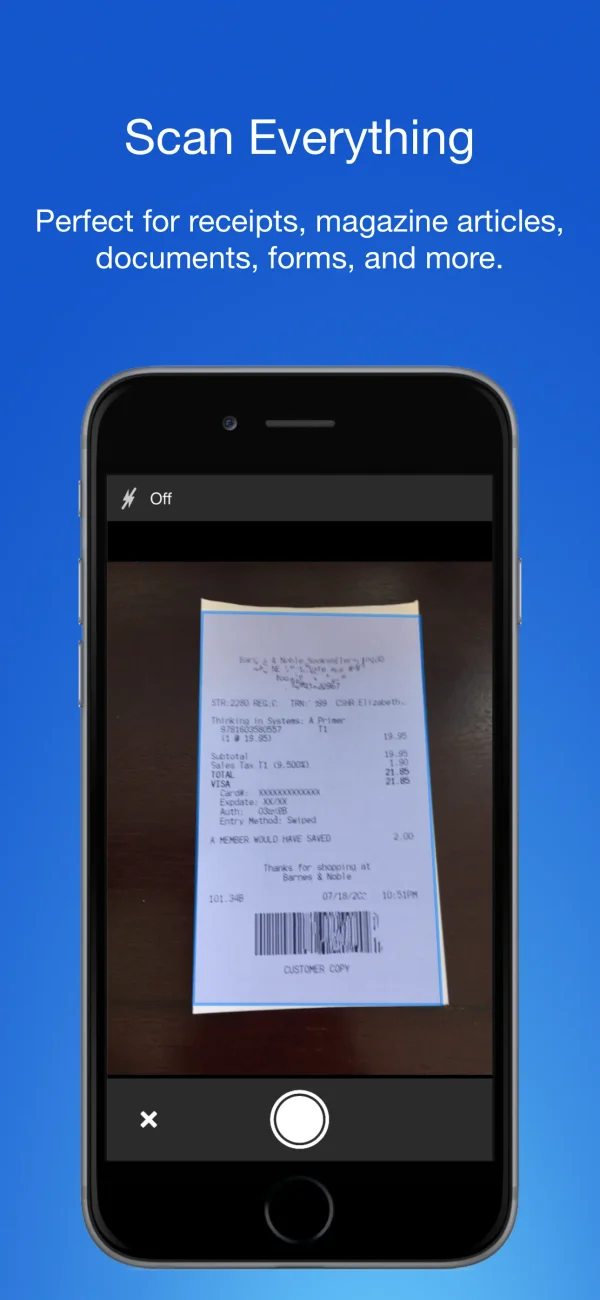
Ditch the bulky office copier! Smart PDF Document Scanner is the ultimate free scanner app that turns your phone or iPad into a portable digitizing tool. Just snap a photo of your document, and get a high-quality pdf scan you can instantly send to your colleagues, clients, or keep for your personal records.
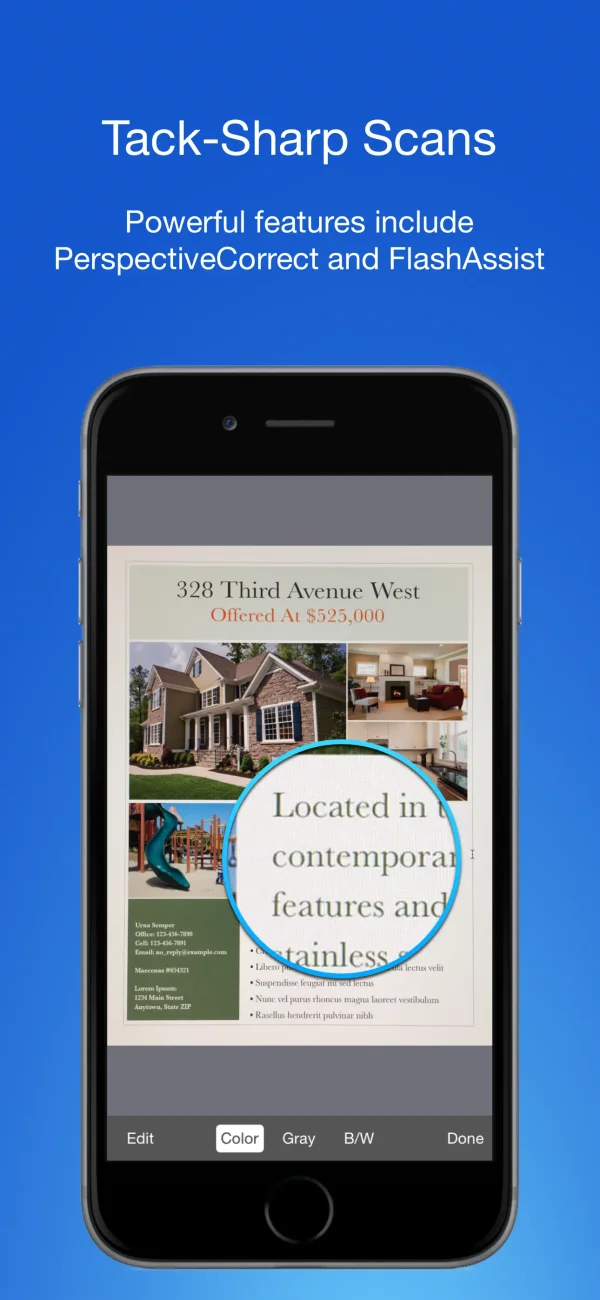
TACK SHARP SCANS
That processor in your phone is quite a little monster. Smart Scanner uses it fully to make the best possible scans. Even full-page articles come out tack-sharp and easy to read.
It automatically detects the page edges and corrects for perspective. Pick full-color scans, grayscale, or black-and-white for maximum legibility. FlashAssist can take perfect scans even in poor lighting conditions. You can even change the correction and enhancement settings after the fact.
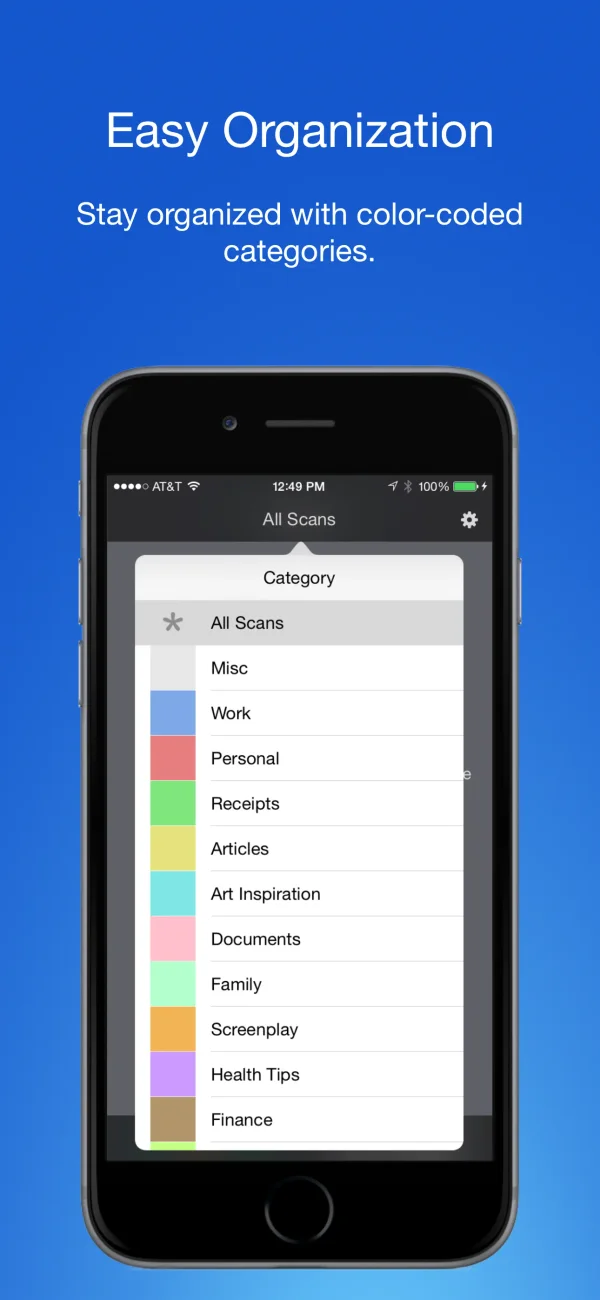
POWERFUL COLOR-CODED ORGANIZATION
Scanning is just half the problem. You need a good way to keep all your documents organized, and easy to find later. Smart Scanner uses a simple tagging system that is much easier and more powerful than the regular folder system. File documents under custom color-coded categories with just a couple taps. Browse and sort files by category with a couple more.
It's the way filing should work.
FOR ALL YOUR SCANNING NEEDS
+ Quickly scan and send contracts and forms
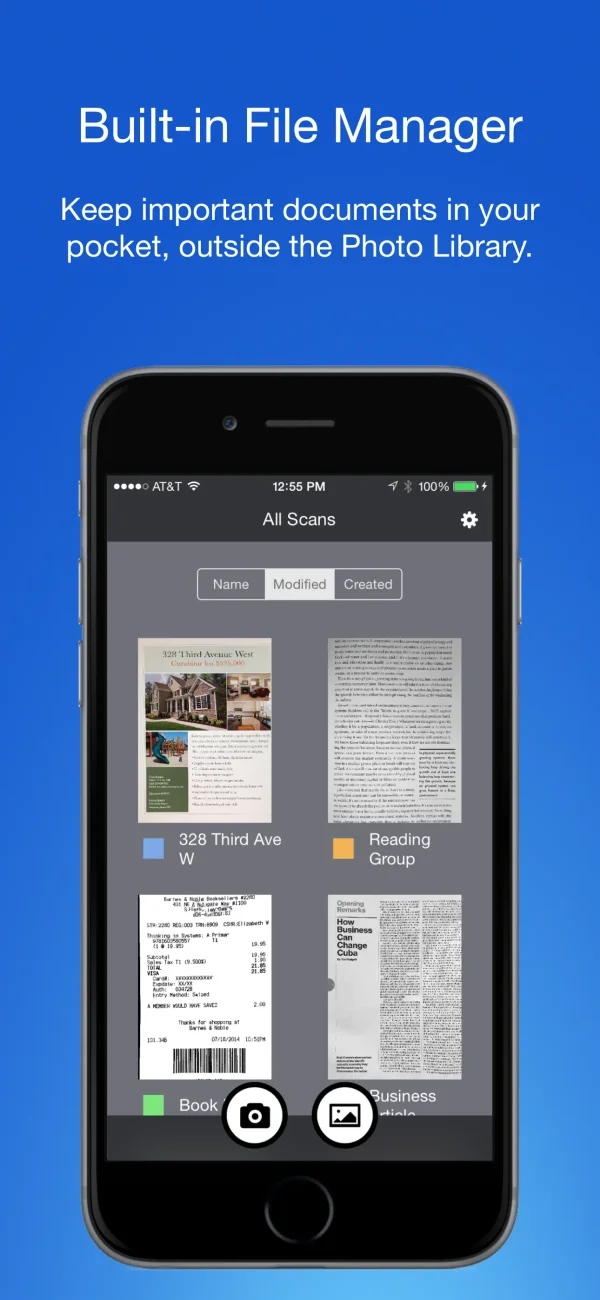
+ Keep scans of important documents in your pocket, separate form the Photo Library
+ Scan all your travel receipts for easy expense reports
+ Keep digital copies of your notes and sketches
+ Scan articles to read later
+ And more!
TIPS AND TRICKS
Here are a few tips to get the best scans:
+ Place your document on a darker surface to improve the edge auto-detection.
+ You can drag the corners of the blue rectangle to fine tune it after taking a photo.
+ Make sure there is adequate lighting. Use the flash in low-light conditions.
+ You can tap on a page to edit its scan settings (including edges) after the fact.
Neue Funktionen
Version 2.6 · 10.10.2026
+ Stability improvements
App-Datenschutz
Was Qrayon, LLC im App Store zum Umgang dieser App mit Daten angibt.
-
Daten, die zum Tracking Ihrer Person verwendet werden
Können verwendet werden, um Sie über Apps und Websites anderer Unternehmen hinweg zu verfolgen.
- Standort
- Kennungen
- Nutzungsdaten
- Diagnose
-
Mit Ihnen verknüpfte Daten
Können erfasst und mit Ihrer Identität verknüpft werden.
- Standort
- Kennungen
- Nutzungsdaten
- Diagnose
-
Nicht mit Ihnen verknüpfte Daten
Können erfasst werden, sind aber nicht mit Ihrer Identität verknüpft.
- Diagnose
Die Datenschutzpraktiken können variieren, zum Beispiel je nach den von Ihnen verwendeten Funktionen oder Ihrem Alter.
Informationen
- Anbieter
- Qrayon, LLC
- Kategorie
- Wirtschaft
- Version
- 2.6
- Aktualisiert
- 10.10.2026
- Veröffentlicht
- 05.12.2016
- Größe
- 11,2 MB
- Erfordert
- iOS 16.6 oder neuer
- Altersfreigabe
- 4+
- Preis
- Kostenlos
- Sprachen
- Englisch
- Copyright
- © 2026 Qrayon, LLC
Das könnte Ihnen auch gefallen
-
 uScan PDF Document Scanner AppWirtschaft
-
 AirScan: Docs Scanner to PDFWirtschaft
-
 Open Scan: PDF ScannerProduktivität
-
 PaperScanWirtschaft
-
 NotaryAct - Electronic JournalWirtschaft
-
 NNA ConferenceWirtschaft
-
 NotaryAssistWirtschaft
-
 NotaryCentralWirtschaft
-
 BeeWallet - Account TrackerFinanzen
-
 Title365 SigningsWirtschaft