Smart PDF Document Scanner
PDF Scanner App
Được thiết kế cho iPhone, iPad
Miễn phí
- Độ tuổi4+
- Danh mụcKinh Doanh
- Nhà phát triểnQrayon, LLC
- Ngôn ngữTiếng Anh
- Kích thước11,2 MB
Liên kết đến trang App Store chính thức
Download.org không lưu trữ tệp nào của Smart PDF Document Scanner. Nút này mở trang ứng dụng trên App Store, nơi Qrayon, LLC phát hành ứng dụng. Trang được kiểm tra lần cuối: 16/11/2026.
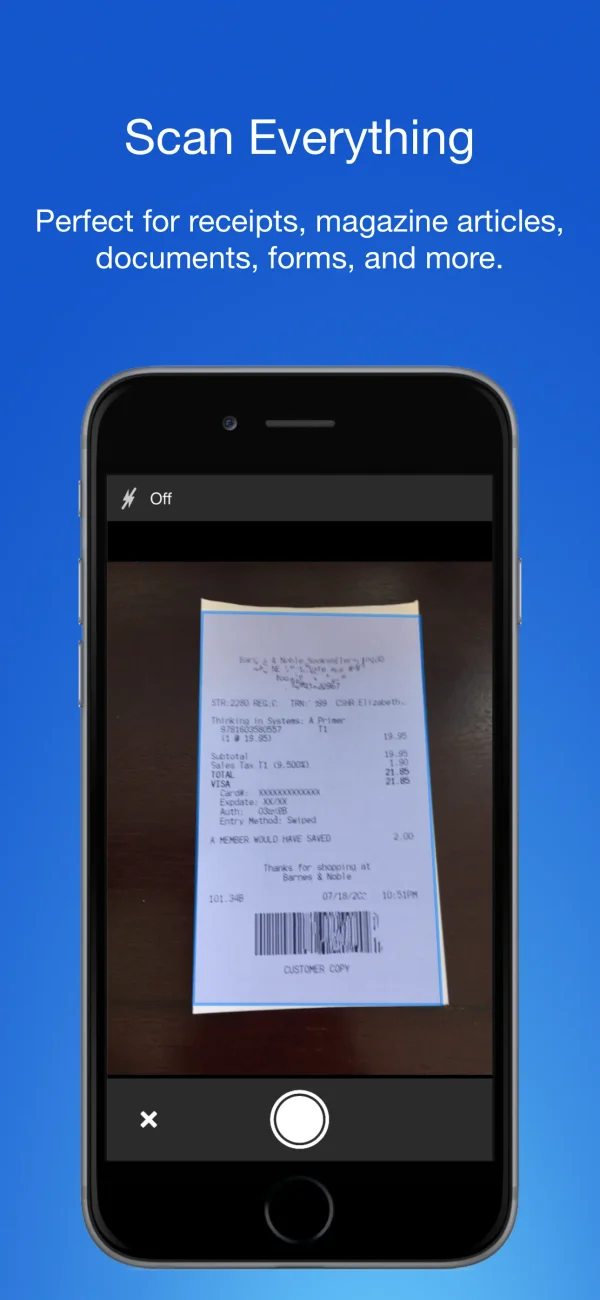
Ảnh chụp màn hình

Giới thiệu
Nhà phát triển chưa cung cấp nội dung này bằng ngôn ngữ của bạn.
Ditch the bulky office copier! Smart PDF Document Scanner is the ultimate free scanner app that turns your phone or iPad into a portable digitizing tool. Just snap a photo of your document, and get a high-quality pdf scan you can instantly send to your colleagues, clients, or keep for your personal records.
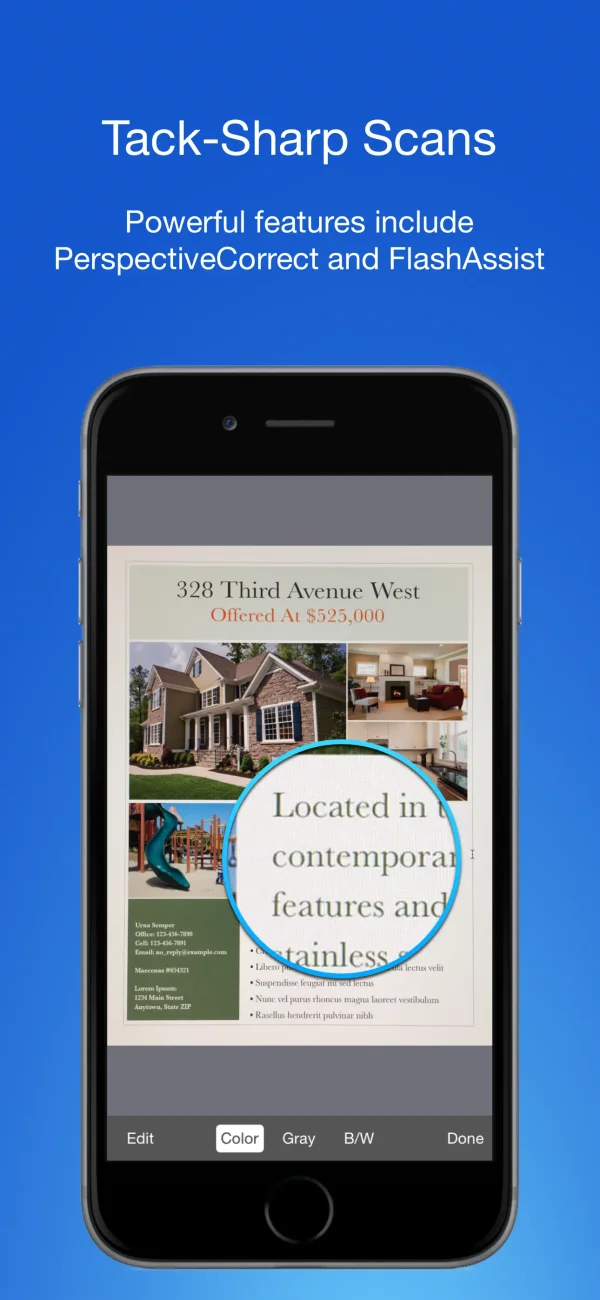
TACK SHARP SCANS
That processor in your phone is quite a little monster. Smart Scanner uses it fully to make the best possible scans. Even full-page articles come out tack-sharp and easy to read.
It automatically detects the page edges and corrects for perspective. Pick full-color scans, grayscale, or black-and-white for maximum legibility. FlashAssist can take perfect scans even in poor lighting conditions. You can even change the correction and enhancement settings after the fact.
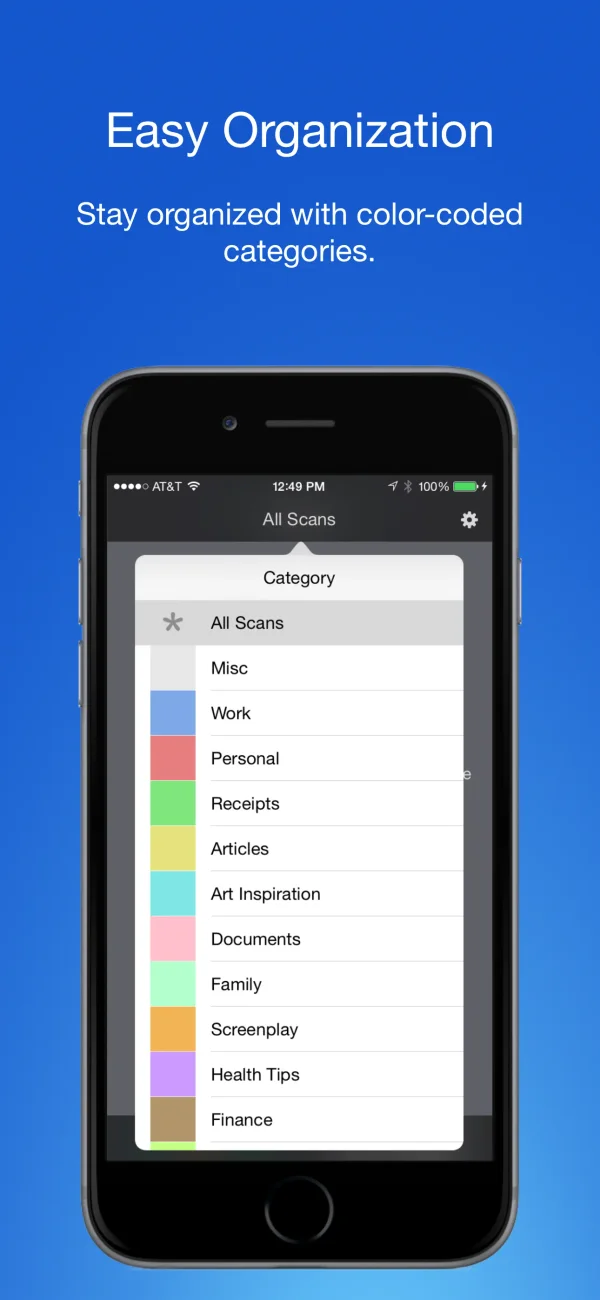
POWERFUL COLOR-CODED ORGANIZATION
Scanning is just half the problem. You need a good way to keep all your documents organized, and easy to find later. Smart Scanner uses a simple tagging system that is much easier and more powerful than the regular folder system. File documents under custom color-coded categories with just a couple taps. Browse and sort files by category with a couple more.
It's the way filing should work.
FOR ALL YOUR SCANNING NEEDS
+ Quickly scan and send contracts and forms
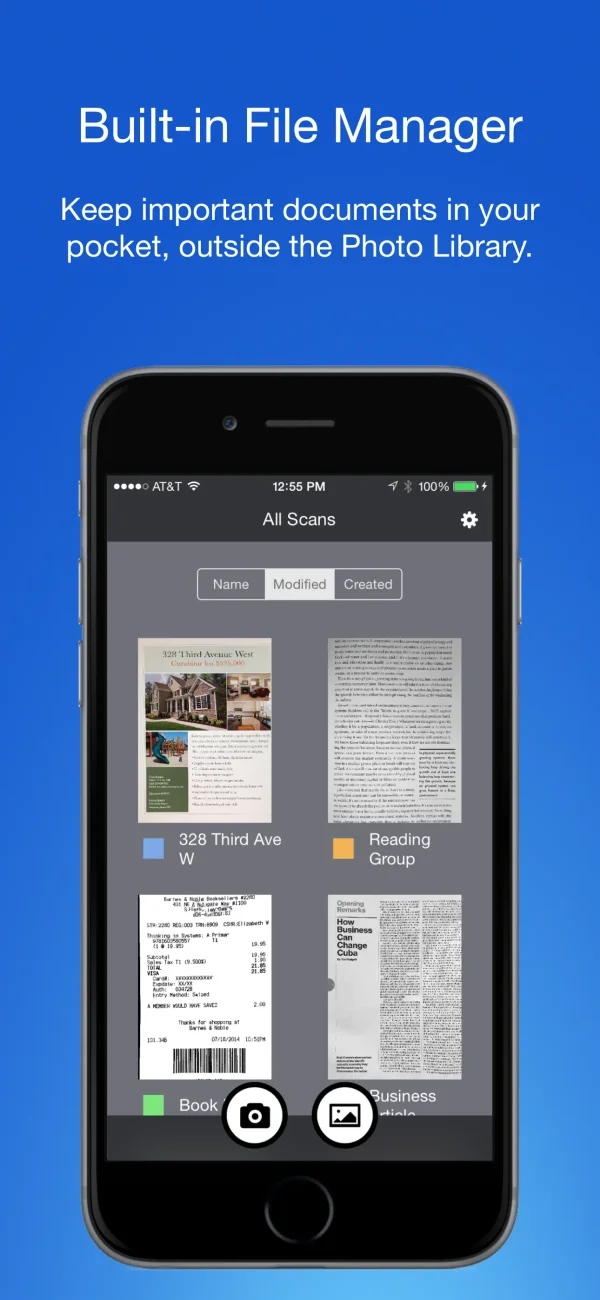
+ Keep scans of important documents in your pocket, separate form the Photo Library
+ Scan all your travel receipts for easy expense reports
+ Keep digital copies of your notes and sketches
+ Scan articles to read later
+ And more!
TIPS AND TRICKS
Here are a few tips to get the best scans:
+ Place your document on a darker surface to improve the edge auto-detection.
+ You can drag the corners of the blue rectangle to fine tune it after taking a photo.
+ Make sure there is adequate lighting. Use the flash in low-light conditions.
+ You can tap on a page to edit its scan settings (including edges) after the fact.
Có gì mới
Phiên bản 2.6 · 10/10/2026
+ Stability improvements
Quyền riêng tư của ứng dụng
Những gì Qrayon, LLC khai báo trên App Store về cách ứng dụng này xử lý dữ liệu.
-
Dữ liệu được sử dụng để theo dõi bạn
Có thể được sử dụng để theo dõi bạn trên các ứng dụng và trang web do công ty khác sở hữu.
- Vị trí
- Mã định danh
- Dữ liệu sử dụng
- Chẩn đoán
-
Dữ liệu liên kết với bạn
Có thể được thu thập và liên kết với danh tính của bạn.
- Vị trí
- Mã định danh
- Dữ liệu sử dụng
- Chẩn đoán
-
Dữ liệu không liên kết với bạn
Có thể được thu thập nhưng không liên kết với danh tính của bạn.
- Chẩn đoán
Phương thức đảm bảo quyền riêng tư có thể khác nhau, chẳng hạn như tuỳ theo các tính năng bạn sử dụng hoặc độ tuổi của bạn.
Thông tin
- Người bán
- Qrayon, LLC
- Danh mục
- Kinh Doanh
- Phiên bản
- 2.6
- Cập nhật
- 10/10/2026
- Phát hành
- 05/12/2016
- Kích thước
- 11,2 MB
- Yêu cầu
- iOS 16.6 trở lên
- Độ tuổi
- 4+
- Giá
- Miễn phí
- Ngôn ngữ
- Tiếng Anh
- Bản quyền
- © 2026 Qrayon, LLC
Có thể bạn cũng thích
-
 uScan PDF Document Scanner AppKinh Doanh
-
 AirScan: Docs Scanner to PDFKinh Doanh
-
 Open Scan: PDF ScannerHiệu Suất
-
 PaperScanKinh Doanh
-
 NotaryAct - Electronic JournalKinh Doanh
-
 NNA ConferenceKinh Doanh
-
 NotaryAssistKinh Doanh
-
 NotaryCentralKinh Doanh
-
 BeeWallet - Account TrackerTài Chính
-
 Title365 SigningsKinh Doanh