- Classification d’âge4+
- CatégorieÉconomie et entreprise
- DéveloppeurQrayon, LLC
- LanguesAnglais
- Taille11,2 Mo
Renvoie vers la page App Store officielle
Download.org n’héberge aucun fichier de Smart PDF Document Scanner. Le bouton ouvre la page de l’application sur App Store, où Qrayon, LLC la publie. Fiche vérifiée pour la dernière fois le 16/11/2026.
Captures d’écran

À propos
Le développeur n’a pas fourni ce texte dans votre langue.
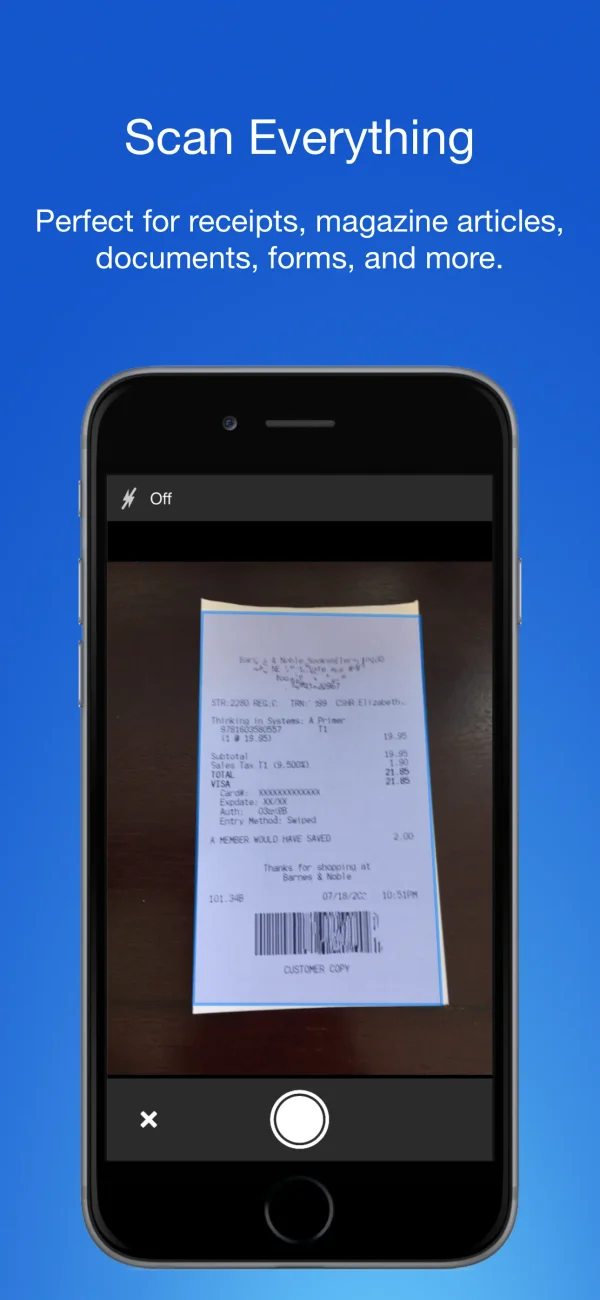
Ditch the bulky office copier! Smart PDF Document Scanner is the ultimate free scanner app that turns your phone or iPad into a portable digitizing tool. Just snap a photo of your document, and get a high-quality pdf scan you can instantly send to your colleagues, clients, or keep for your personal records.
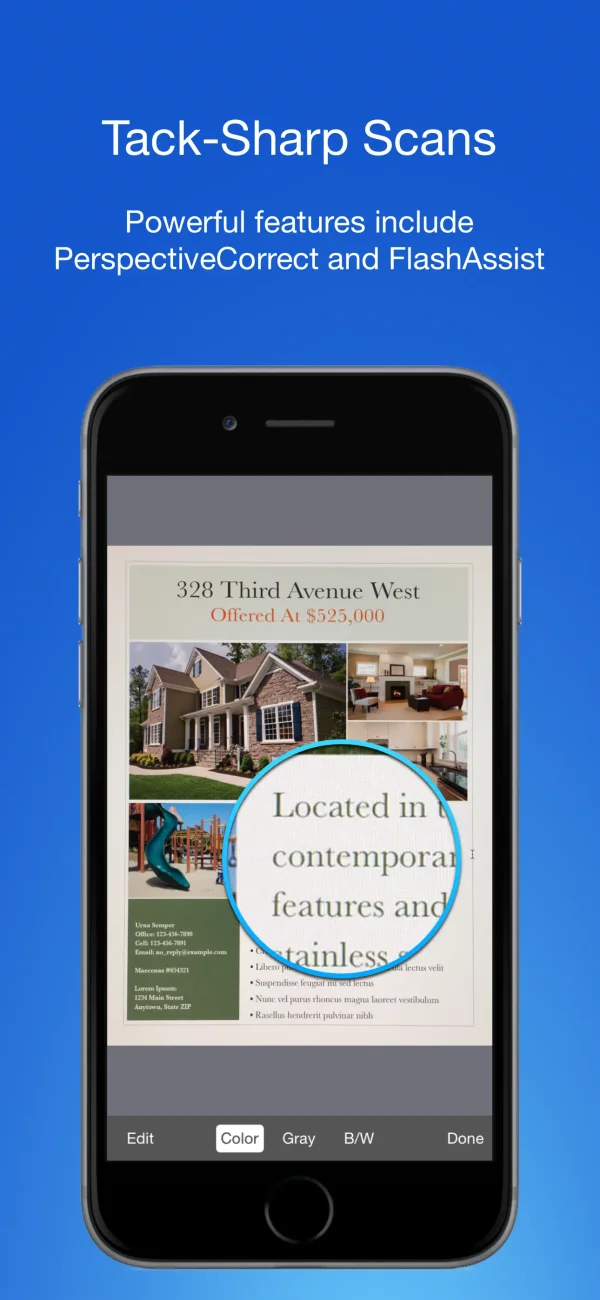
TACK SHARP SCANS
That processor in your phone is quite a little monster. Smart Scanner uses it fully to make the best possible scans. Even full-page articles come out tack-sharp and easy to read.
It automatically detects the page edges and corrects for perspective. Pick full-color scans, grayscale, or black-and-white for maximum legibility. FlashAssist can take perfect scans even in poor lighting conditions. You can even change the correction and enhancement settings after the fact.
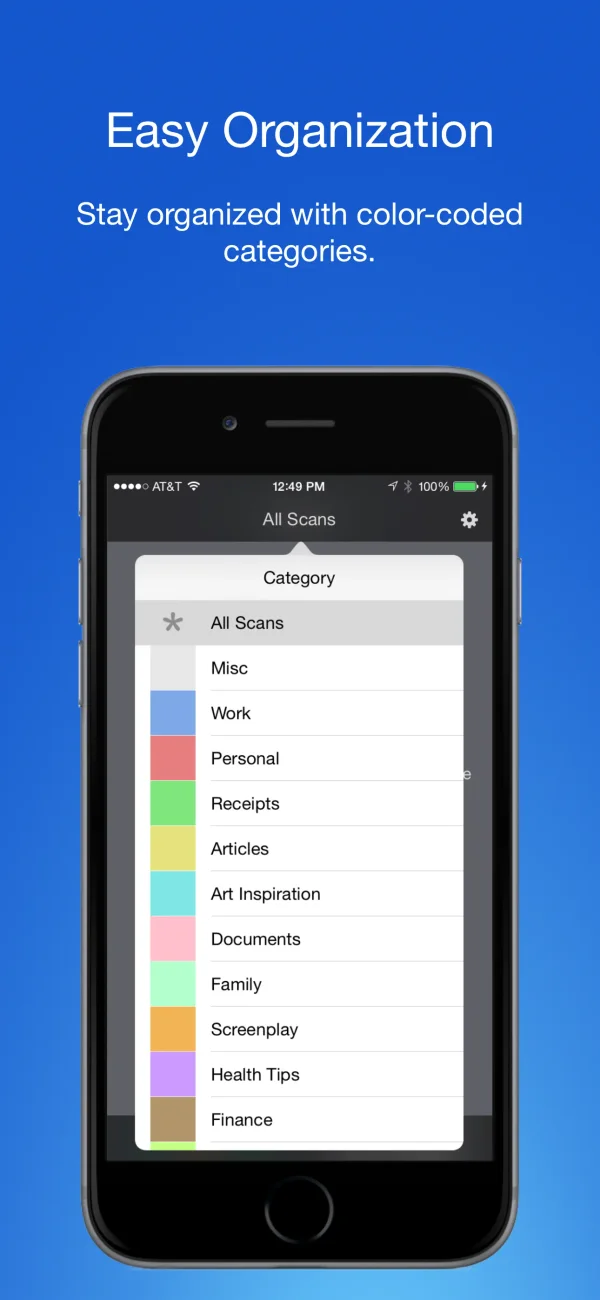
POWERFUL COLOR-CODED ORGANIZATION
Scanning is just half the problem. You need a good way to keep all your documents organized, and easy to find later. Smart Scanner uses a simple tagging system that is much easier and more powerful than the regular folder system. File documents under custom color-coded categories with just a couple taps. Browse and sort files by category with a couple more.
It's the way filing should work.
FOR ALL YOUR SCANNING NEEDS
+ Quickly scan and send contracts and forms
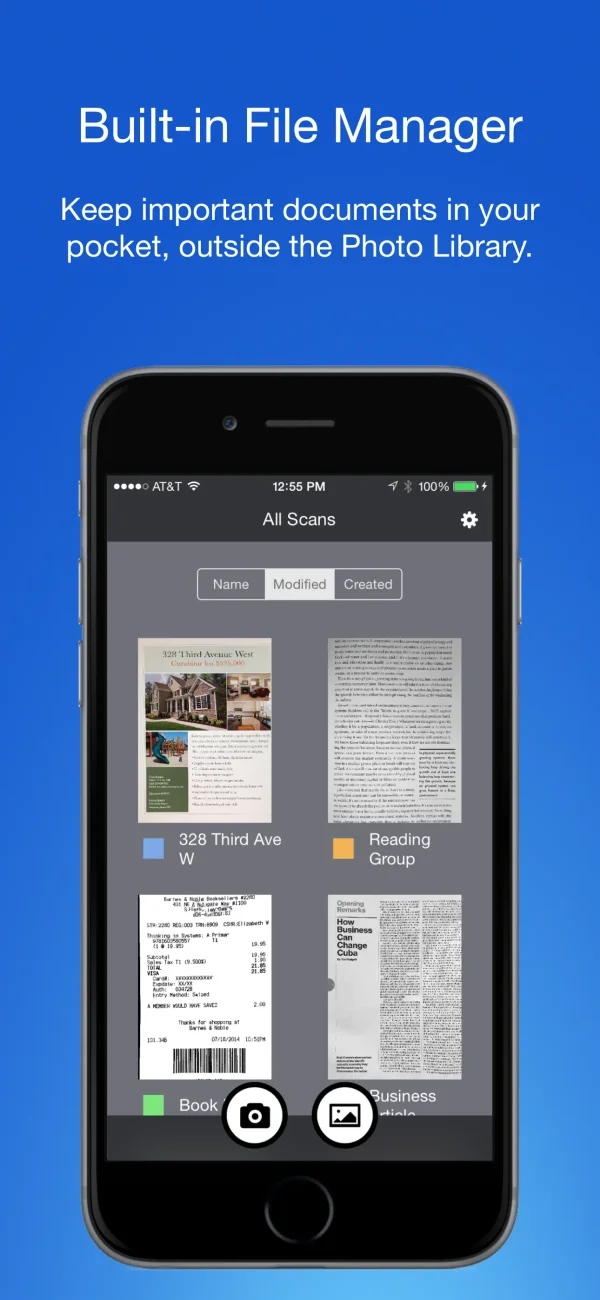
+ Keep scans of important documents in your pocket, separate form the Photo Library
+ Scan all your travel receipts for easy expense reports
+ Keep digital copies of your notes and sketches
+ Scan articles to read later
+ And more!
TIPS AND TRICKS
Here are a few tips to get the best scans:
+ Place your document on a darker surface to improve the edge auto-detection.
+ You can drag the corners of the blue rectangle to fine tune it after taking a photo.
+ Make sure there is adequate lighting. Use the flash in low-light conditions.
+ You can tap on a page to edit its scan settings (including edges) after the fact.
Nouveautés
Version 2.6 · 10/10/2026
+ Stability improvements
Confidentialité de l’application
Ce que Qrayon, LLC déclare sur l’App Store au sujet du traitement des données par cette application.
-
Données utilisées pour vous suivre
Peuvent être utilisées pour vous suivre sur des applications et des sites web appartenant à d’autres sociétés.
- Emplacement
- Identifiants
- Données d’utilisation
- Diagnostic
-
Données établissant un lien avec vous
Peuvent être collectées et liées à votre identité.
- Emplacement
- Identifiants
- Données d’utilisation
- Diagnostic
-
Données n’établissant aucun lien avec vous
Peuvent être collectées, mais ne sont pas liées à votre identité.
- Diagnostic
Les pratiques en matière de confidentialité peuvent varier, notamment en fonction des fonctionnalités que vous utilisez ou de votre âge.
Informations
- Vendeur
- Qrayon, LLC
- Catégorie
- Économie et entreprise
- Version
- 2.6
- Mis à jour
- 10/10/2026
- Publié
- 05/12/2016
- Taille
- 11,2 Mo
- Nécessite
- iOS 16.6 ou version ultérieure
- Classification d’âge
- 4+
- Prix
- Gratuit
- Langues
- Anglais
- Copyright
- © 2026 Qrayon, LLC
Vous aimerez peut-être aussi
-
 uScan PDF Document Scanner AppÉconomie et entreprise
-
 airScan: scanner de documentsConvertissez jpg en PDF
-
 Open Scan: PDF ScannerProductivité
-
 PaperScanÉconomie et entreprise
-
 NotaryAct - Electronic JournalÉconomie et entreprise
-
 NNA ConferenceÉconomie et entreprise
-
 NotaryAssistÉconomie et entreprise
-
 NotaryCentralÉconomie et entreprise
-
 BeeWallet - Account TrackerFinance
-
 Title365 SigningsÉconomie et entreprise