- Altersfreigabe4+
- KategorieGrafik und Design
- EntwicklerChengyin Liu
- SprachenEnglisch
- Größe5,7 MB
Verlinkt auf die offizielle App Store-Seite
Download.org hostet keine Datei von WhatFont. Die Schaltfläche öffnet die App-Seite bei App Store, wo Chengyin Liu die App veröffentlicht. Eintrag zuletzt geprüft am 25.11.2026.
Screenshots
Info
Der Entwickler hat diesen Text nicht in Ihrer Sprache bereitgestellt.
WhatFont is a quick way to identify fonts on web pages, and now it lives right inside Safari on iPhone and iPad.
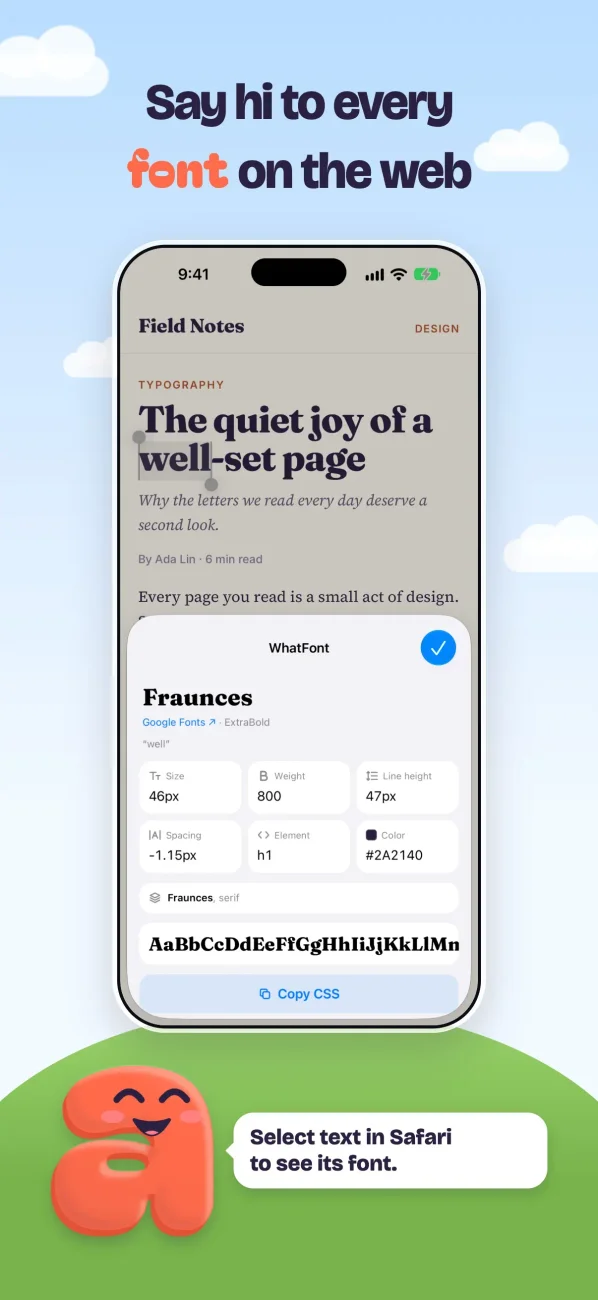
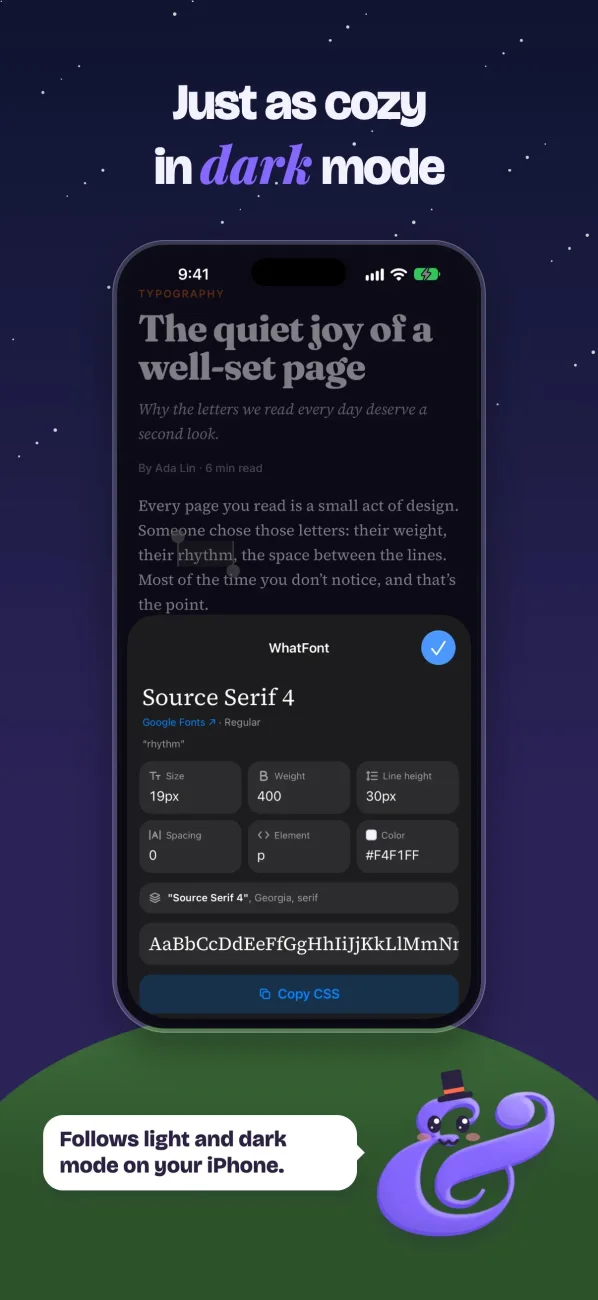
Select some text, tap WhatFont in the Safari menu, and a sheet slides up over the page with everything about its font:
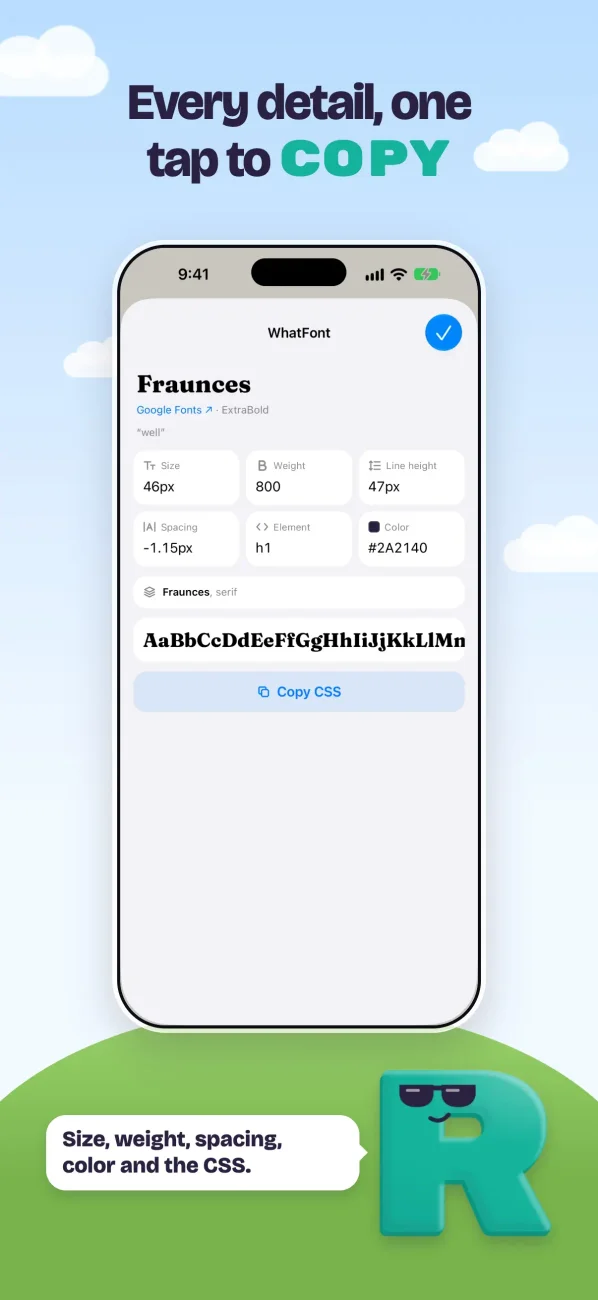
• The font’s name, drawn in the font itself
• Where it comes from: Google Fonts, Adobe Fonts, a web font, or a font on your device
• Size, weight, line height and letter spacing
• The text color, in hex and other formats
• The font stack, with the font in use picked out
Tap any value to copy it, or copy all the CSS at once.
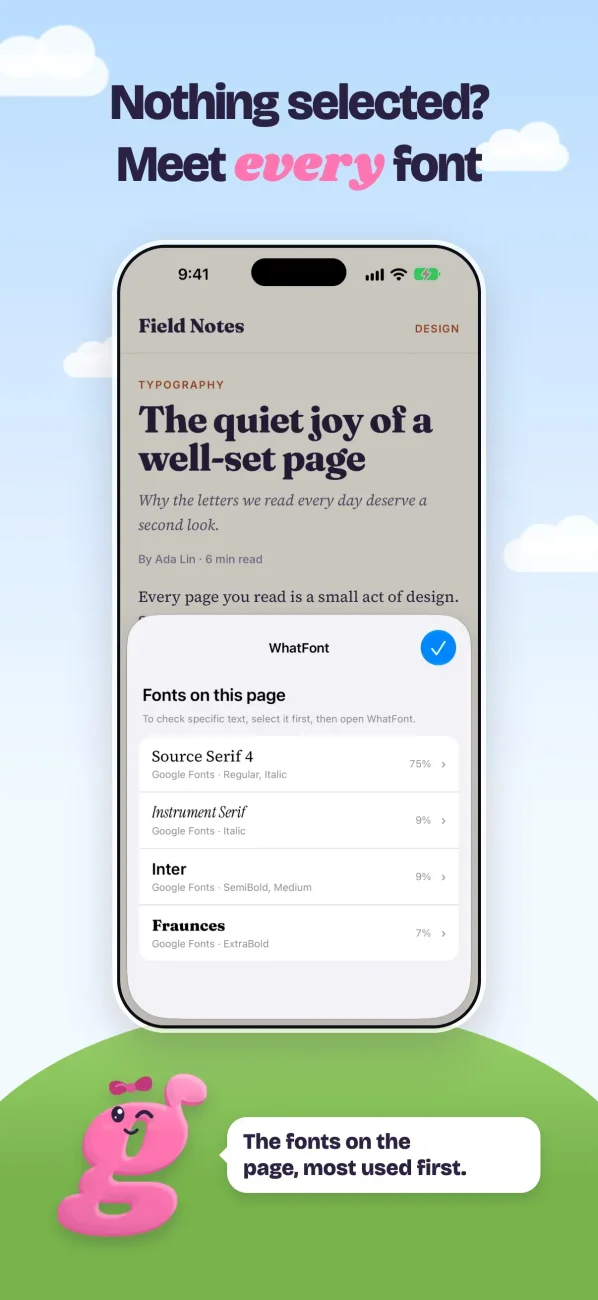
Nothing selected? WhatFont lists the fonts on the page, most used first. Tap one to see its details.
IN SAFARI
• A sheet on iPhone and a popover on iPad, so the page stays in view
• Follows light and dark mode
• Works in Private Browsing once you allow it
PRIVATE
WhatFont reads a page only when you open WhatFont on it. No accounts, no tracking, no ads, and it collects no data.
GETTING STARTED
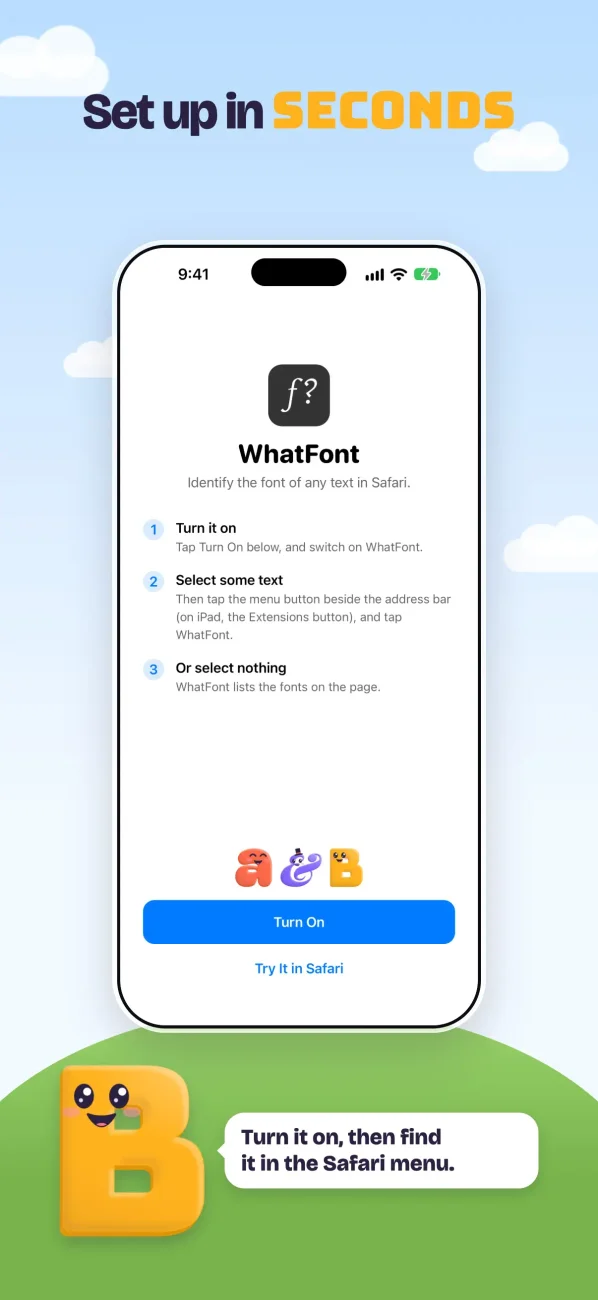
Open WhatFont and turn on the extension: tap Turn On, or on earlier versions of iOS, tap the menu button beside the address bar in Safari and choose Manage Extensions. Then select text, tap the same menu button (on iPad, the Extensions button), and choose WhatFont.
Designers and developers have used WhatFont to identify fonts on the web for more than a decade. Now it’s in Safari too.
Neue Funktionen
Version 2.0.1 · 18.10.2026
Ready for iPhone Duo, a fresh look for the toolbar icon, and the font friends now show up properly in dark mode.
App-Datenschutz
Was Chengyin Liu im App Store zum Umgang dieser App mit Daten angibt.
-
Keine Daten erfasst
Der Entwickler erfasst keine Daten von dieser App.
Die Datenschutzpraktiken können variieren, zum Beispiel je nach den von Ihnen verwendeten Funktionen oder Ihrem Alter.
Informationen
- Anbieter
- Chengyin Liu
- Kategorie
- Grafik und Design
- Version
- 2.0.1
- Aktualisiert
- 18.10.2026
- Veröffentlicht
- 15.10.2014
- Größe
- 5,7 MB
- Erfordert
- iOS 17.0 oder neuer
- Altersfreigabe
- 4+
- Preis
- Kostenlos
- Sprachen
- Englisch
- Copyright
- © 2026 Chengyin Liu
Das könnte Ihnen auch gefallen
-
 What The Font Is? FontSnap AIGrafik und Design
-
 Fonts NinjaGrafik und Design
-
 Font Finder: AI IdentifierGrafik und Design
-
 What Font for SafariWebfonts entdecken
-
 Pocket PaletteSimple color scheme maker.
-
 Vinilo CraftingGrafik und Design
-
 Adobe Capture: Tool für Ps, AiPhotoshop, Illustrator-Tool
-
 AI Design Studio SpaceGrafik und Design
-
 Color Palettes - Find & CreateGrafik und Design
-
 Affinity by CanvaProfi-Design, Foto & Layout