- Clasificación por edad4+
- CategoríaDiseño gráfico
- DesarrolladorChengyin Liu
- IdiomasInglés
- Tamaño5,7 MB
Enlaza a la página oficial de App Store
Download.org no aloja ningún archivo de WhatFont. El botón abre la página de la aplicación en App Store, donde la publica Chengyin Liu. Ficha comprobada por última vez el 25/11/2026.
Capturas de pantalla
Acerca de
El desarrollador no ha proporcionado este texto en tu idioma.
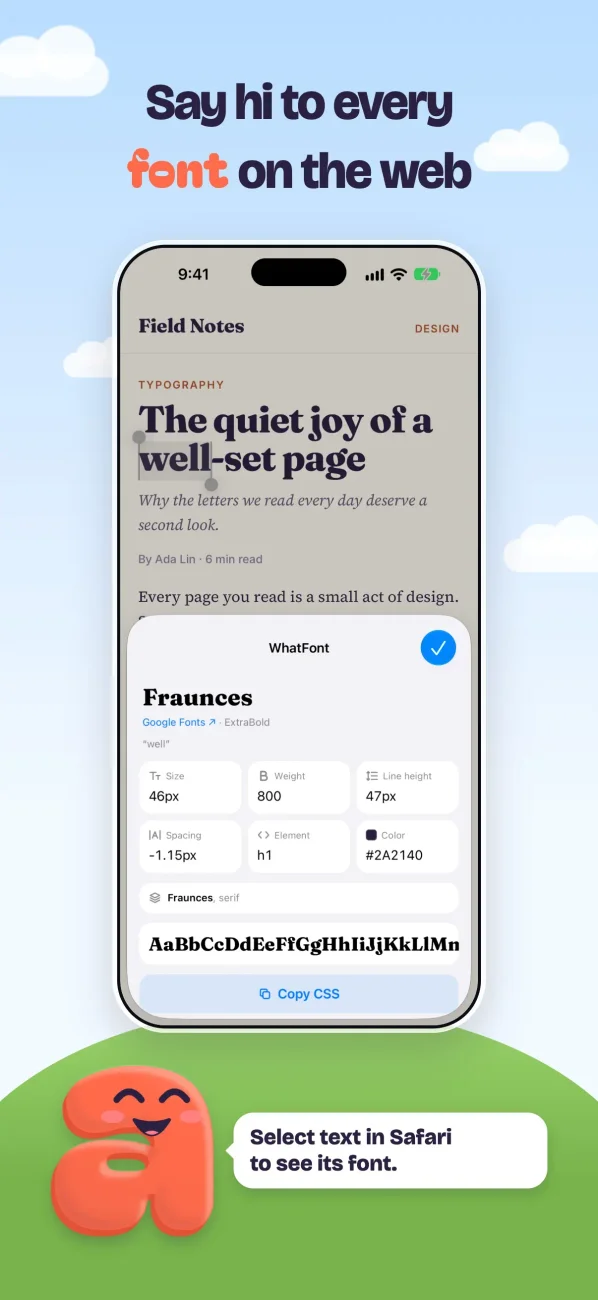
WhatFont is a quick way to identify fonts on web pages, and now it lives right inside Safari on iPhone and iPad.
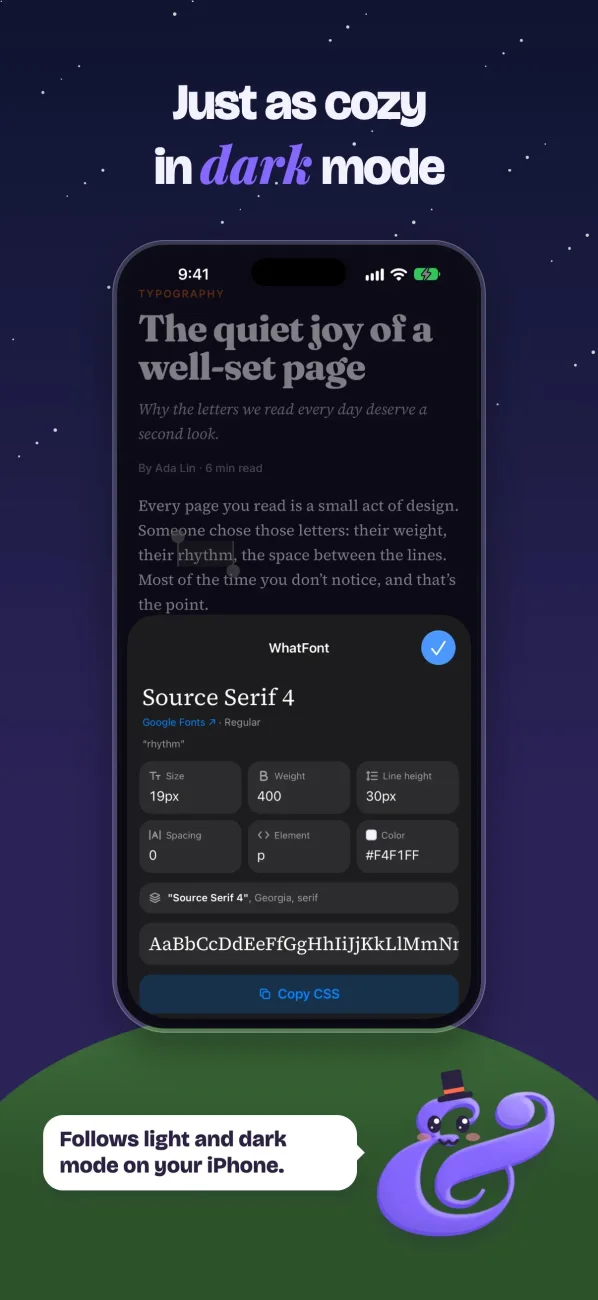
Select some text, tap WhatFont in the Safari menu, and a sheet slides up over the page with everything about its font:
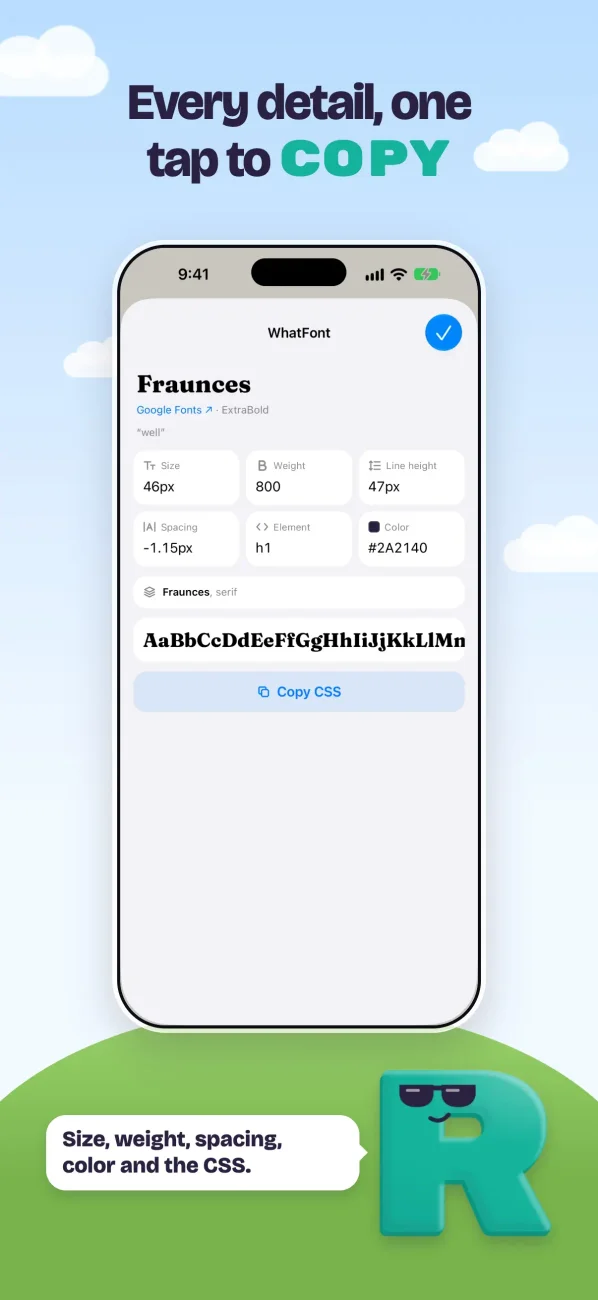
• The font’s name, drawn in the font itself
• Where it comes from: Google Fonts, Adobe Fonts, a web font, or a font on your device
• Size, weight, line height and letter spacing
• The text color, in hex and other formats
• The font stack, with the font in use picked out
Tap any value to copy it, or copy all the CSS at once.
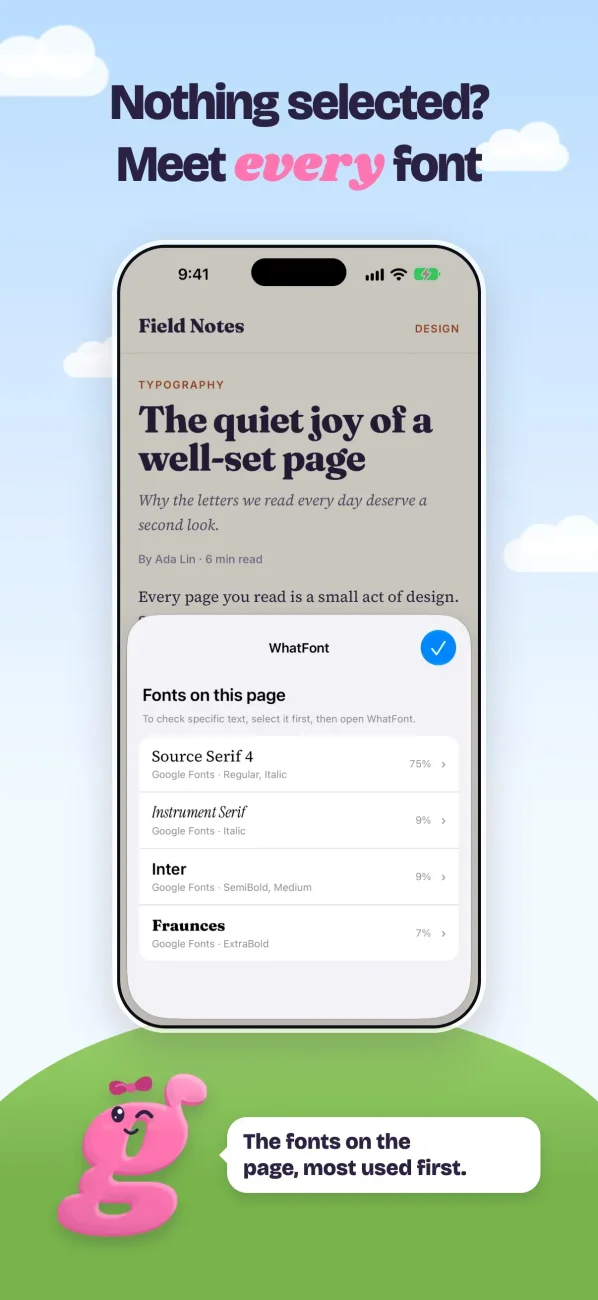
Nothing selected? WhatFont lists the fonts on the page, most used first. Tap one to see its details.
IN SAFARI
• A sheet on iPhone and a popover on iPad, so the page stays in view
• Follows light and dark mode
• Works in Private Browsing once you allow it
PRIVATE
WhatFont reads a page only when you open WhatFont on it. No accounts, no tracking, no ads, and it collects no data.
GETTING STARTED
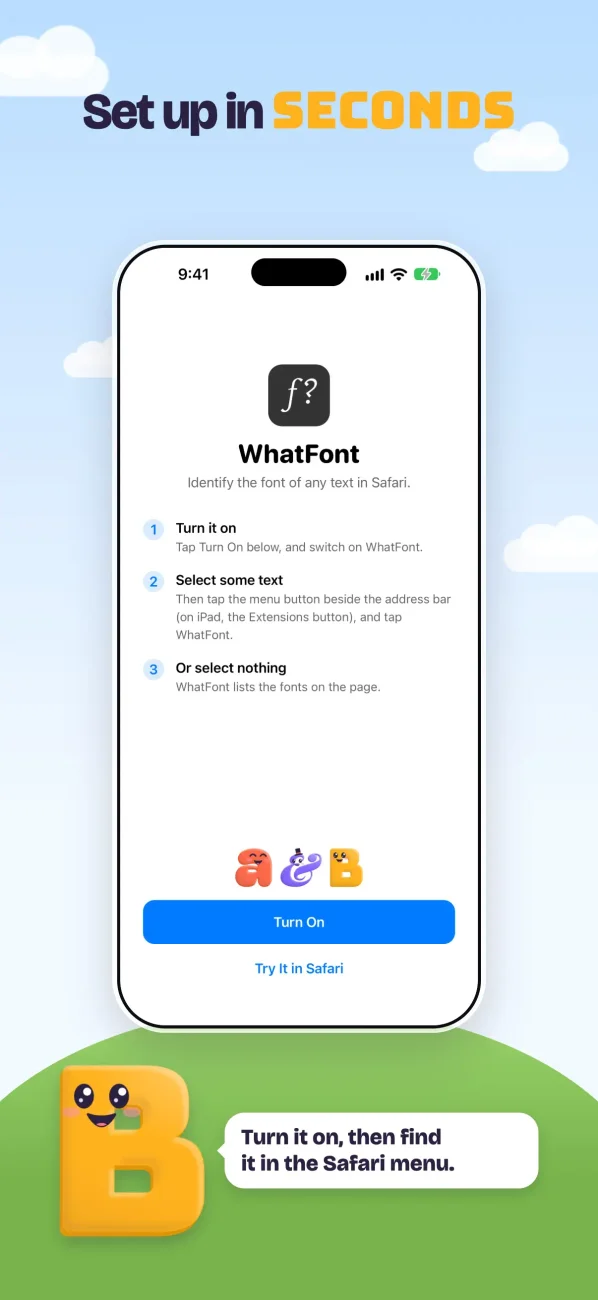
Open WhatFont and turn on the extension: tap Turn On, or on earlier versions of iOS, tap the menu button beside the address bar in Safari and choose Manage Extensions. Then select text, tap the same menu button (on iPad, the Extensions button), and choose WhatFont.
Designers and developers have used WhatFont to identify fonts on the web for more than a decade. Now it’s in Safari too.
Novedades
Versión 2.0.1 · 18/10/2026
Ready for iPhone Duo, a fresh look for the toolbar icon, and the font friends now show up properly in dark mode.
Privacidad de la aplicación
Lo que Chengyin Liu declara en App Store sobre cómo esta aplicación gestiona los datos.
-
No se recopilan datos
El desarrollador no recopila ningún dato de esta aplicación.
Las prácticas de privacidad pueden variar, por ejemplo, según las funciones que uses o tu edad.
Información
- Vendedor
- Chengyin Liu
- Categoría
- Diseño gráfico
- Versión
- 2.0.1
- Actualizado
- 18/10/2026
- Publicado
- 15/10/2014
- Tamaño
- 5,7 MB
- Requiere
- iOS 17.0 o posterior
- Clasificación por edad
- 4+
- Precio
- Gratis
- Idiomas
- Inglés
- Copyright
- © 2026 Chengyin Liu
Quizá también te guste
-
 ¿Qué fuente es? FontSnap AIID de fuentes y tipografía
-
 Fonts NinjaDiseño gráfico
-
 Font Finder: AI IdentifierDiseño gráfico
-
 What Font for SafariDescubre fuentes web
-
 Pocket PaletteSimple color scheme maker.
-
 Vinilo CraftingDiseño gráfico
-
 Adobe Capture: Herr. de Ps, AiPhotoshop herminta Illustrator
-
 AI Design Studio SpaceDiseño gráfico
-
 Color Palettes - Find & CreateDiseño gráfico
-
 Affinity by CanvaDiseño, foto y maquetación pro