WhatFont
Identify any font in Safari
iPhone, iPad için tasarlandı
Ücretsiz
- Yaş sınırı4+
- KategoriGrafik ve Tasarım
- GeliştiriciChengyin Liu
- Dillerİngilizce
- Boyut5,7 MB
Resmi App Store sayfasına bağlanır
Download.org, WhatFont için hiçbir dosya barındırmaz. Düğme, uygulamanın App Store üzerindeki sayfasını açar; uygulamayı orada Chengyin Liu yayınlar. Sayfanın son kontrolü: 25.11.2026.
Ekran görüntüleri
Hakkında
Geliştirici bu metni dilinizde sunmamış.
WhatFont is a quick way to identify fonts on web pages, and now it lives right inside Safari on iPhone and iPad.
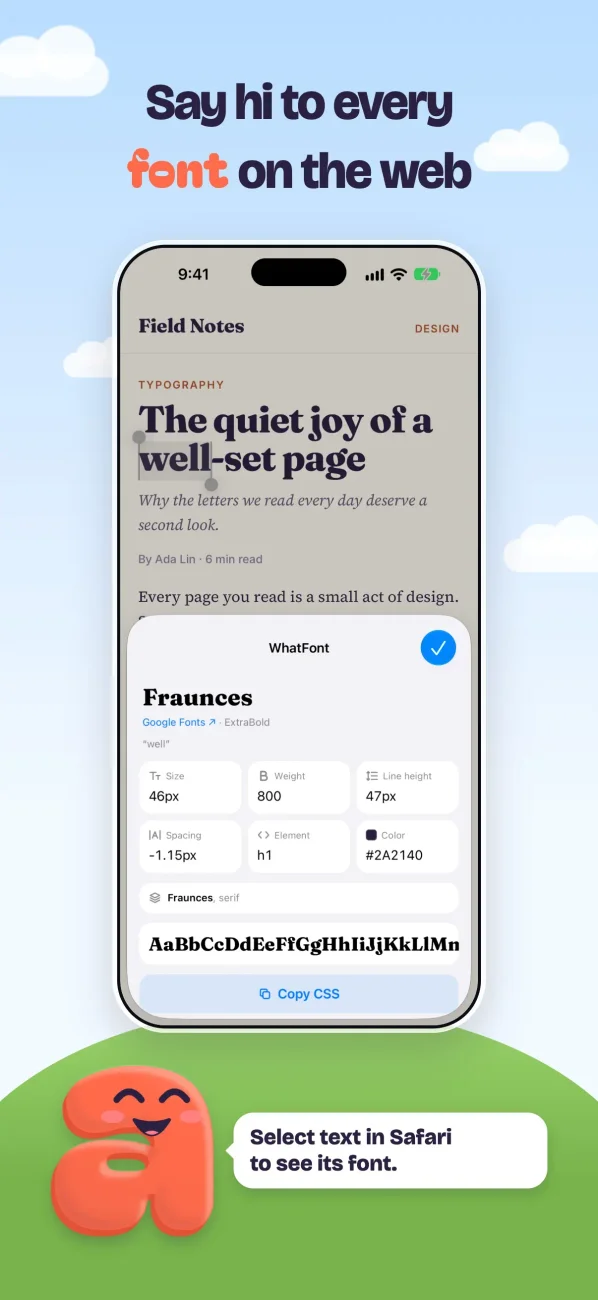
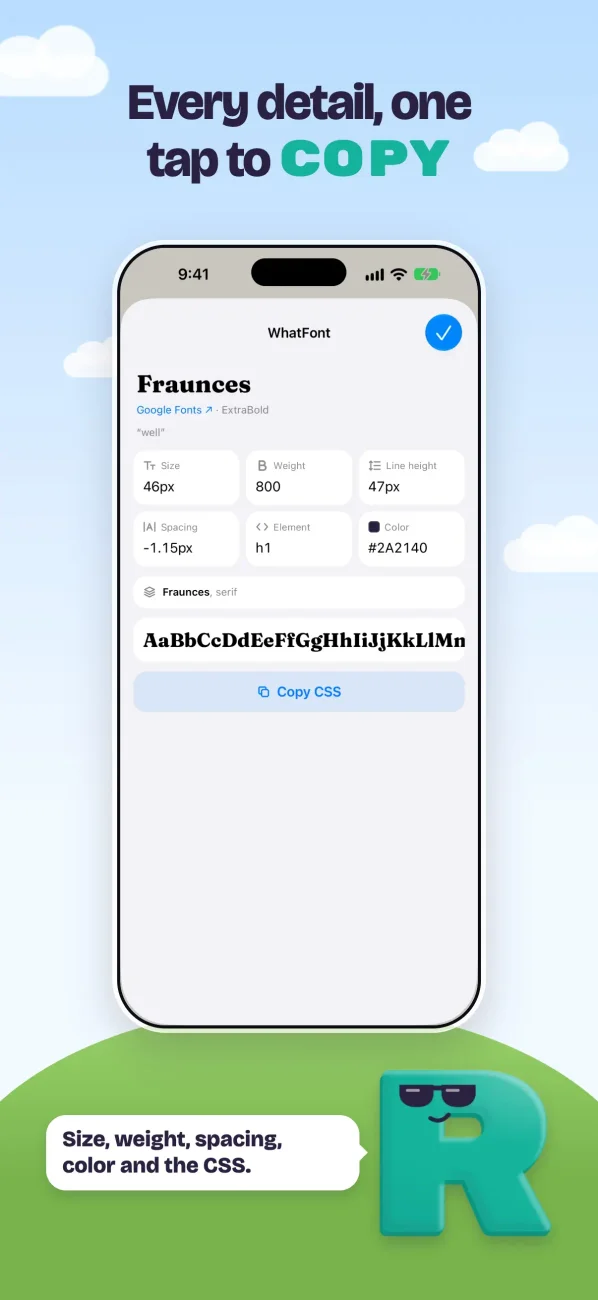
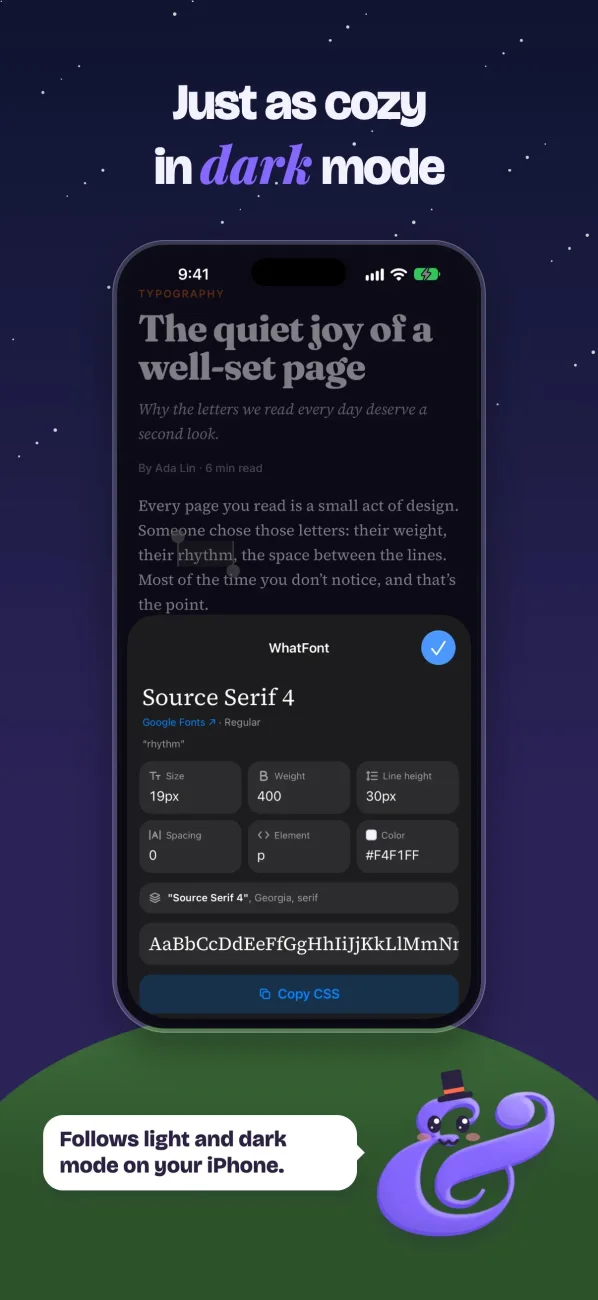
Select some text, tap WhatFont in the Safari menu, and a sheet slides up over the page with everything about its font:
• The font’s name, drawn in the font itself
• Where it comes from: Google Fonts, Adobe Fonts, a web font, or a font on your device
• Size, weight, line height and letter spacing
• The text color, in hex and other formats
• The font stack, with the font in use picked out
Tap any value to copy it, or copy all the CSS at once.
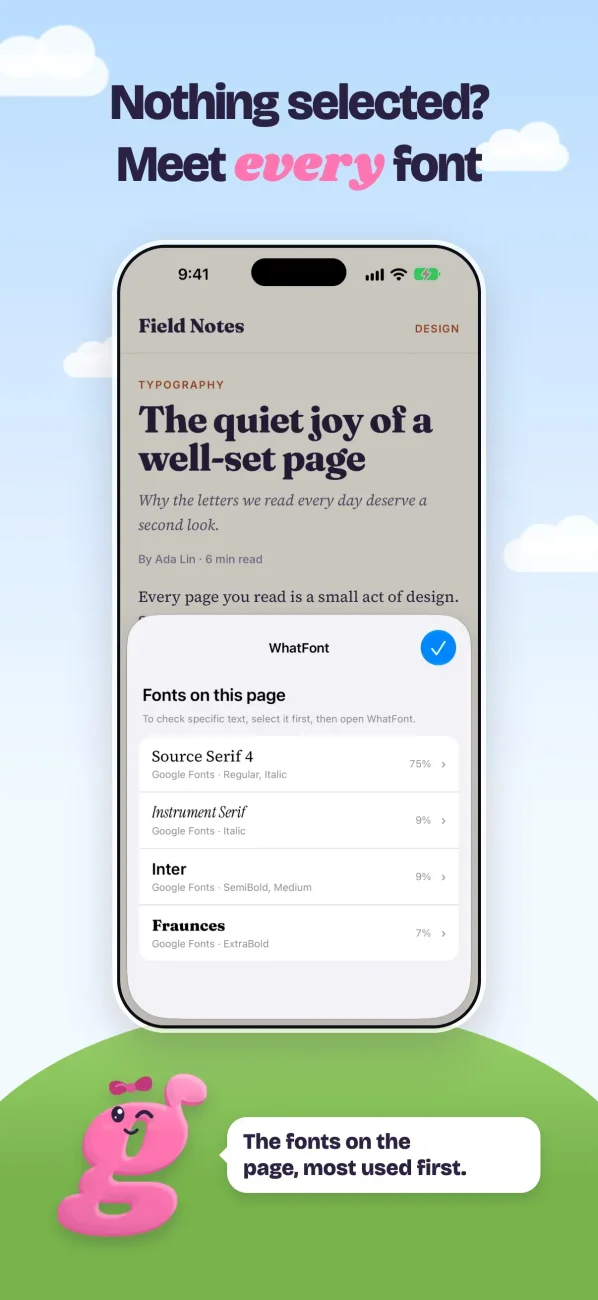
Nothing selected? WhatFont lists the fonts on the page, most used first. Tap one to see its details.
IN SAFARI
• A sheet on iPhone and a popover on iPad, so the page stays in view
• Follows light and dark mode
• Works in Private Browsing once you allow it
PRIVATE
WhatFont reads a page only when you open WhatFont on it. No accounts, no tracking, no ads, and it collects no data.
GETTING STARTED
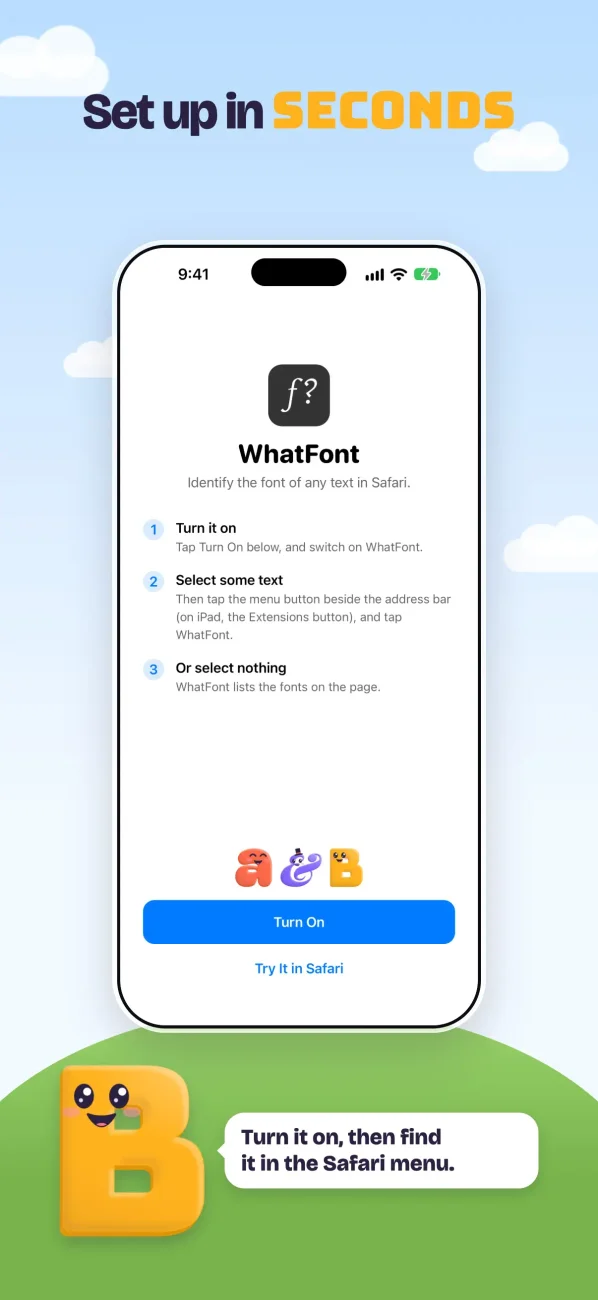
Open WhatFont and turn on the extension: tap Turn On, or on earlier versions of iOS, tap the menu button beside the address bar in Safari and choose Manage Extensions. Then select text, tap the same menu button (on iPad, the Extensions button), and choose WhatFont.
Designers and developers have used WhatFont to identify fonts on the web for more than a decade. Now it’s in Safari too.
Yenilikler
Sürüm 2.0.1 · 18.10.2026
Ready for iPhone Duo, a fresh look for the toolbar icon, and the font friends now show up properly in dark mode.
Uygulama gizliliği
Bu uygulamanın verileri nasıl işlediği hakkında Chengyin Liu tarafından App Store üzerinde yapılan beyan.
-
Veri toplanmıyor
Geliştirici bu uygulamadan hiçbir veri toplamıyor.
Gizlilik uygulamaları, örneğin kullandığınız özelliklere veya yaşınıza göre değişiklik gösterebilir.
Bilgiler
- Satıcı
- Chengyin Liu
- Kategori
- Grafik ve Tasarım
- Sürüm
- 2.0.1
- Güncellendi
- 18.10.2026
- Yayın tarihi
- 15.10.2014
- Boyut
- 5,7 MB
- Gereksinim
- iOS 17.0 veya sonrası
- Yaş sınırı
- 4+
- Fiyat
- Ücretsiz
- Diller
- İngilizce
- Telif hakkı
- © 2026 Chengyin Liu
Bunları da beğenebilirsiniz
-
 What The Font Is? FontSnap AIGrafik ve Tasarım
-
 Fonts NinjaGrafik ve Tasarım
-
 Font Finder: AI IdentifierGrafik ve Tasarım
-
 What Font for SafariWeb Fontlarını Keşfet
-
 Pocket PaletteGrafik ve Tasarım
-
 Vinilo CraftingGrafik ve Tasarım
-
 Adobe Capture: Ps, Ai AraçlarıPhotoshop, Illustrator Aracı
-
 AI Design Studio SpaceGrafik ve Tasarım
-
 Color Palettes - Find & CreateGrafik ve Tasarım
-
 Affinity by CanvaPro Tasarım, Fotoğraf ve Düzen