- Batasan usia4+
- KategoriGrafik & Desain
- PengembangChengyin Liu
- BahasaInggris
- Ukuran5,7 MB
Tertaut ke halaman resmi App Store
Download.org tidak menyimpan file WhatFont apa pun. Tombol ini membuka halaman aplikasi di App Store, tempat Chengyin Liu menerbitkannya. Halaman terakhir diperiksa pada 25/11/2026.
Tangkapan layar
Tentang
Pengembang belum menyediakan teks ini dalam bahasa Anda.
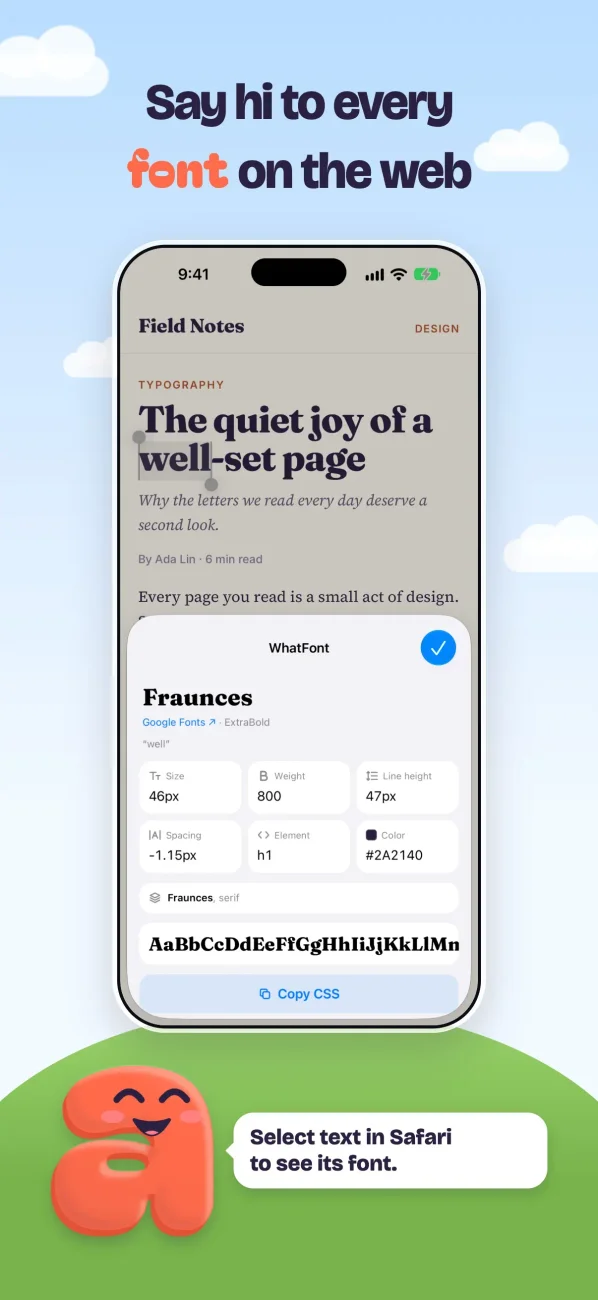
WhatFont is a quick way to identify fonts on web pages, and now it lives right inside Safari on iPhone and iPad.
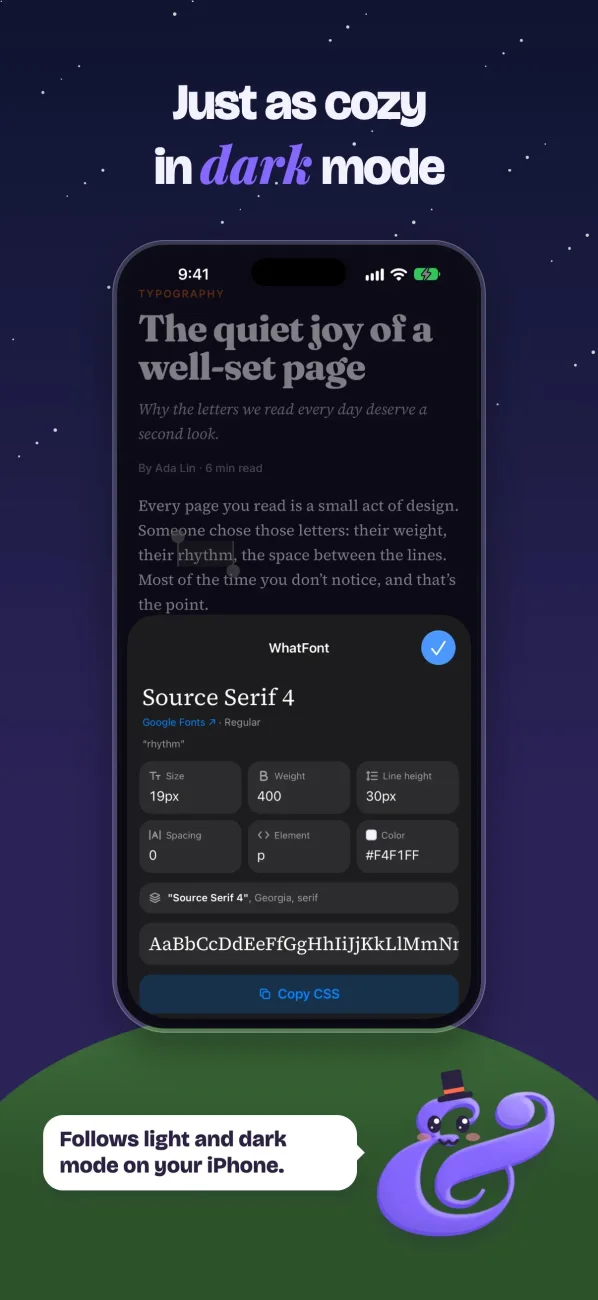
Select some text, tap WhatFont in the Safari menu, and a sheet slides up over the page with everything about its font:
• The font’s name, drawn in the font itself
• Where it comes from: Google Fonts, Adobe Fonts, a web font, or a font on your device
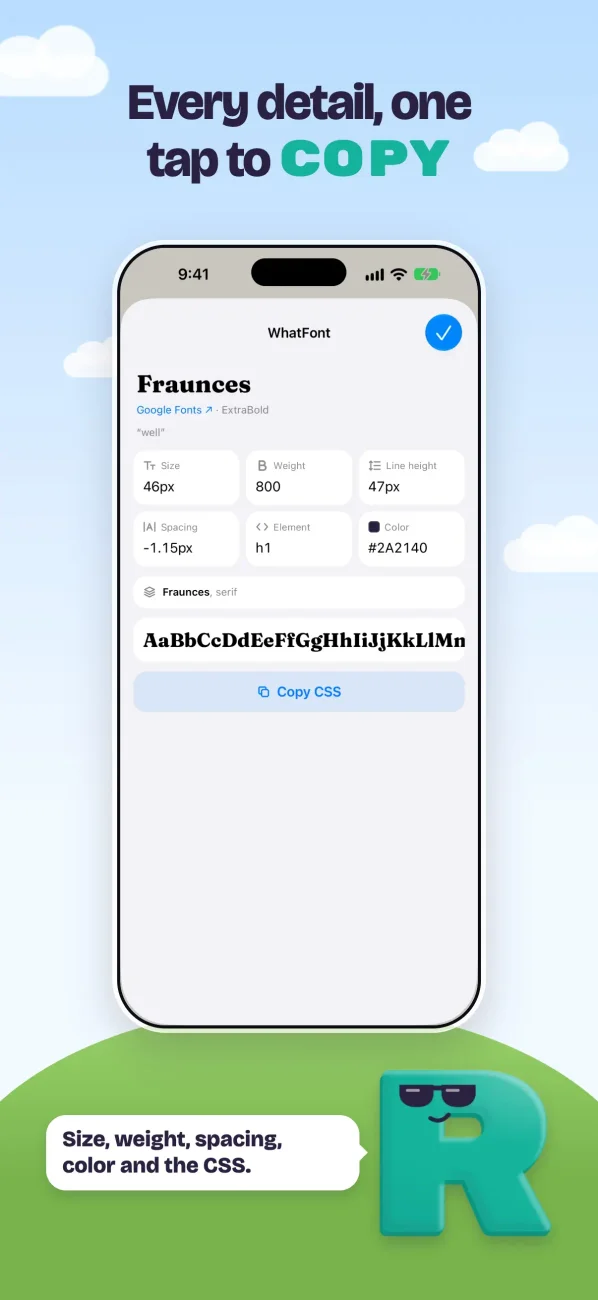
• Size, weight, line height and letter spacing
• The text color, in hex and other formats
• The font stack, with the font in use picked out
Tap any value to copy it, or copy all the CSS at once.
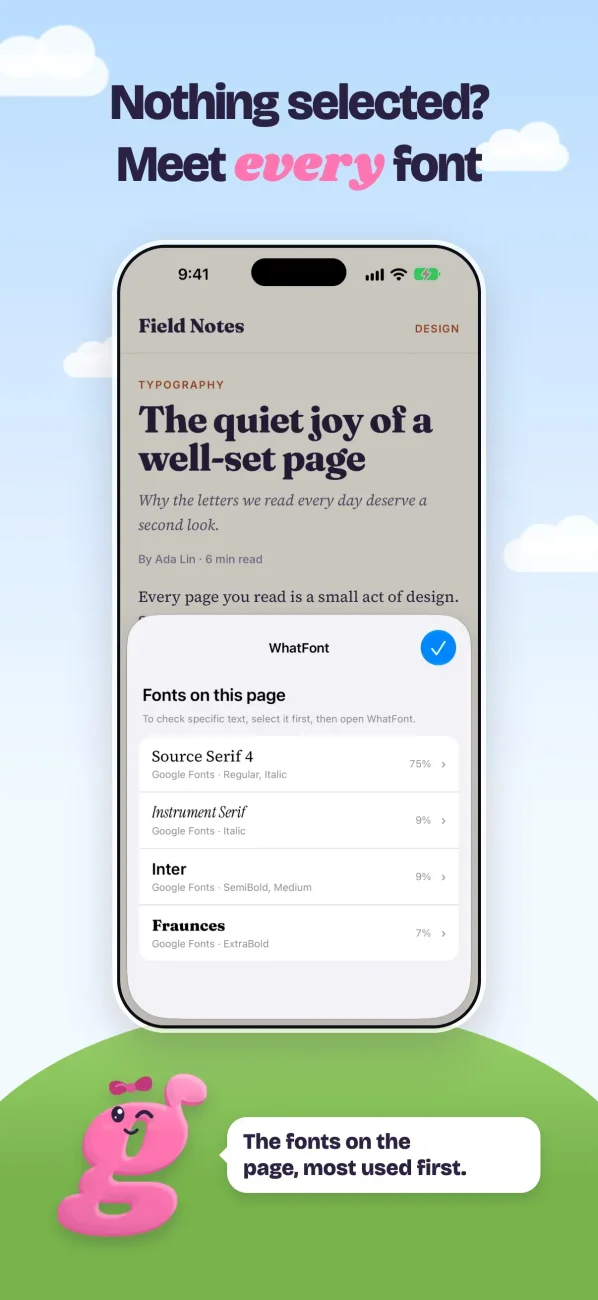
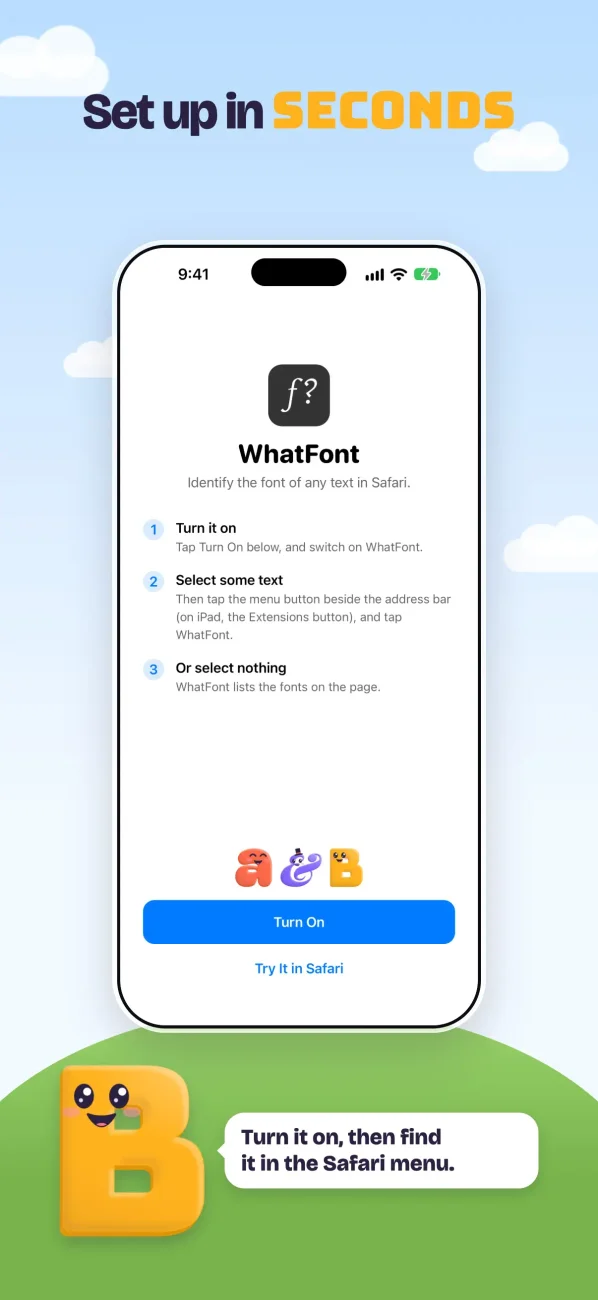
Nothing selected? WhatFont lists the fonts on the page, most used first. Tap one to see its details.
IN SAFARI
• A sheet on iPhone and a popover on iPad, so the page stays in view
• Follows light and dark mode
• Works in Private Browsing once you allow it
PRIVATE
WhatFont reads a page only when you open WhatFont on it. No accounts, no tracking, no ads, and it collects no data.
GETTING STARTED
Open WhatFont and turn on the extension: tap Turn On, or on earlier versions of iOS, tap the menu button beside the address bar in Safari and choose Manage Extensions. Then select text, tap the same menu button (on iPad, the Extensions button), and choose WhatFont.
Designers and developers have used WhatFont to identify fonts on the web for more than a decade. Now it’s in Safari too.
Yang baru
Versi 2.0.1 · 18/10/2026
Ready for iPhone Duo, a fresh look for the toolbar icon, and the font friends now show up properly in dark mode.
Privasi aplikasi
Yang dinyatakan Chengyin Liu di App Store tentang cara aplikasi ini menangani data.
-
Data tidak dikumpulkan
Pengembang tidak mengumpulkan data apa pun dari aplikasi ini.
Praktik privasi dapat bervariasi, misalnya berdasarkan fitur yang Anda gunakan atau usia Anda.
Informasi
- Penjual
- Chengyin Liu
- Kategori
- Grafik & Desain
- Versi
- 2.0.1
- Diperbarui
- 18/10/2026
- Dirilis
- 15/10/2014
- Ukuran
- 5,7 MB
- Memerlukan
- iOS 17.0 atau yang lebih baru
- Batasan usia
- 4+
- Harga
- Gratis
- Bahasa
- Inggris
- Hak cipta
- © 2026 Chengyin Liu
Mungkin Anda juga suka
-
 What The Font Is? FontSnap AIGrafik & Desain
-
 Fonts NinjaGrafik & Desain
-
 Font Finder: AI IdentifierGrafik & Desain
-
 What Font for SafariGrafik & Desain
-
 Pocket PaletteGrafik & Desain
-
 Vinilo CraftingGrafik & Desain
-
 Adobe Capture: Illustrator, PsGrafik & Desain
-
 AI Design Studio SpaceGrafik & Desain
-
 Color Palettes - Find & CreateGrafik & Desain
-
 Affinity by CanvaDesain, Foto & Tata Letak Pro