- Độ tuổi4+
- Danh mụcĐồ Họa & Thiết Kế
- Nhà phát triểnChengyin Liu
- Ngôn ngữTiếng Anh
- Kích thước5,7 MB
Liên kết đến trang App Store chính thức
Download.org không lưu trữ tệp nào của WhatFont. Nút này mở trang ứng dụng trên App Store, nơi Chengyin Liu phát hành ứng dụng. Trang được kiểm tra lần cuối: 25/11/2026.
Ảnh chụp màn hình
Giới thiệu
Nhà phát triển chưa cung cấp nội dung này bằng ngôn ngữ của bạn.
WhatFont is a quick way to identify fonts on web pages, and now it lives right inside Safari on iPhone and iPad.
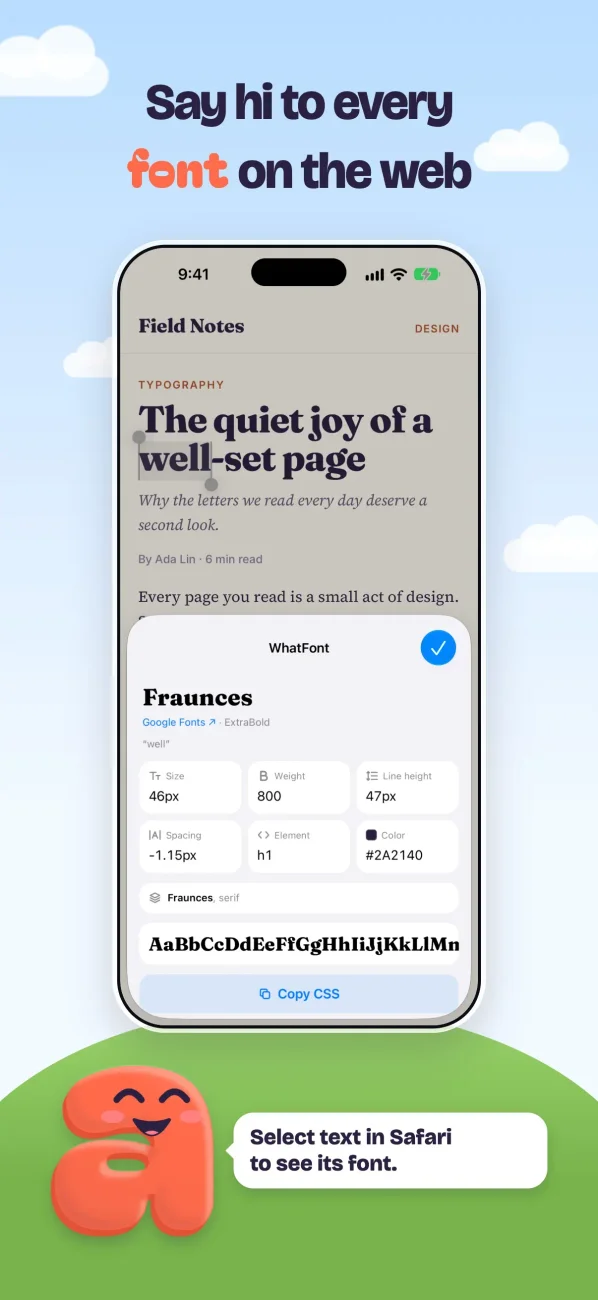
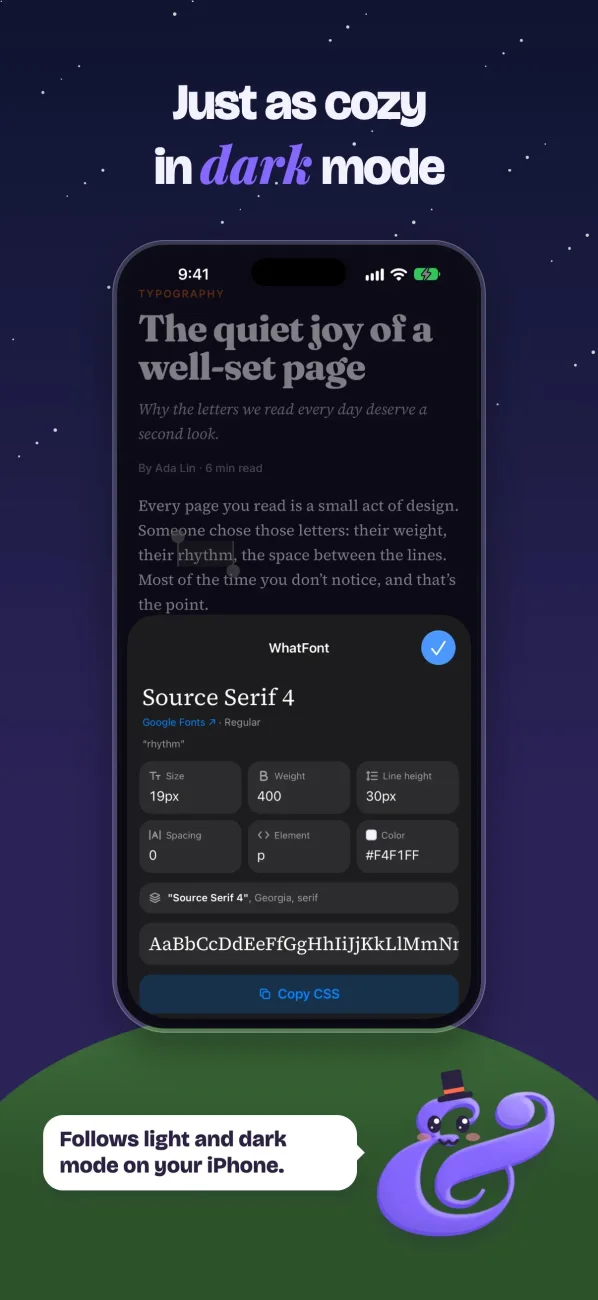
Select some text, tap WhatFont in the Safari menu, and a sheet slides up over the page with everything about its font:
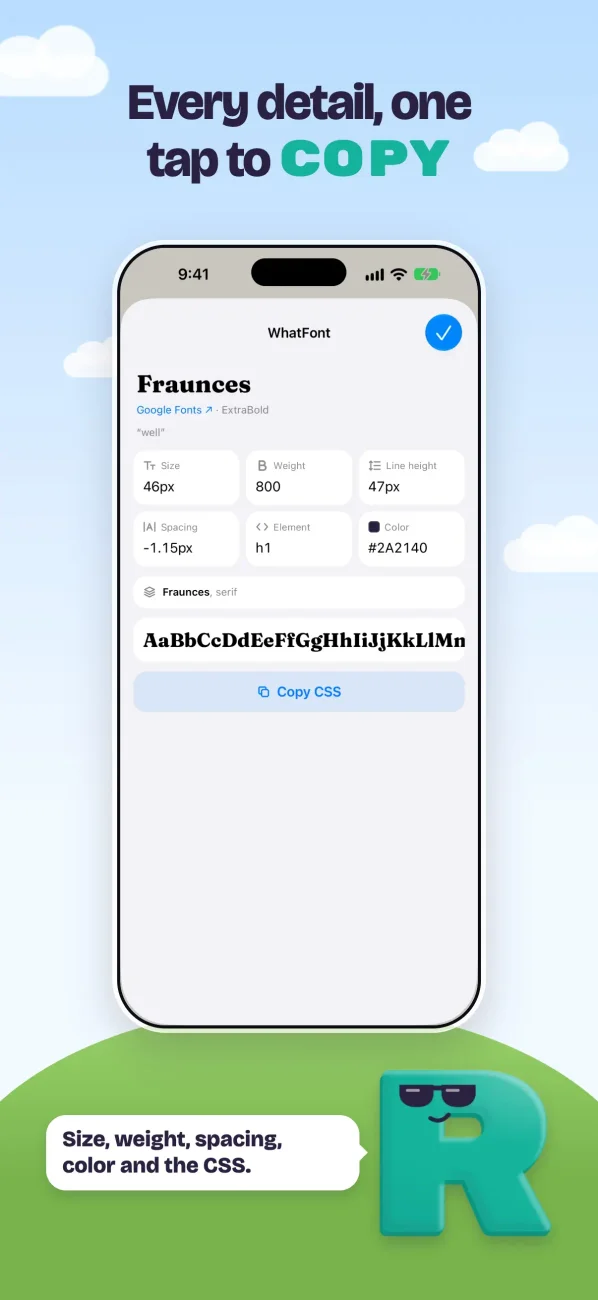
• The font’s name, drawn in the font itself
• Where it comes from: Google Fonts, Adobe Fonts, a web font, or a font on your device
• Size, weight, line height and letter spacing
• The text color, in hex and other formats
• The font stack, with the font in use picked out
Tap any value to copy it, or copy all the CSS at once.
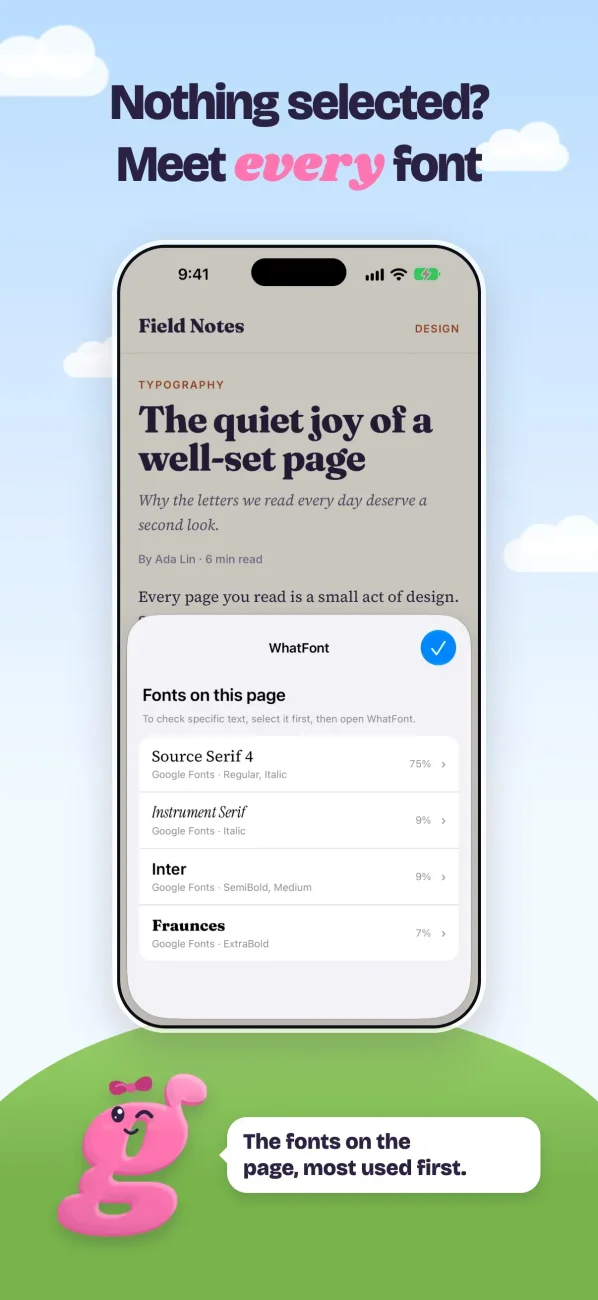
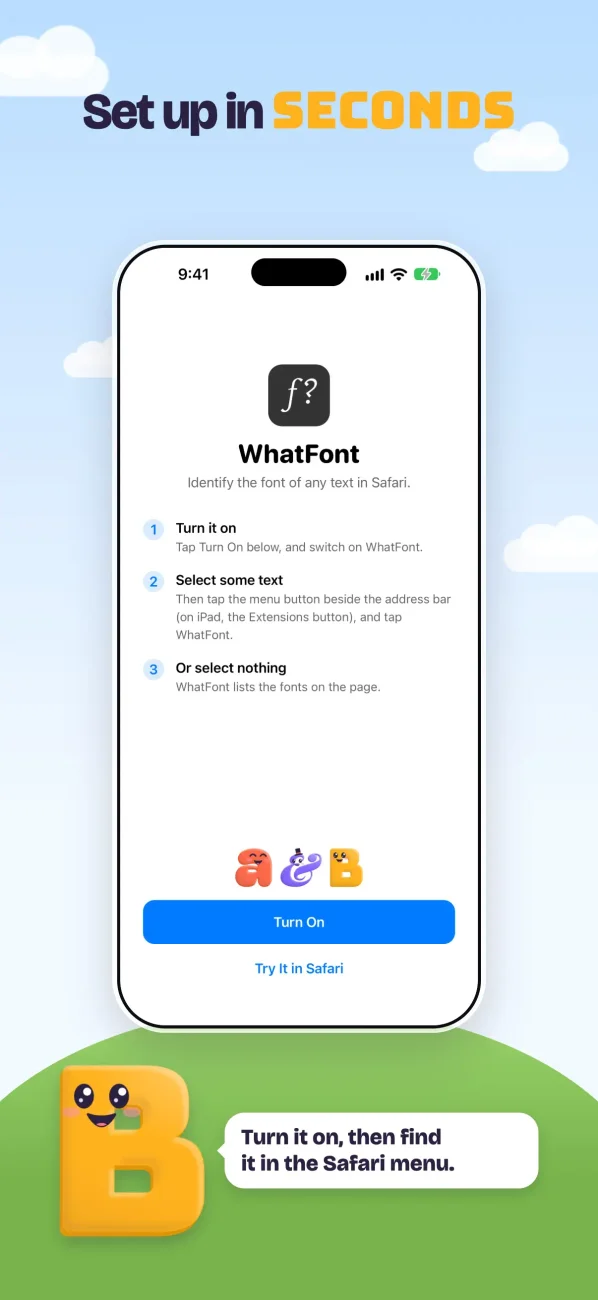
Nothing selected? WhatFont lists the fonts on the page, most used first. Tap one to see its details.
IN SAFARI
• A sheet on iPhone and a popover on iPad, so the page stays in view
• Follows light and dark mode
• Works in Private Browsing once you allow it
PRIVATE
WhatFont reads a page only when you open WhatFont on it. No accounts, no tracking, no ads, and it collects no data.
GETTING STARTED
Open WhatFont and turn on the extension: tap Turn On, or on earlier versions of iOS, tap the menu button beside the address bar in Safari and choose Manage Extensions. Then select text, tap the same menu button (on iPad, the Extensions button), and choose WhatFont.
Designers and developers have used WhatFont to identify fonts on the web for more than a decade. Now it’s in Safari too.
Có gì mới
Phiên bản 2.0.1 · 18/10/2026
Ready for iPhone Duo, a fresh look for the toolbar icon, and the font friends now show up properly in dark mode.
Quyền riêng tư của ứng dụng
Những gì Chengyin Liu khai báo trên App Store về cách ứng dụng này xử lý dữ liệu.
-
Dữ liệu không được thu thập
Nhà phát triển không thu thập bất kỳ dữ liệu nào từ ứng dụng này.
Phương thức đảm bảo quyền riêng tư có thể khác nhau, chẳng hạn như tuỳ theo các tính năng bạn sử dụng hoặc độ tuổi của bạn.
Thông tin
- Người bán
- Chengyin Liu
- Danh mục
- Đồ Họa & Thiết Kế
- Phiên bản
- 2.0.1
- Cập nhật
- 18/10/2026
- Phát hành
- 15/10/2014
- Kích thước
- 5,7 MB
- Yêu cầu
- iOS 17.0 trở lên
- Độ tuổi
- 4+
- Giá
- Miễn phí
- Ngôn ngữ
- Tiếng Anh
- Bản quyền
- © 2026 Chengyin Liu
Có thể bạn cũng thích
-
 What The Font Is? FontSnap AIĐồ Họa & Thiết Kế
-
 Fonts NinjaĐồ Họa & Thiết Kế
-
 Font Finder: AI IdentifierĐồ Họa & Thiết Kế
-
 What Font for SafariKhám phá Phông chữ Web
-
 Pocket PaletteĐồ Họa & Thiết Kế
-
 Vinilo CraftingĐồ Họa & Thiết Kế
-
 Adobe Capture: Illustrator, PsĐồ Họa & Thiết Kế
-
 AI Design Studio SpaceĐồ Họa & Thiết Kế
-
 Color Palettes - Find & CreateĐồ Họa & Thiết Kế
-
 Affinity by CanvaĐồ Họa & Thiết Kế