Calphace
Watch face with calendar photo
Diseñada para iPhone
Gratis · Compras en la aplicación
- Clasificación por edad4+
- CategoríaUtilidades
- DesarrolladorAkihiro Usui
- IdiomasInglés+ 1 más
- Tamaño7,4 MB
Enlaza a la página oficial de App Store
Download.org no aloja ningún archivo de Calphace. El botón abre la página de la aplicación en App Store, donde la publica Akihiro Usui. Ficha comprobada por última vez el 12/11/2026.
Capturas de pantalla
Acerca de
El desarrollador no ha proporcionado este texto en tu idioma.
Calendar + Photo + Face = Calphace!
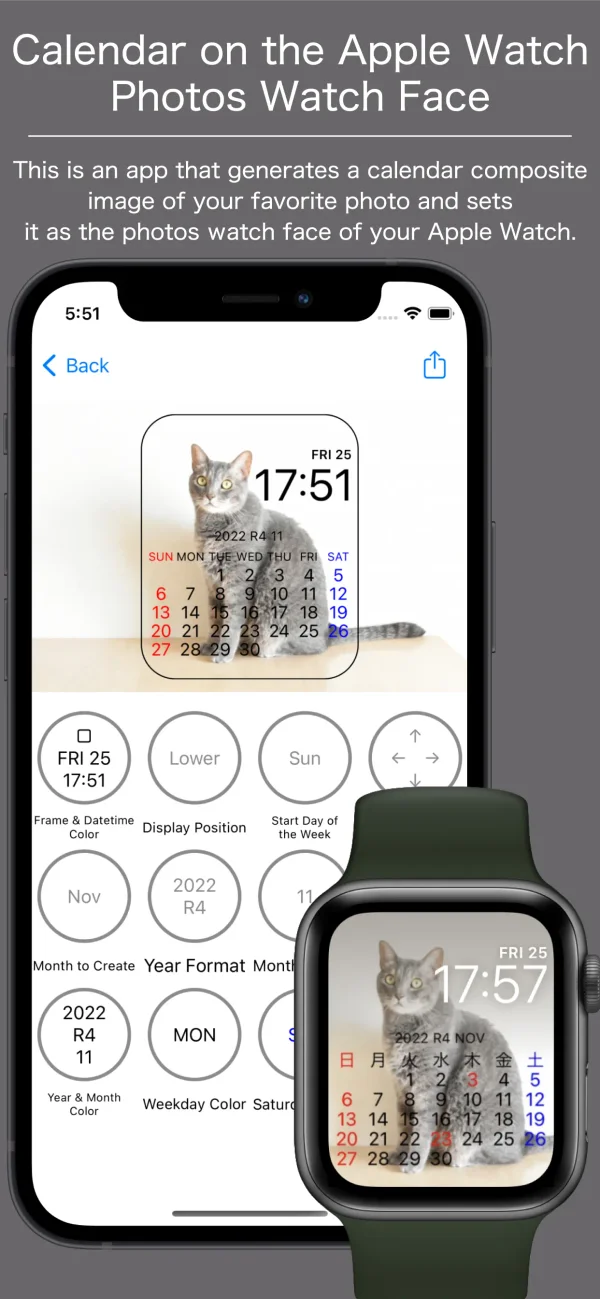
Calphace is an application that generates a composite image of a calendar on a photo of your choice and sets it on the photos watch face of your Apple Watch.
There are times when you just want to easily check your calendar on your Apple Watch!
Some calendar apps allow you to check your calendar, but it takes several taps.
In such cases, if you set the image generated by Calphace as a photos watch face, you can check the calendar just by lifting your wrist.
*Calphace does not display a calendar with complications, but only generates a composite image of a calendar,
so it is not possible to check the schedule, etc. entered with the iPhone calendar application. Please understand.
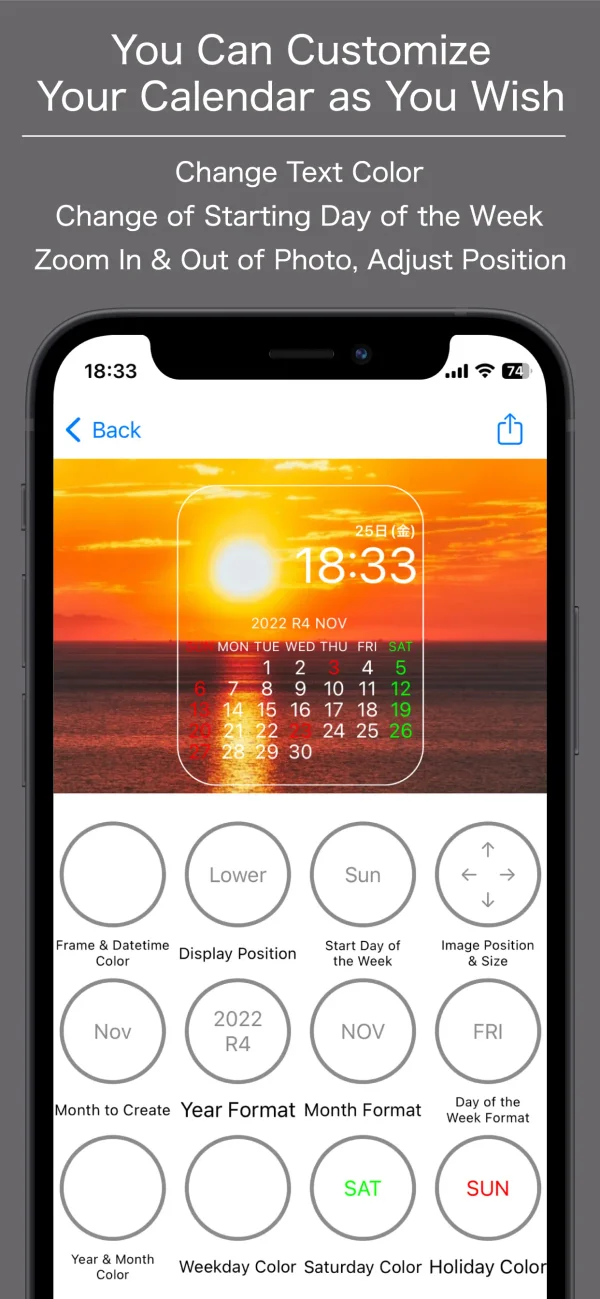
・You can adjust the position and size of the image while checking it in the preview.
・You can select the calendar to be created from the current month and the following month.
・The color of each calendar letter (year, month, weekday, Saturday, and holiday) can be freely selected.
・You can select the starting day of the month or day of the week for the calendar.
・The year display format can be selected, such as 2021, Reiwa 3, etc.
・Month display format can be selected, such as September, SEP, etc.
・Select the display format for the day of the week, such as Mon, MON, etc.
・Japanese national holidays are supported.
・URL scheme support (calphace://)
*Starting with watchOS 11, you can adjust the position of the watch using the following steps. If it overlaps with the calendar, please adjust it accordingly.
・Open the Watch app on your iPhone.
・Select the photo watch face you want to adjust from "My Watch" and "My Faces".
・Tap the "n photos" button next to "Select Photos" under "Content".
・Tap the photo you want to adjust and adjust the layout.
・Tap "Save" in the top-right corner.
Novedades
Versión 1.57.1 · 9/11/2026
Updated SDKs.
Privacidad de la aplicación
Lo que Akihiro Usui declara en App Store sobre cómo esta aplicación gestiona los datos.
-
Datos usados para rastrearte
Pueden usarse para rastrearte en aplicaciones y sitios web propiedad de otras empresas.
- Ubicación
- Identificadores
- Datos de uso
- Diagnóstico
-
Datos vinculados a ti
Pueden recopilarse y vincularse a tu identidad.
- Ubicación
- Identificadores
- Datos de uso
- Diagnóstico
-
Datos no vinculados a ti
Pueden recopilarse, pero no se vinculan a tu identidad.
- Diagnóstico
Las prácticas de privacidad pueden variar, por ejemplo, según las funciones que uses o tu edad.
Información
- Vendedor
- Akihiro Usui
- Categoría
- Utilidades
- Versión
- 1.57.1
- Actualizado
- 9/11/2026
- Publicado
- 25/9/2021
- Tamaño
- 7,4 MB
- Requiere
- iOS 17.0 o posterior
- Clasificación por edad
- 4+
- Precio
- Gratis
- Compras en la aplicación
- Sí
- Idiomas
- Inglés, Japonés
- Copyright
- © 2021 Akihiro Usui