Calphace
Watch face with calendar photo
Dirancang untuk iPhone
Gratis · Pembelian dalam aplikasi
- Batasan usia4+
- KategoriKegunaan
- PengembangAkihiro Usui
- BahasaInggris+ 1 lainnya
- Ukuran7,4 MB
Tertaut ke halaman resmi App Store
Download.org tidak menyimpan file Calphace apa pun. Tombol ini membuka halaman aplikasi di App Store, tempat Akihiro Usui menerbitkannya. Halaman terakhir diperiksa pada 12/11/2026.
Tangkapan layar
Tentang
Pengembang belum menyediakan teks ini dalam bahasa Anda.
Calendar + Photo + Face = Calphace!
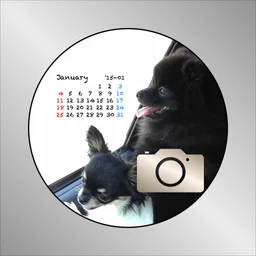
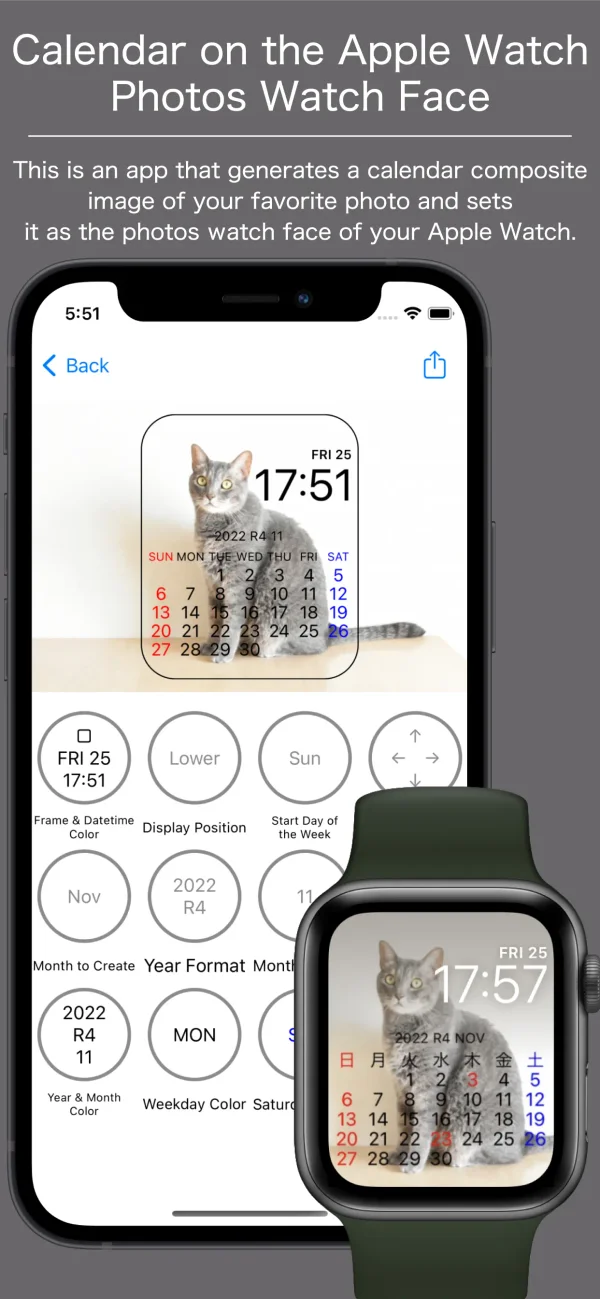
Calphace is an application that generates a composite image of a calendar on a photo of your choice and sets it on the photos watch face of your Apple Watch.
There are times when you just want to easily check your calendar on your Apple Watch!
Some calendar apps allow you to check your calendar, but it takes several taps.
In such cases, if you set the image generated by Calphace as a photos watch face, you can check the calendar just by lifting your wrist.
*Calphace does not display a calendar with complications, but only generates a composite image of a calendar,
so it is not possible to check the schedule, etc. entered with the iPhone calendar application. Please understand.
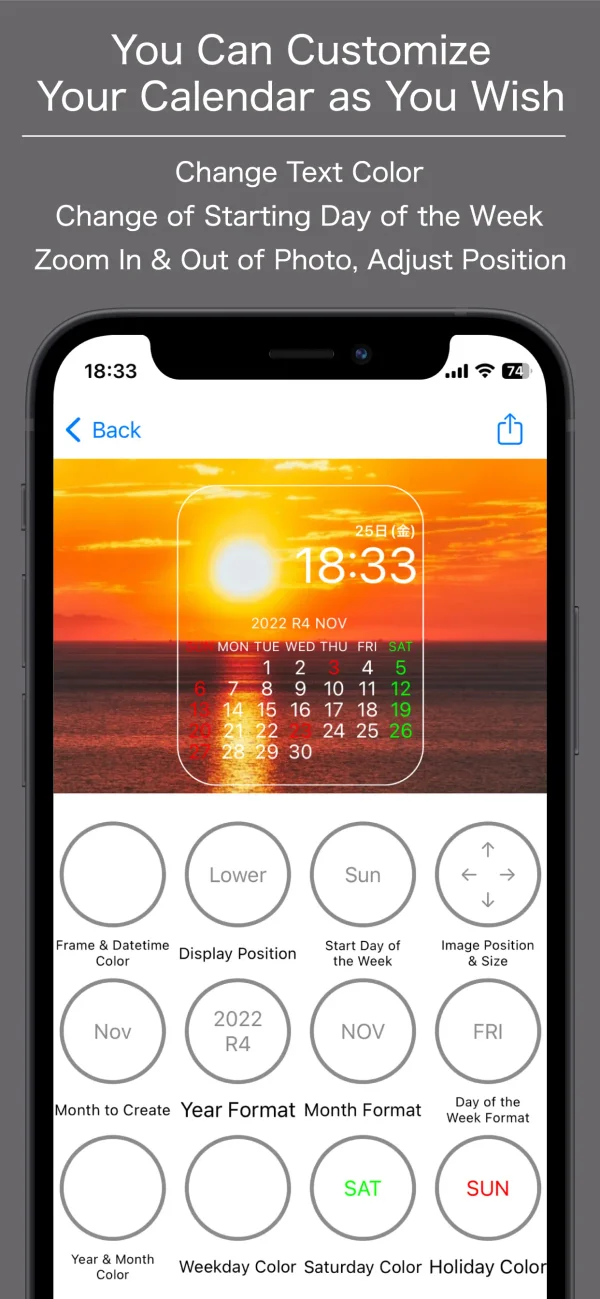
・You can adjust the position and size of the image while checking it in the preview.
・You can select the calendar to be created from the current month and the following month.
・The color of each calendar letter (year, month, weekday, Saturday, and holiday) can be freely selected.
・You can select the starting day of the month or day of the week for the calendar.
・The year display format can be selected, such as 2021, Reiwa 3, etc.
・Month display format can be selected, such as September, SEP, etc.
・Select the display format for the day of the week, such as Mon, MON, etc.
・Japanese national holidays are supported.
・URL scheme support (calphace://)
*Starting with watchOS 11, you can adjust the position of the watch using the following steps. If it overlaps with the calendar, please adjust it accordingly.
・Open the Watch app on your iPhone.
・Select the photo watch face you want to adjust from "My Watch" and "My Faces".
・Tap the "n photos" button next to "Select Photos" under "Content".
・Tap the photo you want to adjust and adjust the layout.
・Tap "Save" in the top-right corner.
Yang baru
Versi 1.57.1 · 9/11/2026
Updated SDKs.
Privasi aplikasi
Yang dinyatakan Akihiro Usui di App Store tentang cara aplikasi ini menangani data.
-
Data yang digunakan untuk melacak Anda
Dapat digunakan untuk melacak Anda di aplikasi dan situs web milik perusahaan lain.
- Lokasi
- Pengenal
- Data penggunaan
- Diagnostik
-
Data yang ditautkan dengan Anda
Dapat dikumpulkan dan ditautkan dengan identitas Anda.
- Lokasi
- Pengenal
- Data penggunaan
- Diagnostik
-
Data yang tidak ditautkan dengan Anda
Dapat dikumpulkan, tetapi tidak ditautkan dengan identitas Anda.
- Diagnostik
Praktik privasi dapat bervariasi, misalnya berdasarkan fitur yang Anda gunakan atau usia Anda.
Informasi
- Penjual
- Akihiro Usui
- Kategori
- Kegunaan
- Versi
- 1.57.1
- Diperbarui
- 9/11/2026
- Dirilis
- 25/9/2021
- Ukuran
- 7,4 MB
- Memerlukan
- iOS 17.0 atau yang lebih baru
- Batasan usia
- 4+
- Harga
- Gratis
- Pembelian dalam aplikasi
- Ya
- Bahasa
- Inggris, Jepang
- Hak cipta
- © 2021 Akihiro Usui