Calphace
Watch face with calendar photo
Conçue pour iPhone
Gratuit · Achats intégrés
- Classification d’âge4+
- CatégorieUtilitaires
- DéveloppeurAkihiro Usui
- LanguesAnglais+ 1 de plus
- Taille7,4 Mo
Renvoie vers la page App Store officielle
Download.org n’héberge aucun fichier de Calphace. Le bouton ouvre la page de l’application sur App Store, où Akihiro Usui la publie. Fiche vérifiée pour la dernière fois le 12/11/2026.
Captures d’écran
À propos
Le développeur n’a pas fourni ce texte dans votre langue.
Calendar + Photo + Face = Calphace!
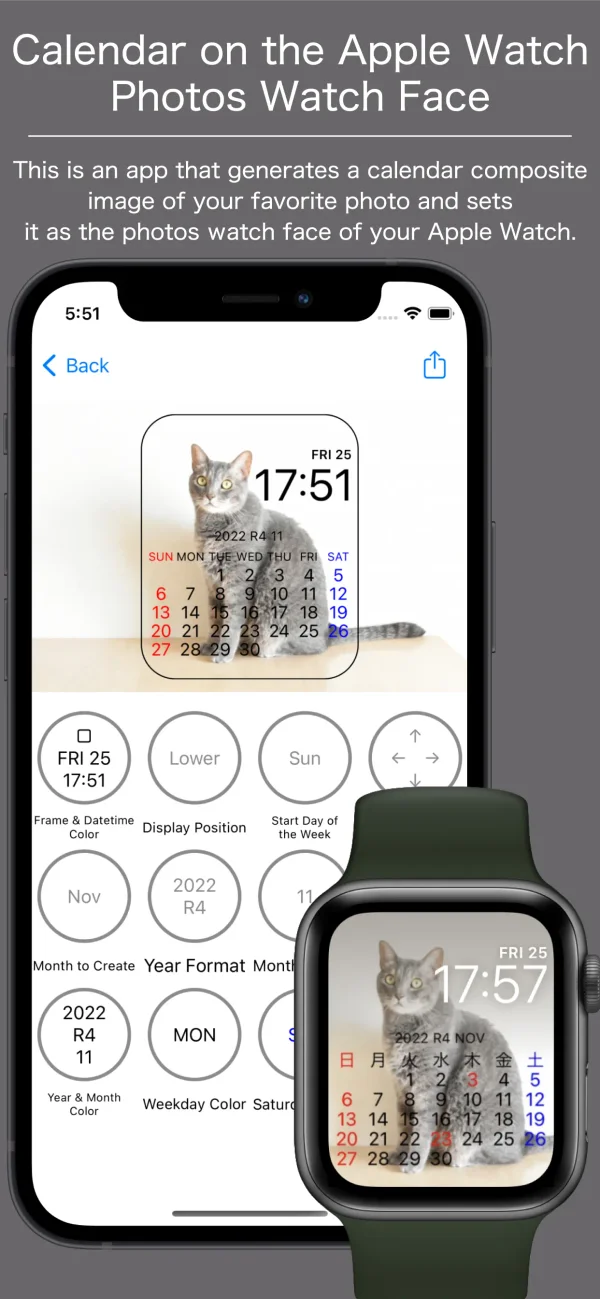
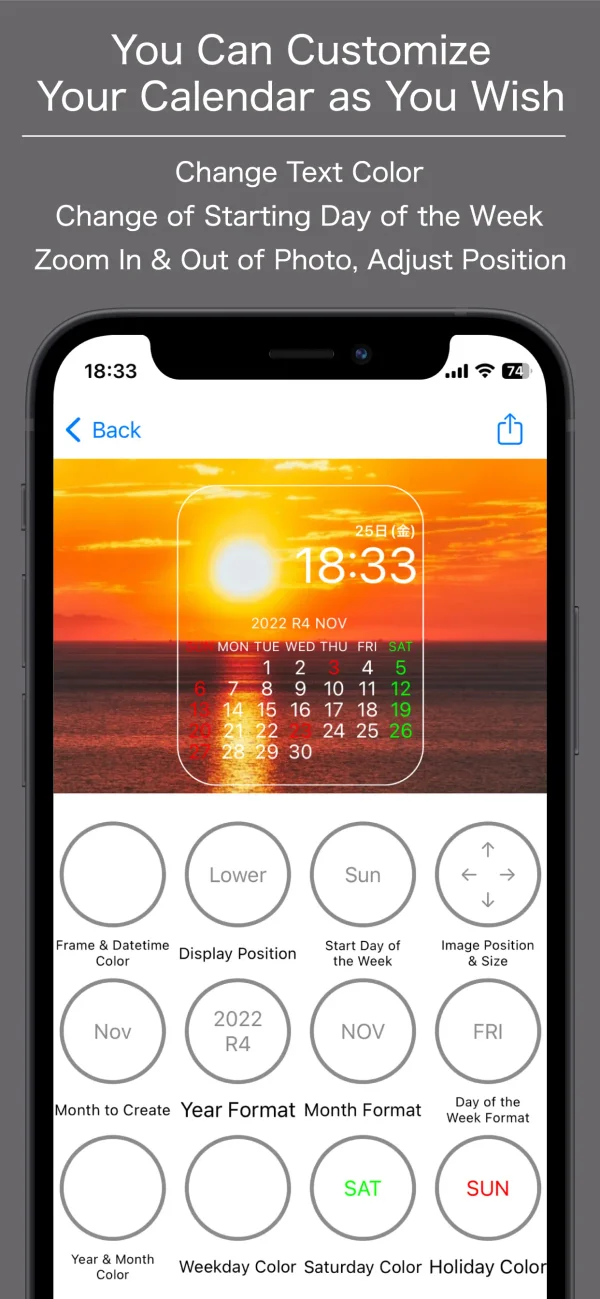
Calphace is an application that generates a composite image of a calendar on a photo of your choice and sets it on the photos watch face of your Apple Watch.
There are times when you just want to easily check your calendar on your Apple Watch!
Some calendar apps allow you to check your calendar, but it takes several taps.
In such cases, if you set the image generated by Calphace as a photos watch face, you can check the calendar just by lifting your wrist.
*Calphace does not display a calendar with complications, but only generates a composite image of a calendar,
so it is not possible to check the schedule, etc. entered with the iPhone calendar application. Please understand.
・You can adjust the position and size of the image while checking it in the preview.
・You can select the calendar to be created from the current month and the following month.
・The color of each calendar letter (year, month, weekday, Saturday, and holiday) can be freely selected.
・You can select the starting day of the month or day of the week for the calendar.
・The year display format can be selected, such as 2021, Reiwa 3, etc.
・Month display format can be selected, such as September, SEP, etc.
・Select the display format for the day of the week, such as Mon, MON, etc.
・Japanese national holidays are supported.
・URL scheme support (calphace://)
*Starting with watchOS 11, you can adjust the position of the watch using the following steps. If it overlaps with the calendar, please adjust it accordingly.
・Open the Watch app on your iPhone.
・Select the photo watch face you want to adjust from "My Watch" and "My Faces".
・Tap the "n photos" button next to "Select Photos" under "Content".
・Tap the photo you want to adjust and adjust the layout.
・Tap "Save" in the top-right corner.
Nouveautés
Version 1.57.1 · 09/11/2026
Updated SDKs.
Confidentialité de l’application
Ce que Akihiro Usui déclare sur l’App Store au sujet du traitement des données par cette application.
-
Données utilisées pour vous suivre
Peuvent être utilisées pour vous suivre sur des applications et des sites web appartenant à d’autres sociétés.
- Emplacement
- Identifiants
- Données d’utilisation
- Diagnostic
-
Données établissant un lien avec vous
Peuvent être collectées et liées à votre identité.
- Emplacement
- Identifiants
- Données d’utilisation
- Diagnostic
-
Données n’établissant aucun lien avec vous
Peuvent être collectées, mais ne sont pas liées à votre identité.
- Diagnostic
Les pratiques en matière de confidentialité peuvent varier, notamment en fonction des fonctionnalités que vous utilisez ou de votre âge.
Informations
- Vendeur
- Akihiro Usui
- Catégorie
- Utilitaires
- Version
- 1.57.1
- Mis à jour
- 09/11/2026
- Publié
- 25/09/2021
- Taille
- 7,4 Mo
- Nécessite
- iOS 17.0 ou version ultérieure
- Classification d’âge
- 4+
- Prix
- Gratuit
- Achats intégrés
- Oui
- Langues
- Anglais, Japonais
- Copyright
- © 2021 Akihiro Usui