
- Clasificación por edad4+
- CategoríaUtilidades
- DesarrolladorDropDollar, LLC
- IdiomasInglés
- Tamaño8,8 MB
Enlaza a la página oficial de App Store
Download.org no aloja ningún archivo de MouseMe. El botón abre la página de la aplicación en App Store, donde la publica DropDollar, LLC. Ficha comprobada por última vez el 14/11/2026.
Capturas de pantalla




Acerca de
El desarrollador no ha proporcionado este texto en tu idioma.
MouseMe turns your iPhone or iPad into a wireless trackpad, keyboard, media remote, and TV controller for your Mac — over your local Wi‑Fi. No subscription, no account, and no data sent to our servers.
GET STARTED
1. Install MouseMe on your Mac and iPhone (same app on both).
2. On your Mac, open MouseMe and turn on Receiving. Grant Accessibility when macOS asks — this lets MouseMe move the cursor and type.
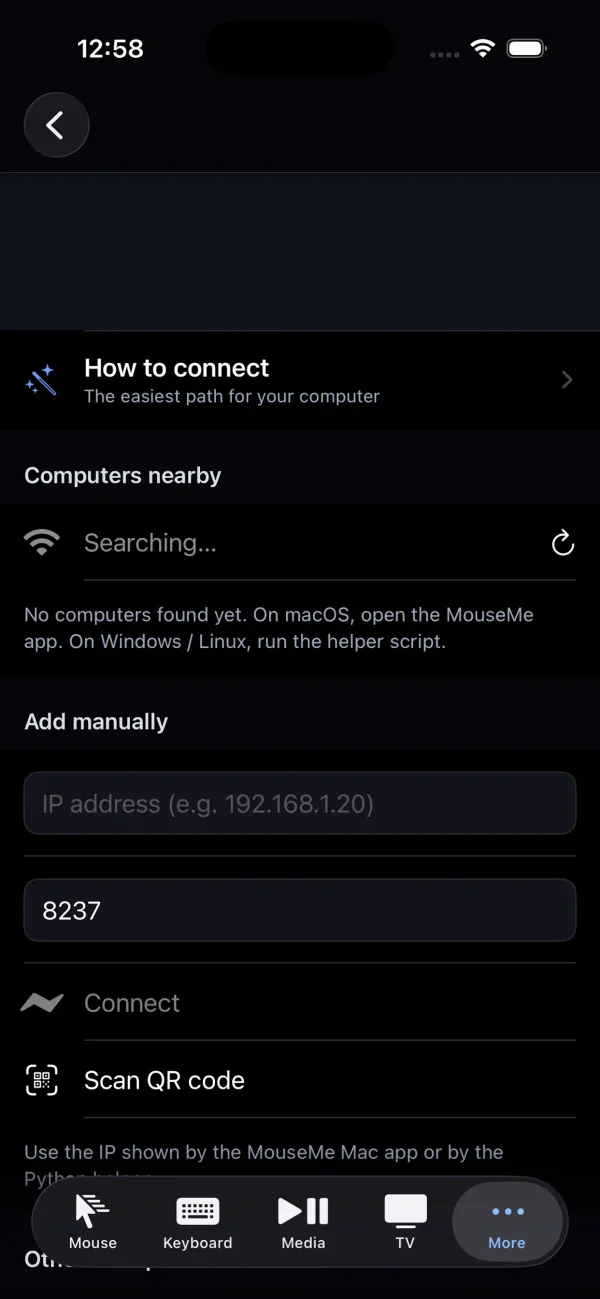
3. On your iPhone, open Connect and tap your Mac under Computers nearby.
4. Use the Mouse tab to move and click, or switch to Keyboard, Media, or TV.
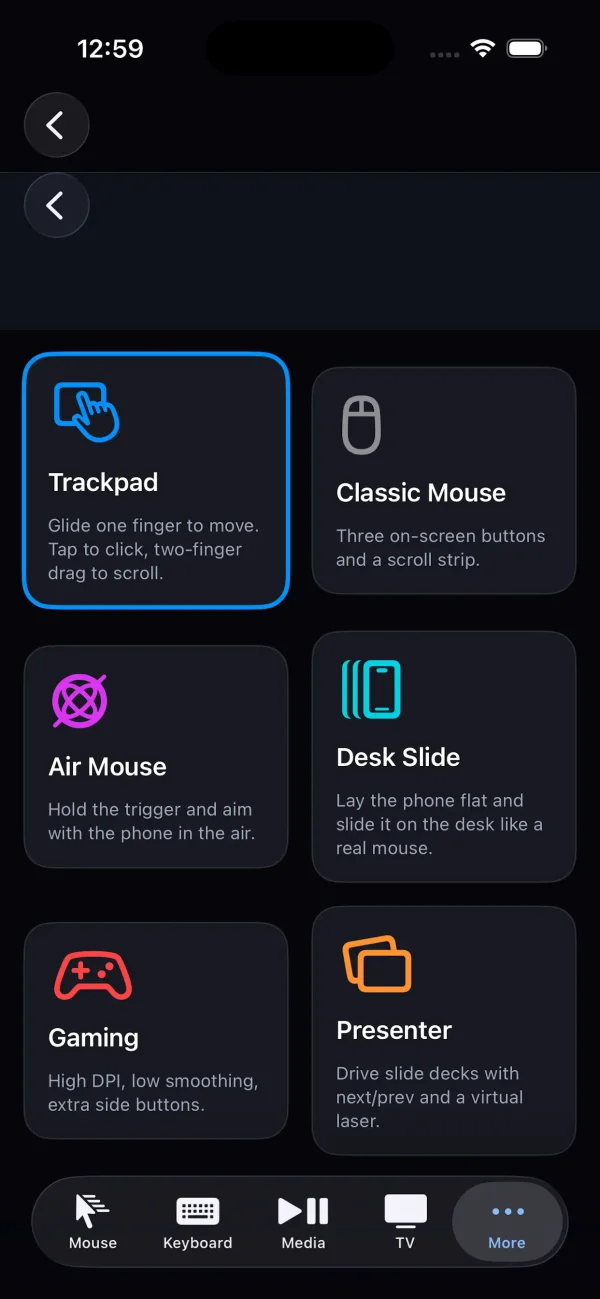
MOUSE MODES
• Trackpad — glide to move, tap to click, two-finger scroll
• Classic Mouse — left, right, and middle buttons plus scroll
• Air Mouse — aim with your phone in the air
• Desk Slide — lay the phone flat and slide it on your desk
• Gaming — high sensitivity with extra buttons
• Presenter — next/previous slide controls and pointing
KEYBOARD & MEDIA
• Full keyboard with modifier keys sent to your Mac
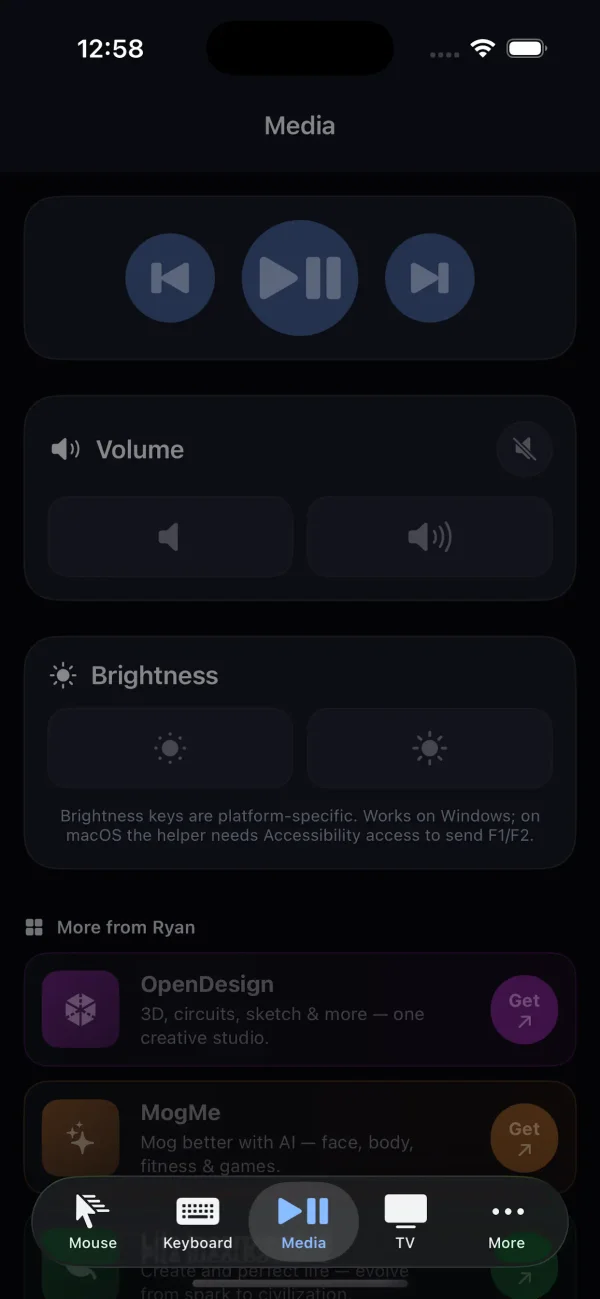
• Media controls for volume, brightness, and playback
TV REMOTE
• Control a Roku TV on your network through your Mac
• Multiple layouts including Universal, Apple TV, Roku, and Simple
• Find TVs automatically on your Wi‑Fi
CONNECTION
• Automatic discovery on the same Wi‑Fi (Bonjour)
• Manual IP entry and QR code pairing
• Optional Bluetooth when Wi‑Fi is unavailable
PRIVACY
All input stays on your local network between your phone and Mac. MouseMe does not collect or sell your data.
REQUIREMENTS
• iPhone or iPad with iOS/iPadOS 26.2 or later
• Mac with macOS 26.2 or later on the same Wi‑Fi network
• Local Network permission on iPhone (for discovery)
• Accessibility permission on Mac (to control cursor and keyboard)
Perfect for your desk, the couch, or presentations — your phone becomes a portable mouse and keyboard for the Mac you already own.
Privacidad de la aplicación
Lo que DropDollar, LLC declara en App Store sobre cómo esta aplicación gestiona los datos.
-
No se recopilan datos
El desarrollador no recopila ningún dato de esta aplicación.
Las prácticas de privacidad pueden variar, por ejemplo, según las funciones que uses o tu edad.
Información
- Vendedor
- DropDollar, LLC
- Categoría
- Utilidades
- Versión
- 1.0
- Actualizado
- 1/7/2026
- Publicado
- 1/7/2026
- Tamaño
- 8,8 MB
- Requiere
- iOS 26.2 o posterior
- Clasificación por edad
- 4+
- Precio
- Gratis
- Idiomas
- Inglés
- Copyright
- © DropDollar, LLC
Quizá también te guste
-
 PhoneMouse – Wireless MouseUtilidades
-
 Laser MouseUtilidades
-
 Bluetooth MouseUtilidades
-
 Phone Mouse・Remote・KeyboardUtilidades
-
 Mobile Mouse USB RemoteUtilidades
-
 Mouse LinkUtilidades
-
 AirBoard ProTeclado y panel táctil
-
 BT Remote: Keyboard & TrackpadUtilidades
-
 MultiLink: Teclado remotoTurn Tablet into a Trackpad
-
 Mobile Mouse Bluetooth RemoteUtilidades