
MouseMe
Use your I phone as a mouse!
Được thiết kế cho iPhone, iPad, Mac
Miễn phí
- Độ tuổi4+
- Danh mụcTiện Ích
- Nhà phát triểnDropDollar, LLC
- Ngôn ngữTiếng Anh
- Kích thước8,8 MB
Liên kết đến trang App Store chính thức
Download.org không lưu trữ tệp nào của MouseMe. Nút này mở trang ứng dụng trên App Store, nơi DropDollar, LLC phát hành ứng dụng. Trang được kiểm tra lần cuối: 14/11/2026.
Ảnh chụp màn hình




Giới thiệu
Nhà phát triển chưa cung cấp nội dung này bằng ngôn ngữ của bạn.
MouseMe turns your iPhone or iPad into a wireless trackpad, keyboard, media remote, and TV controller for your Mac — over your local Wi‑Fi. No subscription, no account, and no data sent to our servers.
GET STARTED
1. Install MouseMe on your Mac and iPhone (same app on both).
2. On your Mac, open MouseMe and turn on Receiving. Grant Accessibility when macOS asks — this lets MouseMe move the cursor and type.
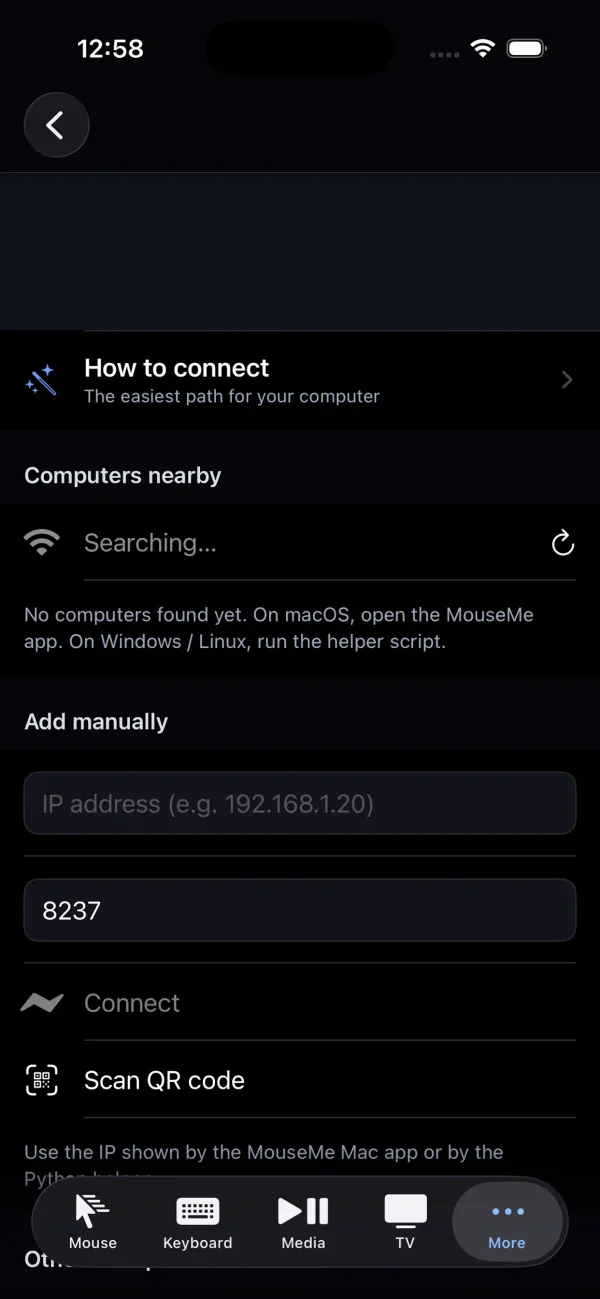
3. On your iPhone, open Connect and tap your Mac under Computers nearby.
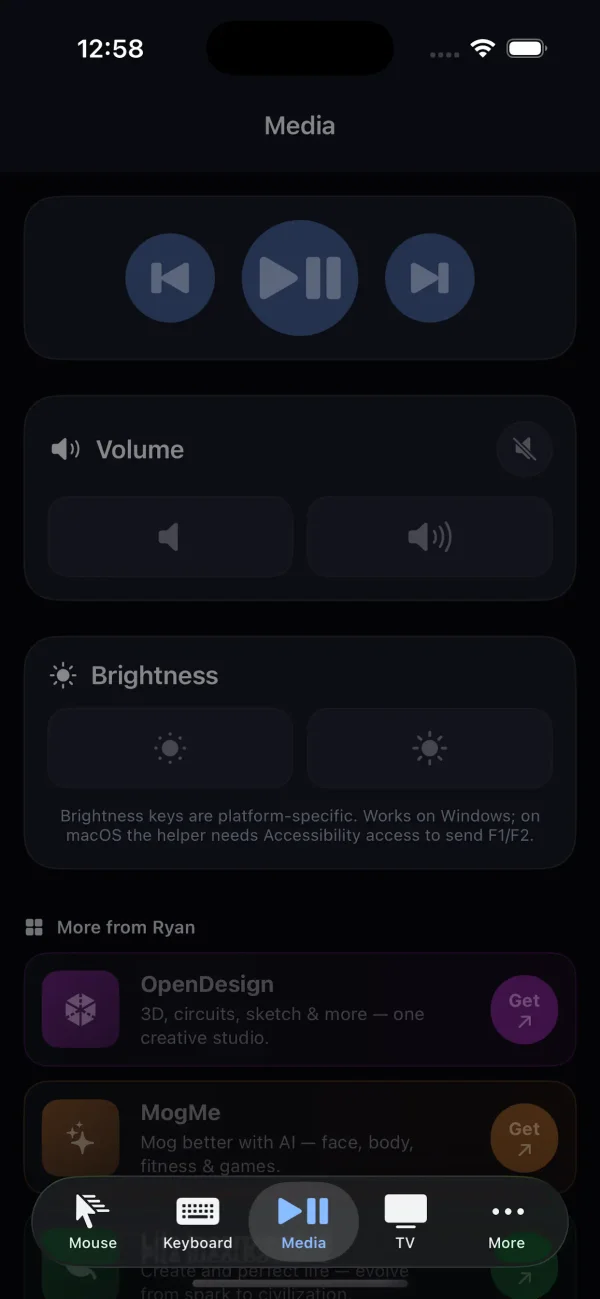
4. Use the Mouse tab to move and click, or switch to Keyboard, Media, or TV.
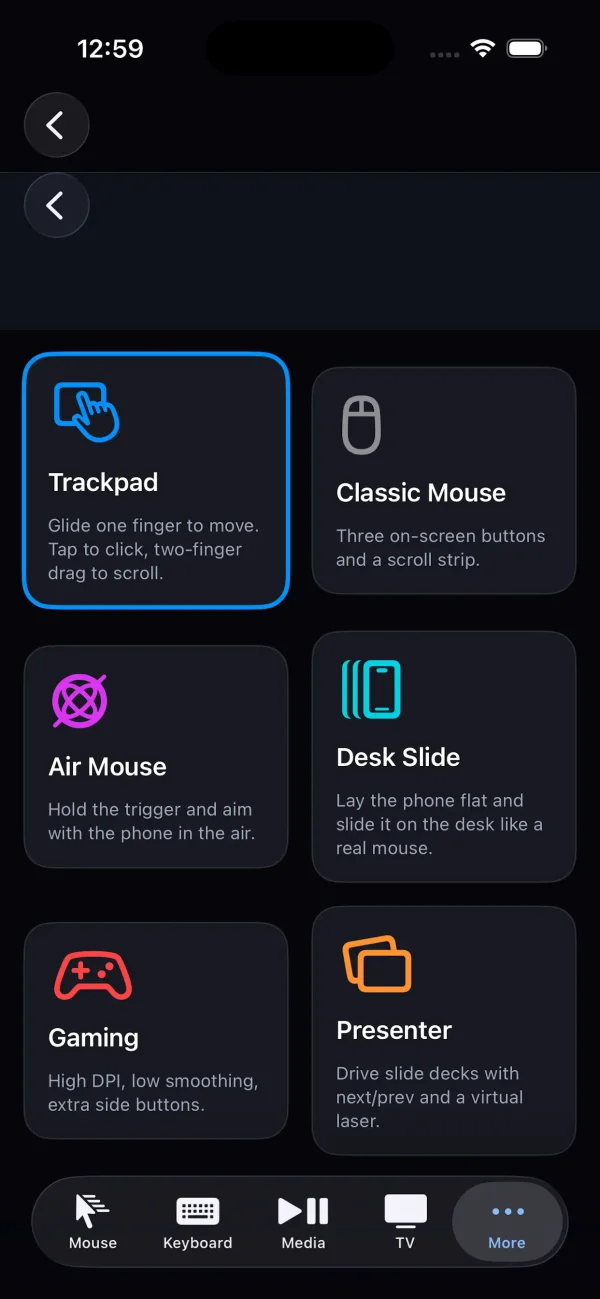
MOUSE MODES
• Trackpad — glide to move, tap to click, two-finger scroll
• Classic Mouse — left, right, and middle buttons plus scroll
• Air Mouse — aim with your phone in the air
• Desk Slide — lay the phone flat and slide it on your desk
• Gaming — high sensitivity with extra buttons
• Presenter — next/previous slide controls and pointing
KEYBOARD & MEDIA
• Full keyboard with modifier keys sent to your Mac
• Media controls for volume, brightness, and playback
TV REMOTE
• Control a Roku TV on your network through your Mac
• Multiple layouts including Universal, Apple TV, Roku, and Simple
• Find TVs automatically on your Wi‑Fi
CONNECTION
• Automatic discovery on the same Wi‑Fi (Bonjour)
• Manual IP entry and QR code pairing
• Optional Bluetooth when Wi‑Fi is unavailable
PRIVACY
All input stays on your local network between your phone and Mac. MouseMe does not collect or sell your data.
REQUIREMENTS
• iPhone or iPad with iOS/iPadOS 26.2 or later
• Mac with macOS 26.2 or later on the same Wi‑Fi network
• Local Network permission on iPhone (for discovery)
• Accessibility permission on Mac (to control cursor and keyboard)
Perfect for your desk, the couch, or presentations — your phone becomes a portable mouse and keyboard for the Mac you already own.
Quyền riêng tư của ứng dụng
Những gì DropDollar, LLC khai báo trên App Store về cách ứng dụng này xử lý dữ liệu.
-
Dữ liệu không được thu thập
Nhà phát triển không thu thập bất kỳ dữ liệu nào từ ứng dụng này.
Phương thức đảm bảo quyền riêng tư có thể khác nhau, chẳng hạn như tuỳ theo các tính năng bạn sử dụng hoặc độ tuổi của bạn.
Thông tin
- Người bán
- DropDollar, LLC
- Danh mục
- Tiện Ích
- Phiên bản
- 1.0
- Cập nhật
- 01/07/2026
- Phát hành
- 01/07/2026
- Kích thước
- 8,8 MB
- Yêu cầu
- iOS 26.2 trở lên
- Độ tuổi
- 4+
- Giá
- Miễn phí
- Ngôn ngữ
- Tiếng Anh
- Bản quyền
- © DropDollar, LLC
Có thể bạn cũng thích
-
 PhoneMouse – Wireless MouseTiện Ích
-
 Laser MouseTiện Ích
-
 Bluetooth MouseTiện Ích
-
 Phone Mouse・Remote・KeyboardTiện Ích
-
 Mobile Mouse USB RemoteTiện Ích
-
 Mouse LinkTiện Ích
-
 AirBoard: Bluetooth KeyboardTiện Ích
-
 BT Remote: Keyboard & TrackpadTiện Ích
-
 MultiLink: Bàn phím từ xaĐiều khiển PC từ điện thoại
-
 Mobile Mouse Bluetooth RemoteTiện Ích