
- 対象年齢4+
- カテゴリユーティリティ
- 開発元DropDollar, LLC
- 言語英語
- サイズ8.8 MB
App Storeの公式ページにリンクしています
Download.orgはMouseMeのファイルを一切ホストしていません。ボタンを押すと、DropDollar, LLCが公開しているApp Storeのアプリページが開きます。ページの最終確認:2026/11/14。
スクリーンショット




概要
開発元はこのテキストをお使いの言語で提供していません。
MouseMe turns your iPhone or iPad into a wireless trackpad, keyboard, media remote, and TV controller for your Mac — over your local Wi‑Fi. No subscription, no account, and no data sent to our servers.
GET STARTED
1. Install MouseMe on your Mac and iPhone (same app on both).
2. On your Mac, open MouseMe and turn on Receiving. Grant Accessibility when macOS asks — this lets MouseMe move the cursor and type.
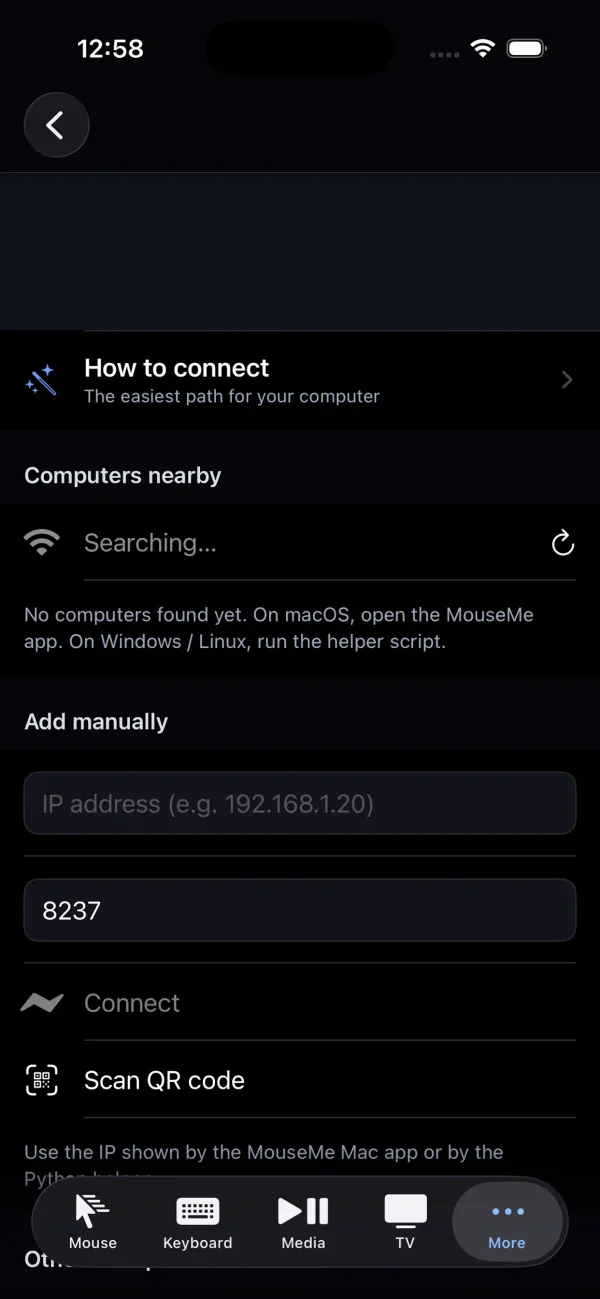
3. On your iPhone, open Connect and tap your Mac under Computers nearby.
4. Use the Mouse tab to move and click, or switch to Keyboard, Media, or TV.
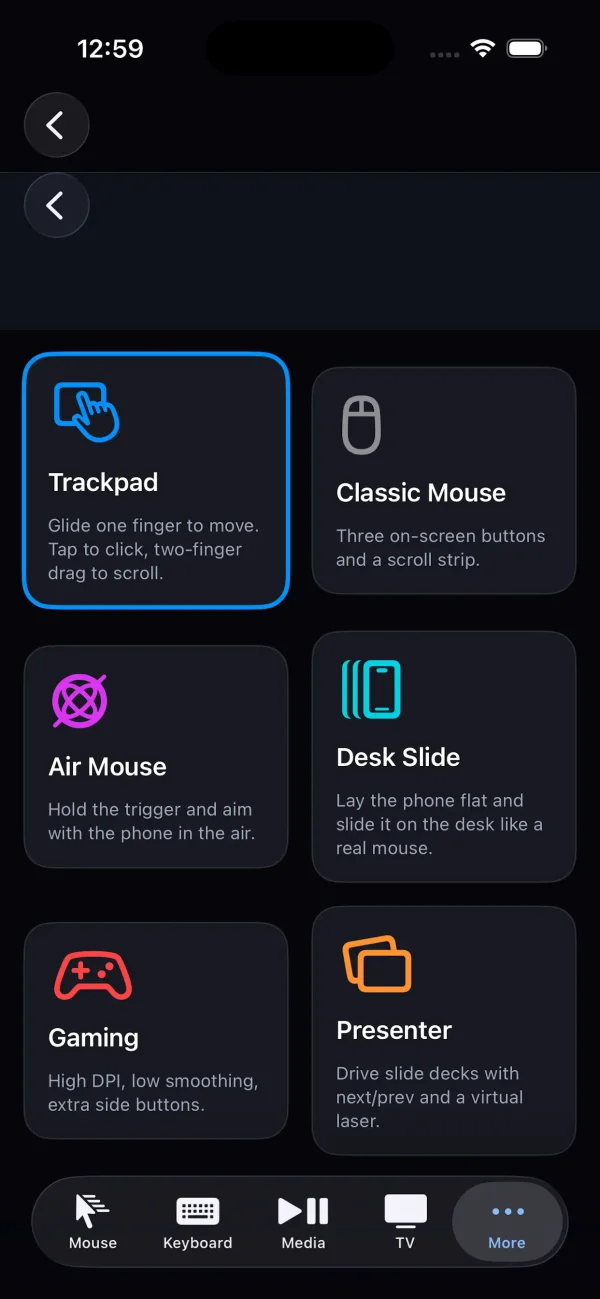
MOUSE MODES
• Trackpad — glide to move, tap to click, two-finger scroll
• Classic Mouse — left, right, and middle buttons plus scroll
• Air Mouse — aim with your phone in the air
• Desk Slide — lay the phone flat and slide it on your desk
• Gaming — high sensitivity with extra buttons
• Presenter — next/previous slide controls and pointing
KEYBOARD & MEDIA
• Full keyboard with modifier keys sent to your Mac
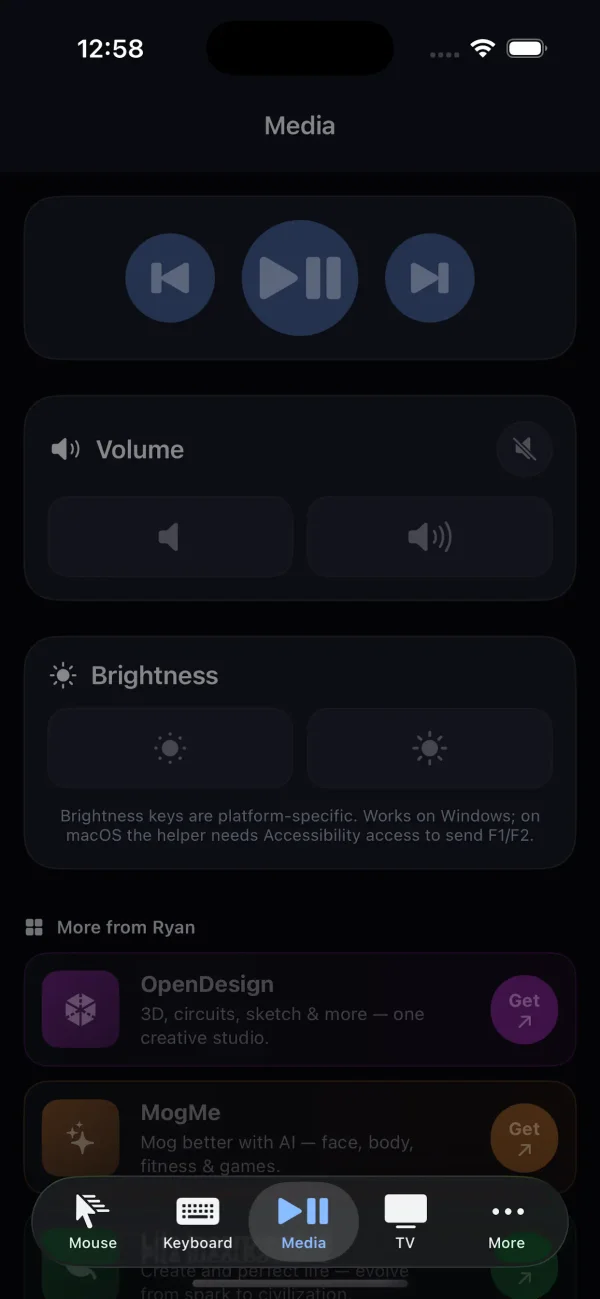
• Media controls for volume, brightness, and playback
TV REMOTE
• Control a Roku TV on your network through your Mac
• Multiple layouts including Universal, Apple TV, Roku, and Simple
• Find TVs automatically on your Wi‑Fi
CONNECTION
• Automatic discovery on the same Wi‑Fi (Bonjour)
• Manual IP entry and QR code pairing
• Optional Bluetooth when Wi‑Fi is unavailable
PRIVACY
All input stays on your local network between your phone and Mac. MouseMe does not collect or sell your data.
REQUIREMENTS
• iPhone or iPad with iOS/iPadOS 26.2 or later
• Mac with macOS 26.2 or later on the same Wi‑Fi network
• Local Network permission on iPhone (for discovery)
• Accessibility permission on Mac (to control cursor and keyboard)
Perfect for your desk, the couch, or presentations — your phone becomes a portable mouse and keyboard for the Mac you already own.
アプリのプライバシー
このアプリのデータの取り扱いについて、DropDollar, LLCがApp Storeで申告している内容です。
-
データの収集なし
開発元はこのアプリからデータを収集しません。
プライバシーの取り扱いは、ご利用の機能やお客様の年齢などに応じて異なる場合があります。
情報
- 販売元
- DropDollar, LLC
- カテゴリ
- ユーティリティ
- バージョン
- 1.0
- 更新日
- 2026/7/1
- リリース
- 2026/7/1
- サイズ
- 8.8 MB
- 必要条件
- iOS 26.2以降
- 対象年齢
- 4+
- 価格
- 無料
- 言語
- 英語
- 著作権
- © DropDollar, LLC
こちらもおすすめ
-
 PhoneMouse – Wireless Mouseユーティリティ
-
 Laser Mouseユーティリティ
-
 Bluetooth Mouseユーティリティ
-
 Phone Mouse・Remote・Keyboardユーティリティ
-
 Mobile Mouse USB Remoteユーティリティ
-
 Mouse Linkユーティリティ
-
 AirBoard ProBluetooth・Wi-Fi キーボード
-
 BT Remote: Keyboard & Trackpadユーティリティ
-
 MultiLink: リモートキーボードタブレットをトラックパッドに
-
 Mobile Mouse Bluetooth Remoteユーティリティ