
- Batasan usia4+
- KategoriKegunaan
- PengembangDropDollar, LLC
- BahasaInggris
- Ukuran8,8 MB
Tertaut ke halaman resmi App Store
Download.org tidak menyimpan file MouseMe apa pun. Tombol ini membuka halaman aplikasi di App Store, tempat DropDollar, LLC menerbitkannya. Halaman terakhir diperiksa pada 14/11/2026.
Tangkapan layar




Tentang
Pengembang belum menyediakan teks ini dalam bahasa Anda.
MouseMe turns your iPhone or iPad into a wireless trackpad, keyboard, media remote, and TV controller for your Mac — over your local Wi‑Fi. No subscription, no account, and no data sent to our servers.
GET STARTED
1. Install MouseMe on your Mac and iPhone (same app on both).
2. On your Mac, open MouseMe and turn on Receiving. Grant Accessibility when macOS asks — this lets MouseMe move the cursor and type.
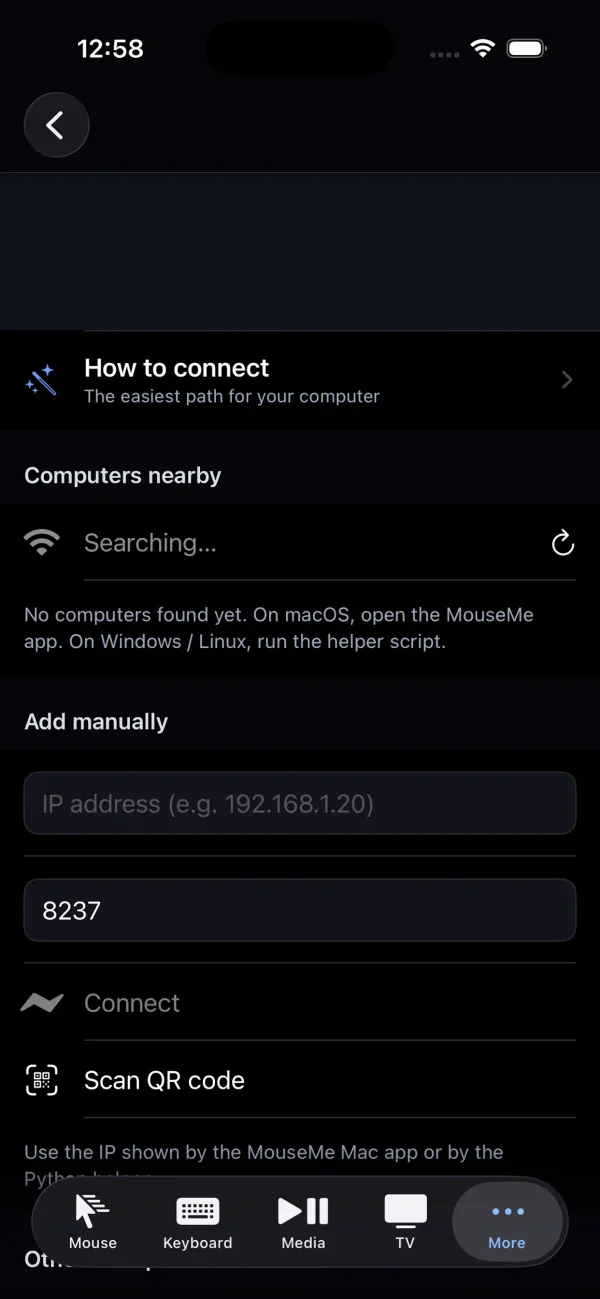
3. On your iPhone, open Connect and tap your Mac under Computers nearby.
4. Use the Mouse tab to move and click, or switch to Keyboard, Media, or TV.
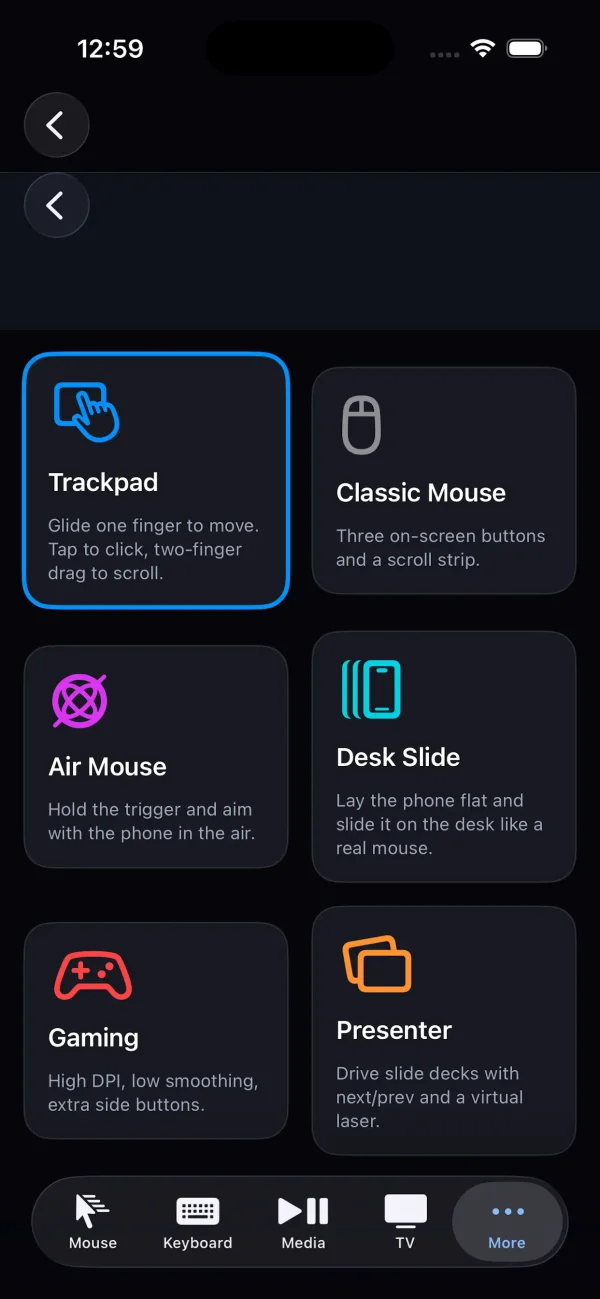
MOUSE MODES
• Trackpad — glide to move, tap to click, two-finger scroll
• Classic Mouse — left, right, and middle buttons plus scroll
• Air Mouse — aim with your phone in the air
• Desk Slide — lay the phone flat and slide it on your desk
• Gaming — high sensitivity with extra buttons
• Presenter — next/previous slide controls and pointing
KEYBOARD & MEDIA
• Full keyboard with modifier keys sent to your Mac
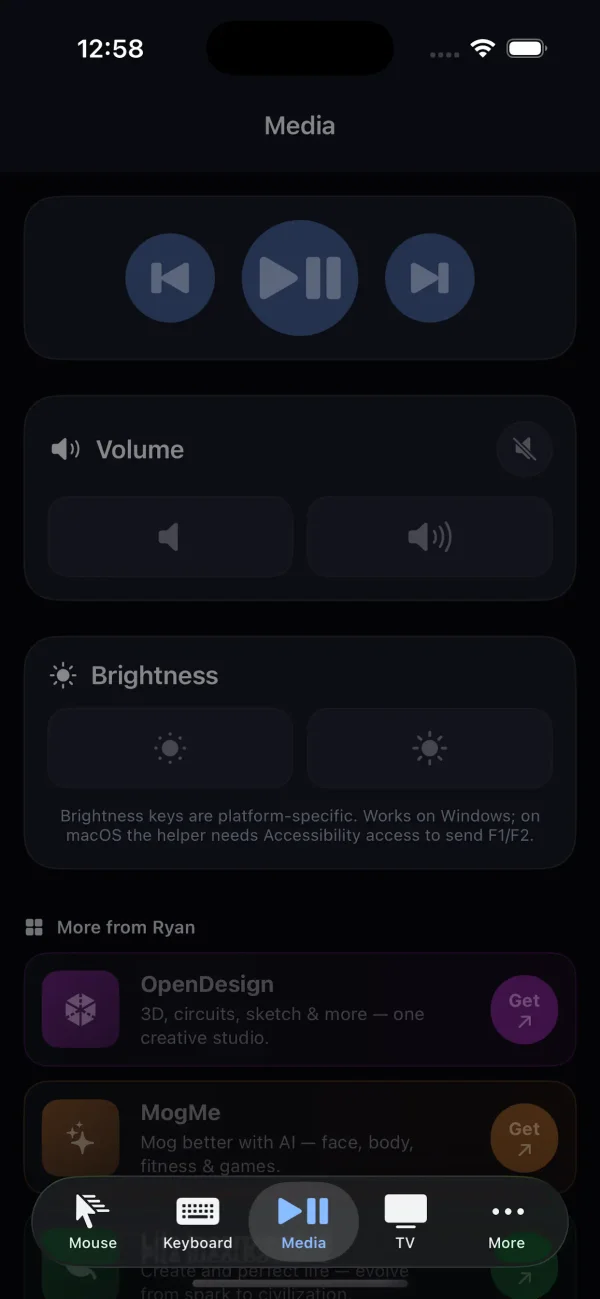
• Media controls for volume, brightness, and playback
TV REMOTE
• Control a Roku TV on your network through your Mac
• Multiple layouts including Universal, Apple TV, Roku, and Simple
• Find TVs automatically on your Wi‑Fi
CONNECTION
• Automatic discovery on the same Wi‑Fi (Bonjour)
• Manual IP entry and QR code pairing
• Optional Bluetooth when Wi‑Fi is unavailable
PRIVACY
All input stays on your local network between your phone and Mac. MouseMe does not collect or sell your data.
REQUIREMENTS
• iPhone or iPad with iOS/iPadOS 26.2 or later
• Mac with macOS 26.2 or later on the same Wi‑Fi network
• Local Network permission on iPhone (for discovery)
• Accessibility permission on Mac (to control cursor and keyboard)
Perfect for your desk, the couch, or presentations — your phone becomes a portable mouse and keyboard for the Mac you already own.
Privasi aplikasi
Yang dinyatakan DropDollar, LLC di App Store tentang cara aplikasi ini menangani data.
-
Data tidak dikumpulkan
Pengembang tidak mengumpulkan data apa pun dari aplikasi ini.
Praktik privasi dapat bervariasi, misalnya berdasarkan fitur yang Anda gunakan atau usia Anda.
Informasi
- Penjual
- DropDollar, LLC
- Kategori
- Kegunaan
- Versi
- 1.0
- Diperbarui
- 1/7/2026
- Dirilis
- 1/7/2026
- Ukuran
- 8,8 MB
- Memerlukan
- iOS 26.2 atau yang lebih baru
- Batasan usia
- 4+
- Harga
- Gratis
- Bahasa
- Inggris
- Hak cipta
- © DropDollar, LLC
Mungkin Anda juga suka
-
 PhoneMouse – Wireless MouseKegunaan
-
 Laser MouseKegunaan
-
 Bluetooth MouseKegunaan
-
 Phone Mouse・Remote・KeyboardKegunaan
-
 Mobile Mouse USB RemoteKegunaan
-
 Mouse LinkKegunaan
-
 AirBoard: Bluetooth KeyboardKegunaan
-
 BT Remote: Keyboard & TrackpadKegunaan
-
 MultiLink: Keyboard &Keyboard & Trackpad Jarak Jauh
-
 Mobile Mouse Bluetooth RemoteKegunaan