Numeric Correction Calculator
Easy correct by touching disp
Diseñada para iPhone, iPad, iPod touch
- Clasificación por edad4+
- CategoríaUtilidades
- DesarrolladorNobuyuki Kumakura
- IdiomasInglés+ 2 más
- Tamaño8,9 MB
Es posible que Numeric Correction Calculator no esté disponible en App Store en este momento
No se pudo acceder a la ficha de la tienda en nuestra última comprobación. El enlace sigue llevando a la página oficial de App Store.
Capturas de pantalla
Acerca de
El desarrollador no ha proporcionado este texto en tu idioma.
Overview
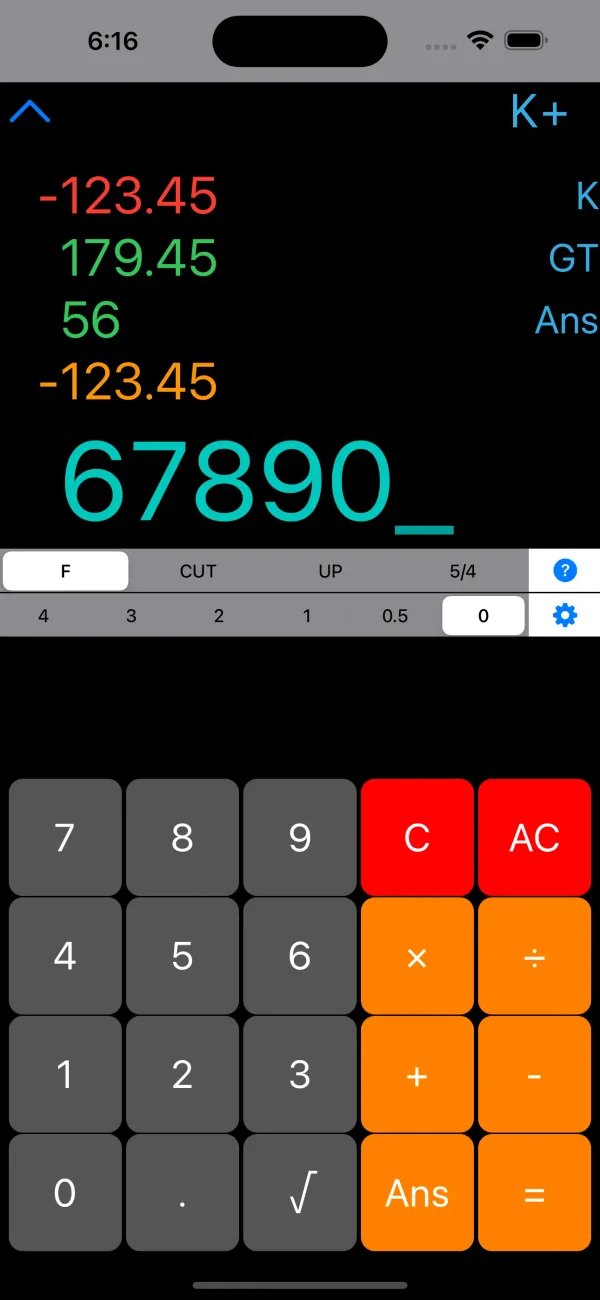
A calculator that can be corrected by touching the displayed number.
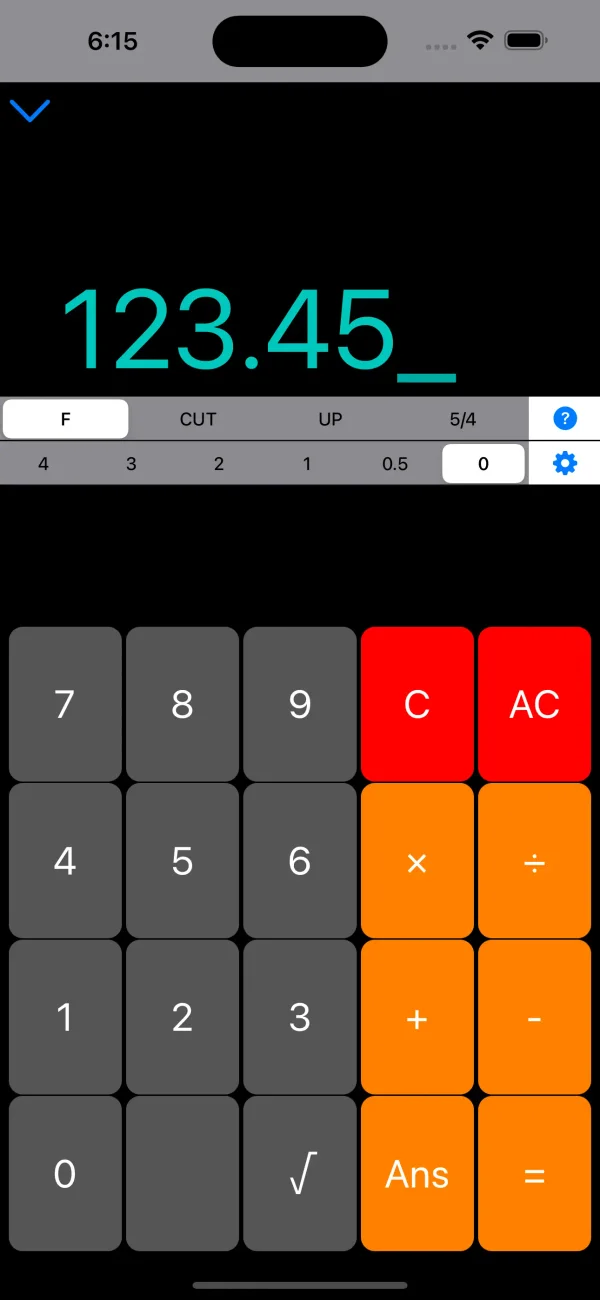
It has a round selector and a decimal point selector(4,3,2,1,0.5,0) for decimal point calculation.
With multi-line display, you can calculate while displaying constant (K), grand total (GT), last answer (Ans), and intermediate result value.
Detail
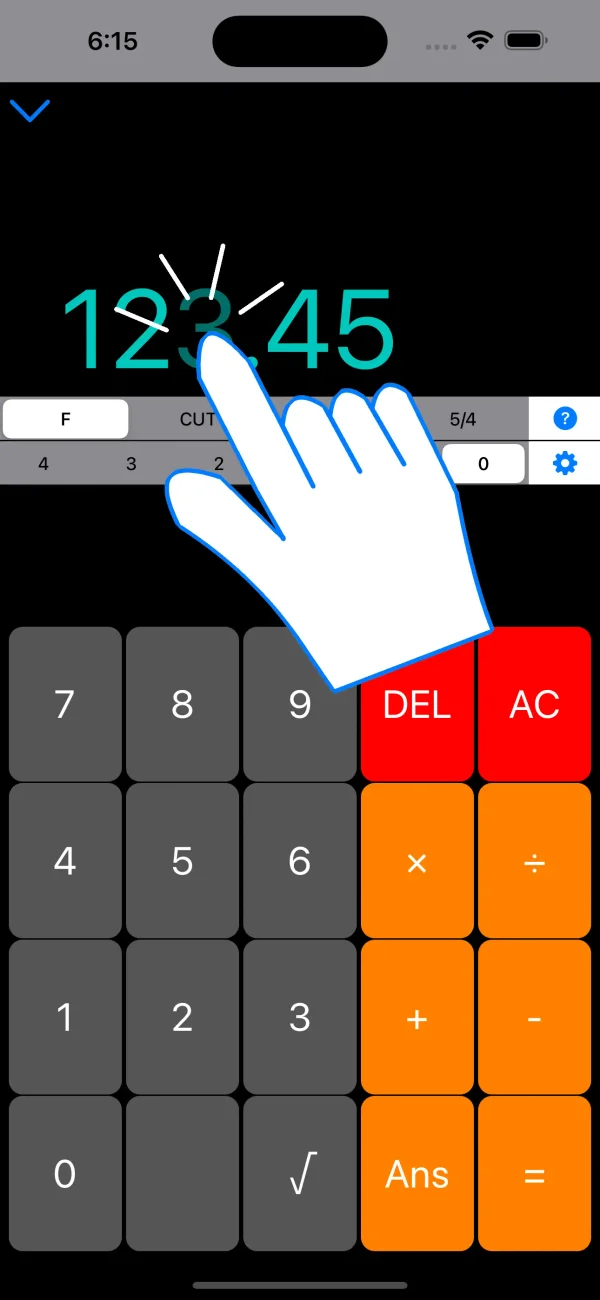
Touch the displayed number to correct.
If you want to correct input number or intermediate result, touch the number itself.
Then the number will blink, press the number key to correct it.
Press the DEL key to delete numbers.
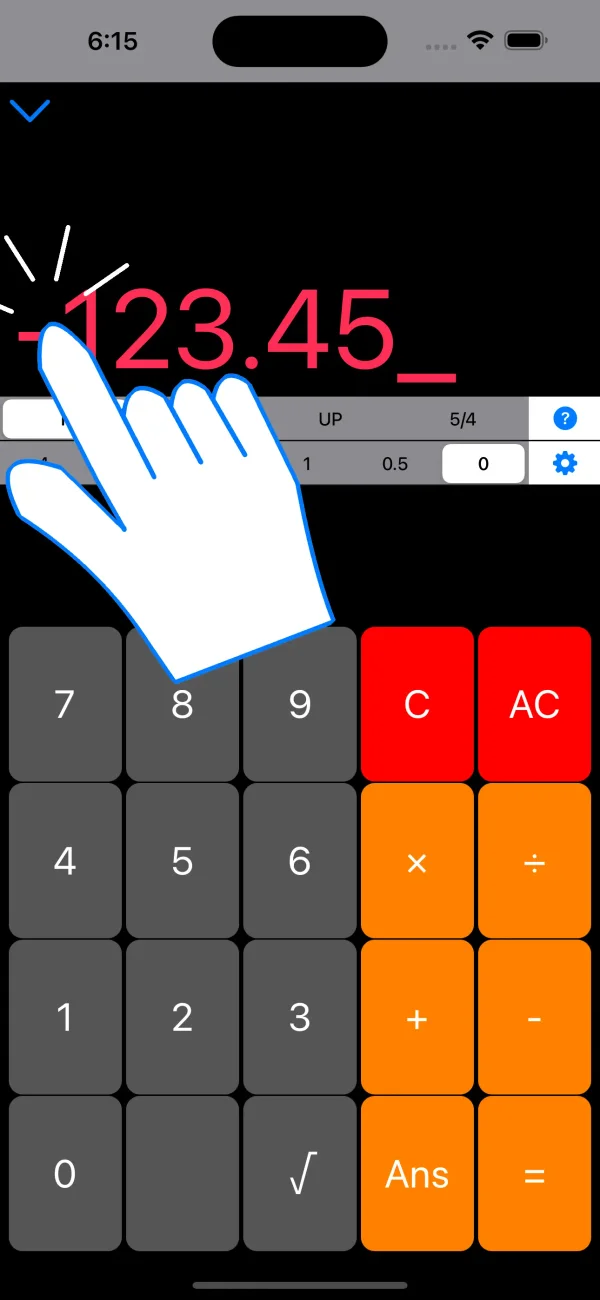
Sign Change(+/-)
Touch the left edge to switch between plus and minus (+/-).
Set the round selector to UP, DOWN or 5/4.
Set the decimal point selector to one of 4,3,2,1,0,5,0.
You can round numbers by pressing the = key.
0.5 "rounds" by 0.5.
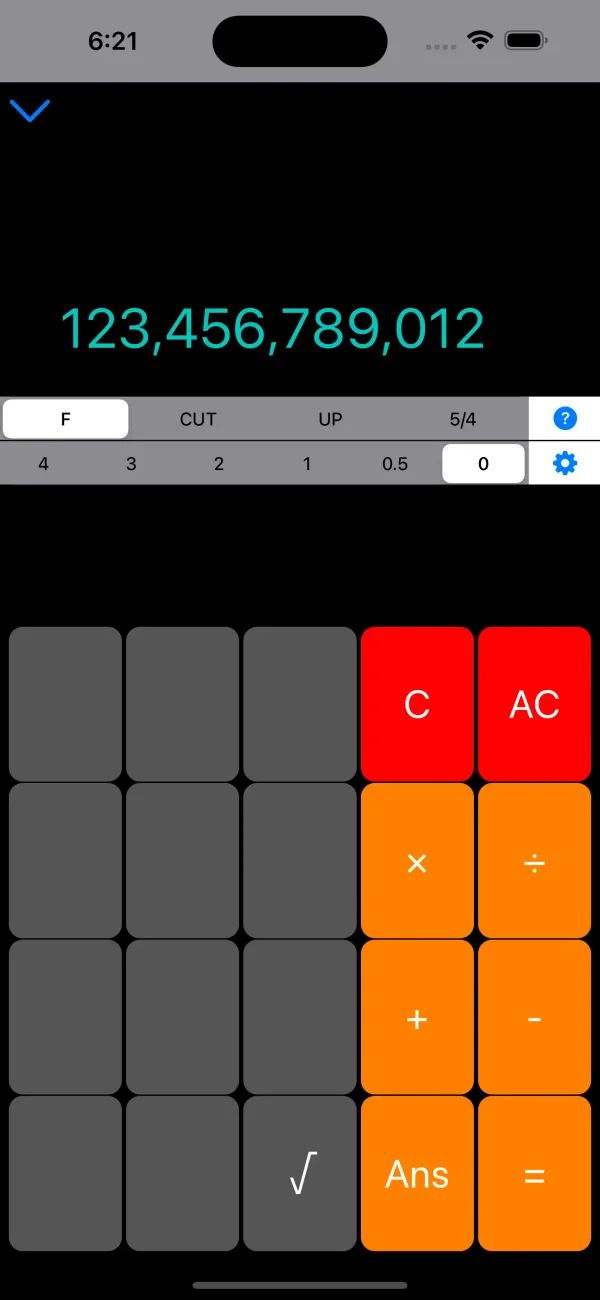
Detailed results are displayed by touching the down button on the upper left of the screen.
Constant(K)
Grand Total(GT)
Calculation's result value, last answer(Ans). Also used for Ans memory calculations.
intermediate result
Decimal point can be set from the setting.
example:"1,234.5", "1.234,5", "1 234,5", "1'234.5" For Digit separator "3"
Digit separator can be set from the setting.
3-digit, 4-digit, First 3 digits then 2nd digits separator(Indian comma)
Numeric color can be set from the setting.
The maximum number of digits is 12 digits.
Disclaimer
This application is subject to change without notice.
The Developer assumes no responsibility for any loss or claims by third parties which may arise from the use of this application.
Novedades
Versión 1.2.1 · 18/12/2023
ver1.2→ver1.2.1
Modified Help screen.
ver1.1→ver1.2
Added setting items.
It is now possible to set the decimal point display used in European countries.
example:"1,234.5", "1.234,5", "1 234,5", "1'234.5" For Digit separator(Comma) "3".
It is now possible to select the numeric color.
Privacidad de la aplicación
Lo que Nobuyuki Kumakura declara en App Store sobre cómo esta aplicación gestiona los datos.
-
Datos usados para rastrearte
Pueden usarse para rastrearte en aplicaciones y sitios web propiedad de otras empresas.
- Ubicación
- Identificadores
- Datos de uso
-
Datos vinculados a ti
Pueden recopilarse y vincularse a tu identidad.
- Ubicación
- Identificadores
- Datos de uso
-
Datos no vinculados a ti
Pueden recopilarse, pero no se vinculan a tu identidad.
- Diagnóstico
Las prácticas de privacidad pueden variar, por ejemplo, según las funciones que uses o tu edad.
Información
- Vendedor
- Nobuyuki Kumakura
- Categoría
- Utilidades
- Versión
- 1.2.1
- Actualizado
- 18/12/2023
- Publicado
- 17/5/2023
- Tamaño
- 8,9 MB
- Requiere
- iOS 15.4 o posterior
- Clasificación por edad
- 4+
- Idiomas
- Inglés, Japonés, Ruso
- Copyright
- © Nobuyuki Kumakura
Quizá también te guste
-
 Adam's CalcUtilidades
-
 編集電卓 ボタンをカスタムしてよく使う数字を入力できる計算機Utilidades
-
 Colorful Light Calculator NXUtilidades
-
 Calculadora 4.0Solución a cálculos diarios
-
 India Calculator - IndiaCalcUtilidades
-
 ParallelCalculatorUtilidades
-
 Flex CalculatorsUtilidades
-
 メモリ電卓Utilidades
-
 EZrr CalculatorUtilidades
-
 RedoCalcUtilidades