Numeric Correction Calculator
Easy correct by touching disp
Được thiết kế cho iPhone, iPad, iPod touch
Miễn phí
- Độ tuổi4+
- Danh mụcTiện Ích
- Nhà phát triểnNobuyuki Kumakura
- Ngôn ngữTiếng Anh+ 2 ngôn ngữ khác
- Kích thước8,9 MB
Liên kết đến trang App Store chính thức
Download.org không lưu trữ tệp nào của Numeric Correction Calculator. Nút này mở trang ứng dụng trên App Store, nơi Nobuyuki Kumakura phát hành ứng dụng. Trang được kiểm tra lần cuối: 13/11/2026.
Ảnh chụp màn hình
Giới thiệu
Nhà phát triển chưa cung cấp nội dung này bằng ngôn ngữ của bạn.
Overview
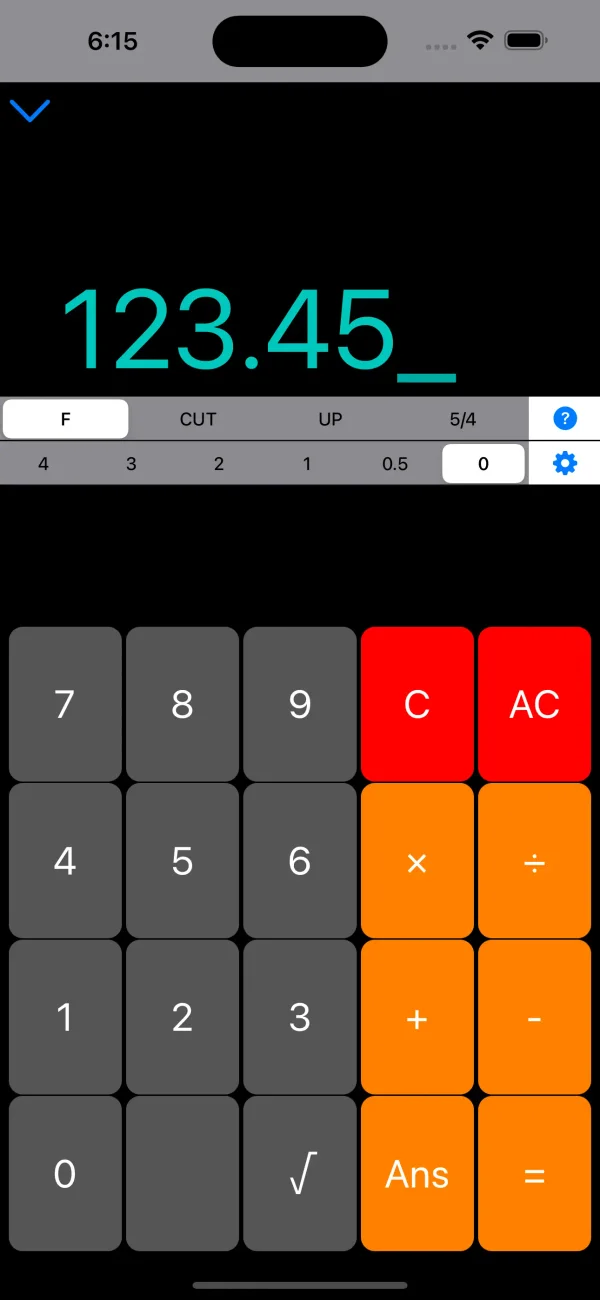
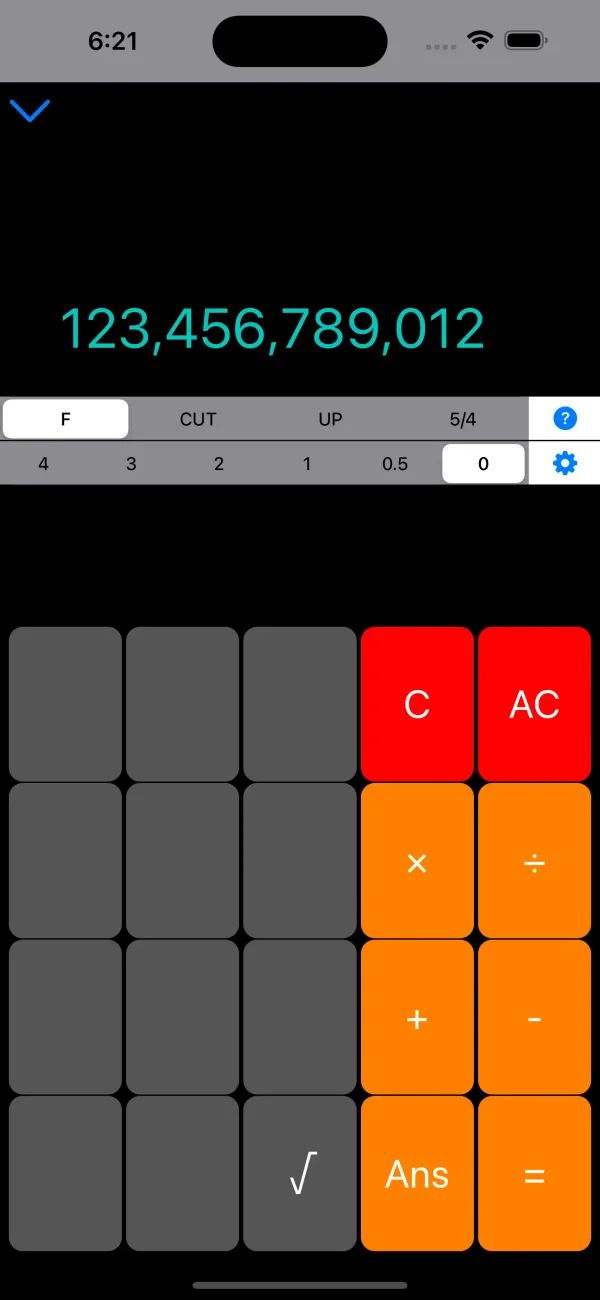
A calculator that can be corrected by touching the displayed number.
It has a round selector and a decimal point selector(4,3,2,1,0.5,0) for decimal point calculation.
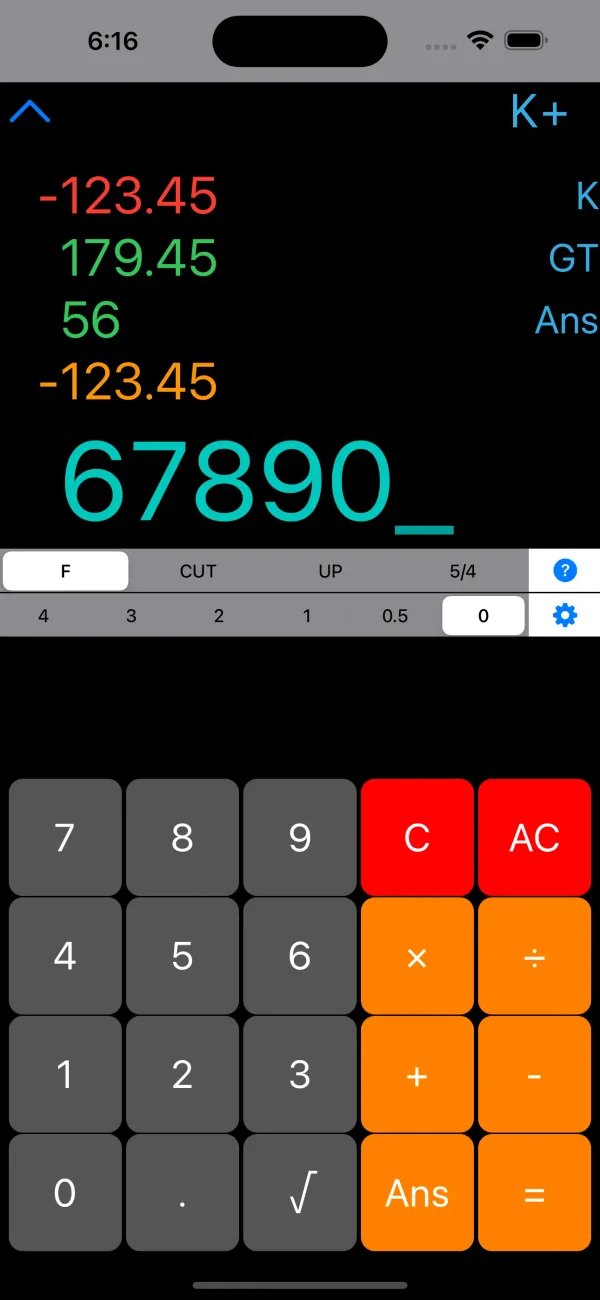
With multi-line display, you can calculate while displaying constant (K), grand total (GT), last answer (Ans), and intermediate result value.
Detail
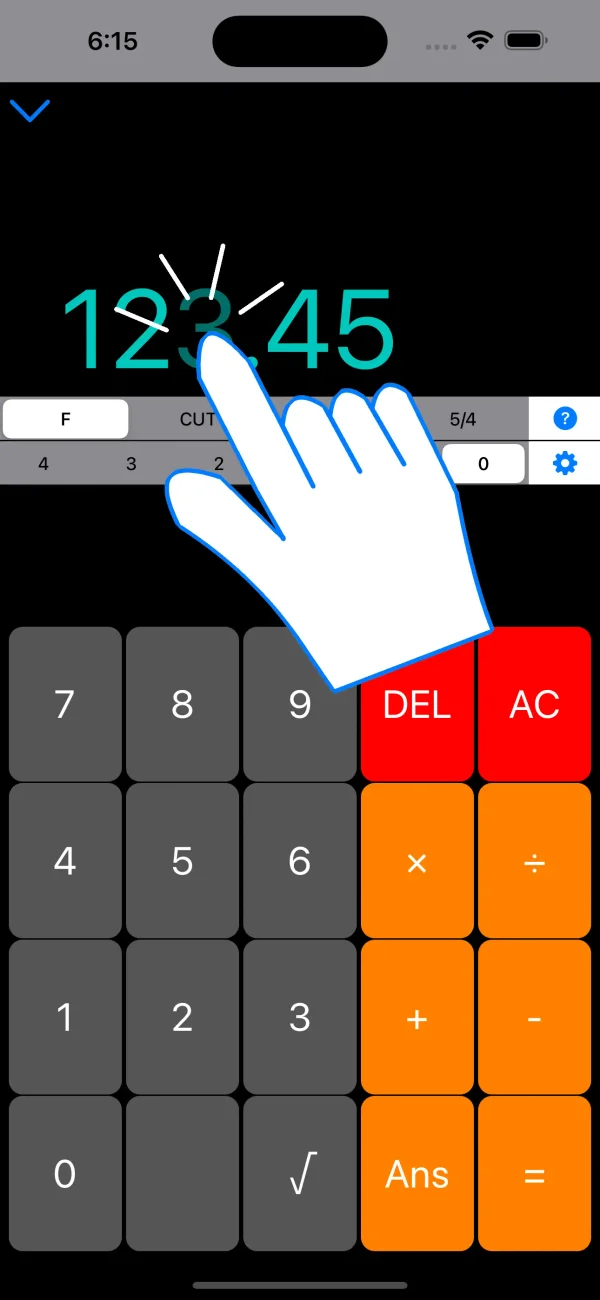
Touch the displayed number to correct.
If you want to correct input number or intermediate result, touch the number itself.
Then the number will blink, press the number key to correct it.
Press the DEL key to delete numbers.
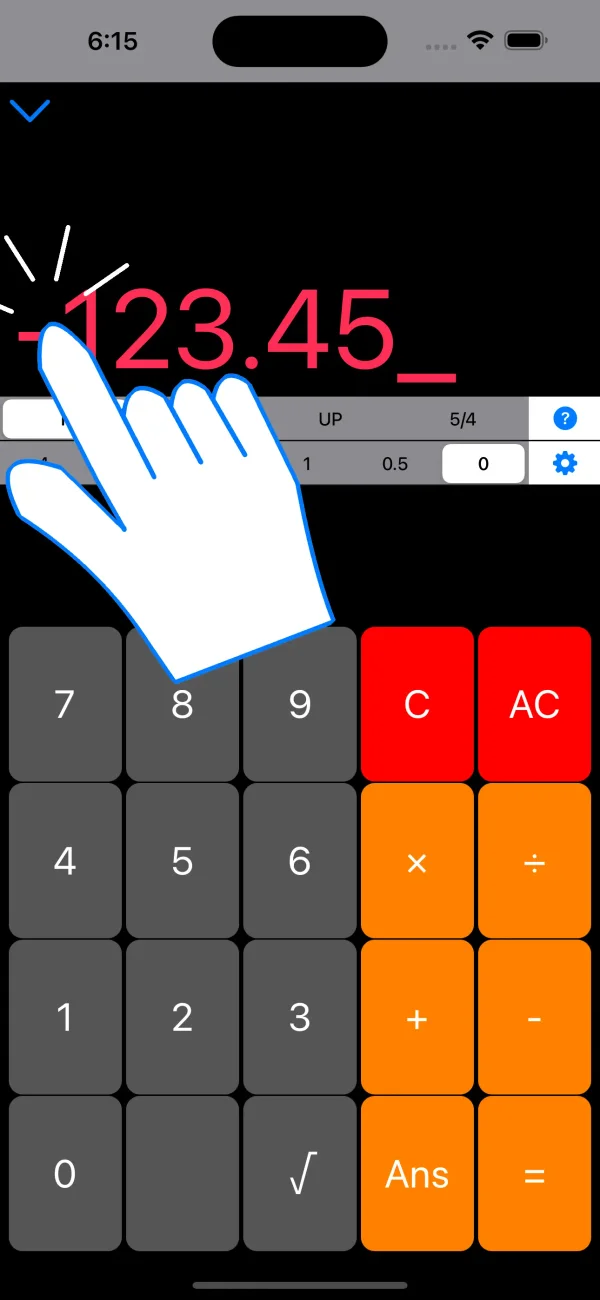
Sign Change(+/-)
Touch the left edge to switch between plus and minus (+/-).
Set the round selector to UP, DOWN or 5/4.
Set the decimal point selector to one of 4,3,2,1,0,5,0.
You can round numbers by pressing the = key.
0.5 "rounds" by 0.5.
Detailed results are displayed by touching the down button on the upper left of the screen.
Constant(K)
Grand Total(GT)
Calculation's result value, last answer(Ans). Also used for Ans memory calculations.
intermediate result
Decimal point can be set from the setting.
example:"1,234.5", "1.234,5", "1 234,5", "1'234.5" For Digit separator "3"
Digit separator can be set from the setting.
3-digit, 4-digit, First 3 digits then 2nd digits separator(Indian comma)
Numeric color can be set from the setting.
The maximum number of digits is 12 digits.
Disclaimer
This application is subject to change without notice.
The Developer assumes no responsibility for any loss or claims by third parties which may arise from the use of this application.
Có gì mới
Phiên bản 1.2.1 · 18/12/2023
ver1.2→ver1.2.1
Modified Help screen.
ver1.1→ver1.2
Added setting items.
It is now possible to set the decimal point display used in European countries.
example:"1,234.5", "1.234,5", "1 234,5", "1'234.5" For Digit separator(Comma) "3".
It is now possible to select the numeric color.
Quyền riêng tư của ứng dụng
Những gì Nobuyuki Kumakura khai báo trên App Store về cách ứng dụng này xử lý dữ liệu.
-
Dữ liệu được sử dụng để theo dõi bạn
Có thể được sử dụng để theo dõi bạn trên các ứng dụng và trang web do công ty khác sở hữu.
- Vị trí
- Mã định danh
- Dữ liệu sử dụng
-
Dữ liệu liên kết với bạn
Có thể được thu thập và liên kết với danh tính của bạn.
- Vị trí
- Mã định danh
- Dữ liệu sử dụng
-
Dữ liệu không liên kết với bạn
Có thể được thu thập nhưng không liên kết với danh tính của bạn.
- Chẩn đoán
Phương thức đảm bảo quyền riêng tư có thể khác nhau, chẳng hạn như tuỳ theo các tính năng bạn sử dụng hoặc độ tuổi của bạn.
Thông tin
- Người bán
- Nobuyuki Kumakura
- Danh mục
- Tiện Ích
- Phiên bản
- 1.2.1
- Cập nhật
- 18/12/2023
- Phát hành
- 17/05/2023
- Kích thước
- 8,9 MB
- Yêu cầu
- iOS 15.4 trở lên
- Độ tuổi
- 4+
- Giá
- Miễn phí
- Ngôn ngữ
- Tiếng Anh, Tiếng Nhật, Tiếng Nga
- Bản quyền
- © Nobuyuki Kumakura